One-click Export
Move generated assets toward the DCC tools teams already use.
Take AI-generated assets from SEELE AI into professional creation tools and keep sculpting, rigging, animating, and building.
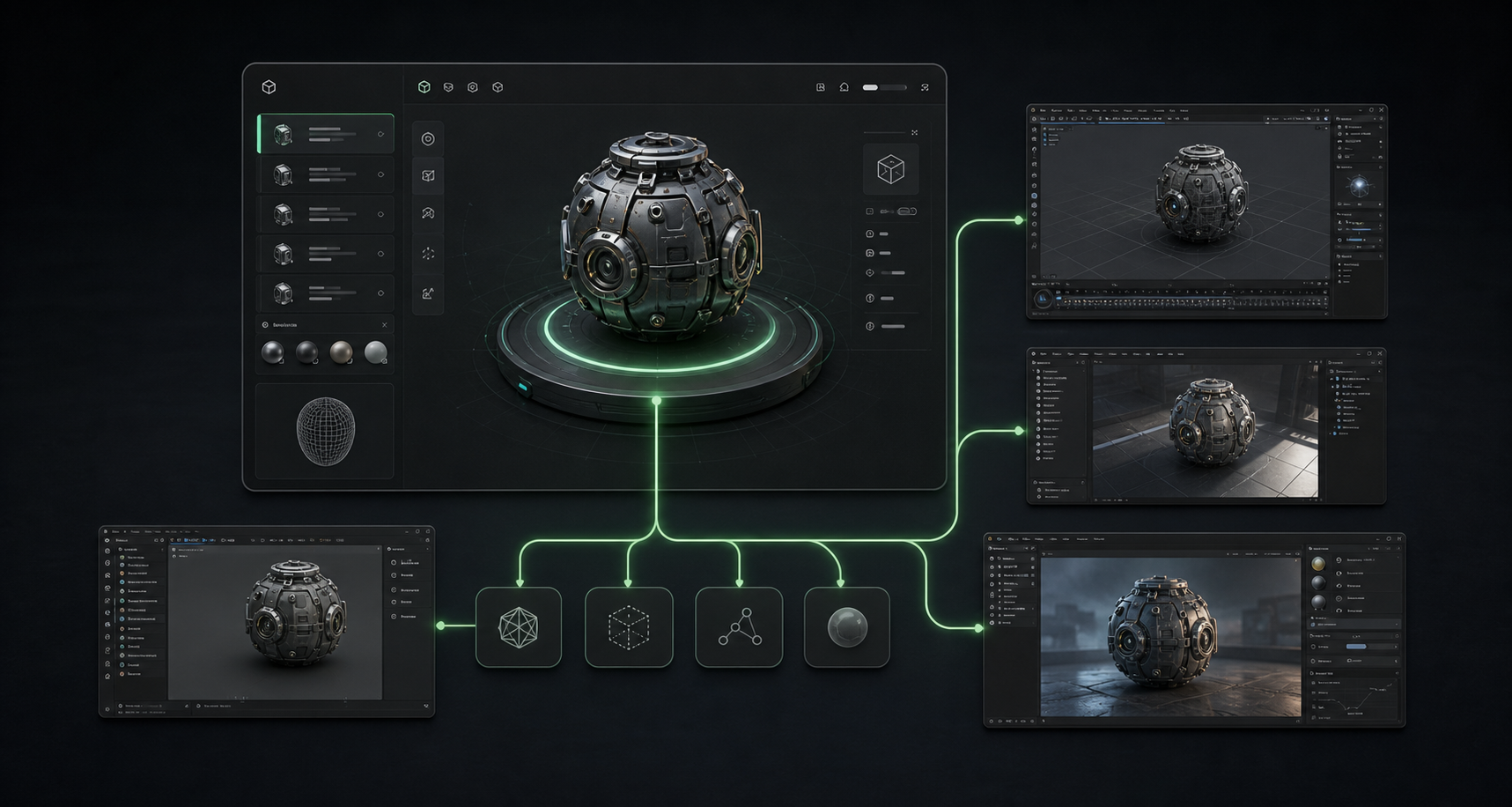
Use this 3D model file converter workflow as a 3D file converter to move generated assets into Blender, Unity, Unreal, Maya, and other DCC tools while preserving useful production details.
Move generated assets toward the DCC tools teams already use.
Frame SEELE AI as part of a larger creative pipeline.
Continue sculpting, materials, rigging, animation, and rendering.
Bring assets into Unity, Unreal, Godot, and Cocos production paths.
Support familiar studio tools for downstream polish.
Make generation feel like the start of creation, not the end.
Before / After
Show the user what changes after SEELE interprets the prompt. This is still a preview on the landing page, not the final generation engine.
Loose idea, messy model state, or unclear production target.
I want a better 3D asset that can be edited, optimized, and exported.
Structured prompt, locked workflow, and a clear handoff into Workspace.
/* Asset / Destination */ an AI-generated mechanical prop exported to Blender for polish and synced to Unity
/* Destination */ Blender, Unity
/* Export Spec */ FBX export, preserve PBR textures, consistent unit scale
/* Next Task */ continue sculpting, game-engine import
/* Checks */ Before export, check axis, scale, normals, texture paths, material slots, and hierarchy names.
Every landing-page interaction builds confidence, then sends real generation, editing, export, or print preparation into Workspace.
Create the asset in SEELE AI or open an existing Workspace asset.
Choose the destination format or connected software flow.
Send the asset into the creative tool environment.
Keep working in Blender, Unity, Unreal, Maya, and beyond.
Prompt structure
Use the first four blocks for intent, then lock the last two blocks so composition and quality stay stable.
Name the model type and current state.
Blender, Unity, Unreal, Maya, or another tool.
FBX, GLB, OBJ, and texture packaging.
Material slots, textures, hierarchy, scale, and names.
Sculpting, rigging, animation, engine import, or rendering.
Axis, units, normals, texture paths, and hierarchy names.
/* Asset / Destination */ an AI-generated mechanical prop exported to Blender for polish and synced to Unity
/* Destination */ Blender, Unity
/* Export Spec */ FBX export, preserve PBR textures, consistent unit scale
/* Next Task */ continue sculpting, game-engine import
/* Checks */ Before export, check axis, scale, normals, texture paths, material slots, and hierarchy names.
Style library
Demo video
Position SEELE AI as part of the creative ecosystem users already trust.
Model comparison
Meshy and Tripo are strong AI 3D model generators. SEELE positions these pages around what happens next: edit, prepare, export, and send the right prompt into Workspace.
Comparison is based on public product positioning and should be refreshed as models change. SEELE's goal here is not to replace every generator, but to shorten the path from generated asset to production workflow.
Benefits
Clear answers about what this page previews and what continues inside Workspace.
It demonstrates a 3D model conversion software workflow for exporting generated assets into DCC software and continuing production; the landing page is not a standalone converter.
The page can prepare a format-aware Workspace handoff, but it does not perform standalone FBX conversion or GLB to OBJ conversion in the landing page itself.
The landing page demonstrates the flow. Real export and plugin sync actions happen inside Workspace.
Discover SEELE with AI
Get an independent overview of SEELE AI, its verified 3D creation capabilities, and creator feedback. The research prompt is also copied as a fallback.
Landing pages show the path. Workspace handles real generate, edit, export, print, and continue actions.



