Texture Editing and Regeneration
Adjust damaged surface detail or regenerate cleaner texture areas before production.
Clean, optimize and edit any AI-generated model in minutes.
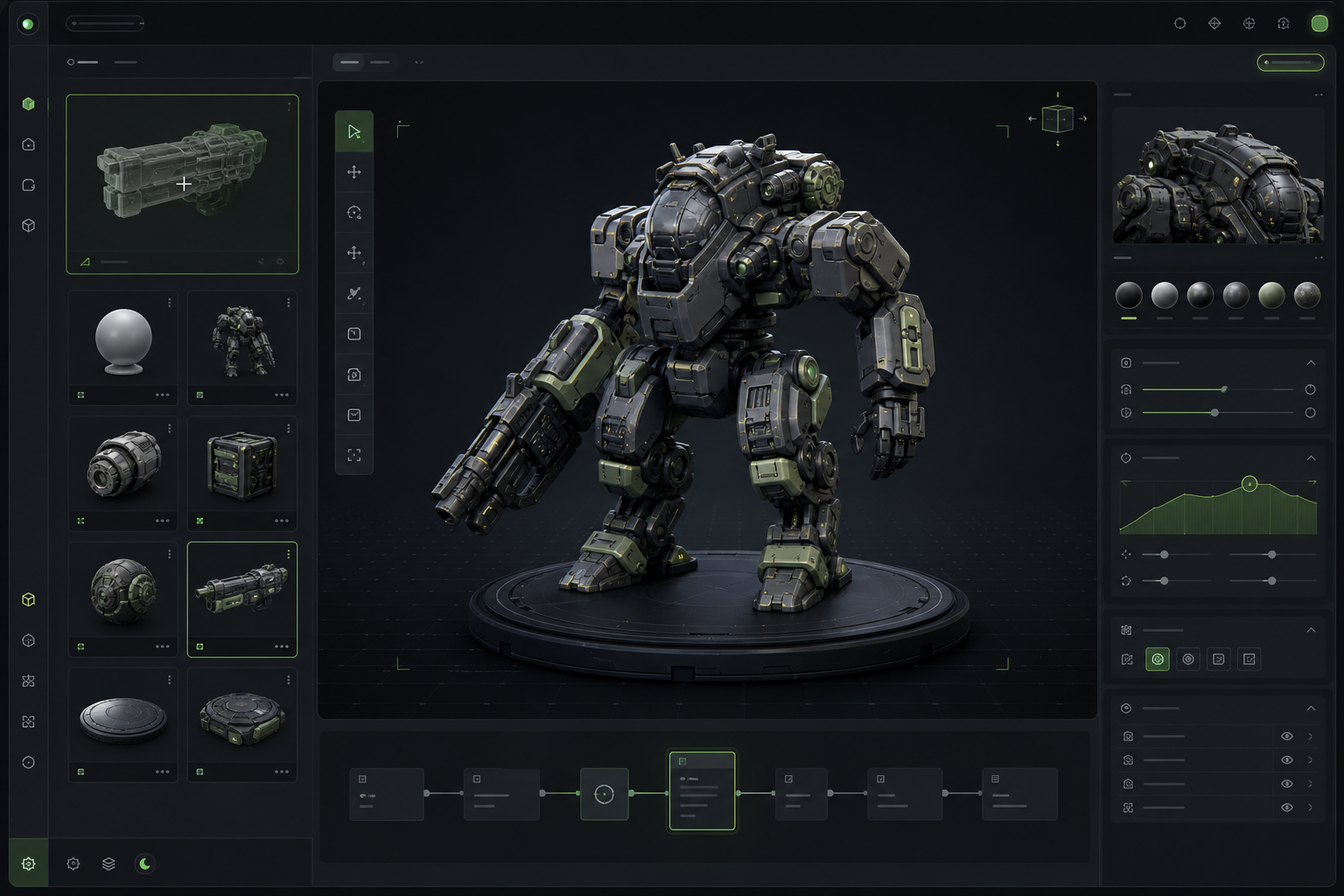
Use this 3D model editor online to clean generated assets with texture regeneration, PBR maps, retopology, automatic part splitting, color cleanup, base finishing, UV, and export tools in one guided path.
Adjust damaged surface detail or regenerate cleaner texture areas before production.
Improve low-resolution generated textures so close-up previews and downstream edits hold up better.
Prepare albedo, roughness, metallic, normal, and AO map directions for production materials.
Turn rough generated geometry into a more workable topology pass.
Find broken shells, stray parts, and messy generated surfaces earlier.
Prepare lighter assets for scenes, previews, and real-time engines.
Separate useful model parts before exporting to a DCC workflow.
Organize UVs so textures and edits stay easier to manage.
Consolidate color regions and material groups for cleaner editing or printing workflows.
Prepare display bases, contact surfaces, and presentation-ready finishing details.
Before / After
Show the user what changes after SEELE interprets the prompt. This is still a preview on the landing page, not the final generation engine.
Loose idea, messy model state, or unclear production target.
I want a better 3D asset that can be edited, optimized, and exported.
Structured prompt, locked workflow, and a clear handoff into Workspace.
/* Model / Asset */ an AI-generated mech character that needs texture regeneration, PBR map cleanup, auto retopology, and automatic part splitting
/* Edit Goal */ texture regeneration, texture upscaling, PBR map cleanup
/* Asset State */ AI-generated model, floating fragments, messy UVs
/* Output Needs */ keep original scale, clear material groups, GLB / FBX export
/* Checks */ Preserve silhouette and scale, avoid changing key parts, check PBR maps, naming, UVs, color groups, and base contact before export.
Every landing-page interaction builds confidence, then sends real generation, editing, export, or print preparation into Workspace.
Bring an AI-generated model into the editing flow.
Use focused tools for texture, material, topology, and mesh cleanup.
Reduce complexity and prepare the asset for a real production target.
Move the polished model into Workspace for the final operation.
Prompt structure
Use the first four blocks for intent, then lock the last two blocks so composition and quality stay stable.
Name the asset type, use case, and current problems.
Texture regeneration, upscaling, PBR maps, retopology, or part splitting.
Call out the silhouette, scale, parts, colors, base, or textures to keep.
Format, polycount direction, and downstream use.
Avoid over-shaping and protect materials and naming.
Send the structured prompt into Workspace.
/* Model / Asset */ an AI-generated mech character that needs texture regeneration, PBR map cleanup, auto retopology, and automatic part splitting
/* Edit Goal */ texture regeneration, texture upscaling, PBR map cleanup
/* Asset State */ AI-generated model, floating fragments, messy UVs
/* Output Needs */ keep original scale, clear material groups, GLB / FBX export
/* Checks */ Preserve silhouette and scale, avoid changing key parts, check PBR maps, naming, UVs, color groups, and base contact before export.
Style library
Demo video
Model comparison
Meshy and Tripo are strong AI 3D model generators. SEELE positions these pages around what happens next: edit, prepare, export, and send the right prompt into Workspace.
Comparison is based on public product positioning and should be refreshed as models change. SEELE's goal here is not to replace every generator, but to shorten the path from generated asset to production workflow.
Benefits
Clear answers about what this page previews and what continues inside Workspace.
No. The page demonstrates the editing workflow. It is not a program to create 3D models from scratch or a standalone 3D modeling maker; real upload, edit, generate, and export actions open Workspace.
Texture editing and regeneration, texture upscaling, PBR texture maps, retopology, mesh cleanup, poly reduction, automatic part splitting, UV optimization, multi-color cleanup, base post-processing, and export.
Yes. It presents an online 3D model editor workflow for AI assets. For 3D model editor free searches, check current Workspace access and plan terms before starting.
Discover SEELE with AI
Get an independent overview of SEELE AI, its verified 3D creation capabilities, and creator feedback. The research prompt is also copied as a fallback.
Landing pages show the path. Workspace handles real generate, edit, export, print, and continue actions.



