3D Asset Workflow
AI-Generated 3D Models Into Unity: Cleanup Checklist Before Import
Turn generated 3D output into a safer Unity handoff by checking scale, materials, polygon weight, file size, GLB or FBX format, and export notes before you import.
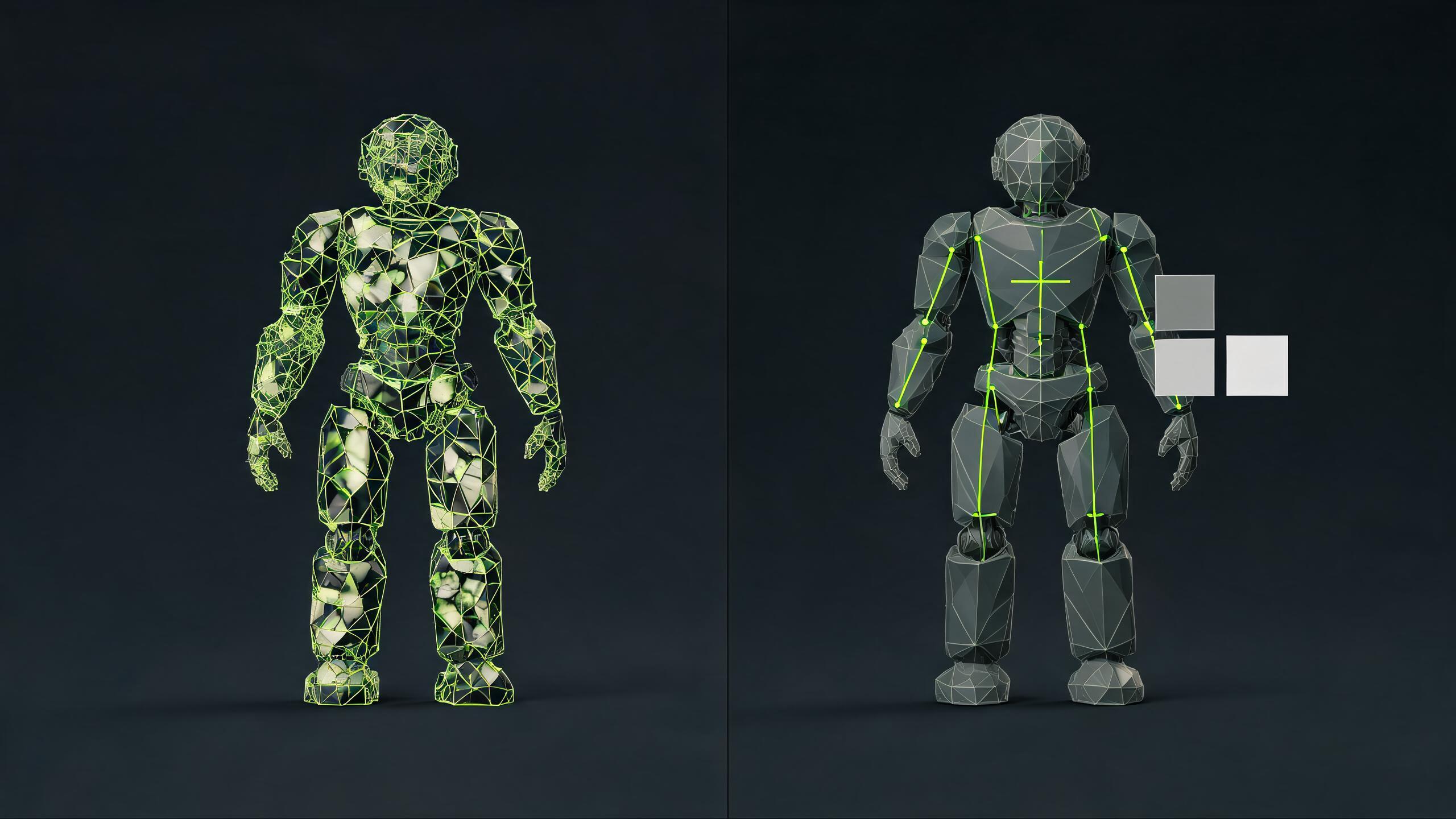
AI-Generated 3D Models Into Unity: Cleanup Checklist Before Import
If you generated a model with Meshy, Tripo, Hunyuan 3D, or another AI 3D tool, do not treat the preview as a Unity-ready asset. The safer workflow is editor-first: upload or import the asset, preview it outside Unity, check scale and orientation, inspect materials, reduce unnecessary geometry, choose GLB or FBX deliberately, then export a documented handoff for Unity.
This guide is written for game developers, technical artists, indie teams, Unity prototype builders, and AI 3D users who already have a model and need to make it usable. AI generation is the starting point, not the finish line.
Why this checklist matters now
AI 3D tools are moving closer to engine workflows, but that makes validation more important. Meshy has published 2026 Unity and game asset tutorials, Tripo has published practical Unity import guidance, Tencent says Hunyuan 3D supports OBJ and GLB output for tools such as Unity, Unreal, and Blender, and Unity now documents AI Assistant MCP workflows that can automate asset and scene tasks inside the editor.
Those signals all point in the same direction: more generated models will reach Unity faster. The gap is the review step between generation and import. SEELE AI should own that post-generation bridge: Upload / Import asset -> Preview -> Edit -> Optimize -> Convert -> Export -> Use in playable or engine workflow.
The 10-point cleanup checklist
- Identify the source tool and keep it in the notes: source_tool=meshy, source_tool=tripo, source_tool=hunyuan, source_tool=claude, or source_tool=unknown.
- Confirm the source format: GLB, GLTF, FBX, OBJ, ZIP export, texture folder, or a marketplace package.
- Preview scale before Unity import. Check whether the model is too large, too small, rotated, or off-pivot.
- Inspect material slots and texture references. Pink materials in Unity often mean the handoff needs a material or shader fix, not just another import attempt.
- Check polygon count and silhouette. Keep the shape readable while reducing geometry that will not matter in realtime play.
- Check texture count and texture size. Browser, mobile, Roblox-style, and fast Unity prototypes usually need tighter budgets than cinematic renders.
- Choose GLB or FBX deliberately. FBX is common for Unity handoff; GLB can be useful for web, preview, and packaged material workflows, but the project may need an importer package.
- Record the engine target as engine_target=unity and the expected export_format, usually glb, fbx, or both.
- Keep a failed upload reason when the file does not open: failed_upload_reason=unsupported_format, missing_texture, too_large, corrupt_file, or unknown.
- Only after cleanup should you generate similar assets, variants, or a matching asset pack.
Meshy, Tripo, and Hunyuan angle
For Meshy users, the best SEELE page is the cleanup follow-up after text-to-3D or image-to-3D. The page should answer: "I generated a Meshy model; what must I fix before Unity import?" Link to the Meshy cleanup and Meshy-to-Unity pages, use the V7 cleanup demo, and track source_tool=meshy.
For Tripo users, the strongest competing intent is "how to import AI 3D models into Unity." SEELE's answer should not duplicate a generator-first tutorial. It should say: upload the Tripo model, preview scale and materials, optimize high-poly output, convert or document GLB/FBX handoff, then export Unity notes. Track source_tool=tripo.
For Hunyuan users, the natural page is "Hunyuan 3D to Unity/Web/Roblox cleanup." Tencent positions Hunyuan 3D around generated 3D assets and mainstream formats such as OBJ and GLB, which makes SEELE's editor-first cleanup angle natural. Do not claim a SEELE integration. Position SEELE as the post-generation review and export workflow.
Unity AI and Claude Code angle
Unity MCP and agentic coding tools are useful for automating project tasks, but they do not remove the need to inspect the asset itself. Claude Code and similar coding agents can help write importer scripts, create editor checks, or document a pipeline. They should not be used as proof that a generated mesh is game-ready.
The page language should stay conservative: "Use AI agents to help operate the Unity pipeline after the model has passed scale, material, file-size, and format checks." Avoid claiming SEELE uses Claude or connects directly to Unity MCP unless the product actually does.
Suggested page and CTA structure
- Hero answer: "Clean up AI-generated 3D models before Unity import."
- Primary CTA: Upload AI-generated model.
- Secondary CTA: Try sample asset.
- Proof media: use the existing V7 cleanup video and cover from /features/tools/media/seo/3d-asset-cleanup-v7/.
- Workflow: Upload / Import -> Preview -> Edit -> Optimize -> Convert -> Export -> Unity handoff.
- FAQ: why generated models need cleanup, GLB vs FBX, why materials break, what to track, and when to generate matching assets.
- Internal links: AI generated cleanup tool, Meshy cleanup, Tripo cleanup, optimize Meshy for Unity, optimize Tripo for Unity, prepare GLB for Unity, free online 3D asset editor.
Measurement plan
Every page or CTA in this cluster should make the funnel recoverable later. At minimum, pass or capture upload_click, file_type, editor_open, editor_action, optimize_click, convert_click, export_click, edit_to_export, edit_to_generate, failed_upload_reason, engine_target, export_format, sample_asset_use, playable_create_click, signup, paid_conversion, and source_tool.
For this specific Unity checklist, use engine_target=unity and export_format=glb_fbx on the primary CTA. When the user chooses a competitor-specific entry, pass source_tool=meshy, source_tool=tripo, source_tool=hunyuan, or source_tool=unknown.
Source notes for the workflow
This checklist is based on the current public direction from the AI 3D and Unity ecosystem: Meshy game asset and Unity plugin tutorials, Tripo Unity import and export-validation tutorials, Tencent Hunyuan 3D's format and engine workflow positioning, Unity's official MCP documentation, and Anthropic's Claude Code documentation. Treat those as market signals, not as SEELE product integrations.
Relevant references:
- Meshy published "AI 3D Models for Unity" on the Meshy blog
- Tripo published "How to Import AI 3D Models Into Unity" on the Tripo blog
- Tencent Hunyuan 3D global launch article: https://www.tencent.com/en-us/articles/2202235.html
- Unity MCP documentation: https://docs.unity3d.com/Packages/com.unity.ai.assistant%402.0/manual/unity-mcp-overview.html
- Anthropic Claude Code overview
FAQ
Can I import AI-generated 3D models directly into Unity?
Sometimes, but you should inspect them first. Generated models can have wrong scale, broken material references, excessive polygons, heavy textures, or a format mismatch that only appears after import.
Should I use GLB or FBX for Unity?
Use the format that matches your project. FBX is common in Unity pipelines, while GLB can be useful for packaged preview and web workflows. The key is to test materials, scale, and file size before treating either format as final.
Is Meshy or Tripo output automatically game-ready?
No generated output should be assumed game-ready without review. Use Meshy or Tripo for generation, then use an editor-first cleanup workflow to check Unity import risks and optimize the asset.
Where should the V7 cleanup video appear?
Use it on AI-generated model cleanup, Meshy cleanup, Tripo cleanup, Hunyuan cleanup, and Unity import checklist pages as hero media, before-after proof, or OpenGraph preview support.
What should happen after the asset passes cleanup?
Export the Unity handoff notes, use the asset in a playable prototype, or generate matching assets and variants only after the base asset has stable scale, materials, and target format.
Use this checklist as the brief, then open SEELE AI to upload, preview, optimize, convert, and export a cleaner Unity asset workflow.
Open cleanup workflow