AI Pixel Art Generator for Games: Make Usable Sprites, Not Just Pretty Images
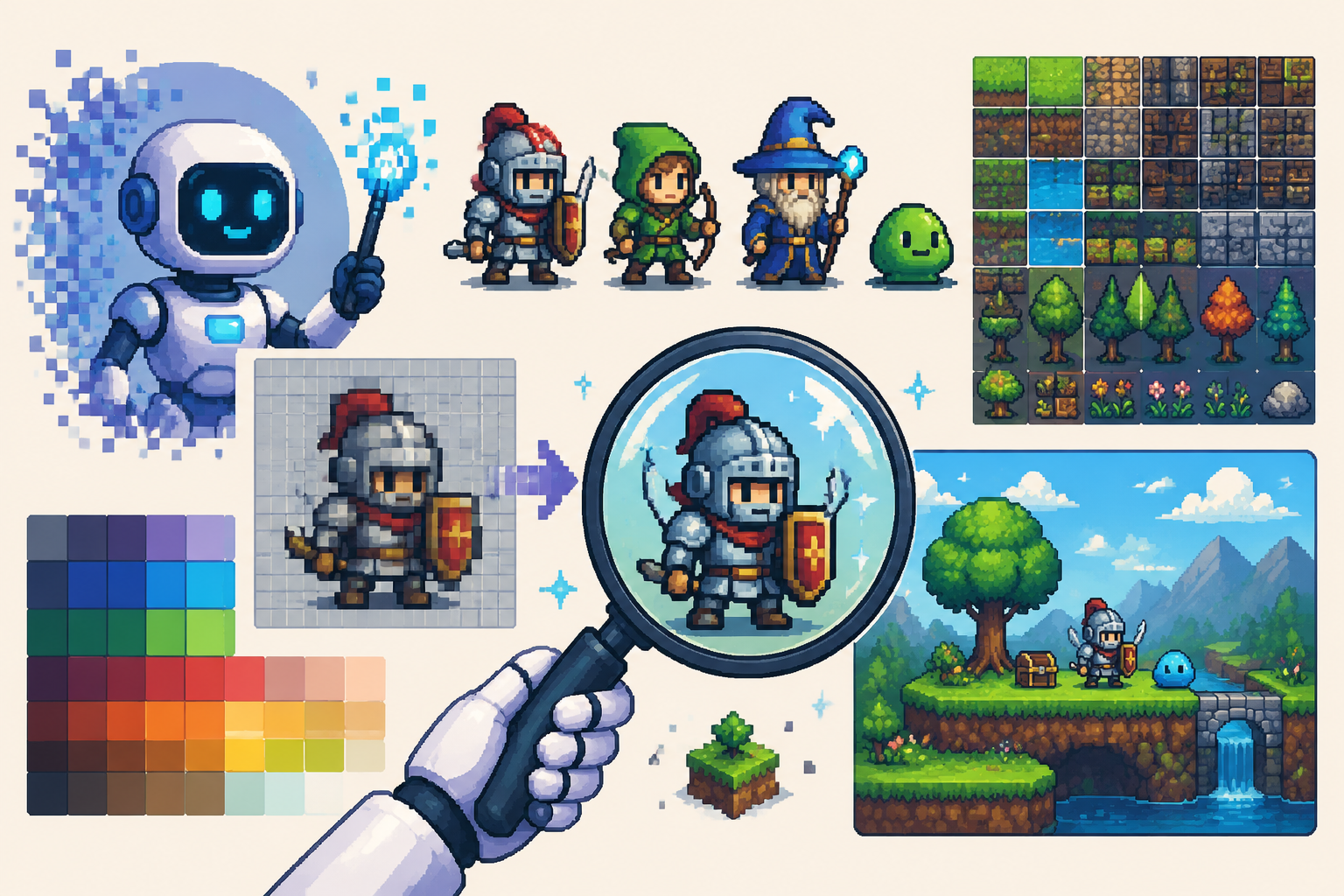
An AI pixel art generator for games is useful only if the output survives the production pipeline. Reddit’s “I made a free tool to help fix your AI Pixel Art” thread shows why: generation is often step one, while cleanup is step two. Related discussions like “What is the best pixelart software?” and free tileset posts show that game developers still care about grids, palettes, tiles, and license-ready files.
This guide is for indie game developers, AI builders, solo devs, and non-coders who want sprites that can actually go into a game engine.
Key takeaways
- Judge AI pixel art by engine readiness, not gallery quality.
- Fix grid alignment, palette, transparency, outlines, and scale.
- Test every sprite at its real display size.
- Tilesets need repeat tests and collision planning.
- Keep license and source notes with every asset pack.
What makes AI pixel art different from normal AI art?
Pixel art is a low-resolution design system. Every pixel carries weight. A model can create an image that looks pixel-like at a distance but fails as pixel art because the grid is uneven, edges are blurry, or details collapse when displayed at 32x32.
Key definition: Game-ready AI pixel art is generated or assisted pixel art that has fixed dimensions, clean transparency, controlled palette, readable silhouette, consistent style, and engine-tested import settings.
The production-readiness checklist
| Check | Pass condition | Common failure | |---|---|---| | Dimensions | 16x16, 32x32, 64x64, or planned size | random canvas sizes | | Transparency | clean alpha edge | white/gray background leftovers | | Palette | limited and consistent | too many near-identical colors | | Outline | readable at 1x or 2x | mushy anti-aliased edge | | Animation | aligned frames | feet slide or body size changes | | Tiles | seamless repeat | visible seams or lighting jumps | | Engine import | nearest-neighbor, no blur | texture filtering softens pixels |
A workflow for fixing AI pixel art
Step 1: Generate with constraints
Start with strict size and style constraints. Example: 32x32 pixel art slime enemy, limited 16-color palette, clean black outline, transparent background, front-facing idle pose, no blur, no text. The model may not obey perfectly, but constraints make cleanup easier.
Step 2: Normalize the canvas
Place the sprite on the target grid. If your character is 32x32, do not keep a 47x51 output because it looks nice. Decide whether the sprite occupies the full grid or a smaller footprint inside it.
Step 3: Reduce and unify the palette
AI often creates dozens of almost-identical colors. Reduce the palette to a small set, then manually adjust important ramps. A readable sprite usually needs fewer colors than the generated image provides.
Step 4: Clean outlines and transparency
Zoom out frequently. A perfect edge at 800% zoom may not matter; a broken silhouette at 100% does. Remove semi-transparent pixels unless your engine and art style intentionally support them.
Step 5: Test on real backgrounds
Sprites should be tested against the actual game floor, walls, UI, and lighting. A white ghost sprite can vanish on snow. A brown barrel can disappear on a dungeon floor. Readability is contextual.
Step 6: Export and name consistently
Use names like enemy_slime_idle_01.png, enemy_slime_walk_01.png, and tile_grass_center.png. Consistent naming makes animation, atlas packing, and version control less painful.
Tilesets need a stricter test
A tileset is not a collection of separate pictures. It is a modular system. Test every terrain tile in a 3x3 grid. Test corners, edges, transitions, and repeated patterns. If a tile has a strong highlight in the top-left corner, repeating it may create a visible checkerboard.
Free asset posts such as “Wanna share my free pixel art tileset!” and “Free Pixel Art Dungeon Objects Asset Pack” are useful reminders: game assets become valuable when they are organized into packs with clear use cases, not when they exist as isolated images.
How to choose an AI pixel art generator for games
Choose based on workflow support. Look for transparent background support, sprite-sheet or batch generation, style references, seed or variation controls, and export formats your engine accepts. If the tool cannot produce consistent dimensions, plan for a cleanup stage.
Where SEELE fits
SEELE’s product context includes AI-powered 2D asset, sprite sheet, and pixel art generation capabilities. The safe way to use that in a real workflow is to connect asset generation to a playable prototype, then review sprites at game scale before expanding the full set.
A game-ready pixel art cleanup pass
A useful cleanup pass has three layers. First, fix the technical layer: canvas size, transparency, palette count, and import settings. Second, fix readability: silhouette, contrast, outline, and animation alignment. Third, fix production organization: filenames, folder structure, source notes, and license information.
Many AI pixel art failures are not obvious when the image is viewed large. Always test at 1x, 2x, and the in-game zoom level. If the sprite only looks good when enlarged, it is not ready for gameplay. If a tile looks good alone but forms a visible pattern when repeated, it is not ready for a level.
Sprite sheet checks
For animation, place frames on a consistent grid and compare the anchor point. The feet, weapon hand, or center mass should not jump unless the animation intentionally moves. AI-generated frames often change limb length, eye shape, or object scale across frames. Correct those before importing into an animator or atlas.
For tilesets, build a test map with repeated centers, corners, edges, and transitions. Add collision markers early. A beautiful tile with unclear walkable space will create design problems later.
Tool selection criteria
The best AI pixel art tool for a game team is not always the most visually impressive generator. Prioritize repeatable dimensions, transparent exports, variation control, reference support, batch generation, palette control, and easy post-processing. A slightly less beautiful sprite that enters the engine cleanly is often more valuable than a stunning one-off image.
When to regenerate instead of fixing
Not every AI pixel art output deserves cleanup. Regenerate when the perspective is wrong, the silhouette is unreadable, the anatomy changes between frames, or the tile cannot repeat without obvious seams. Fixing those problems manually can take longer than starting again with better constraints.
Use cleanup when the image is mostly correct but needs technical correction: palette simplification, transparent edge cleanup, canvas resizing, outline repair, or animation alignment. This distinction keeps the workflow efficient. AI should create options, but production judgment decides what enters the game.
A simple acceptance test
Before adding a sprite to the main project, place it in a tiny test scene. Move it against light and dark backgrounds, compare it with existing sprites, and verify import settings. For tiles, build a small room with repeated floor, wall, corner, and prop combinations. If the asset survives that scene, it is ready for broader use.
File organization for AI pixel art packs
Organize files by purpose instead of by generation date. A practical folder structure is characters, tiles, props, ui, effects, source, and rejected. Keep original AI outputs in source, cleaned exports in the production folders, and failed candidates in rejected with a short reason. This keeps the final asset pack usable and prevents old experiments from being shipped by accident.
Add a short README to each pack. Include target resolution, palette notes, license status, import settings, and known limitations. Future you will forget which outputs were final and which were tests; documentation prevents that confusion.
FAQ
What is the best AI pixel art generator for games?
The best AI pixel art generator for games is the one that supports your production constraints: sprite size, transparent background, consistent palette, animation frames, and cleanup. For real games, the post-processing workflow matters as much as generation quality.
Why does AI pixel art need fixing?
AI pixel art often needs fixing because models create uneven pixel grids, blurry edges, inconsistent palettes, broken outlines, and details that do not read at game scale. Cleanup turns attractive images into usable sprites.
How do you make AI sprites usable in a game engine?
Make AI sprites usable by resizing to a fixed grid, cleaning transparency, limiting the palette, correcting outlines, separating frames, naming files consistently, and testing readability against real backgrounds.
Can AI create pixel art tilesets?
AI can create pixel art tileset concepts, but usable tilesets need seamless edges, consistent scale, repeat tests, collision planning, and license clarity before they are used in a project.
Conclusion
The best AI pixel art generator for games is only half of the answer. The other half is cleanup: fixed grids, controlled palettes, readable silhouettes, and engine tests. Treat AI output as a strong first draft, then make it game-ready with the same discipline you would apply to any production asset.