Native Unreal 5 · browser preview · downloadable project

Unreal Inventory and Crafting Game Maker: Build a Native Unreal 5 Game

An Unreal inventory and crafting game maker should help system designers validating item ownership, recipes, and persistence generate a native Unreal 5 crafting slice with pickups, stacks, slots, recipes, requirements, output ownership, equipment, save data, and rollback tests.

Use one bounded playtest—item counts remain conserved, invalid placements are rejected, crafting is atomic, equipment updates correctly, world pickups do not duplicate, and reload restores ownership—then inspect, optimize, package, and download the actual generated project.

Starter prompt

Generate Unreal Inventory and Crafting Game Maker as a native Unreal 5 slice: collect three resource types, split and move stacks, craft a tool, equip it, repair a device, consume materials once, save, and reload. Place it in an original frontier workshop beside a damaged generator, with wood, ore, fiber, a crafting bench, storage chest, and equipment rack. The build passes only when item counts remain conserved, invalid placements are rejected, crafting is atomic, equipment updates correctly, world pickups do not duplicate, and reload restores ownership. Return the Unreal Inventory and Crafting Game Maker browser preview, performance notes, packaged output, and native project for download.

Each prompt preserves the same SEELE Unreal destination while changing the inventory and crafting game decision that starts the build.

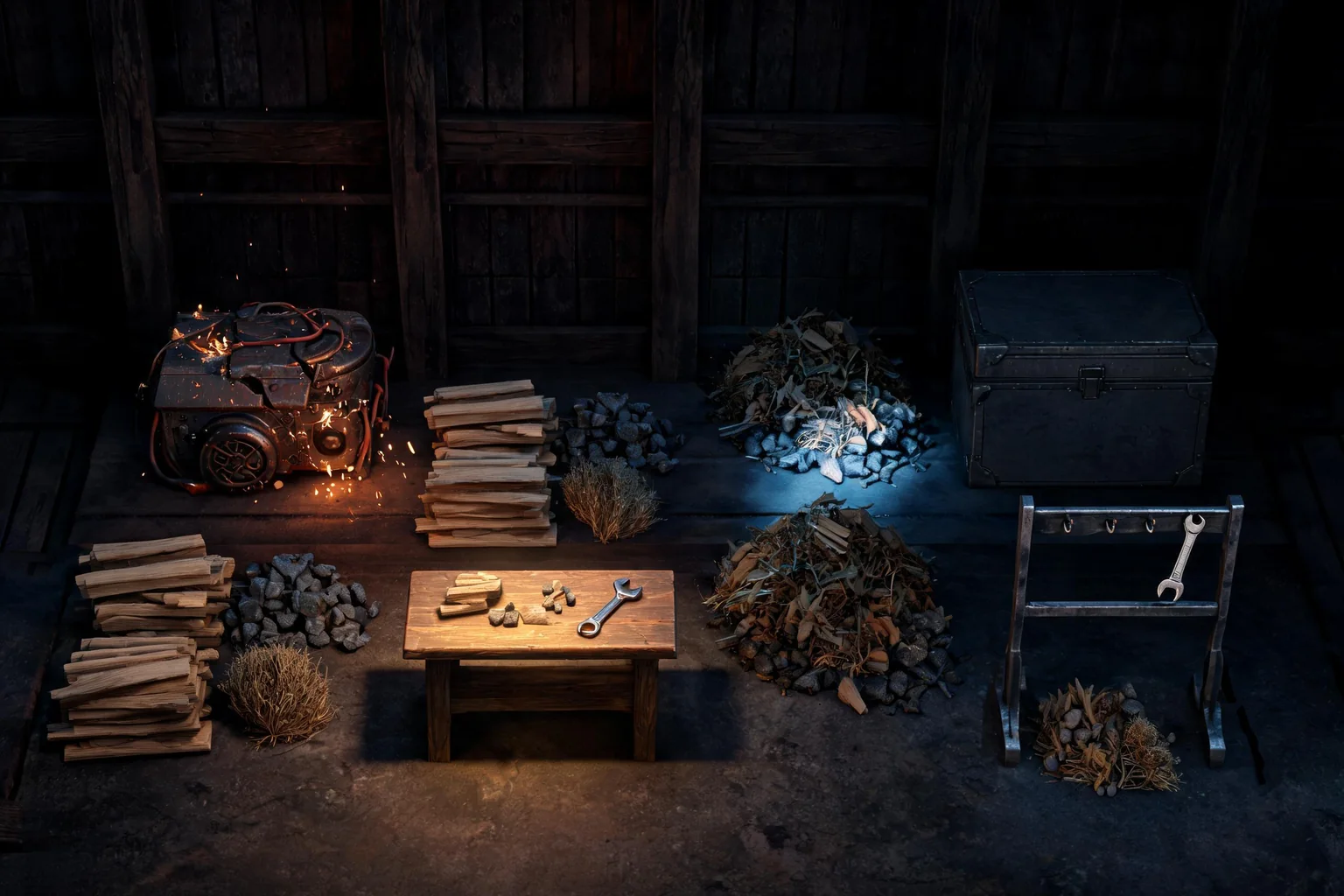
Unreal Inventory and Crafting Game Maker concept art showing an original frontier workshop beside a damaged generator, with wood, ore, fiber, a crafting bench, storage chest, and equipment rack
AI-generated Unreal Inventory and Crafting Game Maker concept art by Seedream 5.0. It illustrates the intended inventory and crafting game direction; it is not gameplay, a SEELE product capture, or an Unreal Editor screenshot.

Who this Unreal workflow is for

Prototype owner

System designers validating item ownership, recipes, and persistence can test collect three resource types, split and move stacks, craft a tool, equip it, repair a device, consume materials once, save, and reload before widening the production plan.

Gameplay reviewer

Design and engineering reviewers get one pass-or-fail condition: item counts remain conserved, invalid placements are rejected, crafting is atomic, equipment updates correctly, world pickups do not duplicate, and reload restores ownership.

Release handoff

The Unreal Inventory and Crafting Game Maker team can move from its browser preview to a reviewed native project, representative performance work, packaging, download, and external continuation.

Start with an Unreal inventory and crafting game maker prompt

Pick the brief that lets you prove pickup, contextual interact, open inventory, drag or transfer, split stack, craft, equip, compare, discard, and confirm or follow state through item definitions, stack rules, containers, slot validation, recipes, crafting transactions, equipment state, world pickups, save serialization, and migration. Every Unreal Inventory and Crafting Game Maker CTA carries the Unreal engine, this source page, its intent, and campaign attribution into the same generation workflow.

Playable vertical slice

Generate Unreal Inventory and Crafting Game Maker as a native Unreal 5 slice: collect three resource types, split and move stacks, craft a tool, equip it, repair a device, consume materials once, save, and reload. Place it in an original frontier workshop beside a damaged generator, with wood, ore, fiber, a crafting bench, storage chest, and equipment rack. The build passes only when item counts remain conserved, invalid placements are rejected, crafting is atomic, equipment updates correctly, world pickups do not duplicate, and reload restores ownership. Return the Unreal Inventory and Crafting Game Maker browser preview, performance notes, packaged output, and native project for download.

Use this prompt

Controls and camera

Greybox an original frontier workshop beside a damaged generator, with wood, ore, fiber, a crafting bench, storage chest, and equipment rack around these player inputs: pickup, contextual interact, open inventory, drag or transfer, split stack, craft, equip, compare, discard, and confirm. For the Unreal Inventory and Crafting Game Maker movement and interaction pass, record the pass and failure evidence; delay visual polish until failure and restart behavior is clear.

Use this prompt

Stateful game systems

Represent item definitions, stack rules, containers, slot validation, recipes, crafting transactions, equipment state, world pickups, save serialization, and migration as observable state in the Unreal Inventory and Crafting Game Maker project. Connect each transition to collect three resource types, split and move stacks, craft a tool, equip it, repair a device, consume materials once, save, and reload, expose it in the browser build, and mark the Blueprint, C++, asset, or configuration assumption that still needs editor inspection.

Use this prompt

Regression and packaging

Run a regression build for system designers validating item ownership, recipes, and persistence. Prove that item counts remain conserved, invalid placements are rejected, crafting is atomic, equipment updates correctly, world pickups do not duplicate, and reload restores ownership, then deliberately trigger this risk: UI can appear correct while concurrent transactions, stack limits, failed recipes, discarded items, version changes, or save migration corrupt the inventory. Preserve a rollback point, repeat the same test, and return the unreal inventory and crafting game maker browser preview, performance notes, packaged output, and native project for download.

Use this prompt

From scoped idea to downloadable Unreal project

Define evidence before art

Describe collect three resource types, split and move stacks, craft a tool, equip it, repair a device, consume materials once, save, and reload. Keep the first scope inside an original frontier workshop beside a damaged generator, with wood, ore, fiber, a crafting bench, storage chest, and equipment rack, name the player inputs, and use this acceptance condition: item counts remain conserved, invalid placements are rejected, crafting is atomic, equipment updates correctly, world pickups do not duplicate, and reload restores ownership.

Build the connected systems

Send the scoped Unreal Inventory and Crafting Game Maker prompt to SEELE AI and generate a native Unreal 5 project. Inspect its contents for pickup, contextual interact, open inventory, drag or transfer, split stack, craft, equip, compare, discard, and confirm and for the required item definitions, stack rules, containers, slot validation, recipes, crafting transactions, equipment state, world pickups, save serialization, and migration.

Test input through completion

Use the Unreal Inventory and Crafting Game Maker browser preview to run from entry to completion. Capture evidence that item counts remain conserved, invalid placements are rejected, crafting is atomic, equipment updates correctly, world pickups do not duplicate, and reload restores ownership, rather than judging only the image quality or atmosphere.

Measure and regress

Deliberately test the most likely Unreal Inventory and Crafting Game Maker failure: UI can appear correct while concurrent transactions, stack limits, failed recipes, discarded items, version changes, or save migration corrupt the inventory. Change one variable in that slice at a time, preserve its last known-good build, and repeat the same acceptance run.

Prepare external continuation

Review Unreal Inventory and Crafting Game Maker performance and packaging in SEELE AI, then download the native Unreal 5 project or packaged output for local work and external publishing. Complete its rights, plugin, SDK, and platform checks before release.

What the workflow should leave you with

A native Unreal 5 project scoped to collect three resource types, split and move stacks, craft a tool, equip it, repair a device, consume materials once, save, and reload.

A browser preview that demonstrates whether item counts remain conserved, invalid placements are rejected, crafting is atomic, equipment updates correctly, world pickups do not duplicate, and reload restores ownership.

A inventory and crafting game review record that audits pickup, contextual interact, open inventory, drag or transfer, split stack, craft, equip, compare, discard, and confirm, then follows state through item definitions, stack rules, containers, slot validation, recipes, crafting transactions, equipment state, world pickups, save serialization, and migration.

A package-ready result for system designers validating item ownership, recipes, and persistence, with performance notes and a downloadable project or build that can be continue in Unreal 5.

Fit and product boundaries

Best for

  • System designers validating item ownership, recipes, and persistence who need to judge collect three resource types, split and move stacks, craft a tool, equip it, repair a device, consume materials once, save, and reload in a concrete playable slice rather than another general tutorial.
  • Reviewers who must decide whether item counts remain conserved, invalid placements are rejected, crafting is atomic, equipment updates correctly, world pickups do not duplicate, and reload restores ownership before expanding an original frontier workshop beside a damaged generator, with wood, ore, fiber, a crafting bench, storage chest, and equipment rack with more art or content.
  • Unreal projects where UI can appear correct while concurrent transactions, stack limits, failed recipes, discarded items, version changes, or save migration corrupt the inventory, making a browser-tested and downloadable rollback point valuable.

Still needs human review

  • For collect three resource types, split and move stacks, craft a tool, equip it, repair a device, consume materials once, save, and reload, inspect the generated Blueprint, C++, assets, plugins, input mappings, and configuration. SEELE AI produces a native Unreal Inventory and Crafting Game Maker project, but this page does not promise which internal implementation that resulting scope will use.
  • UI can appear correct while concurrent transactions, stack limits, failed recipes, discarded items, version changes, or save migration corrupt the inventory. Reproduce that failure on the hardware, network, and input conditions relevant to system designers validating item ownership, recipes, and persistence; neither the Hero concept nor an attractive first browser run proves release readiness.
  • Before releasing the inventory and crafting game result, people still own third-party rights, SDK and store terms, accessibility, security, performance, packaging, certification, and final publishing approval.

Keep broad, genre, and technical intent separate

Unreal inventory and crafting game maker belongs to this canonical owner because its user needs collect three resource types, split and move stacks, craft a tool, equip it, repair a device, consume materials once, save, and reload. Broad Unreal discovery stays with the Hub; ai survival game maker keeps the engine-agnostic job; the linked guide explains the technical subsystem behind item counts remain conserved, invalid placements are rejected, crafting is atomic, equipment updates correctly, world pickups do not duplicate, and reload restores ownership.

Unreal Inventory and Crafting Game Maker FAQ

Can SEELE AI generate a native Unreal 5 project for this Inventory and Crafting Game Maker workflow?

SEELE AI can generate Unreal Inventory and Crafting Game Maker as an Unreal 5 project with browser preview and download; review item definitions, stack rules, containers, slot, plugins, and configuration before release.

What should the first Unreal inventory and crafting game maker prompt include?

Unreal Inventory and Crafting Game Maker prompts should define collect three resource types, split and move, name pickup, contextual interact, open inventory, drag, and require a measurable pass condition; use four starters above.

What can I verify in the Unreal Inventory and Crafting Game Maker browser preview?

In the Unreal Inventory and Crafting Game Maker preview, verify item counts remain conserved, invalid placements are; editor inspection, device profiling, network testing, and release checks remain human-owned.

Which parts still need manual Unreal review?

For Unreal Inventory and Crafting Game Maker, review pickup, contextual interact, open inventory, drag, then regression-test UI can appear correct while concurrent transactions; also verify rights, security, accessibility, performance, and packaging.

Can I download and continue editing the generated Unreal Inventory and Crafting Game Maker project?

After the Unreal Inventory and Crafting Game Maker preview, download the project or package; match its Unreal version, keep source control, and rerun item counts remain conserved, invalid placements are after edits.

Why use this Unreal Inventory and Crafting Game Maker page instead of the general Unreal game generator page?

Unreal Inventory and Crafting Game Maker owns Unreal inventory and crafting game maker: collect three resource types, split and move; use the Hub for broad discovery. Both enter the SEELE Unreal workflow.

Generate the native Unreal 5 slice now

Use the inventory and crafting game prompt to prove whether item counts remain conserved, invalid placements are rejected, crafting is atomic, equipment updates correctly, world pickups do not duplicate, and reload restores ownership, then optimize, package, and download the reviewed project.