Motion designers
Explore a new subject performing an existing filmed action.
SEELE provides video motion transfer through its depth-guided workflow: one source video supplies performance, depth, camera, timing, composition, and audio guidance, while one attached image or text description defines the replacement subject.
Each use case stays inside the mapped Workspace capability rather than promising an unsupported all-in-one pipeline.
Explore a new subject performing an existing filmed action.
Prototype depth-guided replacement with an explicit input contract.
Evaluate whether source motion and camera survive subject replacement.
The visible steps below match the HowTo schema and the supported Film & CG guide.
Attach the sole source performance and camera reference.
Use one attached image, or text only when no image is attached.
Convert the source to depth-spatial guidance while retaining timing and audio.
Generate from the subject reference plus depth artifact, then review failure points.
Use the canonical brief as a working draft. Add only facts, references, and delivery requirements you can verify.
Output names describe the evidenced artifact or delivery preference; exact file formats must be checked in Workspace.
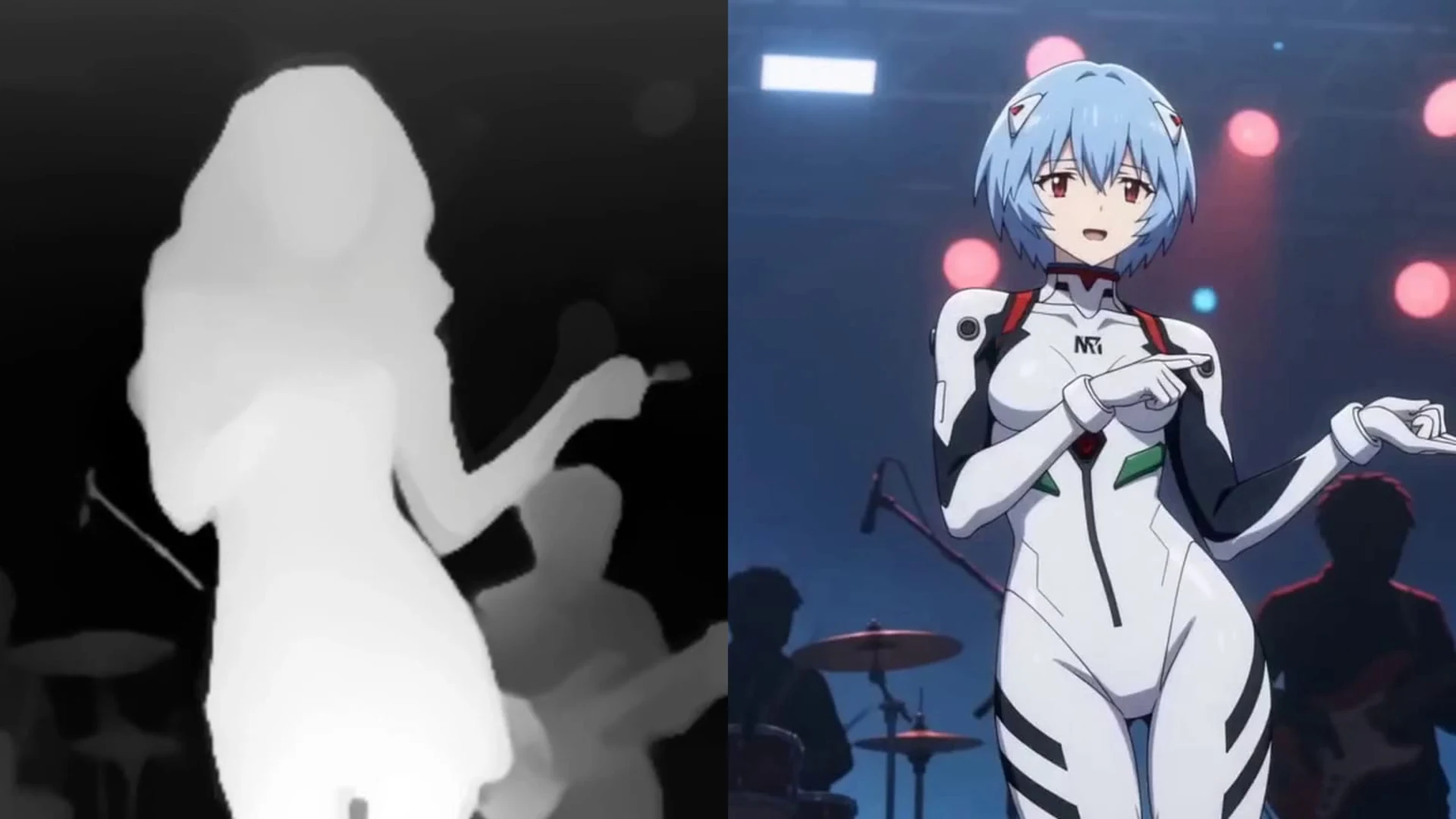
Replacement-subject result guided by the source performance.
Derived depth.mp4 passed into generation.
Notes on pose, silhouette, occlusion, timing, camera, and audio.
SEELE provides video motion transfer through its depth-guided workflow: one source video supplies performance, depth, camera, timing, composition, and audio guidance, while one attached image or text description defines the replacement subject.
Open the Film & CG workspace, provide the required brief and attachments, then run the mapped capability. Generation time varies with the request and service conditions.
You can revise the brief and rerun the workflow. Any exact editing, export, or downstream integration must be verified in the resulting Workspace flow rather than assumed from this landing page.
Yes. Exactly one reference video is required, plus one replacement-subject image or a non-empty text description when no image is attached.
Review factual accuracy, rights, identity, continuity, motion, framing, audio, and technical delivery. Generated media can require manual polish.
These constraints are part of the product answer, not fine print.
Open the mapped depth-guided-motion-transfer workflow, add any required source material, and keep the limitations visible while you iterate.
Open Film & CG Workspace