Big NEON Tower Tiny Square

Seele01-Flash
By
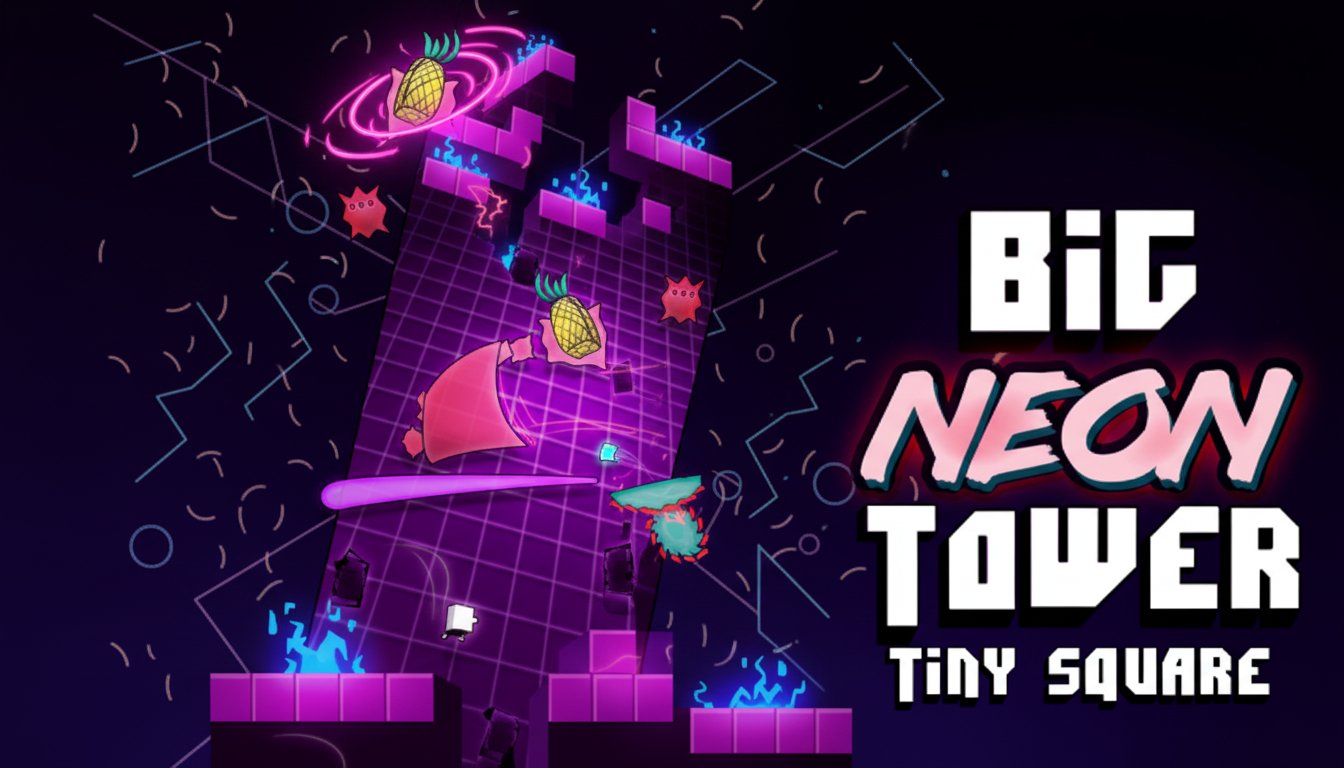
Big NEON Tower Tiny Square is a challenging retro-style platformer where you guide a tiny square up a massive neon tower filled with cleverly designed obstacles and puzzles.

Prompt

MODEL: Seele01-Flash
Please use Three.js to generate a **mobile-first game** with the theme "**Big NEON Tower Tiny Square**". Please read the following detailed game design requirements first, and then generate the code accordingly: ### 1. Assets & Environment * **Visual Style**: Create a "Retro-Futuristic Synthwave/Tron" aesthetic. Use a dark background with a scrolling, glowing grid (purple/magenta lines on deep violet) to simulate a digital void. * **Player Character**: A simple, small 2D glowing green or cyan square (using `THREE.PlaneGeometry` or `THREE.BoxGeometry` with an emissive material) to represent the "Tiny Square". * **Level Design**: Construct a vertical "tower" layout using 2D platforms. The level should look like vector line art. * **Platforms**: Neon-outlined rectangles (cyan, pink, or bright green) with black fill. Use `THREE.LineSegments` or `THREE.MeshBasicMaterial` with `wireframe: false` but added glowing edges. * **Obstacles**: Include rotating glowing red sawblades (circles with jagged edges), moving laser beams (pulsing lines), and stationary spikes. * **Collectibles**: Floating pixel-art "pineapples" (yellow/green emissive cubes/sprites) rotating slowly. * **Effects**: * **Bloom/Glow**: Implement a strong post-processing "Bloom" effect (`UnrealBloomPass`) to make the neon colors pop against the dark background. This is crucial for the "Neon" look. * **Particles**: Tiny square particles exploding when the player dies or collects an item. * **Mobile Optimization**: * Use simple geometry (low polygon count) since the style is geometric/minimalist. * Limit dynamic lights; rely on `MeshBasicMaterial` and emissive colors to simulate lighting without heavy rendering costs. * Keep the camera Orthographic (`THREE.OrthographicCamera`) to maintain the strict 2D gameplay feel even if elements have slight 3D depth. ### 2. Audio Requirements * **BGM (Background Music)**: A driving, upbeat Synthwave/Retrowave track. It should have a heavy bassline, 80s synthesizer arpeggios, and a steady drum beat to encourage momentum. * **Sound Effects (SFX)**: * **Jump**: A retro synthesized "upward" slide or blip (8-bit style). * **Death**: A "crunch" or digital "static" noise followed by a descending tone. * **Checkpoint**: A harmonious high-pitched chime or major chord. * **UI Click**: Short, crisp digital beeps. ### 3. Gameplay Loop * **Core Mechanic**: Precision Platforming. The player controls the Tiny Square and must jump up various platforms to climb the tower. * **Objectives**: * Reach the top of the current screen/section to progress to the next "floor". * Avoid all red neon hazards (lasers, saws, spikes). Contact = Instant Death. * Collect pineapples (optional score bonus or unlock). * **Death & Respawn**: Infinite lives. When the player dies, they instantly respawn at the last passed "Checkpoint" (a specific safe platform or zone). The respawn must be near-instant to maintain the "one more try" loop. * **Win Condition**: Reaching the absolute top of the tower (end of the level array). ### 4. Mobile Controls & Interaction * **Orientation**: **Landscape Mode** is preferred for this platformer to see wider sections of the level, but the camera must zoom in/out based on screen aspect ratio to keep the player visible. * **Touch Controls (Virtual UI)**: * **Left Zone**: Two large invisible touch zones or visible semi-transparent arrow buttons on the bottom-left for **Move Left** and **Move Right**. * **Right Zone**: A large circular button or simply the entire bottom-right quadrant of the screen for **Jump**. * **Wall Jump**: If the player jumps against a wall, allow them to slide down slowly and jump off it again (essential for vertical tower climbing). * **Feedback**: * **Visual**: The jump button should light up when pressed. The player square should squash/stretch slightly on jump/land. * **Haptic**: Trigger a short vibration (`navigator.vibrate(20)`) when the player dies or collects a pineapple. * **UI**: Minimalist HUD showing current floor number and death count in the top corner. Ensure buttons are at least 48x48px for touch targets. Add a "Pause/Menu" button in the top-center safe zone. Do not ask for clarification. Do not request confirmation. Directly execute the generation task based on the given instructions.

Game Introduction

About the Game

Big NEON Tower Tiny Square is an exciting arcade platformer that captures the essence of classic 90s gaming with a modern neon twist. This challenging game puts you in control of a tiny square on an epic journey up a towering structure filled with meticulously crafted obstacles and brain-teasing puzzles.

The game features a stunning Tron-like aesthetic with vibrant neon colors and synthetic beats that create an immersive retro-futuristic atmosphere. Each level is carefully designed as a single-screen section, making every obstacle placement deliberate and every challenge meaningful.

Core Features

Challenging Tower Climbing Adventure

Experience one giant level split into multiple single-screen sections, each presenting unique obstacles and puzzles. The tower grows progressively more difficult as you ascend, testing your platforming skills to the limit.

Retro-Inspired Design

Immerse yourself in beautiful neon visuals reminiscent of 80s and 90s arcade games. The cool NEON theme combines with synth-wave music to create an authentic retro gaming experience.

Smart Checkpoint System

Despite the game's challenging nature, frequent checkpoints ensure you're never too far from your last position when you fail. This design keeps frustration low while maintaining the satisfying difficulty.

Helpful In-Game Guidance

Big squares throughout the tower provide hints and tips when you encounter new types of obstacles, helping you understand each challenge without breaking the game's flow.

Gameplay Mechanics

Precision Platforming

Success in Big NEON Tower Tiny Square requires careful timing and precise movements. Each obstacle has been strategically placed to create a fair but challenging experience that rewards skillful play.

Progressive Difficulty

The tower's challenges become increasingly complex as you climb higher. What starts as simple jumps evolves into intricate obstacle courses requiring perfect timing and strategy.

Operation Guide

Keyboard Controls

  • Arrow Keys or A/D : Move left and right
  • Spacebar, Up Arrow, Z, or W : Jump
  • Y Key : Restart at last checkpoint
  • ESC : Access main menu

Controller Support

  • Joystick : Move character
  • A Button : Jump
  • Y Button : Restart at checkpoint
  • Start Button : Main menu

Mobile Controls

  • Left Touch Buttons : Move left and right
  • Right Touch Button : Jump
  • Top Screen Tap : Main menu access

Menu Navigation

  • A/W or Arrow Keys : Navigate menu options
  • Spacebar : Select menu items
  • Touch/Click : Direct selection on mobile

Platform Compatibility

The game runs perfectly on multiple platforms: - Web Browsers : Play directly in any modern browser on desktop or mobile - Steam : Available for PC gamers - iOS : Optimized for iPhone and iPad devices

Performance Optimization

If you experience performance issues: - Toggle the PERFORMANCE button in options for smoother gameplay - Use the ZOOM button for better visibility on smaller screens - These options are automatically optimized for mobile devices

Why Play Big NEON Tower Tiny Square

This game perfectly balances challenge and fairness, offering a rewarding experience for both casual and hardcore platformer fans. The retro aesthetic appeals to nostalgia while modern game design ensures accessibility. With no payment required and instant browser access, it's the perfect game for quick gaming sessions or extended challenge runs.

Whether you're a fan of classic arcade games or looking for a new platforming challenge, Big NEON Tower Tiny Square delivers an engaging experience that keeps you coming back for more.

Frequently Asked Questions (FAQ)