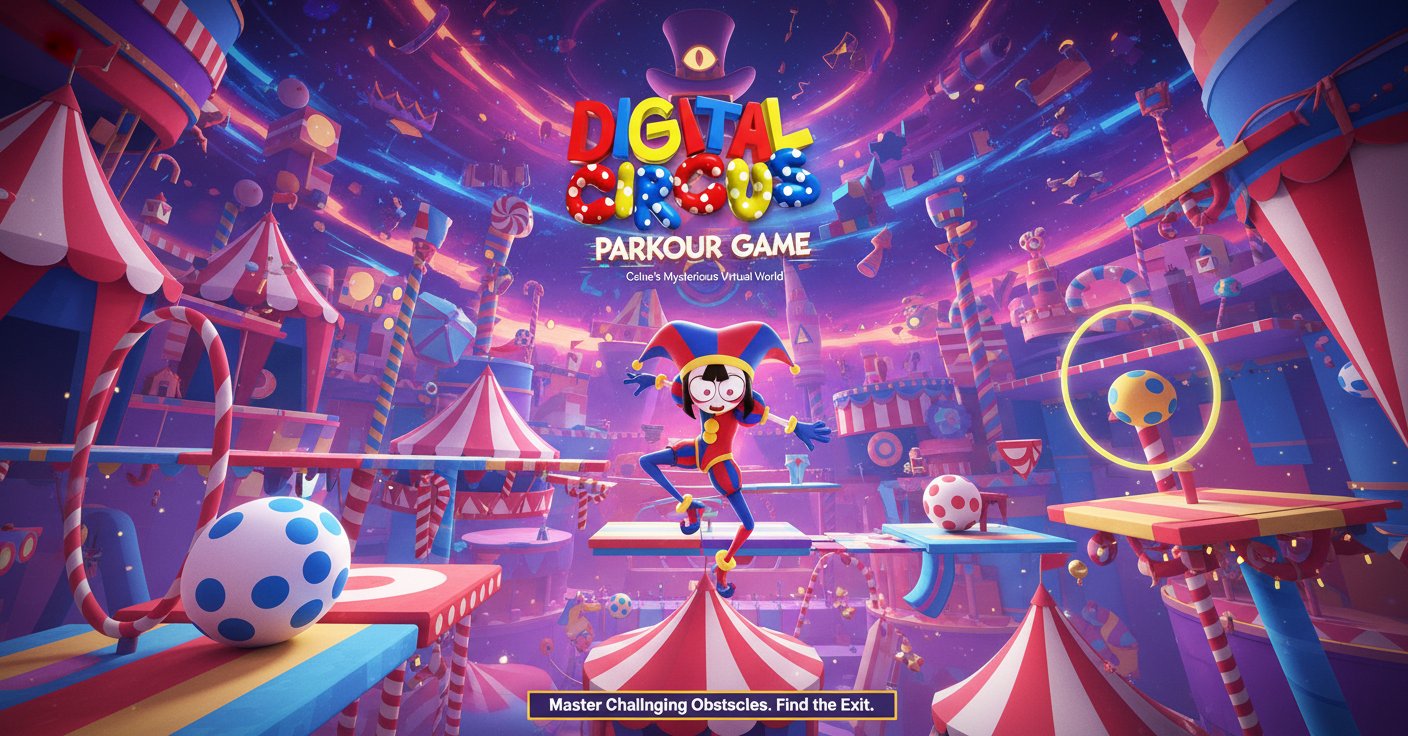
Digital Circus: Parkour Game

Seele01-Flash
By
Digital Circus: Parkour Game is a thrilling casual parkour adventure where you help Pomni navigate through Caine's mysterious virtual circus world. Master challenging obstacle courses and find the exit in this captivating 3D jumping game.

Prompt

MODEL: Seele01-Flash
Please use Three.js to generate a **mobile-first game** with the theme "Digital Circus: Parkour Game". Please read the following detailed game design requirements first, and then generate the code accordingly: ### 1. Assets & Environment * **Visual Style**: Adopt a surreal, high-saturation "kidcore" aesthetic inspired by early 90s CGI and "The Amazing Digital Circus." Use bright primary colors (red, blue, yellow) extensively. The world should look slightly artificial and plastic-like. * **Character (Pomni)**: Create a simplified 3D character representing "Pomni" (a jester girl). Key features: a red and blue jester hat with bells, a white face with large anxious eyes (use simple textures), and a small, low-poly humanoid body. Use a simple rigging system for running and jumping animations. * **Environment Design**: The level should be floating in a void. * **Skybox**: A deep blue digital void or a checkerboard pattern grid that fades into darkness. * **Platforms**: Floating geometric shapes (cubes, cylinders, oversized toy blocks). Textures should include checkerboards, polka dots, and glossy plastic materials. * **Obstacles**: Spinning red rings, large bouncing balls, and floating "glitch" blocks that flicker visually. * **Mobile Optimization**: Use `THREE.BoxGeometry` and `THREE.SphereGeometry` with shared materials to keep draw calls low. Avoid expensive real-time shadows; use baked ambient occlusion or simple blob shadows under the character. Limit particle effects to simple sprites. ### 2. Audio Requirements * **BGM (Background Music)**: A frantic, carnival-style synthesizer track. It should sound slightly distorted or "lo-fi" to mimic a glitchy digital simulation. High tempo (120-140 BPM) to encourage movement. * **Sound Effects (SFX)**: * **Jump**: A classic cartoon "boing" or spring sound. * **Landing**: A soft plastic "thud." * **Fall/Game Over**: A digital "glitch" noise followed by a descending whistle. * **Collectibles**: A high-pitched, satisfying 8-bit chime when collecting items (like digital keys or stars). * **UI Interaction**: A rubbery "squeak" sound when pressing buttons. ### 3. Gameplay Loop * **Core Mechanic**: A 3D third-person parkour platformer. The player must guide Pomni from the start platform to the "Exit Door" located at the end of the course. * **Challenges**: * **Precision Jumping**: Gaps between platforms vary in width. * **Moving Platforms**: Some blocks move horizontally or vertically. * **Hazards**: Falling into the void resets the player to the last checkpoint (safe platform). * **Win Condition**: Reaching the glowing "Exit Door" portal. * **Physics**: Implement slightly "floaty" gravity (like a dream world) to make platforming forgiving on mobile screens. The character should have good air control (ability to steer slightly while jumping). ### 4. Mobile Controls & Interaction * **Screen Orientation**: **Landscape Mode** (Force landscape for better field of view). * **Touch Controls**: * **Left Thumb**: A virtual floating joystick for movement (WASD equivalent). The joystick should appear wherever the user touches on the left half of the screen. * **Right Thumb**: * **Swipe**: Swipe anywhere on the right half to rotate the camera (Mouse look equivalent). * **Button**: A large, distinct "JUMP" button in the bottom-right corner (minimum 64x64px touch area, colored Red or Yellow). * **UI/UX**: * **Restart Button**: A visible button in the top-right corner to instantly restart the level. * **Camera Behavior**: Implement a "Follow Camera" that smoothly tracks the player but corrects itself to avoid clipping through walls. It should have a slight elasticity (Lerp) to feel smooth. * **Feedback**: * **Haptic**: Trigger a short vibration (if supported) when the player lands a jump or dies. * **Visual**: The jump button should depress visually when tapped. Show a "poof" smoke particle effect when jumping and landing. Do not ask for clarification. Do not request confirmation. Directly execute the generation task based on the given instructions.

Game Introduction

About the Game

Digital Circus: Parkour Game is an exciting 3D parkour adventure that combines the whimsical world of a digital circus with challenging obstacle navigation. In this immersive experience, you'll guide Pomni, a memorable character trapped in Caine's enigmatic virtual circus realm. Your mission is to master various parkour techniques, overcome creative obstacles, and help Pomni find her way to freedom.

The game features vibrant circus-themed environments with colorful, eye-catching 3D graphics that bring the digital world to life. Each level presents unique challenges that test your timing, precision, and parkour skills as you navigate through this mysterious virtual landscape.

Core Features

Immersive Digital Circus World

Experience a captivating virtual environment filled with circus-themed obstacles, colorful platforms, and mysterious challenges. The game's unique aesthetic combines traditional circus elements with modern digital artistry, creating an unforgettable visual experience.

Challenging Parkour Mechanics

Master precise jumping, timing, and movement controls as you navigate through increasingly difficult obstacle courses. Each level requires strategic thinking and skillful execution to progress.

Character-Driven Adventure

Help Pomni escape from Caine's digital circus by guiding her through various parkour challenges. The storyline adds depth to the gameplay experience, making each victory more meaningful.

Progressive Difficulty System

Start with basic parkour movements and gradually face more complex obstacles and level designs. The game scales appropriately to keep players engaged without overwhelming beginners.

Cross-Platform Accessibility

Enjoy seamless gameplay on both desktop computers and mobile devices through your web browser, with no downloads required.

Gameplay Mechanics

Movement and Controls

The game features intuitive controls that are easy to learn but challenging to master. Use WASD keys or arrow keys for movement, spacebar for jumping, and mouse for camera control. The responsive control system ensures precise character movement essential for successful parkour navigation.

Obstacle Navigation

Each level presents unique challenges including moving platforms, precision jumps, timing-based obstacles, and creative circus-themed barriers. Players must analyze each situation and execute movements with perfect timing.

Level Progression

Advance through multiple circus-themed environments, each offering distinct visual themes and parkour challenges. Successfully completing levels unlocks new areas and more complex obstacle courses.

How to Play

Basic Controls

  • Movement : Use WASD keys or arrow keys to move Pomni in different directions
  • Jumping : Press spacebar to make Pomni jump over obstacles and gaps
  • Camera : Use your mouse to look around and plan your route
  • Navigation : Analyze each obstacle course before attempting to navigate through it

Success Strategies

  • Take time to observe each level's layout before rushing forward
  • Practice timing your jumps to land safely on platforms
  • Use the camera to spot hidden paths or alternative routes
  • Don't rush - precision is more important than speed
  • Learn from failed attempts to improve your approach

Why Play Digital Circus: Parkour Game

This game offers a perfect blend of skill-based gameplay and engaging storytelling. The circus theme provides a unique and memorable setting that stands out from typical parkour games. Whether you're a casual gamer looking for an entertaining challenge or a parkour game enthusiast seeking precise control mechanics, this game delivers an satisfying experience.

The free-to-play browser format makes it instantly accessible, while the cross-platform compatibility ensures you can enjoy the adventure anywhere. The progressive difficulty system welcomes newcomers while providing enough challenge to keep experienced players engaged.

Perfect for players who enjoy puzzle-platformers, obstacle course games, or anyone drawn to the colorful world of digital circuses. The combination of skill-based gameplay and charming visuals creates an experience that's both challenging and delightful.

Frequently Asked Questions (FAQ)