G-Switch 2 - Gravity Switching Platform Game - Action Game
Prompt
Game Introduction
About G-Switch 2
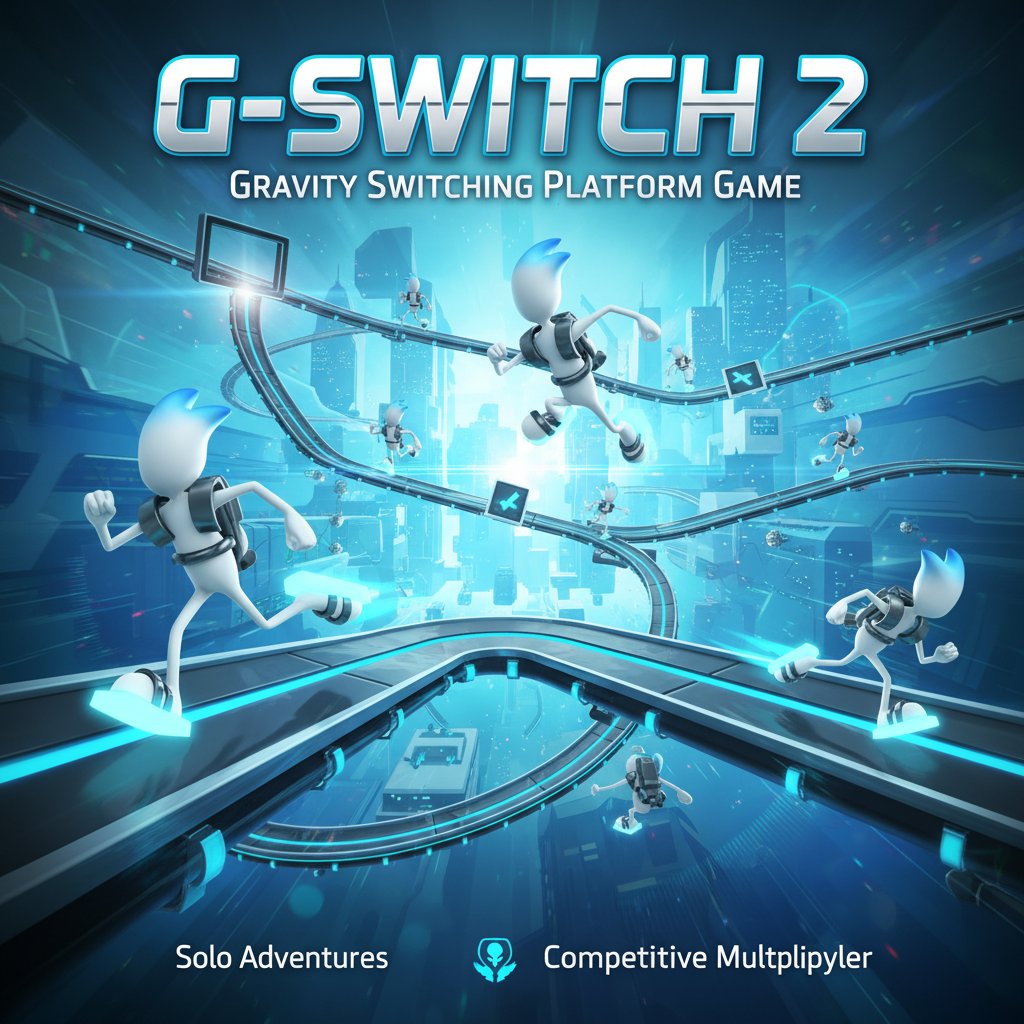
G-Switch 2 is a revolutionary platform runner that puts gravity control at your fingertips. This fast-paced action game combines precision platforming with unique gravity-switching mechanics, creating an addictive gameplay experience that keeps players coming back for more. Navigate through challenging obstacle courses by running on floors, walls, and ceilings as you master the art of gravity manipulation.
Core Features
Revolutionary Gravity Mechanics
The game's standout feature is its intuitive gravity-switching system. With a simple key press, flip your character's gravitational orientation to run on any surface. This mechanic transforms traditional platform gaming into a mind-bending experience where walls become floors and ceilings become pathways.
Multiplayer Competition
Compete with up to 8 players simultaneously in thrilling multiplayer races. Challenge friends locally or test your skills against other players in real-time competitions. The multiplayer mode adds intense competitive elements as players race to survive the longest in increasingly difficult sections.
Endless Challenging Levels
Experience procedurally generated obstacle courses that provide unlimited replayability. Each run presents new challenges with spinning blades, moving platforms, narrow passages, and complex architectural puzzles that test your reflexes and timing.
Smooth Parkour Action
Enjoy fluid character animations and responsive controls that make every gravity switch feel natural and satisfying. The game's parkour elements combine running, jumping, and gravity manipulation for seamless movement through complex environments.
Gameplay Mechanics
G-Switch 2 revolves around precise timing and quick decision-making. Players must anticipate obstacles and switch gravity at the perfect moment to navigate through increasingly complex levels. The game rewards both speed and accuracy, as rushing too quickly can lead to crashes while moving too slowly results in elimination.
Dynamic Obstacle Design
Face a variety of challenging obstacles including: - Rotating mechanical hazards - Moving platforms and barriers - Narrow passages requiring precise timing - Multi-level architectural challenges - Speed-boosting sections that test reflexes
Controls and Operation Guide
Single Player Controls: - X Key or Click : Switch gravity/flip orientation - Running : Automatic - character runs continuously - Timing : Press gravity switch at the right moment to avoid obstacles
Multiplayer Controls: - Player 1 : X key - Player 2 : M key - Players 3-8 : Various keyboard keys assigned automatically
The controls are intentionally simple to focus gameplay on timing and strategy rather than complex input combinations. This accessibility makes the game easy to learn but challenging to master.
Game Modes and Features
Single Player Campaign
Perfect your gravity-switching skills in solo mode. Practice timing, learn obstacle patterns, and achieve personal best distances. The single-player mode serves as excellent training for multiplayer competitions.
Local Multiplayer
Gather friends for intense local multiplayer sessions supporting up to 8 players. Each player uses different keys, creating hilarious chaos as everyone tries to survive the increasingly difficult obstacle courses.
Endless Runner Elements
The game combines traditional endless runner mechanics with innovative gravity control. Courses become progressively more challenging, introducing new obstacle types and faster speeds to test even experienced players.
Why Play G-Switch 2
Perfect for Quick Sessions : Each game session lasts just a few minutes, making it ideal for short breaks or casual gaming sessions.
Competitive Fun : The multiplayer mode creates instant party game entertainment, perfect for gatherings or competitive gaming with friends.
Skill Development : Improve hand-eye coordination, timing, and quick decision-making through engaging gameplay that feels rewarding rather than frustrating.
Free Entertainment : Enjoy completely free gameplay with no hidden costs, advertisements, or premium content barriers.
Cross-Platform Accessibility : Play directly in any modern web browser without downloads, installations, or special software requirements.
Platform and Accessibility
G-Switch 2 runs smoothly on all modern web browsers and devices. Whether you're using a desktop computer, laptop, tablet, or smartphone, the game provides consistent performance and responsive controls. The browser-based platform ensures you can play anywhere with an internet connection.