Geometry Dash Subzero - Action Game
Prompt
Game Introduction
About Geometry Dash Subzero
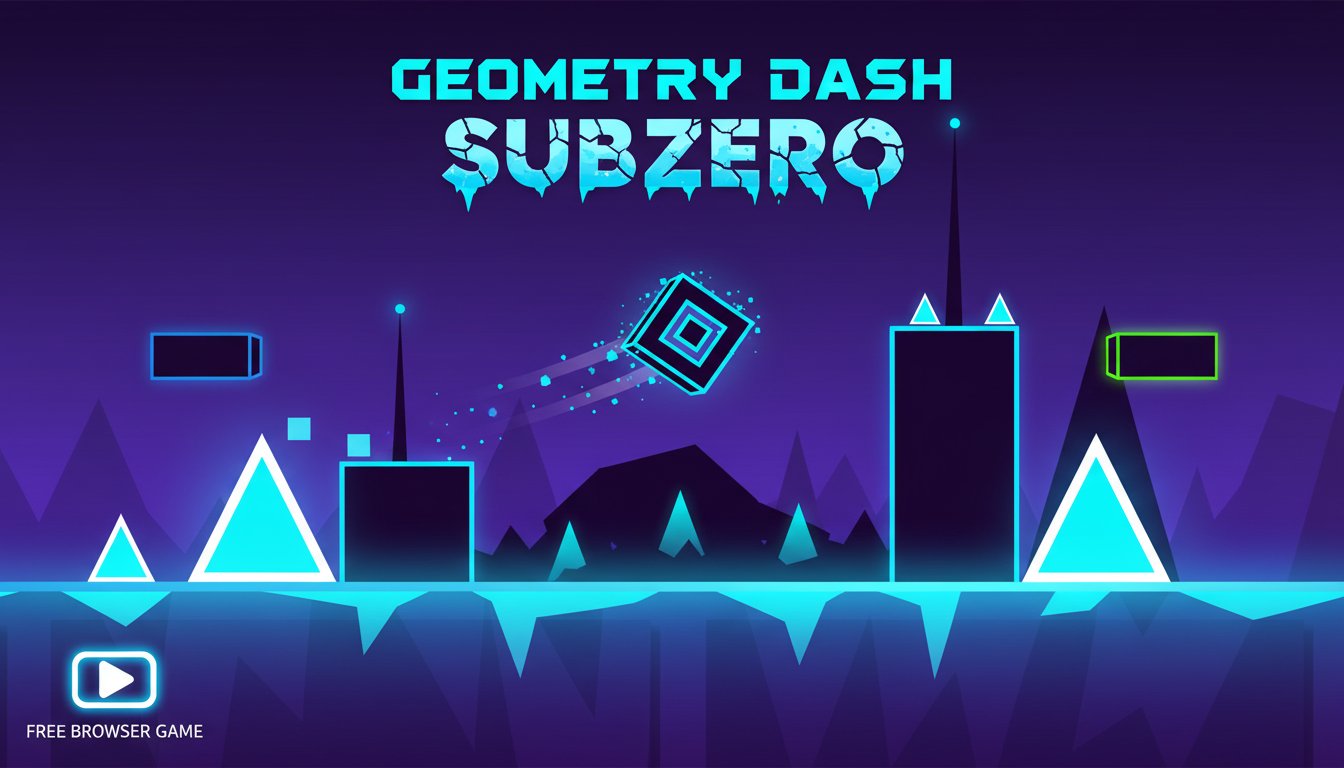
Geometry Dash Subzero is an exciting side-scrolling platformer game that puts your reflexes and timing skills to the ultimate test. In this neon-themed adventure, you control a small geometric cube as it races through challenging obstacle courses filled with spikes, barriers, and dynamic elements. The game features stunning visual effects with dazzling neon lights and a pulsating soundtrack that perfectly complements the high-speed gameplay.
This browser-based game offers an accessible yet challenging experience that appeals to both casual players and hardcore gamers seeking a serious challenge. With its simple controls and complex level designs, Geometry Dash Subzero creates an addictive gameplay loop that keeps players coming back for more.
Core Features
Simple Yet Challenging Gameplay
The beauty of Geometry Dash Subzero lies in its elegant simplicity. Using just one button (spacebar, up arrow, or mouse click), you control your cube's jumps and movements. However, don't let the simple controls fool you - the game requires precise timing, quick reflexes, and memorization of level patterns to succeed.
Stunning Neon Visual Design
The game features breathtaking neon-themed graphics that create an immersive cyberpunk atmosphere. Bright cyan, purple, and green lights illuminate the dark backgrounds, creating a visually striking experience that enhances the game's futuristic feel. Each level is carefully designed with sparkling lights and geometric patterns that are both beautiful and functional as gameplay elements.
Dynamic Obstacle Courses
Every level presents unique challenges with various obstacle types: - Sharp spikes that require precise jumping - Moving platforms that test your timing - Gravity-defying sections where your cube can fly - Reverse momentum areas that change movement direction - Collectible white orbs scattered throughout levels
Progression and Customization
As you play, collect white orbs to unlock new cube designs from the in-game store. Each model offers a fresh visual experience while maintaining the same core gameplay mechanics. The game tracks your performance with detailed statistics including completion time, jump count, and attempt numbers.
Game Mechanics
Level Structure
Geometry Dash Subzero features multiple challenging levels, each with its own unique theme and obstacle patterns. Levels progressively increase in difficulty, introducing new mechanics and faster-paced sequences that will test even experienced players.
Scoring System
Your performance is evaluated based on several factors: - Completion Time : How quickly you finish each level - Jump Count : The number of jumps taken during your run - Attempt Counter : How many tries it took to complete the level - Orb Collection : White orbs gathered during gameplay
Special Mechanics
The game introduces various special elements that keep gameplay fresh: - Flight Modes : Certain sections transform your cube into a flying object - Gravity Changes : Some areas reverse or alter gravitational effects - Speed Variations : Levels feature different speed zones that affect timing - Portal Systems : Teleportation elements that change gameplay dynamics
How to Play
Basic Controls
Geometry Dash Subzero features intuitive one-button controls: - Spacebar : Make your cube jump - Up Arrow Key : Alternative jump control - Left Mouse Click : Touch-friendly jump option
Gameplay Strategy
Success in Geometry Dash Subzero requires:
- Perfect Timing : Each jump must be precisely timed to avoid obstacles
- Pattern Recognition : Learn level layouts through repeated attempts
- Steady Rhythm : Maintain consistent timing with the background music
- Focus on Next Steps : Always look ahead to anticipate upcoming obstacles
- Stay Calm : Don't panic when facing difficult sections
Progression Tips
- Start with easier levels to understand basic mechanics
- Use practice mode to learn difficult sections
- Collect orbs whenever possible for customization options
- Don't get discouraged by multiple attempts - persistence is key
- Pay attention to visual cues that signal upcoming obstacles
Technical Features
Cross-Platform Compatibility
Geometry Dash Subzero runs smoothly on: - Desktop Computers : Windows, Mac, and Linux browsers - Mobile Devices : iOS and Android smartphones and tablets - Web Browsers : Chrome, Firefox, Safari, and Edge - No Download Required : Play instantly through your browser
Performance Optimization
The game is optimized for smooth performance across different devices, ensuring consistent frame rates and responsive controls regardless of your hardware specifications.
Why Play Geometry Dash Subzero
This game offers the perfect combination of accessibility and challenge. Whether you're looking for a quick gaming session or an extended challenge, Geometry Dash Subzero delivers:
- Free to Play : No cost, no downloads, no registration required
- Instant Access : Start playing immediately in your browser
- Highly Addictive : Simple mechanics with deep challenge
- Beautiful Graphics : Stunning neon visual effects
- Great Soundtrack : Energetic music that enhances gameplay
- Skill Development : Improves reaction time and hand-eye coordination
- Replayability : Multiple levels with different difficulty curves
Geometry Dash Subzero stands out as one of the most polished and challenging platformer games available for free online play. Its combination of simple controls, beautiful visuals, and intense difficulty creates an experience that's easy to start but hard to master.