
Geometry Game - Free Online Rhythm Platformer - Action Game
 Subscriber only
Unreal Dungeon Crawler
Build a playable Unreal dungeon crawler, combat-ready.
 FPS
FPSZombie Horror Survival
Build a tense zombie horror survival with map progression.
 Subscriber only
Unreal FPS/TPS Shooter
Create a complete UE 5.5 FPS or TPS shooter with combat, UI, and replay.
 Shooter
Dead City Shooter
Build a third-person zombie shooter in a ruined city.
 Shooter
Rail Shooter Ride
Build a roller-coaster rail shooter that aims as you ride.
 Unity
UnityChaos Train Arcade
Build a chaotic Unity train arcade of hazards and timing.
 Unity
UnityCastle Devour Quest
Build a Unity castle quest with risky rooms and a win goal.
 Puzzle
Magic Cube Puzzle
Build an interactive Rubik's Cube with scramble and reset.
 Unity
UnityBattle of Balls
Build a Unity arena where rolling balls collide and grow.
 Unity
UnityEndless Runner
Build a polished Unity endless runner with lanes and pickups.
Subscriber onlyUnreal Dungeon Crawler
Build a playable Unreal dungeon crawler, combat-ready.
FPSZombie Horror Survival
Build a tense zombie horror survival with map progression.
Subscriber onlyUnreal FPS/TPS Shooter
Create a complete UE 5.5 FPS or TPS shooter with combat, UI, and replay.
ShooterDead City Shooter
Build a third-person zombie shooter in a ruined city.
ShooterRail Shooter Ride
Build a roller-coaster rail shooter that aims as you ride.
UnityChaos Train Arcade
Build a chaotic Unity train arcade of hazards and timing.
UnityCastle Devour Quest
Build a Unity castle quest with risky rooms and a win goal.
PuzzleMagic Cube Puzzle
Build an interactive Rubik's Cube with scramble and reset.
UnityBattle of Balls
Build a Unity arena where rolling balls collide and grow.
UnityEndless Runner
Build a polished Unity endless runner with lanes and pickups.
Prompt

Games are fun. Creating them is even better.
Game Introduction
About Geometry Game
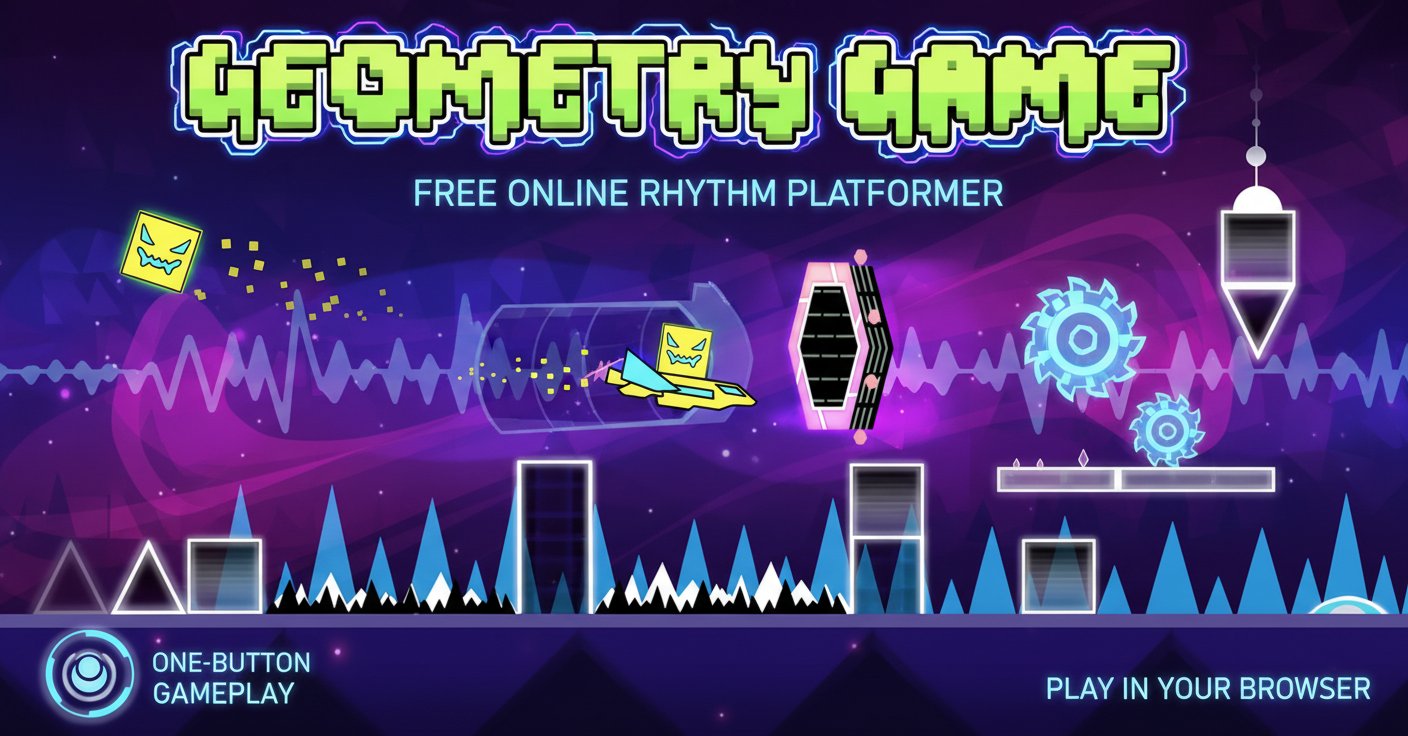
Geometry Game is an exciting free-to-play side-scrolling platformer that combines precise timing with infectious musical rhythms. In this browser-based adventure, you control a geometric shape as it automatically moves through increasingly challenging obstacle courses, all perfectly synchronized to energetic background music. With its simple one-button control scheme and highly addictive gameplay loop, this game offers an accessible yet challenging experience for players of all skill levels.
The game features the classic "die-and-retry" mechanics that have made rhythm platformers so popular, where each failure teaches you the precise timing needed to overcome obstacles. Every spike, jump, and maneuver is carefully choreographed to match the musical beat, creating a harmonious blend of audio and visual gameplay.
Core Features
Perfect Rhythm Synchronization
Every obstacle and jump in Geometry Game is meticulously timed to match the background music. This isn't just a platformer with a soundtrack – it's a true rhythm game where success depends on feeling the beat and moving in harmony with the music.
Simple Yet Challenging Controls
The beauty of Geometry Game lies in its elegant simplicity. With just the spacebar or up arrow, you control when your shape jumps. However, don't let the simple controls fool you – mastering the precise timing required for each level demands practice, patience, and perfect rhythm.
Progressive Difficulty System
Starting with manageable challenges, the game gradually introduces more complex obstacle patterns, faster speeds, and intricate timing requirements. Each level builds upon the skills learned in previous stages, creating a satisfying learning curve.
Dynamic Obstacle Mechanics
Beyond basic spikes and walls, the game features special elements like: - Portals : Change gravity, speed, or transform your character - Jump Pads : Automatically launch you at predetermined angles - Orbs : Trigger mid-air actions and special movements - Vehicle Sections : Switch between different movement modes
Practice Mode Integration
Struggling with a particularly challenging section? Practice Mode allows you to place checkpoints throughout levels, letting you master difficult segments without restarting from the beginning each time.
Gameplay Mechanics
Automatic Movement System
Your geometric character moves forward automatically, eliminating the need to worry about horizontal movement. This design choice allows you to focus entirely on timing your jumps and navigating obstacles, creating a pure rhythm-gaming experience.
Instant Feedback Loop
When you hit an obstacle, you immediately restart from the beginning (or your last checkpoint in Practice Mode). This instant retry system, while initially frustrating, quickly builds muscle memory and helps you internalize the rhythm patterns of each level.
Audio-Visual Harmony
The game's visual effects, color schemes, and obstacle patterns all complement the musical soundtrack. Flashing lights, color changes, and visual cues help reinforce the musical beats, creating a multi-sensory gaming experience.
Operation Guide
Basic Controls
- SPACEBAR or UP ARROW : Make your shape jump
- HOLD SPACEBAR/UP ARROW : Perform multi-jumps in special sections
- UP ARROW : Steer vehicles upward (in vehicle sections)
- DOWN ARROW : Steer vehicles downward (in vehicle sections)
Essential Tips for Success
Listen to the Music : The soundtrack isn't just background noise – it's your guide. Most jumps align perfectly with musical beats, so turn up your volume and let the rhythm guide your timing.
Use Practice Mode : Don't be afraid to use Practice Mode for difficult sections. Place checkpoints before challenging obstacles and practice until the timing becomes second nature.
Watch for Visual Cues : Pay attention to flashing lights, color changes, and visual patterns that often coincide with musical beats and jumping opportunities.
Develop Muscle Memory : The key to success is building muscle memory through repetition. Each attempt teaches you something new about the level's rhythm and timing.
Advanced Techniques
Rhythm Anticipation : Learn to anticipate beats slightly ahead of time to account for input delay and reaction time.
Pattern Recognition : Each level has repeating rhythm patterns. Identifying these patterns helps you prepare for upcoming obstacle sequences.
Breathing with the Beat : Some players find success in breathing in rhythm with the music, helping maintain consistent timing throughout longer levels.
Why Play Geometry Game
Instant Accessibility
No downloads, no installations, no complicated setup procedures. Simply open your web browser, navigate to the game, and start playing immediately. The game works perfectly on desktop computers, laptops, and mobile devices.
Completely Free Experience
Enjoy the full Geometry Game experience without spending a cent. No premium subscriptions, no pay-to-win mechanics, and no advertisements interrupting your gameplay flow.
Perfect for All Skill Levels
Whether you're a rhythm game veteran or someone who's never played a platformer before, Geometry Game offers an appropriate challenge. The early levels teach fundamental concepts, while later stages provide intense challenges for experienced players.
Stress Relief Through Rhythm
Many players find the rhythmic gameplay and musical synchronization surprisingly relaxing, despite the game's challenging nature. The focus required to stay in rhythm can provide a meditative escape from daily stress.
Family-Friendly Entertainment
With its geometric art style, upbeat music, and non-violent gameplay, Geometry Game provides wholesome entertainment suitable for players of all ages. The game even helps develop timing skills and musical rhythm sense in younger players.
Perfect Session Length
Each attempt typically lasts between 30 seconds to 2 minutes, making it perfect for quick gaming sessions during breaks or extended play periods when you want to master multiple levels.