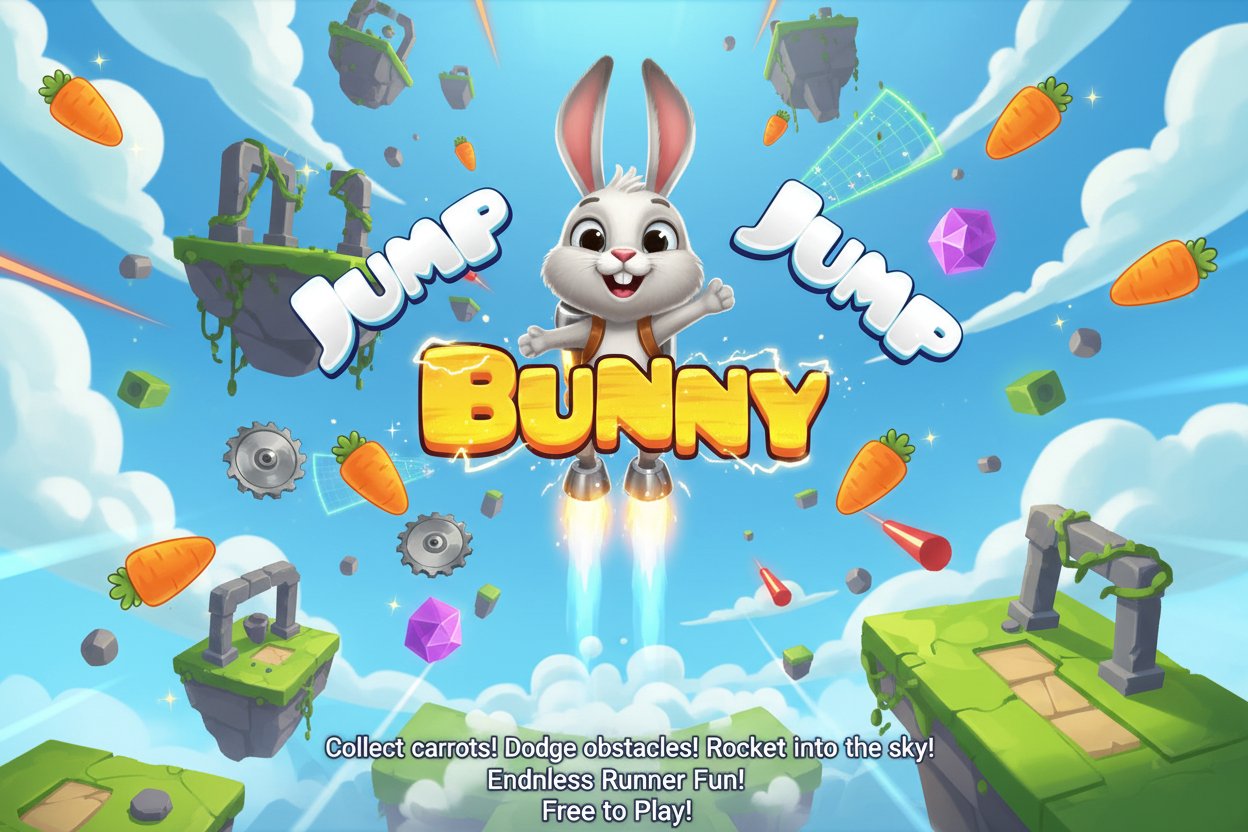
Jump Bunny Jump

Seele01-Flash
By
Jump Bunny Jump is a thrilling free endless runner game where you control a super bunny that can rocket into the sky. Collect carrots, dodge obstacles, and see how high you can jump!

Prompt

MODEL: Seele01-Flash
Please use Three.js to generate a **mobile-first game** with the theme "Jump Bunny Jump". Please read the following detailed game design requirements first, and then generate the code accordingly: ### 1. Assets & Environment * **Visual Style:** 3D Low-poly aesthetic with **Toon Shading** (MeshToonMaterial) to match the cartoonish, vibrant appeal of the source material. Use a bright color palette: Primary Green (Grass), Sky Blue (Atmosphere), and Bright Orange (Carrots/UI). * **Player Character:** A simple low-poly white bunny model (or a composed group of geometries: sphere body, cylinder ears). The bunny needs a simple "squash and stretch" animation scale effect when charging a jump. * **Environment:** * **Vertical Level Design:** The game takes place in a vertical column. * **Background:** A dynamic skybox that changes color gradient based on altitude (Green/Blue at bottom $\rightarrow$ Dark Blue $\rightarrow$ Starry Black/Purple at "Stratosphere" height). * **Platforms/Objects:** Floating islands/platforms, circular Trampolines (boosters), and Spikes (hazards). * **Collectibles:** Floating carrots rotating around their Y-axis. * **Performance:** Use **InstancedMesh** for repeated objects (carrots, platforms) to ensure 60FPS on mobile devices. Limit shadow casting to the main character only. ### 2. Audio Requirements * **BGM:** A fast-paced, upbeat, loopable "Happy Hardcore" or "Casual Arcade" style track. The tempo should match the speed of the ascent. * **Sound Effects (SFX):** * **UI:** Soft "Pop" sound for button clicks. * **Charge:** A pitch-rising synth sound while holding the screen. * **Launch:** A cartoonish "Boing" or compressed air release sound. * **Collision:** A "Ding" or "Chime" for collecting carrots. * **Boost:** A "Whoosh" sound when hitting a trampoline. * **Game Over:** A falling whistle cartoon sound effect. ### 3. Gameplay Loop * **Phase 1: The Launch (Ground State):** * The bunny starts on the ground. * A "Power Bar" UI element oscillates or fills up when the player interacts. * The jump force is determined by how long the player holds/charges (clamped to a max value). * **Phase 2: The Ascent (Airborne State):** * **Physics:** Custom gravity applies. The bunny moves upward but decelerates. * **Steering:** The player has air control to move Left/Right. * **Mechanics:** * **Trampolines:** Hitting a trampoline resets vertical velocity to positive (Double Jump effect). * **Carrots:** collecting adds to the "Score/Currency". * **Obstacles:** Hitting a spike or cannonball knocks the bunny downward or halts upward momentum immediately. * **Phase 3: Fall/Game Over:** * If the bunny misses a platform/trampoline and falls below the camera's view frustum, the game ends. * Show a "Distance Traveled" summary and a "Restart" button. ### 4. Mobile Controls & Interaction * **Launch Control:** * **Touch & Hold:** Anywhere on the screen to charge the jump power bar. * **Release:** To launch the bunny upward. * **Steering Control (Airborne):** * **Split Screen Touch:** Tap/Hold the **Left 50%** of the screen to move Left. Tap/Hold the **Right 50%** of the screen to move Right. (This is more responsive than tilt for web-based games). * **Camera Behavior:** The camera should smoothly follow the bunny's Y-position but **never scroll down**. If the bunny falls below the bottom edge of the screen, it is Game Over. * **Feedback:** * **Visual:** Display a "+1" floating text when collecting carrots. * **Haptic:** Trigger `navigator.vibrate(50)` when collecting a carrot and `navigator.vibrate(200)` when hitting a hazard (if supported). * **UI Adaptation:** Ensure the "Score" and "Pause" buttons are anchored to the top corners with sufficient padding (safe area) for mobile notches. Do not ask for clarification. Do not request confirmation. Directly execute the generation task based on the given instructions.

Game Introduction

About Jump Bunny Jump

Jump Bunny Jump is an innovative endless runner game that takes the classic bunny jumping concept to new heights - literally! This free online game features an evolved bunny with the incredible ability to rocket itself beyond the stratosphere. With a solid 4.4/5 rating from players, this action-packed adventure combines traditional platform jumping with exciting flying mechanics.

Unlike ordinary bunnies that stay grounded, this super bunny has developed extraordinary jumping powers that allow it to soar through the sky and beyond. The game offers endless entertainment as you guide your bunny companion through increasingly challenging vertical environments.

Core Features

Endless Vertical Adventure

Experience unlimited gameplay in this endless runner format where the sky is literally not the limit. Each playthrough presents new challenges and opportunities to beat your previous high score.

Dynamic Physics System

The game features realistic physics-based gameplay that makes every jump feel natural and responsive. Master the art of momentum and timing to achieve maximum height and distance.

Collectible Rewards System

  • Golden Carrots : Gather precious carrots as you ascend to unlock upgrades
  • Special Treasures : Discover bonus items scattered throughout your journey
  • Power-up Trampolines : Use floating trampolines strategically to boost your jumps
  • Upgrade Shop : Spend collected treasures on bunny enhancements

Challenging Obstacles

Navigate through various obstacles that test your reflexes: - Floating Platforms : Time your jumps perfectly to land safely - Dangerous Spikes : Avoid sharp hazards that end your run - Cannonballs : Dodge projectiles flying through your path - Moving Barriers : Adapt to dynamic obstacles that change position

Free-to-Play Excellence

Jump Bunny Jump is completely free to play with no hidden costs. The game runs smoothly in any modern web browser without requiring downloads or installations.

Gameplay Mechanics

The core gameplay revolves around building energy and releasing it at the perfect moment to launch your bunny skyward. As you ascend, you'll need to:

  1. Collect Resources : Gather carrots and treasures to fuel your upgrades
  2. Avoid Hazards : Navigate around spikes, cannonballs, and other dangers
  3. Use Trampolines : Strategically bounce off floating trampolines for extra height
  4. Upgrade Your Bunny : Invest collected resources in performance improvements
  5. Chase High Scores : Compete with yourself to reach greater heights each time

Controls and Operations

Desktop Controls

  • Space Bar : Hold to build up energy, release to launch your bunny
  • Left/Right Arrow Keys : Steer your bunny during flight
  • Mouse : Navigate menus and upgrade screens

Mobile Controls

  • Touch and Hold : Build energy for launching
  • Swipe Left/Right : Control bunny direction during jumps
  • Tap : Interact with menu options

The intuitive control scheme makes the game accessible to players of all skill levels while still offering depth for mastery.

Why Play Jump Bunny Jump

This game perfectly combines several beloved gaming genres into one exciting package:

For Action Game Fans : Fast-paced gameplay with split-second decision making keeps adrenaline pumping throughout each session.

For Platform Game Enthusiasts : Classic jumping mechanics enhanced with modern physics create a familiar yet fresh experience.

For Casual Gamers : Simple controls and pick-up-and-play nature make it perfect for quick gaming sessions.

For Competitive Players : Endless format encourages score chasing and personal improvement.

Universal Appeal : The charming bunny character and colorful graphics appeal to players of all ages, making it perfect for family gaming.

Whether you're looking for a quick break from work, want to challenge your reflexes, or simply enjoy cute animal characters in action games, Jump Bunny Jump delivers an entertaining experience that keeps you coming back for "just one more jump."

Frequently Asked Questions (FAQ)