Madness Accelerant

Seele01-Flash
By
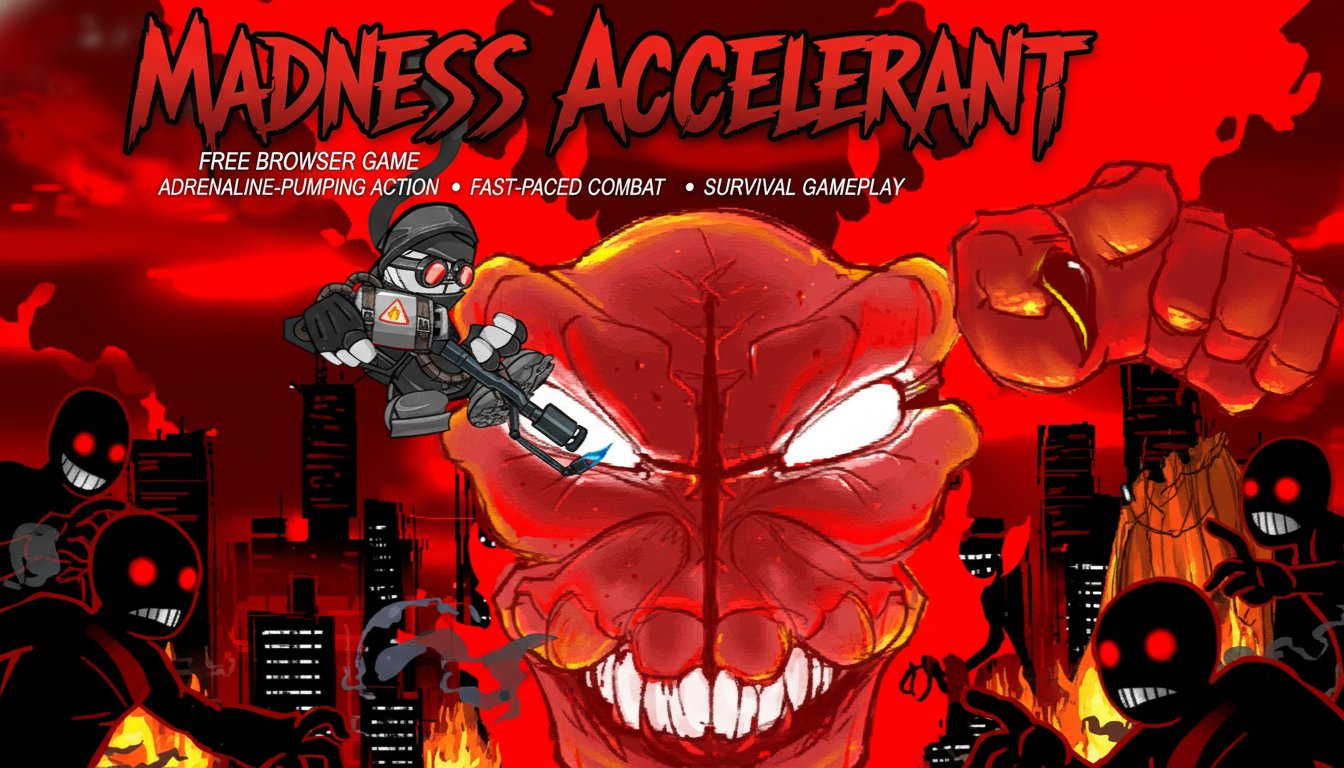
Madness Accelerant is an intense side-scrolling action game where players battle enemies and escape terrifying monsters in fast-paced combat scenarios. This free browser-based game delivers adrenaline-pumping action with smooth controls and challenging survival gameplay.

Prompt

MODEL: Seele01-Flash
Please use Three.js to generate a **mobile-first game** with the theme "Madness Accelerant: Mobile Remake". Please read the following detailed game design requirements first, and then generate the code accordingly: ### 1. Assets & Environment * **Visual Style**: Replicate the iconic "Flash Animation" aesthetic using a **2.5D approach**. Use flat, 2D planes with textures for characters and enemies within a 3D space to allow for parallax scrolling. * **Color Palette**: High-contrast noir style. Dominant colors are Greyscale (characters/city), Deep Red (Sky, Blood, Boss), and Black (Silhouettes). * **Character Design**: * **Player (Hank)**: A grey, capsule-shaped body with a black bandana, red goggles, and floating detached hands (Rayman-style). * **The Boss (Tricky/Clown)**: A massive, grotesque demonic clown face that occupies the background layer, animated with basic scaling/shaking to simulate roaring. * **Environment**: A silhouetted cityscape in the background with a deep red gradient sky. The ground should be a dark, gritty concrete platform. * **Performance**: Use **InstancedMesh** for blood particles and bullet casings. Implement object pooling for projectiles to maintain 60 FPS on mobile devices. Use simple geometry (planes) for the background to reduce draw calls. ### 2. Audio Requirements * **BGM**: High-energy, aggressive **Industrial Techno** or **Drum and Bass** loop with heavy distortion to match the frantic pacing. * **Sound Effects (SFX)**: * **Weapons**: Punchy, loud gunshots; metallic reloading sounds; a continuous "whoosh" for flamethrowers. * **Impacts**: Visceral "squelch" sounds for blood splatters and enemy deaths. * **Environment**: Low-frequency rumble for the giant boss movement. * **UI**: Mechanical clicking sounds for button presses. ### 3. Gameplay Loop * **Core Mechanic**: A side-scrolling "Run and Gun" boss rush. The player constantly moves right to escape the giant boss background layer while fighting waves of smaller minions. * **Combat System**: * The player can pick up dropped weapons (Shotgun, SMG, Chainsaw) from crates. * **Ammo Count**: Limited ammo per gun; player reverts to melee/pistol when empty. * **The Chase**: The Giant Boss in the background occasionally attacks the foreground (e.g., slamming a fist down or breathing fire), forcing the player to dodge (Jump/Dash). * **Win/Loss**: * **Loss**: HP reaches 0 (visualized by the character getting bloodier/damaged). * **Win**: Deplete the Boss's HP bar while surviving the minion waves. ### 4. Mobile Controls & Interaction * **Orientation**: **Landscape Mode** (Fullscreen). * **Control Scheme (Twin-Stick Adaptation)**: * **Left Virtual Joystick**: Controls movement (Left/Right) and aiming angle adjustment. * **Right Virtual Joystick**: Controls Aiming direction and Shooting (Fire on hold). * **Jump Button**: Large circular button on the bottom right (above the fire stick). * **Weapon Swap Button**: A distinct icon near the top right to switch weapons when standing over a drop. * **Haptic Feedback**: Trigger short vibration bursts when the player takes damage or kills an enemy. * **UI Layout**: Keep Health Bar and Boss Health Bar at the top of the screen (safe from thumb occlusion). Ensure all touch targets are at least 44x44 pixels. * **Camera**: Orthographic camera that smoothly follows the player's x-axis movement with a slight delay (damped) for a cinematic feel. Do not ask for clarification. Do not request confirmation. Directly execute the generation task based on the given instructions.

Game Introduction

About the Game

Madness Accelerant is a high-octane side-scrolling action game that throws players into intense combat situations against waves of enemies and monstrous threats. This fast-paced game combines classic 2D action gameplay with modern browser accessibility, delivering an experience that keeps players on the edge of their seats.

The game features a distinctive red-tinted visual style that creates an apocalyptic atmosphere, perfectly matching the intense survival gameplay. Players control a well-armed protagonist who must navigate through dangerous environments while fighting off relentless enemies and escaping from massive beast monsters.

Core Features

Intense Side-Scrolling Action

Experience classic 2D action gameplay with modern polish. The side-scrolling perspective provides perfect visibility for combat while maintaining the fast-paced intensity that defines the genre.

Dual Control Systems

The game offers both keyboard and mouse control options, allowing players to choose their preferred input method: - Keyboard controls for traditional gaming feel - Mouse controls for precision aiming and modern gameplay

Weapon Variety and Combat

Engage in dynamic combat with multiple weapons at your disposal. The weapon swapping system allows for tactical gameplay, letting you adapt to different enemy types and combat situations.

Monster Survival Elements

Face off against terrifying beast monsters that require strategy and skill to escape. The survival aspect adds tension and excitement to every encounter.

Browser-Based Gaming

No downloads or installations required - jump straight into the action through your web browser. The game runs smoothly on most modern browsers, making it accessible anywhere.

Gameplay Mechanics

The core gameplay revolves around fast-paced combat and strategic movement. Players must master the art of attacking, jumping, and weapon management while navigating through increasingly challenging scenarios.

The game's combat system emphasizes timing and positioning. Successfully defeating enemies requires understanding their attack patterns and using the environment to your advantage. The weapon swapping feature adds a tactical layer, encouraging players to experiment with different combat approaches.

Operation Guide

Keyboard Controls

  • A Key : Attack enemies and unleash your weapons
  • S Key : Jump over obstacles and dodge attacks
  • D Key : Swap between available weapons
  • Up/Down Arrow Keys : Aim your weapon vertically
  • Left/Right Arrow Keys : Move and aim horizontally

Mouse Controls

  • Left Mouse Button : Primary attack command
  • W Key : Jump and evade
  • S Key : Switch weapons quickly
  • Mouse Movement : Precise aiming control
  • A/D Keys : Character movement

Combat Tips

  • Master weapon switching for different enemy types
  • Use jumping strategically to avoid damage
  • Learn enemy attack patterns for better survival
  • Utilize both movement and aiming for optimal positioning

Why Play Madness Accelerant

This game perfectly captures the essence of classic action gaming while providing modern browser convenience. The intense combat system, atmospheric visuals, and challenging gameplay create an engaging experience that appeals to both casual players and action game enthusiasts.

The dual control scheme ensures that every player can find their optimal way to play, whether they prefer traditional keyboard controls or modern mouse-based gameplay. The fast-paced nature keeps sessions exciting, while the skill-based combat provides long-term replay value.

For fans of action games, side-scrollers, or survival gameplay, Madness Accelerant offers an excellent combination of accessibility and intensity that's hard to find in browser-based games.

Frequently Asked Questions (FAQ)