Rotate - Gravity Manipulation Platformer Game - Action Game
Prompt
Game Introduction
About Rotate
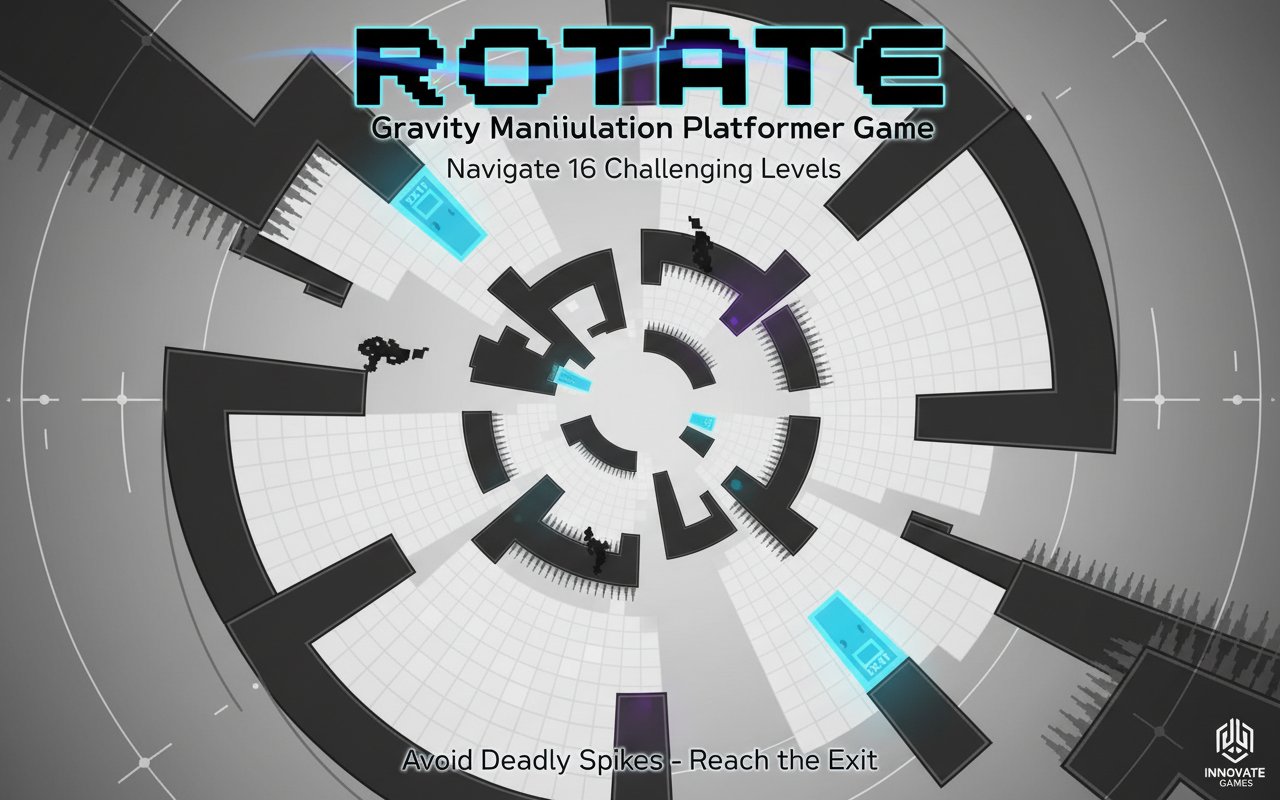
Rotate is a mind-bending pixel art platformer that revolutionizes traditional platform gaming by putting gravity control in your hands. Instead of being limited by standard physics, you can rotate the entire game world in all four directions, creating a unique 360-degree navigation experience. With its charming retro pixel graphics and innovative gameplay mechanics, Rotate offers a fresh take on the classic platformer genre.
The game challenges players to think beyond conventional movement patterns, requiring strategic thinking and precise timing to master each of the 16 carefully crafted levels.
Core Features
Revolutionary Gravity Mechanics
The standout feature of Rotate is its gravity manipulation system . Players can rotate the entire level in any of the four cardinal directions, effectively changing which way is "down." This mechanic transforms simple platforming into complex spatial puzzles where walls become floors and ceilings become escape routes.
Pixel Art Excellence
Featuring crisp, nostalgic pixel graphics , Rotate delivers a visually appealing retro aesthetic that's both charming and functional. The monochromatic design with strategic use of contrast ensures that platforms, spikes, and interactive elements are always clearly visible, even during rapid rotations.
Progressive Challenge System
With 16 meticulously designed levels , Rotate provides a perfectly balanced difficulty curve. Early stages introduce the rotation concept gently, while later levels demand mastery of complex gravity switches and precise platforming skills.
Level Creation Tools
The built-in level editor allows creative players to design and share their own challenging maps, extending the game's lifespan indefinitely. Create intricate puzzles, share them with the community, and discover user-generated content that pushes the rotation mechanics to their limits.
Gameplay Mechanics
Core Objective
Your mission in each level is straightforward yet challenging: navigate your pixel character from the starting position to the exit door while avoiding deadly obstacles. The twist lies in how you accomplish this seemingly simple task.
Rotation Strategy
Success in Rotate requires thinking in three dimensions while playing in two. Players must visualize how rotating the level will affect their character's movement and plan multi-step sequences that combine jumping, rotation, and precise timing.
Hazard Navigation
Deadly spikes populate most levels, creating dangerous obstacles that become even more treacherous when gravity shifts. Players must carefully time their rotations to avoid falling into these hazards while maintaining forward progress.
Controls Guide
Movement Controls
- A/D keys or Left/Right arrows : Move your character horizontally
- W key, Up arrow, or Spacebar : Jump (direction depends on current gravity)
- S key or Down arrow : Enter the exit door when positioned correctly
Gravity Manipulation
- Q key : Rotate gravity counterclockwise (90-degree increments)
- E key : Rotate gravity clockwise (90-degree increments)
Mastering the timing between movement and rotation is crucial for success. Practice switching gravity mid-jump to access otherwise unreachable platforms.
Why Play Rotate?
Unique Gaming Experience
Rotate offers something genuinely different in the crowded platformer market. The gravity manipulation mechanic creates puzzle-platformer hybrid gameplay that exercises both reflexes and spatial reasoning skills.
Perfect for All Skill Levels
While the concept is innovative, the game remains accessible to newcomers while providing enough depth to challenge experienced platformer veterans. The progressive difficulty ensures everyone can find their comfort zone.
No Cost, Maximum Fun
Completely free to play with no hidden costs, premium content, or advertisements interrupting your gaming experience. Simply load the game in your browser and start playing immediately.
Cross-Platform Compatibility
As a web-based game, Rotate works seamlessly across all modern devices and operating systems. Play on your desktop computer, laptop, tablet, or smartphone without any performance compromises.
Endless Creativity
With the level editor, Rotate becomes a platform for creativity. Design fiendishly difficult challenges, create artistic level layouts, or experiment with the rotation mechanics to discover new gameplay possibilities.