
Ships 3D IO - Multiplayer Naval Combat Game - Action Game
 Subscriber only
Unreal Landscape Tour
Tour photoreal Unreal landscapes with cinematic camera work.
 FPS
FPS3D FPS Game
Build a desert FPS with weapon switching and a retro HUD.
 Unity
UnityStrawberry Grove Adventure
Build a cozy Unity pixel grove of exploration and collectibles.
 Action
Open World City Action
Build an open-world city romp with driving and police chases.
 Shooter
Dead City Shooter
Build a third-person zombie shooter in a ruined city.
 Racing
Track Racing Challenge
Build a closed-circuit racer built around drift corners.
 Arcade
Pumpkin Night Adventure
Build a Halloween grid-arena survival romp.
 Unity
UnityCrimson Illusion Battle
Build a Unity fantasy battle through a crimson illusion realm.
 Adventure
Character Adventure Sim
Build a 3D character explorer with traversal and interactive zones.
 New
NewFirst-Person Horror Survival
Build a first-person horror survival with exploration and enemies.
Subscriber onlyUnreal Landscape Tour
Tour photoreal Unreal landscapes with cinematic camera work.
FPS3D FPS Game
Build a desert FPS with weapon switching and a retro HUD.
UnityStrawberry Grove Adventure
Build a cozy Unity pixel grove of exploration and collectibles.
ActionOpen World City Action
Build an open-world city romp with driving and police chases.
ShooterDead City Shooter
Build a third-person zombie shooter in a ruined city.
RacingTrack Racing Challenge
Build a closed-circuit racer built around drift corners.
ArcadePumpkin Night Adventure
Build a Halloween grid-arena survival romp.
UnityCrimson Illusion Battle
Build a Unity fantasy battle through a crimson illusion realm.
AdventureCharacter Adventure Sim
Build a 3D character explorer with traversal and interactive zones.
NewFirst-Person Horror Survival
Build a first-person horror survival with exploration and enemies.
Prompt

Games are fun. Creating them is even better.
Game Introduction
About Ships 3D IO
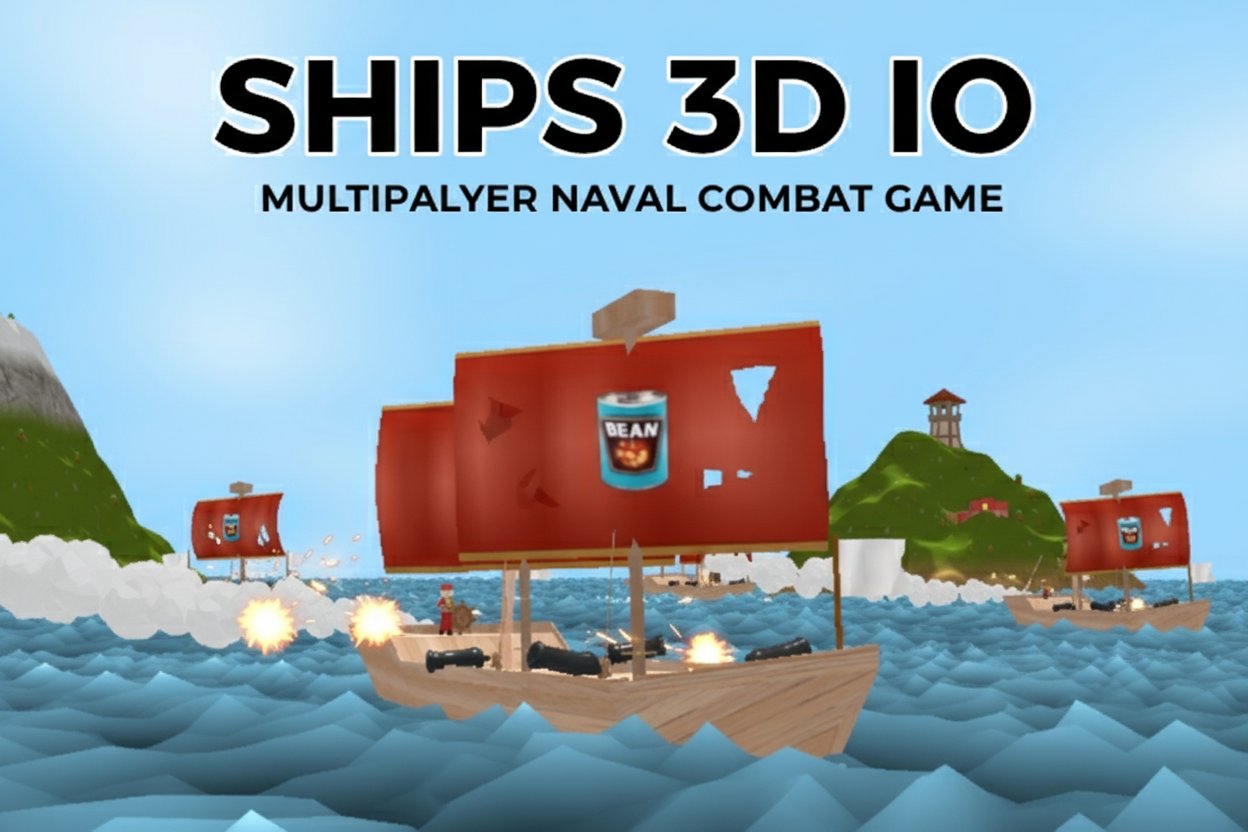
Ships 3D IO is a thrilling multiplayer naval combat game that puts you in command of your own sailing vessel. With a stellar 4.3/5 rating, this browser-based adventure combines the excitement of pirate warfare with strategic team-based gameplay. Experience authentic ship combat as you navigate treacherous waters, engage enemy vessels, and fight for maritime supremacy.
Core Features
Immersive First-Person Ship Combat
Unlike traditional naval games, Ships 3D IO offers a unique first-person perspective where you directly control your sailor. Move around your ship's deck, operate cannons, adjust sails, and take the helm - all while engaging in intense naval battles.
Dual Game Modes
- Trader Mode : Transport valuable cargo to merchants for substantial point rewards. Team up with friends on your ship for cooperative trading adventures
- Team Mode : Coordinate with your team to capture and control strategic islands, earning points for territorial dominance
Advanced Progression System
The game features extensive customization and progression options: - Unlockable Ships : Earn and upgrade various vessel types with different capabilities - Weapon Arsenal : Access muskets, cannons, and specialized ammunition - Character Customization : Unlock unique skins and appearances - Clan System : Join or create clans for enhanced teamwork and competition
Rich Gaming Environment
Explore a vibrant 3D world featuring mountainous islands, mysterious goblin NPCs, and dynamic weather systems. The game maintains player engagement through weekly leaderboards and clan rankings.
Game Mechanics
Naval Combat System
Ships 3D IO delivers authentic sailing ship combat where strategy meets skill. Position your vessel strategically, coordinate cannon fire, and outmaneuver opponents in real-time battles. The physics-based sailing system requires mastering wind patterns and ship handling for tactical advantage.
Social Features
- Friends System : Connect with other players and invite them directly to your crew
- Clan Warfare : Participate in large-scale conflicts between player organizations
- Leaderboards : Compete for weekly recognition and top clan status
Operation Guide
Basic Controls
- WASD Keys : Move your character around the ship deck
- Mouse : Look around and aim weapons
- Left Click : Fire cannons and swing melee weapons
- F Key : Interact with ship elements (helm, sails, cannons), pick up items, and respawn
- E Key / Number Keys 1,2 : Switch between available weapons
Ship Operations
- Steering : Approach the ship's wheel and press F to take control of navigation
- Sail Management : Interact with sails to adjust speed and maneuverability
- Cannon Operation : Position yourself at cannons and use F to load and fire
- Item Management : Collect and transport cargo using the interaction system
Why Play Ships 3D IO
Unique Gaming Experience
Ships 3D IO stands out in the crowded IO game market by offering genuine naval simulation combined with fast-paced multiplayer action. The first-person perspective creates unprecedented immersion in ship-to-ship combat.
Completely Free to Play
Enjoy all game features without any payment requirements. No downloads, installations, or premium subscriptions needed - simply open your browser and start sailing.
Cross-Platform Accessibility
The game runs smoothly on all modern browsers across Windows, Mac, and mobile devices, ensuring you can command your fleet anywhere.
Active Community
Join a thriving player base with regular updates, competitive events, and social features that keep the maritime world alive and engaging.
Strategic Depth
While easy to learn, Ships 3D IO offers deep strategic gameplay through team coordination, resource management, and tactical combat that rewards skillful players.