
Space is Key 2 - Action Game
 Voxel
VoxelVoxel Hero Adventure
Build a voxel hero who explores, mines, and builds.
 Subscriber only
Unreal Dungeon Crawler
Build a playable Unreal dungeon crawler, combat-ready.
 FPS
FPSZombie Horror Survival
Build a tense zombie horror survival with map progression.
 Subscriber only
Unreal FPS/TPS Shooter
Create a complete UE 5.5 FPS or TPS shooter with combat, UI, and replay.
 Subscriber only
Unreal Mountain Tour
Tour a third-person Unreal world of mountains and water.
 Shooter
Rail Shooter Ride
Build a roller-coaster rail shooter that aims as you ride.
 New
NewFirst-Person Horror Survival
Build a first-person horror survival with exploration and enemies.
 SEELE02 CORE
Game Generator
Turn a one-line idea into a playable game demo.
 New
NewHook a Fish Arcade
Build a fishing arcade where catches buy you more time.
 Unity
UnityCastle Devour Quest
Build a Unity castle quest with risky rooms and a win goal.
VoxelVoxel Hero Adventure
Build a voxel hero who explores, mines, and builds.
Subscriber onlyUnreal Dungeon Crawler
Build a playable Unreal dungeon crawler, combat-ready.
FPSZombie Horror Survival
Build a tense zombie horror survival with map progression.
Subscriber onlyUnreal FPS/TPS Shooter
Create a complete UE 5.5 FPS or TPS shooter with combat, UI, and replay.
Subscriber onlyUnreal Mountain Tour
Tour a third-person Unreal world of mountains and water.
ShooterRail Shooter Ride
Build a roller-coaster rail shooter that aims as you ride.
NewFirst-Person Horror Survival
Build a first-person horror survival with exploration and enemies.
SEELE02 COREGame Generator
Turn a one-line idea into a playable game demo.
NewHook a Fish Arcade
Build a fishing arcade where catches buy you more time.
UnityCastle Devour Quest
Build a Unity castle quest with risky rooms and a win goal.
Prompt

Games are fun. Creating them is even better.
Game Introduction
About the Game
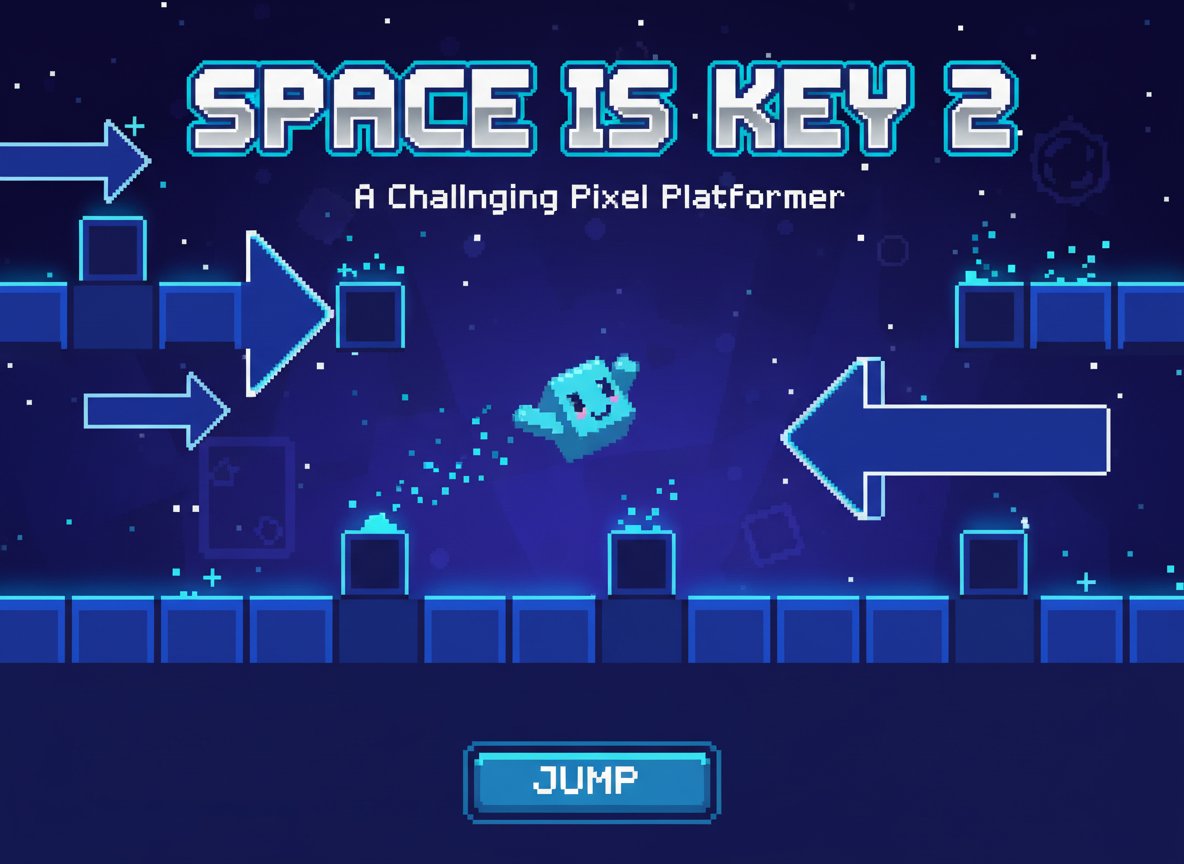
Space is Key 2 is an addictive pixel platform game that proves sometimes the simplest controls create the most challenging experiences. This sequel brings back the beloved blocky pixel character with enhanced levels, new obstacles, and the same deceptively simple one-button gameplay that made the original so popular. With a 3.5/5 rating from players, this game delivers exactly what fans of challenging platform games are looking for.
Core Features
This minimalist platform game packs surprising depth into its simple concept:
- One-Button Control : Master the art of timing with just the spacebar - jump, double-jump, and navigate through complex obstacles
- Challenging Level Design : Progressive difficulty that starts easy but quickly ramps up to test even experienced players
- Pixel Art Style : Charming retro-inspired graphics with a cute blocky character that's instantly recognizable
- Instant Replay : Quick restart system lets you immediately try again after each failure
- Browser-Based : Play directly in your web browser with no downloads required
- All Ages Content : Family-friendly gameplay suitable for players of all skill levels
Progressive Difficulty System
What starts as simple jumping quickly evolves into complex timing puzzles. Each level introduces new mechanics and obstacles that require precise timing and quick reflexes. The game's "hard" difficulty rating is well-earned - expect to retry levels multiple times as you perfect your technique.
Minimalist Design Philosophy
The beauty of Space is Key 2 lies in its simplicity. With only one control input, the game forces you to focus entirely on timing and precision. This stripped-down approach creates a pure platforming experience that's easy to learn but extremely difficult to master.
Gameplay Mechanics
The core gameplay revolves around precise timing and spatial awareness:
- Basic Jumping : Use the spacebar to make your character jump over obstacles and gaps
- Momentum Control : Learn to control your character's momentum for precise landings
- Obstacle Navigation : Navigate through spikes, moving platforms, and narrow passages
- Timing Mastery : Success depends on split-second timing decisions
Operation Guide
The controls couldn't be simpler, but mastery takes practice:
- Spacebar : Jump/Double Jump - This is your only control input
- Timing : Hold the spacebar longer for higher jumps, tap quickly for short hops
- Rhythm : Develop a sense of rhythm to navigate through consecutive obstacles
- Patience : Take time to observe patterns before attempting difficult sections
The key to success is understanding that different obstacles require different jump techniques. Some require quick taps, others need sustained presses, and many demand perfect timing combinations.
Why Play This Game
Space is Key 2 offers a uniquely focused gaming experience that stands out in today's complex game landscape. The one-button control scheme creates an incredibly pure challenge that tests your reflexes and timing skills. It's perfect for quick gaming sessions, offering immediate satisfaction when you finally master a difficult section.
The game's retro pixel art style and straightforward presentation make it nostalgic and approachable, while the challenging gameplay ensures long-term engagement. Whether you're looking for a brief distraction or a serious challenge to master, Space is Key 2 delivers an experience that's both frustrating and rewarding in the best possible way.
For fans of precision platformers, minimalist game design, or anyone who enjoys games that are easy to play but hard to master, Space is Key 2 represents the perfect blend of simplicity and challenge.