Space Waves - Arcade Arrow Navigation Game - Action Game
Prompt
Game Introduction
About Space Waves
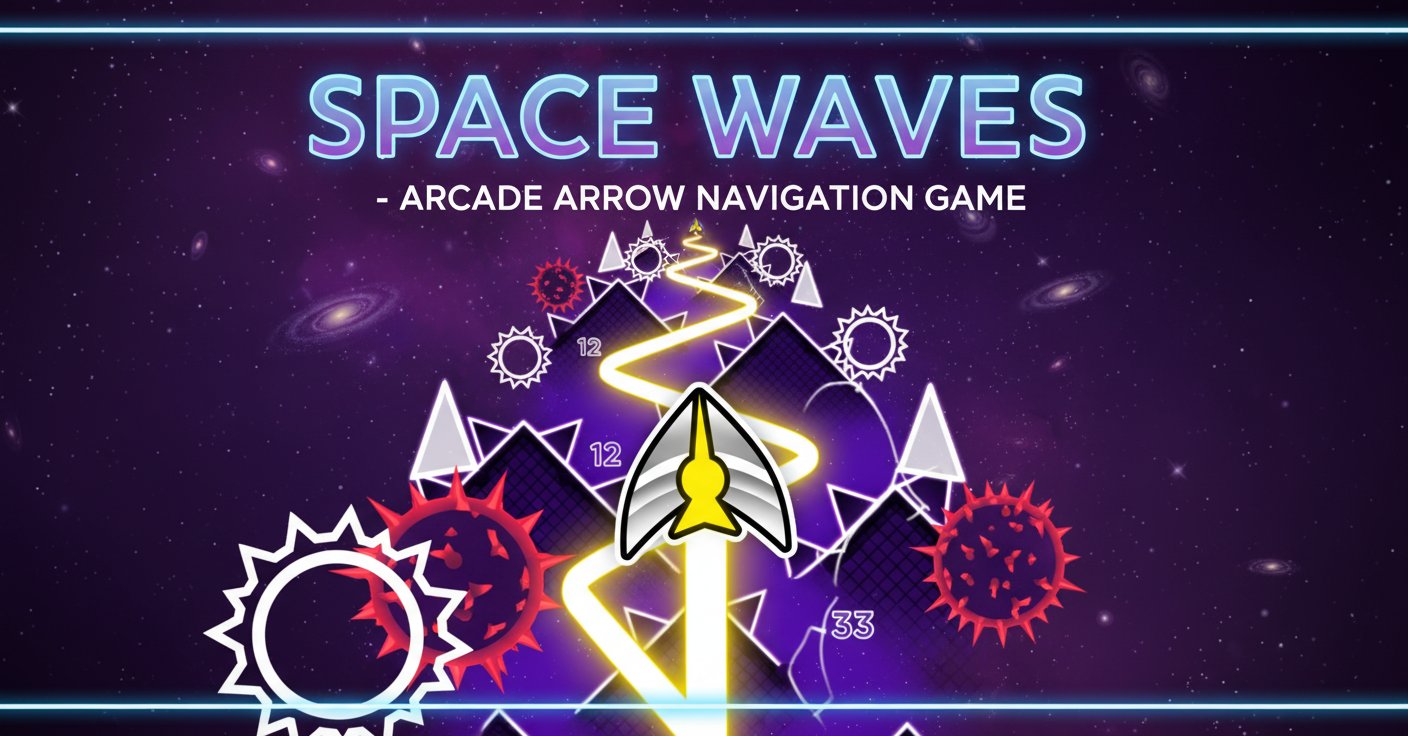
Space Waves is a captivating arcade game that tests your reflexes and navigation skills. In this space-themed obstacle course, you control an arrow that must weave through dangerous environments filled with walls, rotating mechanical cogs, and sharp thorns. With 33 unique levels of varying difficulty, Space Waves offers endless entertainment for casual gamers and challenge seekers alike.
The game features a distinctive purple space aesthetic with geometric obstacles that create a visually striking experience. Each level is carefully designed to provide a specific difficulty rating, indicated by intuitive face symbols that help you choose your preferred challenge level.
Core Features
33 Unique Challenge Levels
Space Waves offers an impressive collection of 33 distinct levels, each with its own layout and difficulty rating. The game's innovative design allows you to jump to any level at any time, making it perfect for both beginners and experienced players.
Flexible Difficulty System
Levels are categorized with visual difficulty indicators: - Green levels : Feature wider spaces and gentler angles, perfect for learning the game mechanics - Advanced levels : Present tighter spaces, more obstacles, and require precise timing - Expert levels : Demand lightning-fast reflexes and perfect navigation skills
Cross-Platform Compatibility
Enjoy Space Waves on any device with a modern web browser. The game is fully optimized for both desktop and mobile play, ensuring smooth gameplay whether you're using a mouse or touchscreen.
One-Button Simplicity
Despite its challenging gameplay, Space Waves uses an elegant one-button control system that's easy to learn but difficult to master. This accessibility makes it perfect for quick gaming sessions or extended play.
Gameplay Mechanics
The core objective in Space Waves is deceptively simple: guide your arrow from the starting point to the end of each level without colliding with any obstacles. However, the execution requires skill, timing, and strategic thinking.
Obstacle Types
Players must navigate around several types of hazards: - Static walls : Solid barriers that require careful maneuvering - Rotating cogs : Moving mechanical obstacles with precise timing windows - Sharp thorns : Dangerous spikes that demand perfect navigation - Narrow passages : Tight spaces that test your control precision
Strategic Movement
Success in Space Waves requires more than just quick reflexes. Players must plan their route, time their movements, and maintain momentum while avoiding obstacles. The zigzag movement technique becomes essential for navigating complex sections while maintaining forward progress.
Operation Guide
Desktop Controls
- Mouse : Hold left mouse button to move up, release to descend
- Keyboard : Use W key or Spacebar for the same up/down control
- Pause : Press P to pause the game at any time
Mobile Controls
- Touch : Hold anywhere on the screen to move up, release to go down
- Responsive design : Optimized touch controls for smooth mobile gameplay
The control scheme is intentionally minimalist, focusing on precise timing rather than complex button combinations. This makes the game accessible to players of all ages while maintaining its challenging nature.
Why Play Space Waves
Perfect for Quick Sessions
With its instant-access level system, Space Waves is ideal for short gaming breaks. You can jump into any difficulty level and play for just a few minutes or settle in for longer challenge sessions.
Skill Development
The game progressively builds your hand-eye coordination, reaction time, and spatial awareness. As you advance through the levels, you'll notice significant improvement in your navigation skills.
Stress-Free Gaming
Unlike many arcade games, Space Waves allows you to choose your difficulty level, making it as relaxing or as intense as you prefer. There's no pressure to complete levels in order, giving you complete control over your gaming experience.
Completely Free
Space Waves is entirely free to play with no hidden costs, advertisements, or premium features. All 33 levels are available immediately, providing excellent value for casual gamers.
No Download Required
Play instantly in your browser without any downloads, installations, or account creation. Simply visit the game page and start playing immediately on any device.