Take Actions - Third Person Shooter - Action Game
Prompt
Game Introduction
About the Game
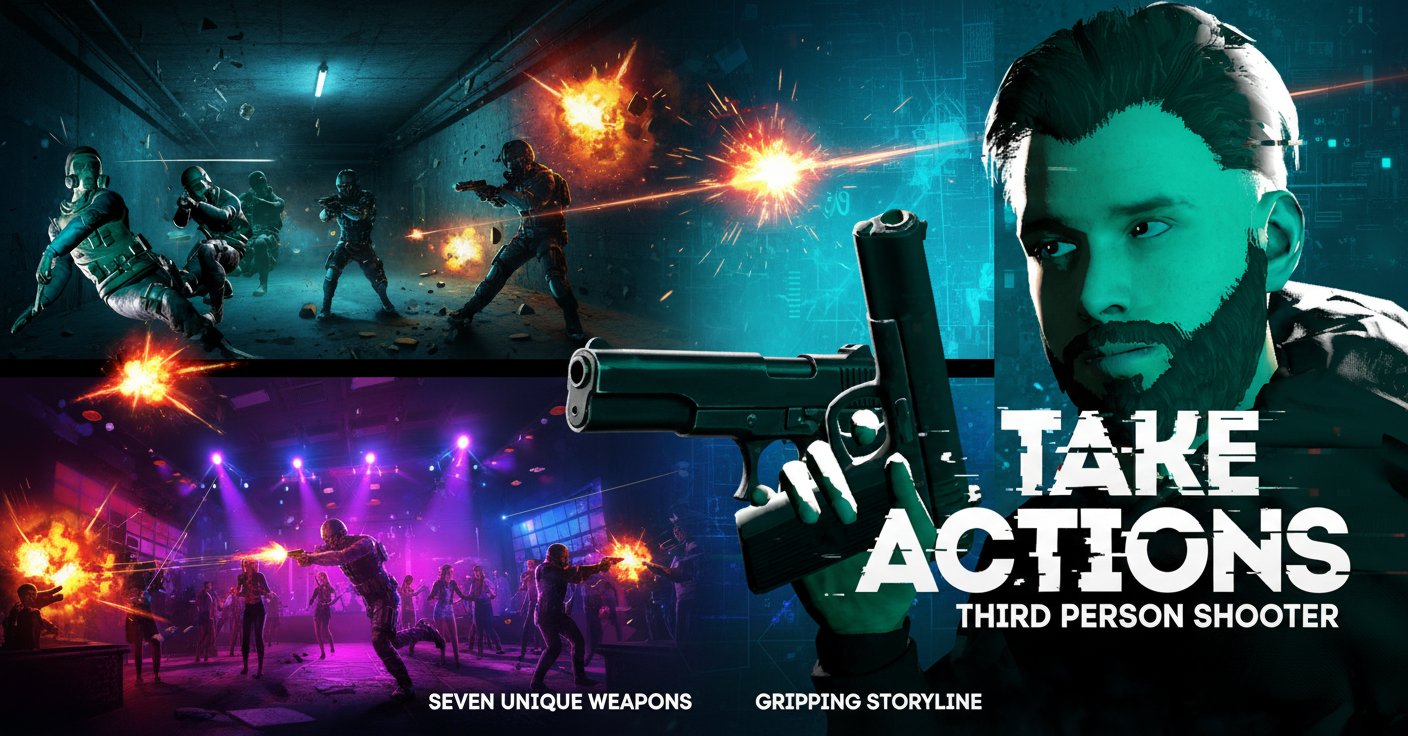
Take Actions is a high-octane third-person shooter that delivers cinematic combat experiences right in your browser. This action-packed game combines stunning 3D graphics with intense gunplay, featuring advanced physics and the unique ability to manipulate time during combat. Players navigate through diverse environments, from claustrophobic underground bunkers to explosive nightclub battles, culminating in epic boss encounters.
The game stands out with its cinematic presentation and fluid combat mechanics, offering both casual players and hardcore shooter fans an engaging experience without requiring any downloads or installations.
Core Features
Cinematic Slow-Motion Combat
The signature feature of Take Actions is its bullet time system, activated with the E key. This mechanic allows players to slow down time during intense firefights, creating spectacular cinematic moments while giving tactical advantages in combat situations.
Diverse Arsenal System
Equip yourself with seven unique weapons , each with distinct handling characteristics and tactical applications. From pistols to assault rifles, every weapon offers different strategies for approaching combat encounters.
Advanced Physics Engine
Experience realistic weapon handling, environmental interactions, and dynamic combat scenarios powered by sophisticated physics calculations that make every gunfight feel authentic and responsive.
Immersive Storyline
Progress through a compelling narrative that takes you from underground facility escapes to high-stakes nightclub confrontations, building toward climactic boss battles that test all your acquired skills.
Multiple Combat Environments
- Underground Bunker : Navigate tight corridors and tactical positions
- Nightclub Showdown : Fast-paced action in dynamic lighting
- Boss Battle Arenas : Ultimate tests of skill and strategy
Gameplay Mechanics
Third-Person Perspective
The over-the-shoulder camera system provides optimal situational awareness while maintaining immersive character connection. Switch aiming shoulders with Q or mouse wheel for tactical positioning advantages.
Advanced Movement System
Utilize sprint (Left Shift), jump (Space), and precise WASD movement controls to navigate complex environments and gain tactical positioning during firefights.
Weapon Management
Pick up weapons with F, reload with R, and strategically drop equipment with G. The intuitive inventory system ensures smooth weapon transitions during intense combat.
Operation Guide
Basic Controls
- Movement : WASD keys or arrow keys for character navigation
- Aiming : Right mouse button or V key for precision targeting
- Shooting : Left mouse button for weapon discharge
- Special Actions : E for bullet time, F for interactions, Tab for menu access
- Advanced Moves : Left Shift for sprinting, Space for jumping
Combat Tips
- Master bullet time : Use E key strategically during overwhelming situations
- Utilize cover : Third-person perspective allows peeking around corners
- Weapon switching : Each firearm excels in different combat scenarios
- Environmental awareness : Use physics objects and terrain to your advantage
Progression Strategy
- Start with basics : Master movement and aiming fundamentals
- Learn weapon characteristics : Understand each firearm's strengths
- Practice bullet time : Perfect timing for maximum combat effectiveness
- Explore environments : Discover tactical positions and hidden advantages
Why Play Take Actions
Immediate Accessibility
Completely free browser-based gaming with no downloads, installations, or registration requirements. Simply load the page and start playing instantly on any device with a modern web browser.
Cinematic Quality
Experience movie-like action sequences with professional-grade graphics and smooth animations that rival premium gaming experiences, all delivered through your web browser.
Skill-Based Progression
The game rewards player improvement through challenging encounters that test reflexes, tactical thinking, and weapon mastery without artificial difficulty spikes.
Cross-Platform Compatibility
Play seamlessly on desktop computers, laptops, and mobile devices. The responsive design ensures optimal performance across different screen sizes and input methods.
Engaging Narrative
Unlike typical browser shooters, Take Actions delivers a compelling storyline with varied environments and escalating challenges that maintain player engagement throughout the experience.