Toss the Turtle

Seele01-Flash
By
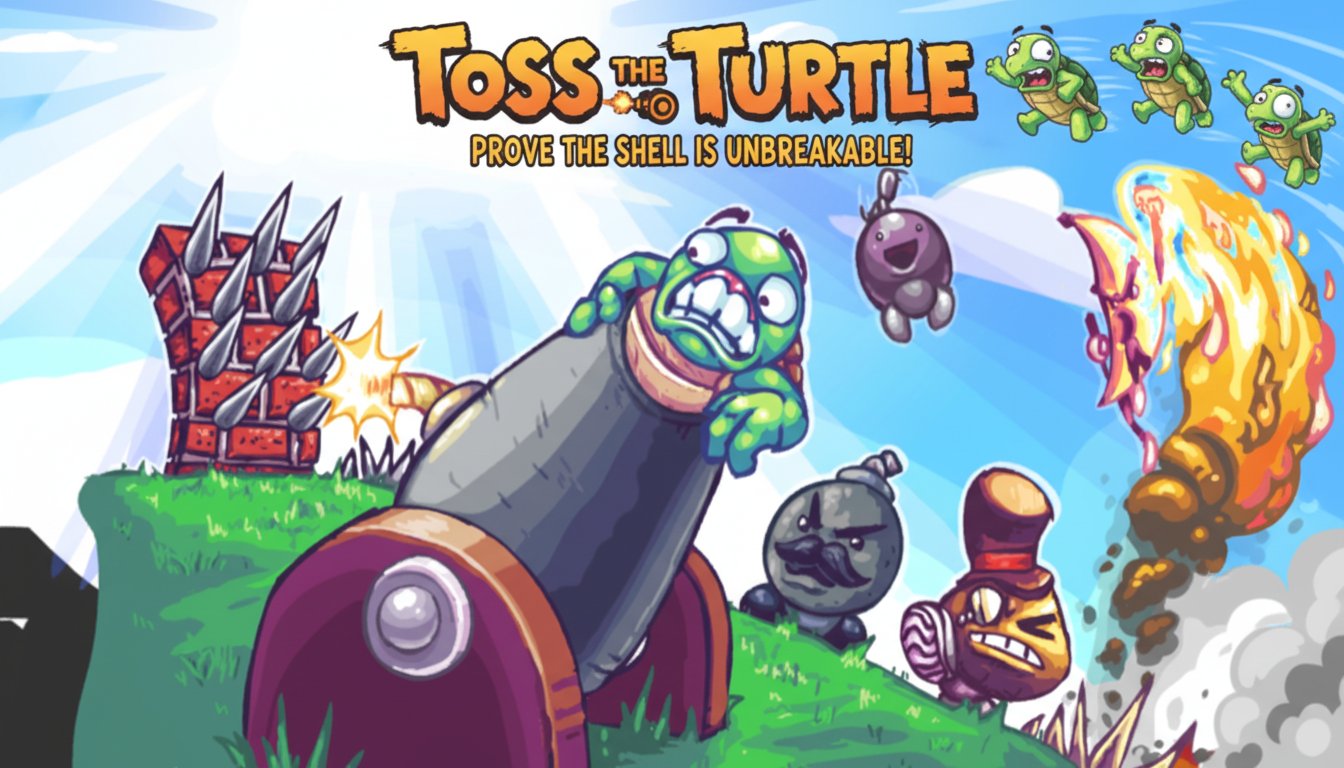
Toss the Turtle is an addictive cannon launch game where you help a brave turtle prove his shell is indestructible by launching him as far as possible from a massive cannon.

Prompt

MODEL: Seele01-Flash
Please use Three.js to generate a **mobile-first game** with the theme "Toss the Turtle". Please read the following detailed game design requirements first, and then generate the code accordingly: ### 1. Assets & Environment * **Visual Style**: 2.5D Side-Scroller using 3D Low-poly models with **Toon Shading (Cel-shaded)** to mimic the original Flash cartoon aesthetic. Colors should be highly saturated and vibrant (bright blues, neon greens, cartoon reds). * **Core Models**: * **The Cannon**: A large, exaggerated, rotatable cylinder barrel mounted on a wooden base. * **The Turtle**: A green, rounded character model. Must support two states: "Tucked" (ball shape for physics efficiency) and "Ragdoll" (flailing limbs for visual humor). * **Obstacles & Hazards**: Spikes (red brick texture with grey metal cones), Bombs (black spheres with lit fuses), and Nuclear objects. * **Environment**: An "Infinite Runner" style terrain generation. * **Foreground**: Green rolling hills with varied friction properties. * **Background**: Parallax scrolling layers (clouds, distant mountains) to convey speed. * **Mobile Optimization**: Use InstancedMesh for repetitive ground objects (spikes, bombs) to reduce draw calls. Texture atlases should be used to minimize network requests. ### 2. Audio Requirements * **BGM**: Fast-paced, chaotic "Ska-Punk" or comical orchestral chase music that loops seamlessly. * **SFX**: * **Launch**: A deep, explosive boom followed by a whistling sound. * **Turtle**: Cartoonish screams (doppler effect preferred), impact grunts, and cheering upon high altitude. * **Impacts**: "Splat" sounds for ground hits, metallic "Clank" for spikes, and loud "Booms" for bomb collisions. * **UI**: Cash register "Cha-ching" sound when earning money or buying upgrades. ### 3. Gameplay Loop * **Launch Phase**: The player aims the cannon and determines shot power. The camera focuses on the cannon. * **Flight Phase**: The camera smoothly follows the turtle. The turtle is subject to gravity and drag. * **Physics**: Implement a physics engine (like Cannon.js or Oimo.js) for realistic bouncing and rolling. * **Interactions**: * **Bombs/Mines**: Explode on contact, applying an upward/forward force impulse to the turtle. * **Spikes**: Drastically increase friction, stopping the turtle quickly and causing "damage" (red particle blood splatter). * **Jetpacks/Guns**: If purchased/equipped, these activate automatically or via tap to sustain flight. * **Result Phase**: When the turtle's velocity drops to near zero, the run ends. Distance is calculated and converted into Cash. * **Shop/Upgrade Loop**: Between rounds, a UI overlay allows spending Cash to upgrade Cannon Power, Aerodynamics (reduced drag), or buy consumables (Missiles). ### 4. Mobile Controls & Interaction * **Orientation**: Landscape Mode (mandatory for the side-scrolling view). * **Launch Control**: * **Aiming**: Touch and drag vertically on the left side of the screen to rotate the cannon barrel up/down. * **Firing**: A "Power Meter" oscillates when the player holds a "FIRE" button (bottom right). Release the button to shoot at the current power level. * **In-Flight Control**: * **Air Control**: Two large transparent buttons (Left/Right arrows) on the bottom left and right of the screen to apply slight torque/rotation to the turtle (simulating WASD) to adjust landing angles. * **Weapon Usage**: A dedicated circular button for firing equipped guns/boosters while in mid-air. * **Feedback**: * **Haptic**: Trigger device vibration (Navigator.vibrate) on cannon fire and heavy impacts (bomb explosions). * **Visual**: Screen shake effect (camera jitter) during explosions. Do not ask for clarification. Do not request confirmation. Directly execute the generation task based on the given instructions.

Game Introduction

About the Game

Toss the Turtle is an exciting physics-based launch game that combines action, strategy, and endless entertainment. Your mission is simple yet challenging: help a heroic turtle prove that his shell is truly indestructible by launching him as far and high as possible from an enormous cannon. This unique game blends cartoon-style graphics with engaging gameplay mechanics that will keep you coming back for more.

The game features colorful, eccentric character designs and a turtle protagonist with hilarious expressions that change as he soars through the air. Every launch is an adventure filled with interactive objects, power-ups, and obstacles that can either help or hinder your turtle's epic flight.

Core Features

Upgrade System

One of the most compelling aspects of Toss the Turtle is its comprehensive upgrade system. Each launch earns you cash based on the distance your turtle travels. Use this currency strategically to:

  • Cannon Upgrades : Enhance your launcher's power and accuracy for stronger initial launches
  • Turtle Equipment : Attach special gear to help your turtle fly further and survive longer
  • Power-Up Purchases : Unlock special abilities and boosters that activate during flight

Interactive Environment

The game world is filled with interactive objects that can dramatically affect your turtle's trajectory. From explosive barrels that provide extra momentum to obstacles that can slow you down, every element adds strategic depth to your launches.

Visual Appeal

The game's cartoon art style creates an engaging atmosphere with: - Vibrant, colorful graphics that pop off the screen - Amusing turtle animations and facial expressions - Detailed backgrounds with plenty of visual interest - Smooth animation that makes every launch satisfying to watch

Gameplay Mechanics

Toss the Turtle operates on simple yet addictive physics-based mechanics. Your turtle's flight depends on multiple factors including launch angle, power, environmental interactions, and equipped upgrades. The goal is to achieve maximum distance while collecting bonuses and avoiding obstacles.

The progression system ensures that each play session feels rewarding. Even unsuccessful launches provide cash for upgrades, meaning every attempt contributes to your overall progress. This creates a compelling gameplay loop that encourages experimentation with different strategies and upgrade combinations.

Operation Guide

Getting started with Toss the Turtle is straightforward:

  • Aim the Cannon : Use your mouse to position the cannon at the optimal angle
  • Set Power : Hold the left mouse button to charge up power, then release to fire
  • Control Flight : Use WASD keys to adjust the turtle's direction during flight
  • Collect Rewards : Gather cash and power-ups as your turtle travels
  • Upgrade : Between launches, visit the shop to improve your equipment

The key to success lies in finding the perfect balance between launch angle, power, and timing. Experiment with different approaches to discover the most effective launching strategies.

Why Play This Game

Toss the Turtle offers a perfect blend of casual accessibility and deep gameplay mechanics. It's ideal for players who enjoy:

  • Quick Gaming Sessions : Perfect for short breaks or extended play sessions
  • Progressive Gameplay : Constant sense of advancement through upgrades
  • Physics-Based Challenges : Satisfying mechanics that reward skill and strategy
  • Humor and Charm : Lighthearted theme with entertaining visual elements
  • Free Entertainment : Complete game experience at no cost

The game's replay value is exceptional thanks to its upgrade system and the inherent variability in each launch. Whether you're trying to beat your personal best distance record or simply enjoying the turtle's amusing reactions, Toss the Turtle provides hours of engaging entertainment that's completely free to play in your web browser.

Frequently Asked Questions (FAQ)