
Vectaria.io - Multiplayer Minecraft-Style Adventure Game - Action Game
 Subscriber only
Unreal Mountain Tour
Tour a third-person Unreal world of mountains and water.
 Racing
Track Racing Challenge
Build a closed-circuit racer built around drift corners.
 Sandbox
Voxel Sandbox Builder
Build a voxel sandbox for placing and breaking blocks freely.
 Survival
Survival Sandbox Arena
Build a survival arena with enemy waves and turret defense.
 New
NewRiver Raid Survival
Build a River Raid-style flight survival run with fuel pressure.
 Driving
City Car Driving
Build an open-city free-driving game with car selection.
 Puzzle
Magic Cube Puzzle
Build an interactive Rubik's Cube with scramble and reset.
 Voxel
VoxelVoxel Village Explorer
Build a voxel village to roam with jump and camera controls.
 Unity
UnityDesert Quickshot
Build a Unity quickdraw duel with streaks and rising heat.
 Sports
Basketball Duel
Build a one-on-one basketball game with physics shooting.
Subscriber onlyUnreal Mountain Tour
Tour a third-person Unreal world of mountains and water.
RacingTrack Racing Challenge
Build a closed-circuit racer built around drift corners.
SandboxVoxel Sandbox Builder
Build a voxel sandbox for placing and breaking blocks freely.
SurvivalSurvival Sandbox Arena
Build a survival arena with enemy waves and turret defense.
NewRiver Raid Survival
Build a River Raid-style flight survival run with fuel pressure.
DrivingCity Car Driving
Build an open-city free-driving game with car selection.
PuzzleMagic Cube Puzzle
Build an interactive Rubik's Cube with scramble and reset.
VoxelVoxel Village Explorer
Build a voxel village to roam with jump and camera controls.
UnityDesert Quickshot
Build a Unity quickdraw duel with streaks and rising heat.
SportsBasketball Duel
Build a one-on-one basketball game with physics shooting.
Prompt

Games are fun. Creating them is even better.
Game Introduction
About the Game
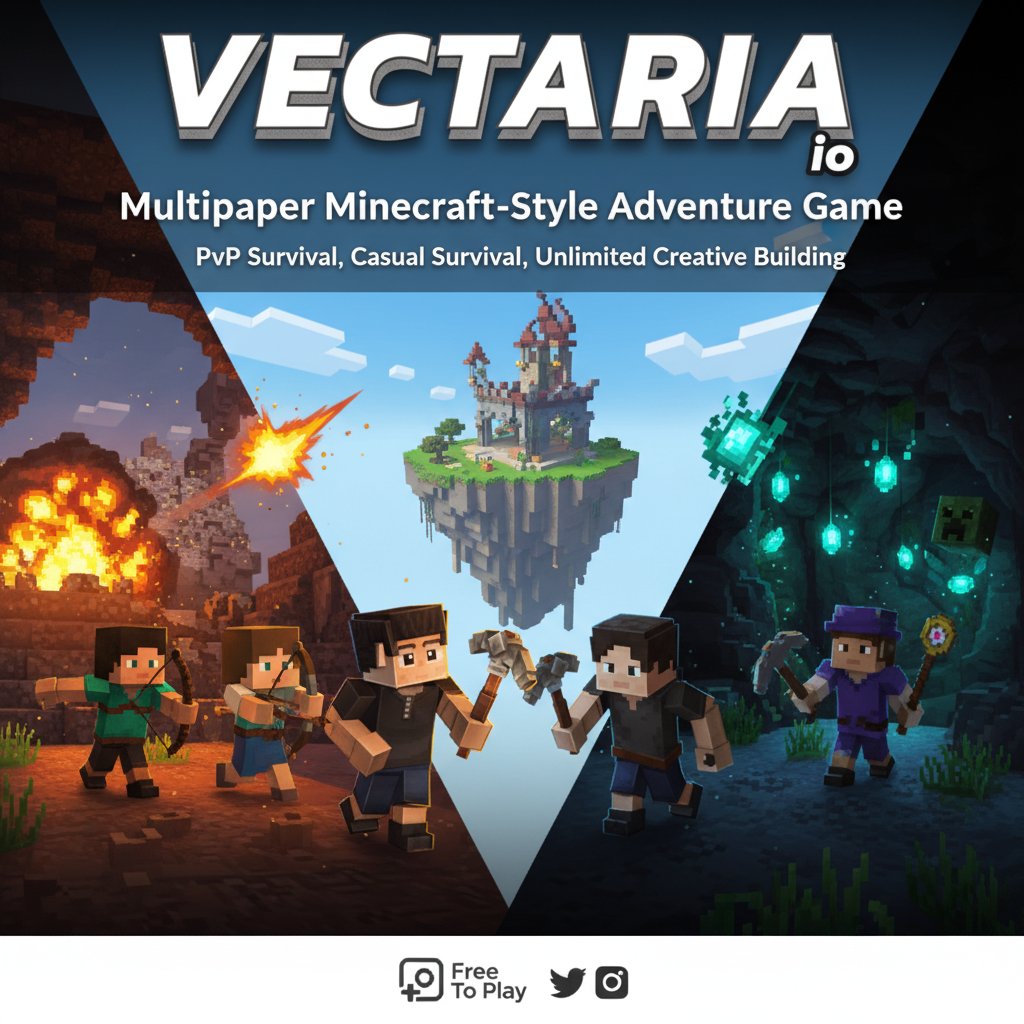
Vectaria.io is an exciting multiplayer adventure game that brings the beloved block-building genre directly to your browser. This Minecraft-inspired experience offers endless possibilities for creativity, survival, and multiplayer fun without requiring any downloads or installations.
Choose from four distinct characters - Martha, Oliver, Mike, and Rose - each ready to embark on your unique adventure. Whether you're a seasoned builder or new to block games, Vectaria.io provides an accessible yet engaging experience for players of all skill levels.
Core Features
Three Distinct Game Modes
PvP Survival Mode challenges you to survive against both the environment and other players. Gather resources, craft weapons and tools, and defend yourself while building your base. This competitive mode tests your survival skills and strategic thinking.
Casual Survival Mode offers the same survival mechanics but with optional PvP. Toggle player combat on or off to create the perfect balance between challenge and relaxation. Build, explore, and craft at your own pace.
Creative Mode unleashes your imagination with unlimited resources and building possibilities. Construct massive castles, intricate redstone contraptions, or artistic masterpieces without worrying about resource gathering or survival mechanics.
Multiplayer Experience
The game's true strength lies in its multiplayer functionality. Team up with friends to build collaborative projects, engage in epic PvP battles, or simply explore the vast world together. The online community adds endless replay value and social interaction.
Cross-Platform Compatibility
Play seamlessly across all your devices. Whether you're on a desktop computer, laptop, smartphone, or tablet, Vectaria.io delivers a consistent and optimized experience through your web browser.
Gameplay Mechanics
The game features intuitive crafting and building systems similar to Minecraft. Mine various blocks and materials, craft tools and weapons, and construct everything from simple shelters to elaborate structures. The inventory system allows you to manage resources efficiently while the integrated shop provides additional building options.
Exploration rewards are abundant, with diverse biomes and hidden areas waiting to be discovered. Each world offers unique challenges and opportunities for both survival and creative expression.
Operation Guide
Basic Controls
- Movement : Use WASD keys or arrow keys to navigate your character
- Building : Right mouse button to place blocks in your desired location
- Mining/Combat : Left mouse button to break blocks or attack enemies
- Jump : Spacebar to leap over obstacles or reach higher areas
- Communication : Press Enter to open chat and interact with other players
Advanced Controls
- Inventory Management : Press X to access your inventory and manage items
- Home Menu : Press G to return to the main menu options
- Map Navigation : Press M to view spawn points and orient yourself
- Shopping : Press O to access the in-game shop for additional items
- Game Guide : Press I to open the comprehensive game guide
PvP Settings
To customize your PvP experience, open your inventory (X key) and look for the PvP toggle in the top-left corner. This allows you to switch between combat-enabled and peaceful modes in compatible game modes.
Why Play This Game
Completely Free : Enjoy the full gaming experience without any cost or hidden fees. No premium subscriptions or pay-to-win mechanics.
No Downloads Required : Jump straight into the action through your web browser. No installation, no storage space concerns, just instant gaming.
Active Community : Join thousands of players worldwide in this thriving multiplayer environment. Make new friends, join building teams, or test your skills in PvP combat.
Endless Creativity : With unlimited building possibilities and regular community events, you'll never run out of things to create and explore.
Perfect for All Ages : Family-friendly content with intuitive controls makes this suitable for players of all ages and skill levels.
Whether you're looking for a quick creative session or an extended survival adventure, Vectaria.io provides the perfect platform for block-building enthusiasts and newcomers alike.