Johnny Rocketfingers - Point and Click Adventure Game

Seele01-Flash
By
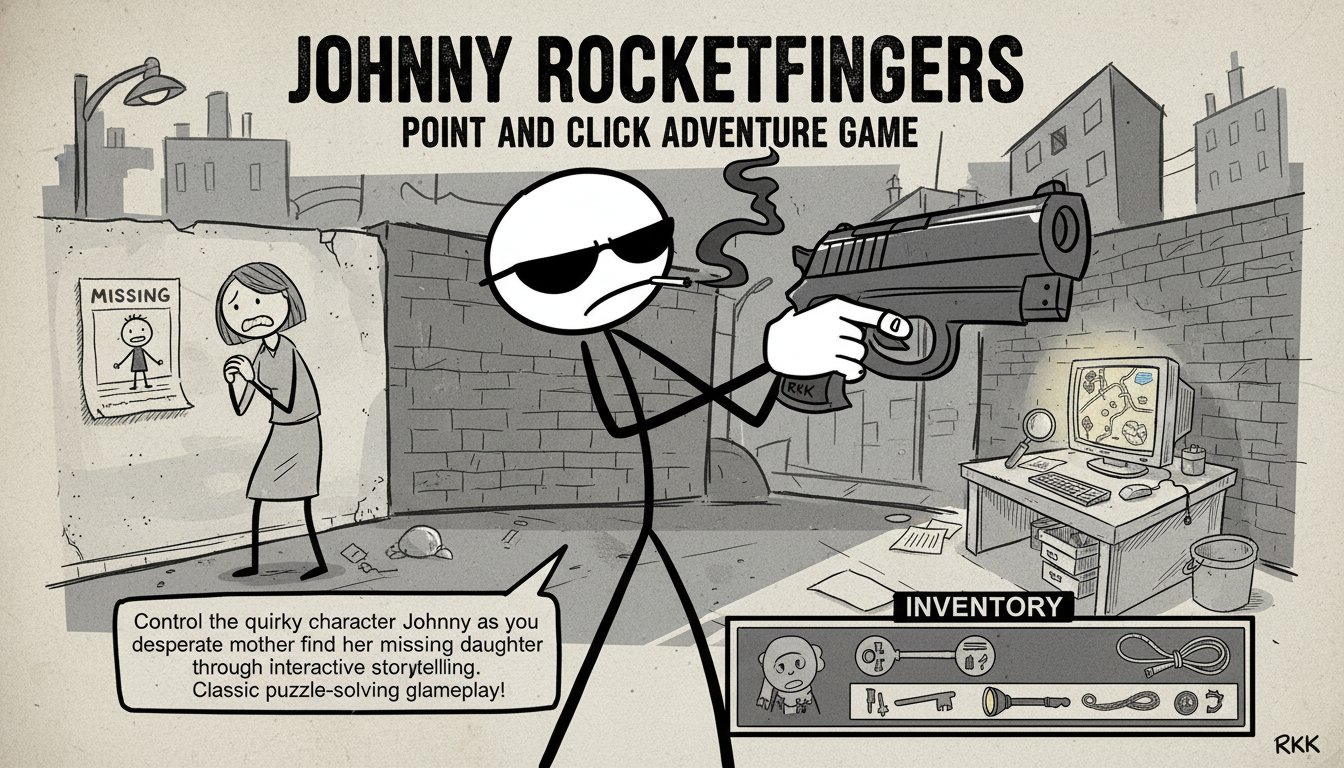
Johnny Rocketfingers is a classic point-and-click adventure game featuring stickman graphics and puzzle-solving gameplay. Control the quirky character Johnny as you help a desperate mother find her missing daughter through interactive storytelling.

Prompt

MODEL: Seele01-Flash
Please use Three.js to generate a **mobile-first game** with the theme "**Johnny Rocketfingers: 2.5D Mobile Adventure**". Please read the following detailed game design requirements first, and then generate the code accordingly: ### 1. Assets & Environment * **Visual Style:** "Hand-Drawn Noir in 2.5D". The game should look like a living sketch. Use `THREE.Sprite` or `THREE.Mesh` (planes) with transparent textures for characters and objects to simulate the flat, rough-edged Flash aesthetic of the original game within a 3D space. * **Color Palette:** Predominantly Grayscale (Black, White, Gray) with high contrast. Use a specific accent color (e.g., bright cyan or red) *only* to highlight interactive objects when the player touches the screen. * **Character:** The protagonist is a cool stickman wearing sunglasses. He should be a 2D sprite always facing the camera (billboarding), with a subtle "breathing" animation (scaling Y axis slightly) and a smoke particle effect rising from his cigarette. * **Scene Layout:** A "Detective Office" diorama. A desk, a chair, a window with city silhouettes, and a door. The camera should be fixed (OrthographicCamera preferred for the 2D feel) but allow for slight parallax movement based on device gyroscope (if available) or touch dragging to view the whole room. * **Mobile Optimization:** Use low-resolution textures with pixel-art or vector style filters (NearestFilter). Limit draw calls by merging static environment meshes. ### 2. Audio Requirements * **BGM:** A loop of "Gritty Lo-Fi Hip Hop" or "Slow Noir Jazz" (bass, snare, and saxophone). It should sound cool and relaxed. * **SFX:** * **UI Interaction:** Sounds like a pencil sketching on paper or a page turning. * **Selection:** A cool finger-snap sound when an action is chosen. * **Failure:** A record scratch or a dry "Nuh-uh" mumble. * **Environment:** Faint city traffic noise and wind howling outside the window. ### 3. Gameplay Loop * **Interaction Logic:** Point-and-Click style adapted for touch. The player scans the scene to find clues. * **The Loop:** 1. **Scan:** Player taps on an object in the scene (e.g., a suspicious pile of papers). 2. **Decide:** A context menu appears. 3. **Action:** Player selects "Look" (get description), "Hand" (pick up/use), or "Mouth" (talk/consume). 4. **Resolve:** Text appears on screen describing the result (e.g., "It's just my unpaid bills..."). * **Inventory:** A simple slot system. If an item is picked up, it goes into a visible inventory bar. The player can drag an inventory item onto a scene object to combine them (e.g., Drag "Key" onto "Door"). ### 4. Mobile Controls & Interaction * **Control Scheme:** * **Tap to Interact:** Instead of a mouse click, use a `Raycaster` on `touchstart`. * **Radial Menu (Crucial for Mobile):** When an interactive object is tapped, do *not* use a bottom toolbar. Instead, spawn a **Radial Menu** (ring of buttons) directly around the tapped object under the user's finger. This reduces finger travel time. Options: Eye icon (Look), Hand icon (Interact), Speech bubble (Talk). * **Screen Orientation:** **Landscape** mode to fit the cinematic framing of the room. * **UI/UX:** * Text boxes should appear at the bottom center, large font (min 16px), with a "Typewriter" effect. * Inventory bar should be collapsible (slide-in from the right). * Minimum touch target size for any UI element must be 44x44 pixels. * **Feedback:** * **Visual:** When tapping an object, it should briefly flash white or scale up (1.1x) to acknowledge input. * **Haptic:** Trigger `navigator.vibrate(50)` on successful interaction or menu selection. Do not ask for clarification. Do not request confirmation. Directly execute the generation task based on the given instructions.

Game Introduction

About the Game

Johnny Rocketfingers is a beloved point-and-click adventure game that combines classic gameplay mechanics with distinctive stickman art style. In this engaging narrative-driven experience, you take control of Johnny Rocketfingers, a unique character described as the most "suppish" guy around. The game presents players with an intriguing mystery: helping a worried mother locate her missing daughter through clever problem-solving and interactive exploration.

Core Features

Classic Point-and-Click Mechanics

Experience traditional adventure gaming at its finest with intuitive point-and-click controls. The game captures the essence of classic adventure titles while maintaining accessibility for modern players across all devices.

Interactive Puzzle Solving

Every screen presents new challenges and puzzles to solve. Use your wit and creativity to combine items, interact with characters, and uncover clues that will lead you closer to finding the missing daughter.

Distinctive Art Style

The game features memorable stickman graphics that give Johnny Rocketfingers its unique visual identity. Despite the simple art style, the game delivers rich storytelling and immersive gameplay experiences.

Engaging Narrative

Follow an compelling storyline as you progress through different areas, each presenting unique challenges and characters. The mystery unfolds as you help Johnny navigate through various scenarios in his quest to reunite a family.

Free Browser Gaming

Enjoy this complete adventure experience absolutely free through your web browser. No downloads, installations, or payments required – just instant gaming entertainment.

Gameplay Mechanics

The game revolves around exploration and problem-solving. Each area you visit contains various objects, characters, and clues that can be examined, collected, or interacted with. Your objective is to use these elements creatively to progress through the story and overcome obstacles.

Item Management System

Collect and combine items from your environment to solve complex puzzles. The game encourages experimentation – try different combinations and approaches to find solutions.

Multiple Interaction Types

Choose from different interaction modes including picking up objects, examining details, and talking to characters. This variety adds depth to the gameplay and ensures thorough exploration opportunities.

Controls and Interface

Simple Point-and-Click Controls

The game uses intuitive mouse or touch controls: - Click/Tap : Interact with objects, characters, and environment elements - Icon Selection : Choose your interaction type from the lower-left interface - Item Combination : Drag and combine collected items to create new solutions

User-Friendly Interface

The clean interface design ensures that players can focus on the adventure without complicated menus or controls getting in the way.

Why Play Johnny Rocketfingers

This game represents a perfect entry point into the point-and-click adventure genre. Whether you're a fan of classic adventure games or new to the genre, Johnny Rocketfingers offers:

  • Nostalgic Gaming : Experience the charm of classic adventure gaming with modern browser compatibility
  • Brain Training : Sharpen your problem-solving skills through creative puzzle challenges
  • Stress-Free Gaming : Enjoy a relaxed pace where you can think through problems without time pressure
  • Universal Access : Play instantly on any device with a web browser, making it perfect for quick gaming sessions
  • Complete Story : Experience a full adventure with beginning, middle, and satisfying conclusion

The game's combination of humor, mystery, and classic gameplay mechanics makes it an excellent choice for anyone seeking quality entertainment that respects both their time and intelligence.

Frequently Asked Questions (FAQ)