
Angles - Incremental Clicker Game - Casual Game
 New
NewCharacter Physics World
Build a third-person physics world with day-night and props to touch.
 Shooter
Rail Shooter Ride
Build a roller-coaster rail shooter that aims as you ride.
 Unity
UnityCity Eater
Build a Unity game where a growing blob devours the city.
 New
NewArcade Crossing Game
Build a lane-dodging arcade game with traffic and pickups.
 Action
Open World City Action
Build an open-world city romp with driving and police chases.
 FPS
FPS3D FPS Game
Build a desert FPS with weapon switching and a retro HUD.
 Racing
Track Racing Challenge
Build a closed-circuit racer built around drift corners.
 Subscriber only
Unreal Mountain Tour
Tour a third-person Unreal world of mountains and water.
 Puzzle
Magic Cube Puzzle
Build an interactive Rubik's Cube with scramble and reset.
 Unity
UnityStrawberry Grove Adventure
Build a cozy Unity pixel grove of exploration and collectibles.
NewCharacter Physics World
Build a third-person physics world with day-night and props to touch.
ShooterRail Shooter Ride
Build a roller-coaster rail shooter that aims as you ride.
UnityCity Eater
Build a Unity game where a growing blob devours the city.
NewArcade Crossing Game
Build a lane-dodging arcade game with traffic and pickups.
ActionOpen World City Action
Build an open-world city romp with driving and police chases.
FPS3D FPS Game
Build a desert FPS with weapon switching and a retro HUD.
RacingTrack Racing Challenge
Build a closed-circuit racer built around drift corners.
Subscriber onlyUnreal Mountain Tour
Tour a third-person Unreal world of mountains and water.
PuzzleMagic Cube Puzzle
Build an interactive Rubik's Cube with scramble and reset.
UnityStrawberry Grove Adventure
Build a cozy Unity pixel grove of exploration and collectibles.
Prompt

Games are fun. Creating them is even better.
Game Introduction
About the Game
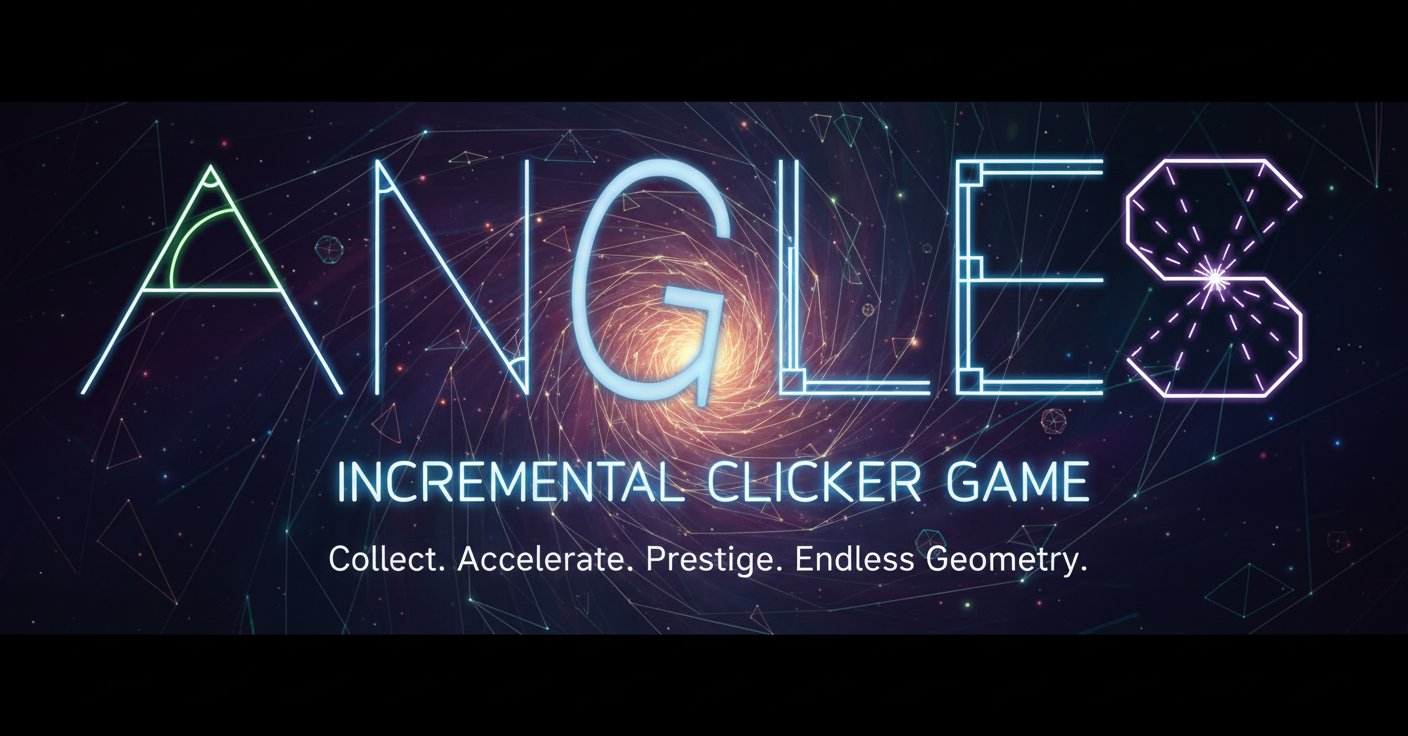
Angles is a captivating incremental clicker game that puts a unique geometric twist on the classic clicking formula. Unlike traditional clickers, this game revolves around collecting angles, with each angle you pass providing progressively more points than the previous one. The game combines simple clicking mechanics with strategic progression systems, making it perfect for both casual players and incremental game enthusiasts.
The minimalist geometric design creates an immersive atmosphere where mathematical concepts meet addictive gameplay. As you progress through the angles, you'll discover deeper layers of strategy involving prestige mechanics and motivation systems that keep the gameplay fresh and engaging.
Core Features
Progressive Angle Collection
The heart of Angles lies in its innovative progression system. Each angle you collect grants more points than the last, creating an exponential growth curve that keeps you engaged. This mathematical progression ensures that every click feels meaningful and rewarding.
Prestige System
When your total points reach certain thresholds, you unlock the opportunity to perform prestige resets. Prestige points act as permanent multipliers for your income, allowing you to progress faster in subsequent runs. This creates a compelling loop of growth, reset, and accelerated progress.
Motivation Mechanics
The game introduces a unique "Motivation" system that directly impacts your angle-passing speed. The more motivation you accumulate, the faster you can progress through angles, adding a strategic layer to resource management.
Upgrade System
Purchase various upgrades using numbered hotkeys (1-4) to enhance your clicking efficiency, automate processes, and boost your overall progression rate.
Cross-Platform Accessibility
Designed as a web browser game, Angles runs smoothly on both desktop and mobile devices without requiring any downloads or installations.
Game Mechanics
Basic Gameplay Loop
- Click to Collect : Start by clicking to collect your first angles
- Earn Points : Each angle provides incrementally more points
- Purchase Upgrades : Use points to buy improvements and automation
- Build Motivation : Accumulate motivation to speed up angle progression
- Reach Prestige : Achieve point thresholds to unlock prestige opportunities
- Reset and Multiply : Use prestige to multiply future earnings
Strategic Elements
Success in Angles requires balancing immediate upgrades with long-term prestige planning. Players must decide when to reset their progress for prestige bonuses versus continuing to accumulate points in their current run.
Controls and Interface
The game features intuitive keyboard controls designed for efficiency:
- Keys 1-4 : Purchase different types of upgrades quickly
- A and D Keys : Activate the bell feature for special bonuses
- Mouse Clicking : Primary interaction for angle collection
The clean, geometric interface ensures that all essential information is easily accessible while maintaining the game's minimalist aesthetic.
Why Play Angles?
Perfect for Incremental Game Fans
If you enjoy games like Cookie Clicker, Adventure Capitalist, or other idle games, Angles offers a fresh take on the genre with its mathematical theme and unique progression mechanics.
Accessible Yet Deep
While easy to learn, the game offers surprising depth through its prestige system and strategic upgrade choices. Whether you prefer active clicking or idle progression, Angles accommodates both playstyles.
No Commitment Required
As a free browser game, you can start playing immediately without downloads, purchases, or lengthy tutorials. Perfect for quick gaming sessions or extended idle play.
Mathematical Appeal
The geometric theme and mathematical progression make this game particularly appealing to players who enjoy number-based games and logical progression systems.
Endless Progression
With its prestige system and incremental mechanics, Angles provides virtually unlimited progression potential, ensuring long-term engagement for dedicated players.