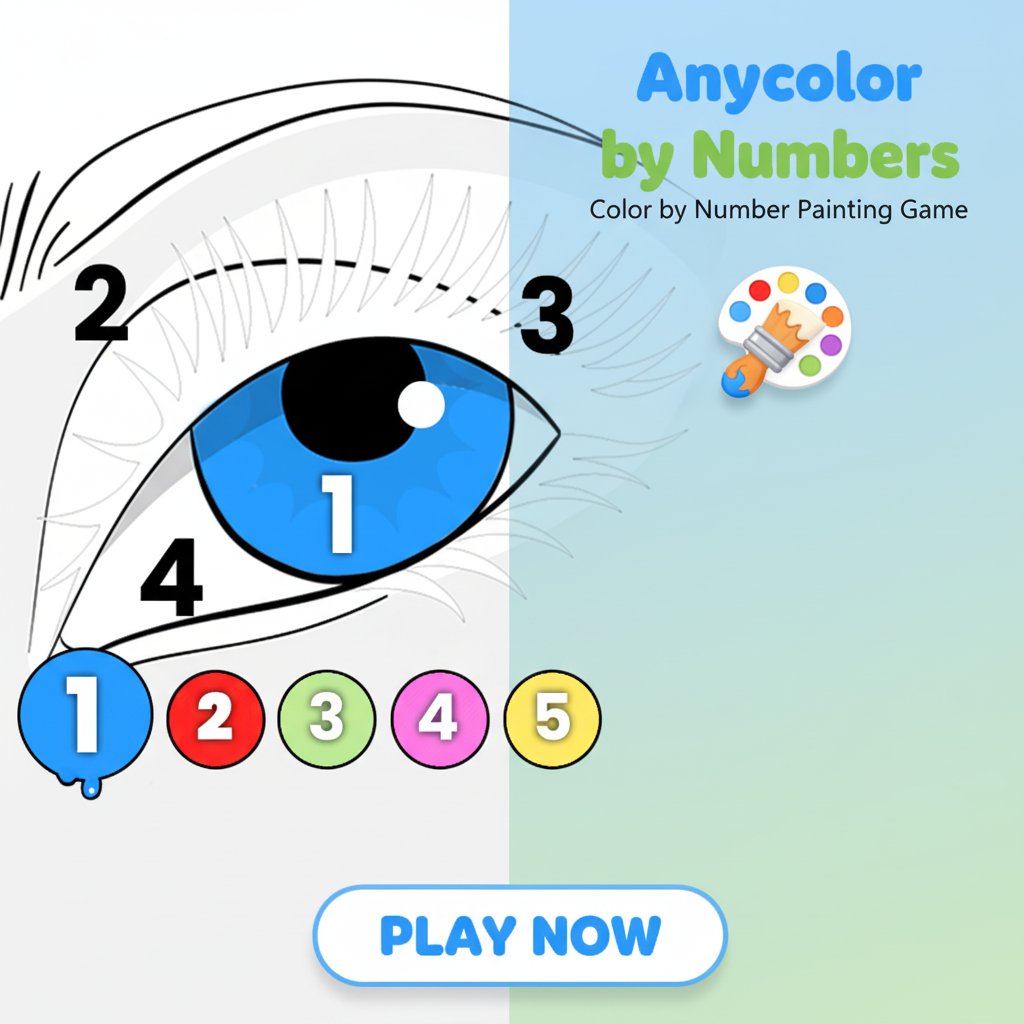
Anycolor by Numbers - Color by Number Painting Game

Seele01-Flash
By
Anycolor by Numbers is a relaxing color-by-number game that combines the joy of coloring with number matching. Complete beautiful drawings by filling numbered areas with corresponding colors.

Prompt

MODEL: Seele01-Flash
Please use Three.js to generate a **mobile-first game** with the theme "Anycolor by Numbers". Please read the following detailed game design requirements first, and then generate the code accordingly: ### 1. Assets & Environment * **Visual Style:** 2D Vector Art style rendered within a 3D context. The main game view should feature a clean, white "canvas" plane centered on the screen against a soft, neutral-colored background (e.g., light grey or soft pastel gradient) to reduce eye strain. * **The Canvas (Mesh):** Use a `THREE.PlaneGeometry` to represent the drawing paper. Implement a custom shader or texture masking system where the "uncolored" state shows a grey/white checkered pattern (alpha transparency hint) or white with black outlines. The "colored" state fills the specific texture coordinates with the vibrant target color. * **UI Overlay:** Create a "Palette Bar" at the bottom of the screen using HTML/CSS overlay or a fixed HUD Orthographic camera scene. This bar contains circular buttons (Bubbles) numbered 1, 2, 3, etc. * **Active State:** The selected color bubble should scale up (1.2x) and optionally show a "paint drip" effect as seen in the reference image. * **Numbers:** Use a clean, bold sans-serif font for the numbers overlaid on the canvas areas. * **Performance:** Use texture atlases for UI elements. Ensure the canvas texture resolution is optimized for mobile (max 2048x2048) but sharp on Retina displays. ### 2. Audio Requirements * **BGM:** A "Cozy" and relaxing Lo-fi hip-hop or soft acoustic guitar track. It should be unobtrusive and loop seamlessly. * **Sound Effects (SFX):** * **Tap/Select Color:** A soft "bubble pop" or "water drop" sound. * **Correct Fill:** A satisfying "brush stroke" or soft "paper scratch" sound. * **Section Complete:** A gentle chime or major chord when all areas of a specific number are filled and the icon disappears. * **Level Complete:** A celebratory fanfare (short and pleasant). ### 3. Gameplay Loop * **Initialization:** Load a monochrome line-art texture (the "Map") where pixel values correspond to ID regions, and a display texture. * **Selection Phase:** The player taps a numbered bubble (e.g., "1" - Blue) at the bottom. * **Highlighting:** Upon selecting "1", all areas on the canvas tagged with ID "1" should highlight visually (e.g., pulse slightly or turn a darker shade of grey) to guide the user. * **Painting Action:** When the player taps a highlighted area on the canvas: * **Check:** Verify if the Active Color ID matches the Area ID. * **Result:** If match, lerp the pixel color of that area from white/grey to the target color (Blue). * **Progression:** When all "1" regions are filled, the "1" bubble at the bottom plays a shrinking animation and disappears. The user must then select "2". * **Win Condition:** All numbers in the palette are cleared, and the image is fully colored. Display a "Download/Save" button. ### 4. Mobile Controls & Interaction * **Camera & Viewport:** Use `THREE.OrthographicCamera` to keep the 2D art style consistent. Support both Portrait and Landscape orientations, scaling the canvas to fit within the safe area. * **Gestures (Critical for Mobile):** * **Pinch-to-Zoom:** Allow the user to zoom in/out of the canvas to see small numbered details. * **Two-Finger Pan:** Dragging with two fingers moves the camera/canvas. * **Single Tap:** Raycast from the touch point to the canvas. If hitting a valid fillable area, trigger the "Paint" action. * **Touch Targets:** Ensure the bottom color palette buttons are at least 44x44px (logical pixels) for easy tapping. * **Feedback:** * **Haptic:** Trigger a light `navigator.vibrate(5)` on a successful color fill. * **Visual:** When a color is filled, spawn small particle confetti or a "ripple" shader effect at the touch point to provide immediate juiciness. Do not ask for clarification. Do not request confirmation. Directly execute the generation task based on the given instructions.

Game Introduction

About the Game

Anycolor by Numbers is an engaging digital coloring experience that puts a modern twist on the classic paint-by-numbers concept. This free online game offers a perfect blend of creativity and relaxation, allowing players to create stunning artwork by matching colors to numbered sections. Whether you're looking to unwind after a long day or engage in a meditative artistic activity, this game provides hours of satisfying entertainment.

Core Features

Easy Number-Based Coloring System

The game features an intuitive coloring mechanism where each area of the drawing is marked with a specific number. Players simply select the corresponding numbered color icon and tap the areas to fill them with beautiful colors. This systematic approach makes coloring accessible to everyone, regardless of artistic skill level.

Extensive Image Gallery

Choose from a diverse collection of drawings ranging from simple designs perfect for beginners to more complex illustrations for experienced colorists. The gallery includes various themes including nature scenes, animals, patterns, and abstract designs, ensuring there's something for every taste.

Cross-Platform Compatibility

Enjoy seamless gameplay across all devices. Whether you prefer playing on your desktop computer, smartphone, or tablet, the game adapts perfectly to your screen size and provides an optimized experience for touch and mouse controls.

Download and Save Feature

Once you complete a masterpiece, you can download and save your colored creation to share with friends or keep as a digital art collection. This feature adds a sense of accomplishment and allows you to build a portfolio of your artistic work.

Gameplay Mechanics

The game follows a straightforward yet engaging process:

  1. Image Selection : Browse the gallery and choose your preferred drawing
  2. Number Identification : Each area displays a number corresponding to a specific color
  3. Color Activation : Tap the numbered color icon to activate it
  4. Area Highlighting : All areas with that number become highlighted for easy identification
  5. Coloring Process : Tap highlighted areas to fill them with the selected color
  6. Progressive Completion : Continue until all numbered areas are filled
  7. Final Result : Enjoy your completed artwork and save it if desired

Operation Guide

Getting Started

  • Mouse Users : Click to select colors and fill areas
  • Touch Screen Users : Tap color icons and drawing areas
  • Navigation : Use scroll gestures or mouse wheel to browse the image gallery
  • Zoom Function : Pinch to zoom on mobile devices for detailed work

Pro Tips for Better Experience

  • Start with lower numbers for a systematic approach
  • Use the highlighting feature to avoid missing any areas
  • Take breaks between colors to maintain focus and enjoyment
  • Experiment with different image types to discover your preferences

Why Play This Game

Stress Relief and Relaxation

Coloring has been scientifically proven to reduce stress and anxiety. The repetitive, focused nature of filling numbered areas creates a meditative experience that helps calm the mind and promote relaxation.

Accessibility for All Ages

Unlike freehand drawing, this number-based system ensures that anyone can create beautiful art regardless of their drawing skills. It's perfect for children learning colors and numbers, adults seeking creative outlets, and seniors looking for engaging mental activities.

No Artistic Pressure

The predetermined color schemes eliminate the stress of choosing colors, allowing players to focus purely on the satisfying process of bringing images to life. This makes it ideal for those who love art but feel intimidated by blank canvases.

Portable Entertainment

As a browser-based game requiring no downloads, you can access your coloring projects anywhere with an internet connection. Perfect for breaks at work, travel entertainment, or quiet moments at home.

Frequently Asked Questions (FAQ)