Beaver Weaver - Cross-Stitch Coloring Game
Seele01-Flash
By
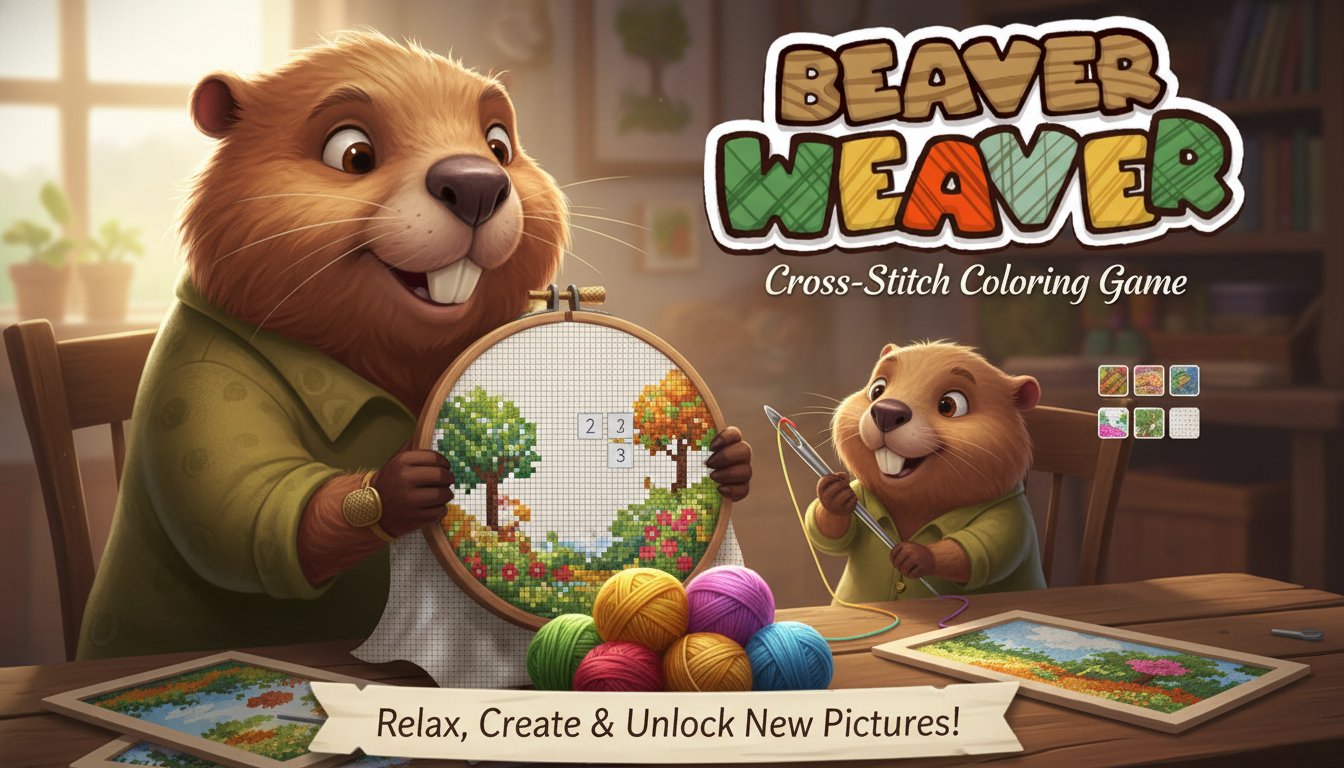
Beaver Weaver is a relaxing cross-stitch coloring game where you help Gloria the beaver and her grandson Mikey complete beautiful embroidery patterns. Choose colors, stitch by stitch, and unlock new pictures in this therapeutic crafting experience.

Prompt

MODEL: Seele01-Flash
Please use Three.js to generate a **mobile-first game** with the theme "**Beaver Weaver - 3D Cross-Stitch**". Please read the following detailed game design requirements first, and then generate the code accordingly: ### 1. Assets & Environment * **Visual Style**: "Cozy Crafting." A warm, inviting atmosphere. The camera should be a top-down perspective (slightly angled) looking at a wooden tabletop. * **Core Asset - The Hoop**: Create a 3D embroidery hoop (wooden torus ring) in the center of the screen. Inside the hoop is the "Canvas"—a grid plane. * **The Grid (Canvas)**: * Use `THREE.InstancedMesh` for the grid cells to ensure mobile performance (rendering thousands of stitches efficiently). * **Unfilled State**: Cells show a faint light-grey letter or number (e.g., "1", "A") indicating the required color. Texture should look like a mesh fabric. * **Filled State**: When a cell is filled, render a 3D "X" shape (cross-stitch) or a thick plane with a thread texture sitting slightly above the canvas. * **Environment**: A high-resolution wood grain texture for the background table. Soft, warm lighting (simulating indoor lamp light) to cast subtle shadows from the hoop onto the table. ### 2. Audio Requirements * **BGM**: A relaxing, acoustic guitar or lo-fi piano track. Slow tempo, comforting, suitable for a "Christmas" or "Rainy Day" vibe. * **SFX**: * **Stitch Sound**: A soft, satisfying *thwump* or fabric-piercing sound (ASMR quality) when a pixel is colored. * **Error Sound**: A dull, wooden *thud* if the player tries to stitch the wrong color. * **Completion**: A gentle chime or harp glissando when a color group is fully finished. * **Booster Use**: A magical sparkle sound for the "Magic Needle" or "Magic Cup". ### 3. Gameplay Loop * **Core Mechanic (Color-by-Number)**: * The player selects a color spool from a UI palette at the bottom. * The player taps a matching numbered cell on the grid to "stitch" it. * If the color matches the number: The cell transforms into a colored "X" stitch. * If the color is wrong: Visual feedback (red flash) occurs, no stitch is placed. * **Boosters (Logic only)**: * **Magic Needle**: Instantly fills a horizontal row of the currently selected color. * **Magic Cup**: Instantly fills a 5x5 area around the touch point with correct colors. * **Win Condition**: All cells in the grid are filled. The hoop should perform a celebratory animation (e.g., spin and scale up), and a "Picture Complete!" modal appears with coin rewards. ### 4. Mobile Controls & Interaction * **Camera Controls (Touch)**: * **Pan**: One-finger drag to move the camera across the canvas (essential for zoomed-in work). * **Zoom**: Two-finger pinch to zoom in/out of the grid. * **Interaction Mode Toggle**: * Implement a toggle button between "Move Mode" (Pan/Zoom) and "Stitch Mode" (Paint). * **In Stitch Mode**: Tapping a cell fills it. **Long-press and drag** allows for rapid painting (continuous stitching) of multiple cells, which feels very satisfying on mobile. * **UI Layout**: * **Color Palette**: A horizontal scrollable list of thread spools at the bottom of the screen. Each spool must be a large touch target (min 48x48px). * **Booster Icons**: Floating buttons on the right side, reachable by thumb. * **Haptic Feedback**: Trigger a short, light vibration (using `navigator.vibrate`) every time a successful stitch is placed to mimic the tactile feel of sewing. Do not ask for clarification. Do not request confirmation. Directly execute the generation task based on the given instructions.

Game Introduction

About the Game

Beaver Weaver is a delightful cross-stitching coloring game that combines the relaxation of traditional needlework with engaging digital gameplay. Join Gloria the beaver and her adorable grandson Mikey as you complete intricate cross-stitch patterns, one colorful thread at a time. This charming game offers a perfect escape from daily stress, providing hours of meditative and rewarding gameplay.

Core Features

Therapeutic Cross-Stitch Experience

Enjoy the calming art of cross-stitching in a digital format. Each pattern is carefully designed to provide a satisfying and relaxing experience, perfect for unwinding after a busy day.

Multiple Unlockable Patterns

Complete projects to earn coins and unlock an ever-growing collection of beautiful cross-stitch pictures. From simple designs to complex masterpieces, there's always a new challenge waiting.

Helpful Magic Tools

Two powerful boosters enhance your stitching experience: - Magic Needle : Automatically stitches all cells of the same color across several lines, speeding up repetitive sections - Magic Cup : Fills large areas with all required colors instantly, perfect for completing background sections

Beautiful 2D Art Style

The game features charming hand-drawn graphics with vibrant colors and detailed cross-stitch patterns that come to life as you complete them.

Game Mechanics

The gameplay follows traditional cross-stitch principles adapted for digital play. Select your desired color from the palette, then click on numbered cells to fill them with stitches. Each number corresponds to a specific color, creating beautiful patterns as you progress. The satisfaction of watching blank canvas transform into colorful artwork makes every session rewarding.

Coin System and Progression

Earn coins by completing sections and entire pictures. Use these coins to unlock new patterns, purchase helpful boosters, or access premium content. The progression system keeps you motivated to tackle increasingly complex designs.

Operation Guide

Basic Controls

  • Left-click : Place stitches and interact with the game interface
  • Right-click + drag : Move around larger pictures to focus on specific areas
  • Color palette : Click to select different thread colors for stitching

Tips for Success

  1. Start with border areas to establish the picture's outline
  2. Use Magic Needle for large sections of the same color
  3. Save Magic Cup for complex multi-colored areas
  4. Take breaks to prevent eye strain during longer sessions
  5. Complete smaller pictures first to earn coins for boosters

Why Play This Game

Bbeaver Weaver offers a unique blend of creativity, relaxation, and achievement. Unlike fast-paced games, this title encourages mindful, methodical play that can reduce stress and improve focus. The cross-stitch theme appeals to craft enthusiasts while remaining accessible to newcomers. The charming characters Gloria and Mikey add personality to the experience, making each completed project feel like a shared accomplishment.

The game is completely free to play through your web browser, requiring no downloads or installations. Its casual nature makes it perfect for short breaks or longer relaxation sessions, adapting to your schedule and mood.

Frequently Asked Questions (FAQ)