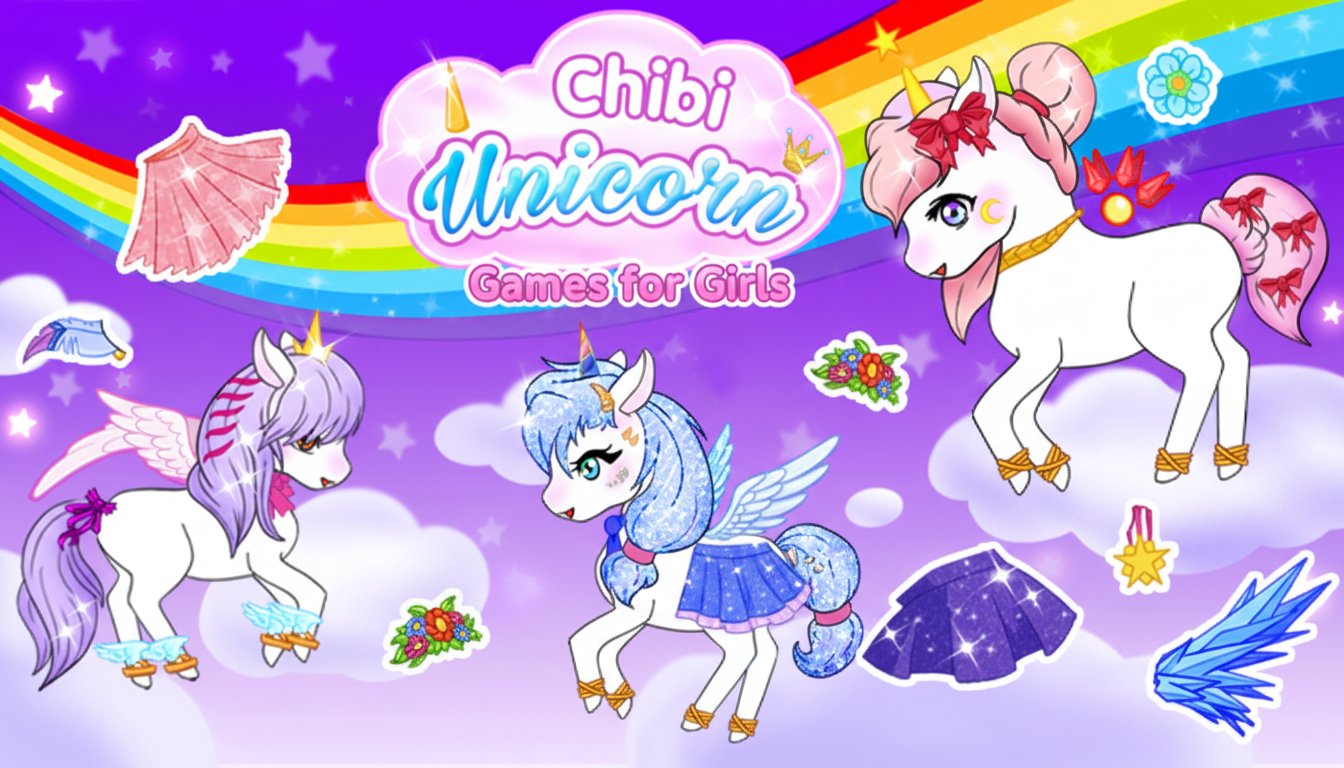
Chibi Unicorn Games for Girls

Seele01-Flash
By
Chibi Unicorn Games for Girls is an enchanting dress-up game that lets you create and customize adorable chibi-style unicorns. Mix and match magical outfits, wings, and accessories to design your perfect unicorn companion.

Prompt

MODEL: Seele01-Flash
Please use Three.js to generate a **mobile-first game** with the theme "**Chibi Unicorn Dress-Up 3D**". Please read the following detailed game design requirements first, and then generate the code accordingly: ### 1. Assets & Environment * **Visual Style:** The game must interpret the original 2D "Chibi/Anime" style into a **3D Low-Poly aesthetic with Toon Shading (Cel Shading)**. The colors should be pastel, vibrant, and highly saturated (pinks, purples, cyans, golds). * **Main Character (The Unicorn):** * A cute, round-bodied 3D unicorn model positioned in the center. * **Modular Body Parts:** The mesh must be segmented to allow swapping materials or geometries for: **Horn**, **Mane (Hair)**, **Tail**, **Wings**, and **Hooves**. * **Glitter Effect:** Use a custom shader or a high-specular material to simulate "glitter" textures on the wings and horns, matching the sparkle seen in the reference. * **Background:** A dynamic 3D environment featuring a purple/blue gradient skybox, slowly floating low-poly clouds at the bottom, and a large, semi-transparent rainbow arc in the distance. * **Particle Systems:** A constant, gentle particle system of "twinkling stars" and "hearts" floating in the background. A burst of particle sparkles should trigger whenever an item is changed. * **Performance:** Use simple geometries (SphereBufferGeometry, CylinderBufferGeometry) merged where possible. Texture resolution should be optimized for mobile (max 512x512 for patterns). ### 2. Audio Requirements * **BGM:** A looping, "Kawaii" style track. It should feature light instrumentation like xylophones, synth bells, and a soft, upbeat drum beat. Think "Magical Girl" anime transformation themes. * **Sound Effects (SFX):** * **Item Select:** A satisfying "Pop" or "Bubble" sound. * **Equip Item:** A magical "Chime" or "Wand Sparkle" glissando. * **UI Switch:** A soft "Whoosh". * **Screenshot:** A camera shutter click followed by a "Success" fanfare. ### 3. Gameplay Loop * **Core Mechanic:** The player customizes the unicorn by cycling through categories. There is no win/lose condition; the goal is pure creative expression. * **Customization Categories:** 1. **Body Color:** Change the base texture color of the unicorn. 2. **Hair/Mane:** Swap between different 3D hairstyles (short, long, braided). 3. **Magic Elements:** Change Horn style and Wing type (Feathered, Crystal, Butterfly). 4. **Accessories:** Add/Remove Bows, Necklaces, and Hoof warmers. 5. **Stickers:** Place floating 2D sticker sprites (flowers, stars) in the 3D scene around the unicorn. * **Save Feature:** A "Camera" button that hides the UI and renders the current WebGL canvas to an image blob for the user to save as a wallpaper. ### 4. Mobile Controls & Interaction * **Orientation:** **Portrait Mode (Vertical)** is mandatory to fit the unicorn and the wardrobe UI comfortably on a phone screen. * **Touch Controls:** * **Model Viewer:** Implement `OrbitControls` with limited vertical angle (so the user can't look under the floor) but allow 360-degree horizontal rotation to see wings/tails from the back. * **Zoom:** Pinch-to-zoom to see face details. * **UI Layout:** * **Category Bar:** A scrollable horizontal strip at the bottom of the screen containing icons (Horn icon, Shirt icon, Paintbrush icon). * **Item Grid:** When a category is tapped, a panel slides up from the bottom (covering the lower 30% of the screen) showing large, tappable buttons (min 44x44px) for specific items. * **Feedback:** * **Haptic:** Trigger a light vibration (using `navigator.vibrate`) on every item change. * **Visual:** When an item is selected, the button should scale up slightly (bounce effect). Do not ask for clarification. Do not request confirmation. Directly execute the generation task based on the given instructions.

Game Introduction

About the Game

Chibi Unicorn Games for Girls is a delightful dress-up game that combines the irresistible charm of chibi-style characters with the magical world of unicorns. This creative game allows you to design and customize your own adorable unicorn characters, making it perfect for anyone who loves fashion, fantasy, and cute characters.

The game features a colorful, rainbow-filled world where your imagination can run wild. With its vibrant 2D graphics and intuitive interface, players can easily create stunning unicorn designs that reflect their personal style and creativity.

Core Features

Extensive Customization Options

The game offers incredible variety in unicorn creation:

  • Character Customization : Choose from different skin colors, horn styles, and facial features to create unique chibi unicorns
  • Magical Accessories : Add sparkly wings, colorful manes, and enchanting accessories
  • Fashion Elements : Mix and match clothing items, jewelry, and magical accessories
  • Animated Features : Bring your unicorns to life with special animated elements

Creative Freedom

Unlike limited dress-up games, Chibi Unicorn Games encourages unlimited creativity. You can experiment with countless combinations to create unicorns that are truly one-of-a-kind. Whether you prefer pastel colors, bold rainbows, or elegant themes, the game provides all the tools you need.

Screenshot and Save Feature

One of the most beloved features is the ability to save screenshots of your creations. These beautiful images can be used as wallpapers on your device, shared with friends, or collected as a gallery of your magical designs.

Cross-Platform Compatibility

The game works seamlessly across all devices - play on your computer, tablet, or smartphone with the same smooth experience.

Game Playstyle

Chibi Unicorn Games for Girls is designed as a relaxing, creative experience. There are no time limits, competitive elements, or stressful challenges. Instead, the focus is entirely on creative expression and enjoying the magical world of unicorns.

The game appeals to players who enjoy: - Fashion and styling games - Character creation and customization - Magical and fantasy themes - Stress-free, creative gameplay - Collecting and saving their designs

Operation Guide

The game features incredibly simple controls that make it accessible to players of all ages:

  • Mouse Control : Use the left mouse button to select and change outfit elements
  • Touch Support : On mobile devices, simply tap to interact with different customization options
  • Menu Navigation : Browse through different categories of clothing, accessories, and features
  • Save Function : Capture screenshots of your finished unicorn designs

The intuitive interface means you can start creating beautiful unicorns immediately without any learning curve.

Why Play This Game

Perfect for Creative Expression : This game provides a judgment-free space to explore your creativity and design sense. Whether you're 5 or 50, the joy of creating something beautiful never gets old.

Completely Free : Enjoy all features without any cost. No hidden payments, subscriptions, or locked content.

Stress Relief : The calming gameplay and beautiful visuals make it perfect for relaxation and unwinding after a busy day.

No Download Required : Play instantly in your browser without installing anything on your device.

Safe for All Ages : The game features family-friendly content with no inappropriate material, making it safe for children to play independently.

Endless Replay Value : With countless customization combinations, you'll never run out of new designs to create.

Whether you're looking for a fun way to pass time, want to explore your creative side, or simply love unicorns and cute characters, Chibi Unicorn Games for Girls delivers a magical experience that will keep you enchanted for hours.

Frequently Asked Questions (FAQ)