
Coloring by Numbers: Pixel House - Casual Game
 Unity
UnityCrimson Illusion Battle
Build a Unity fantasy battle through a crimson illusion realm.
 Unity
UnityStrawberry Grove Adventure
Build a cozy Unity pixel grove of exploration and collectibles.
 Sandbox
Voxel Sandbox Builder
Build a voxel sandbox for placing and breaking blocks freely.
 FPS
FPSNight Mission Survival
Build a first-person night survival with flashlight combat.
 Shooter
Dead City Shooter
Build a third-person zombie shooter in a ruined city.
 New
NewSolo Racing Game
Build a browser racer with tracks, timing, and a minimap.
 Sports
Basketball Duel
Build a one-on-one basketball game with physics shooting.
 Subscriber only
Unreal Mountain Tour
Tour a third-person Unreal world of mountains and water.
 Shooter
Decay Zone Survival
Build a first-person zombie survival with ammo management.
 Voxel
VoxelVoxel Hero Adventure
Build a voxel hero who explores, mines, and builds.
UnityCrimson Illusion Battle
Build a Unity fantasy battle through a crimson illusion realm.
UnityStrawberry Grove Adventure
Build a cozy Unity pixel grove of exploration and collectibles.
SandboxVoxel Sandbox Builder
Build a voxel sandbox for placing and breaking blocks freely.
FPSNight Mission Survival
Build a first-person night survival with flashlight combat.
ShooterDead City Shooter
Build a third-person zombie shooter in a ruined city.
NewSolo Racing Game
Build a browser racer with tracks, timing, and a minimap.
SportsBasketball Duel
Build a one-on-one basketball game with physics shooting.
Subscriber onlyUnreal Mountain Tour
Tour a third-person Unreal world of mountains and water.
ShooterDecay Zone Survival
Build a first-person zombie survival with ammo management.
VoxelVoxel Hero Adventure
Build a voxel hero who explores, mines, and builds.
Prompt

Games are fun. Creating them is even better.
Game Introduction
About the Game
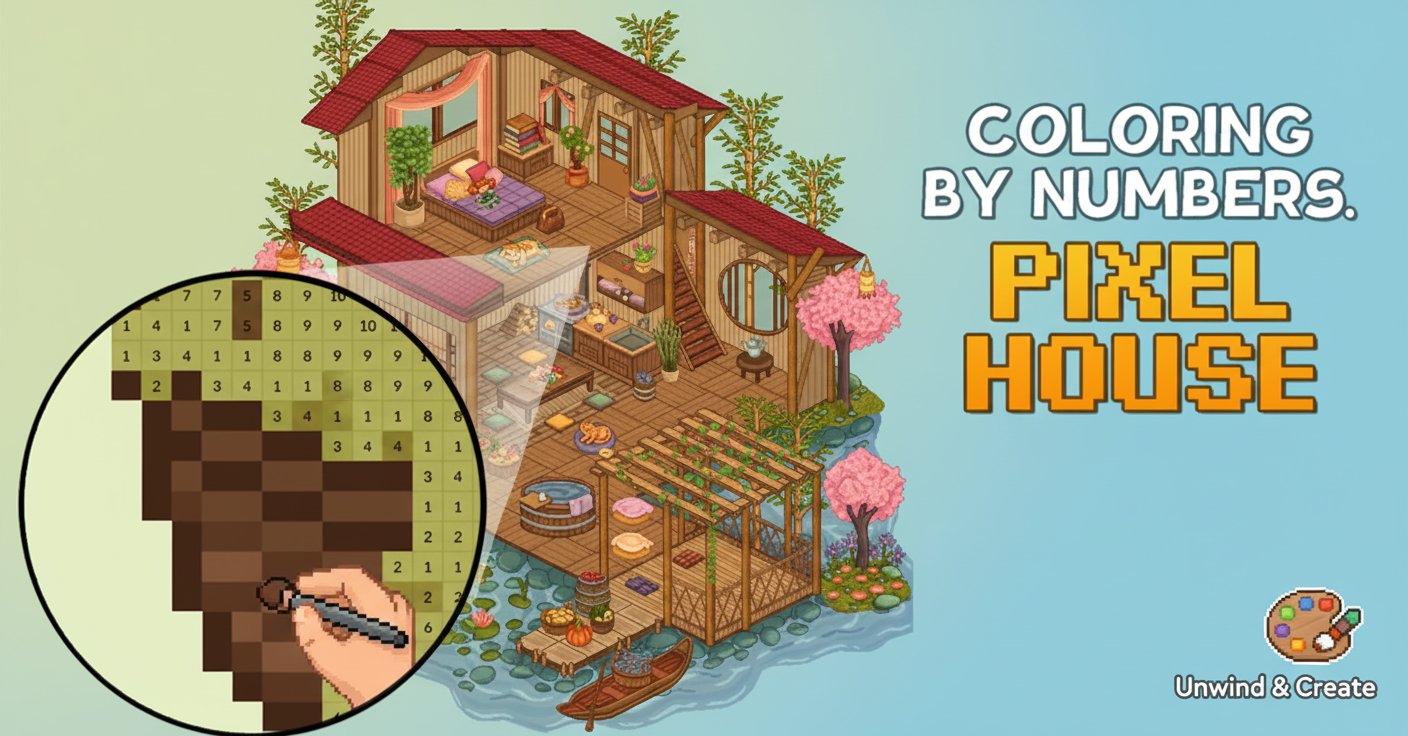
Coloring by Numbers: Pixel House is a soothing puzzle game that combines the meditative joy of coloring with charming pixel art aesthetics. This delightful casual game transforms traditional coloring books into an interactive digital experience, featuring beautifully designed houses and landscapes that come to life as you add color pixel by pixel.
The game follows a simple yet satisfying color-by-numbers system where each numbered section corresponds to a specific color. As you progress through different house designs, you'll discover intricate details like cozy interiors, blooming gardens, and scenic waterfront properties that make each coloring session a miniature artistic journey.
Core Features
Stress-Free Coloring Experience
This game is designed as the perfect digital stress reliever. The methodical process of filling in numbered sections creates a meditative rhythm that helps clear your mind and reduce anxiety. Unlike traditional art projects, there's no pressure to make creative decisions - simply follow the numbers and watch beautiful pixel art emerge.
Charming House Designs
Each level features a unique house or architectural scene, from quaint cottages to elaborate multi-story homes. The pixel art style gives each design a nostalgic, retro gaming aesthetic while maintaining modern visual appeal. Interior rooms are filled with furniture details, while exterior scenes include gardens, trees, and natural landscapes.
Progressive Difficulty
The game starts with simpler designs featuring fewer colors and larger sections, gradually introducing more complex patterns with intricate details and expanded color palettes. This progression ensures both beginners and experienced players can find appropriate challenges.
Cross-Platform Accessibility
Available as a free browser game that works seamlessly on both desktop computers and mobile devices. No downloads or installations required - simply open your web browser and start coloring immediately.
Game Mechanics
The gameplay revolves around the classic paint-by-numbers concept adapted for digital pixel art. Each image is divided into numbered sections, and players must match these numbers to the corresponding colors in the palette. The intuitive interface makes it easy to zoom in on detailed areas and ensures precise pixel placement.
As you complete sections, the artwork gradually reveals itself, creating a satisfying sense of progression. The game includes helpful features like color organization and number highlighting to prevent mistakes and maintain the relaxing flow of the experience.
Operation Guide
Mouse Controls (Desktop) : - Drag left mouse button : Select and paint pixels with the active color - Click : Select individual pixels for precise coloring - Scroll wheel : Zoom in and out of the artwork - Right-click : Pan and move around the image
Touch Controls (Mobile) : - Tap and drag : Paint multiple pixels at once - Single tap : Color individual pixels - Pinch gesture : Zoom in and out - Swipe : Navigate around larger images
Getting Started
- Choose a house design from the available collection
- Select the starting color from the numbered palette
- Find areas marked with the corresponding number
- Click or drag to fill in the pixels
- Continue until the entire image is complete
Why Play This Game
Perfect for Relaxation : The repetitive, methodical nature of color-by-numbers provides excellent stress relief and mental relaxation. It's an ideal way to unwind after work or during breaks.
No Artistic Skills Required : Anyone can create beautiful pixel art regardless of artistic ability. The numbered system removes guesswork and ensures satisfying results every time.
Quick Sessions or Extended Play : Games can be completed in 15-30 minutes for a quick creative break, or you can spend hours working on detailed masterpieces.
Family-Friendly Entertainment : Suitable for all ages, making it perfect for family gaming sessions or educational activities that promote focus and patience.
Completely Free : Enjoy unlimited access to all features and house designs without any hidden costs or premium upgrades required.