Fidget Spinner Creator

Seele01-Flash
By
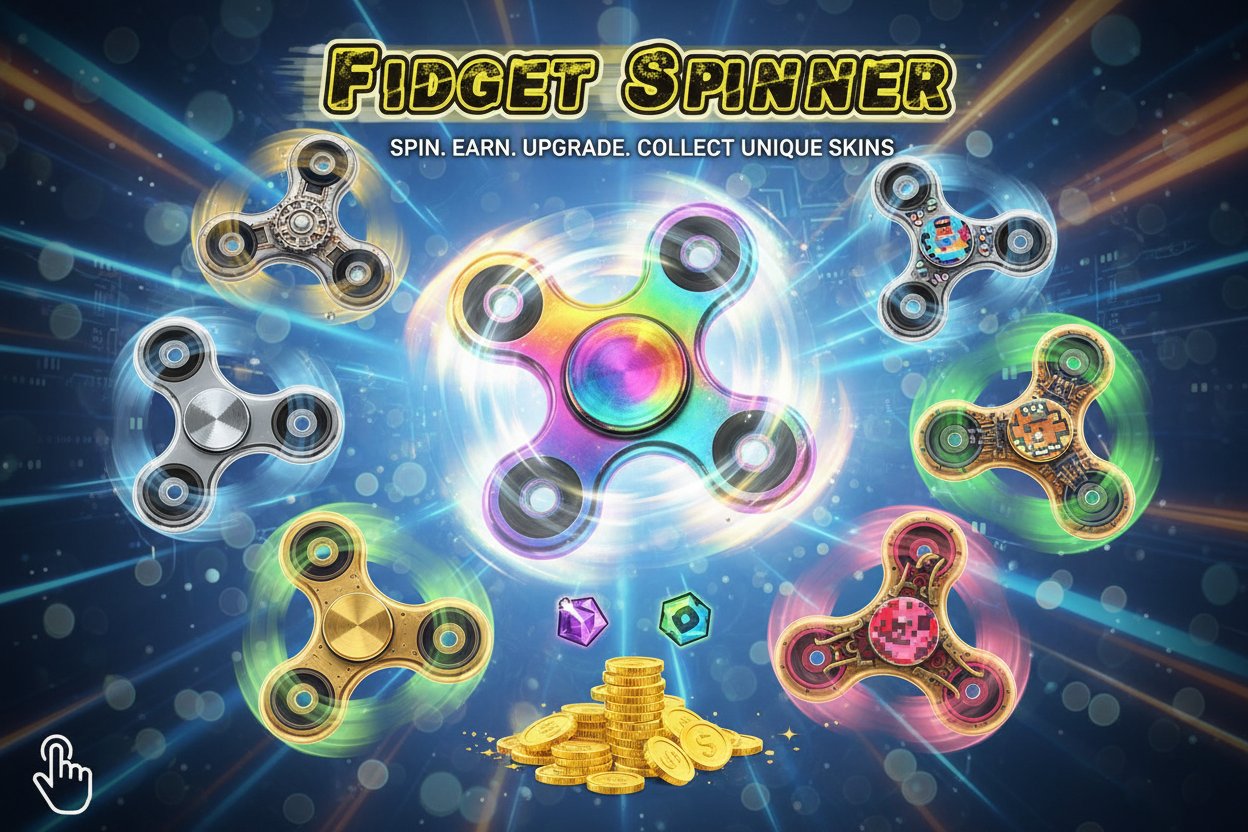
Fidget Spinner Creator is a free online clicker game where you spin fidget spinners to earn coins, unlock upgrades, and collect unique skins. Perfect for stress relief and casual gaming on any device.

Prompt

MODEL: Seele01-Flash
Please use Three.js to generate a **mobile-first game** with the theme "Fidget Spinner Creator". Please read the following detailed game design requirements first, and then generate the code accordingly: ### 1. Assets & Environment * **Visual Style:** Realistic 3D arcade style. The scene should feature a high-quality, 3-pronged Fidget Spinner centered on the screen. * **3D Model Construction:** Since external assets cannot be loaded, procedurally generate the spinner using `THREE.ExtrudeGeometry` or combined `CylinderGeometry` primitives. It should consist of a central bearing cap (static or slow-moving) and the main rotating body with three weighted arms. * **Materials:** Use PBR materials (`MeshStandardMaterial`) with high `metalness` and varying `roughness` to distinguish between the plastic body and metallic weights. Add an Environment Map (can be a generated gradient cube map) to create realistic reflections on the spinner surface. * **Background:** A dynamic "Bokeh" background. Create soft, out-of-focus circular particles that slowly float in the background to mimic the screenshot's aesthetic without distracting from the spinner. * **Camera:** Fixed top-down orthographic or perspective camera, optimized to keep the spinner filling 60% of the screen width in portrait mode. ### 2. Audio Requirements * **BGM:** A chill, Lo-Fi hip-hop or relaxing ambient electronic track to match the "stress relief" theme. * **SFX - Spin:** A dynamic "whirring" sound using `Audio` or `OscillatorNode` where the playback rate/pitch increases relative to the spinner's angular velocity. * **SFX - Swipe:** A "woosh" air-cutting sound when the player initiates a spin. * **SFX - UI:** Soft "pop" or "click" sounds for menu interactions and coin collection. ### 3. Gameplay Loop * **Core Mechanic:** The player uses touch gestures to spin the object. The physics simulation should calculate angular velocity based on the speed and direction of the swipe. * **Physics Simulation:** Implement a custom Euler integration loop. * `AngularVelocity` decays over time based on a `Friction` variable. * The spinner stops eventually if not swiped. * **Economy (Coins):** * Coins are generated every second based on the current RPM (Rotations Per Minute). * Total Spins count is tracked. * **Upgrade System (The "Creator" Aspect):** * **Bearing Grease:** Reduces friction (spins longer). * **Aerodynamics:** Increases max terminal velocity. * **Restyling:** Allow changing the main body color (Red, Blue, Gold, Black) using earned coins. * **Constraint:** Implement a "Session" logic mentioned in instructions: "Limited swipes to reach max speed," or simply use an stamina bar that refills, preventing infinite rapid swiping to balance the game. ### 4. Mobile Controls & Interaction * **Touch Input:** * Implement `touchstart`, `touchmove`, and `touchend` listeners. * Calculate the vector between the center of the spinner and the touch point to apply torque correctly (tangential force). A swipe across the center should result in lower speed than a swipe along the edge. * **Haptic Feedback:** Trigger `navigator.vibrate()` pulses that align with the rotation speed (e.g., a pulse every rotation), becoming a constant hum at high speeds. * **UI Layout (Portrait Mode):** * **Top:** Coin counter and RPM gauge (large, readable text). * **Center:** The interaction area for the spinner. * **Bottom:** A scrollable or tabbed dock for Upgrades and Customization (replacing the desktop "left-hand column" for better thumb reachability). Buttons must be at least 48x48px. * **Visual Feedback:** Add a "Motion Blur" trail effect or simple speed lines when the RPM exceeds a certain threshold to convey speed on small screens. Do not ask for clarification. Do not request confirmation. Directly execute the generation task based on the given instructions.

Game Introduction

About Fidget Spinner Creator

Fidget Spinner Creator is a captivating free clicker game that brings the fidget spinner craze to your screen. Rated 4.47/5 by players, this engaging game combines the satisfying mechanics of fidget spinning with rewarding progression systems. Whether you're looking for stress relief or casual entertainment, this game offers hours of spinning fun without any cost.

Core Features

Engaging Clicker Mechanics

The game features intuitive swipe-to-spin mechanics that make every interaction satisfying. Each spin earns you coins based on speed and duration, creating an addictive gameplay loop that keeps you coming back for more.

Comprehensive Upgrade System

  • Speed Upgrades : Make your spinner rotate faster for higher coin earnings
  • Friction Reduction : Improve spin duration and efficiency
  • Performance Boosts : Unlock various enhancements to maximize your spinning potential

Customization Options

Collect and unlock unique fidget spinner skins to personalize your gaming experience. Each skin offers a fresh visual style while maintaining the core spinning mechanics you love.

Cross-Platform Compatibility

  • Free to Play : Complete game experience with no hidden costs
  • Browser Support : Works on all modern web browsers
  • Mobile Optimized : Perfect touch controls for smartphones and tablets
  • No Downloads Required : Start playing instantly

Gameplay Mechanics

The objective is simple yet addictive: spin your fidget spinner to earn coins and progress through the game. You start with a limited number of swipes per session, making each spin count. The faster and longer you spin, the more coins you collect.

Coin Economy

Coins serve as the primary currency for all upgrades and unlocks. Strategic spending on the right upgrades creates a satisfying progression curve that keeps gameplay fresh and rewarding.

Leaderboard Competition

Compete with players worldwide on the global leaderboards. See how your spinning skills stack up against other fidget spinner enthusiasts and strive to reach the top rankings.

Operation Guide

Basic Controls

  • Swipe : Use finger or mouse to spin the fidget spinner
  • Tap Upgrades : Access the left-hand menu for improvements
  • Select Spinners : Browse and unlock new fidget spinner designs
  • Check Leaderboards : View your global ranking

Settings and Customization

The game includes user-friendly settings allowing you to: - Adjust sound preferences - Change language settings - Customize visual preferences - Manage gameplay options

Strategy Tips

  • Focus on friction reduction upgrades early for longer spins
  • Balance speed and duration upgrades for optimal coin earning
  • Experiment with different spinner skins to find your favorite
  • Check leaderboards regularly to track your progress

Why Play This Game

Fidget Spinner Creator perfectly captures the satisfying nature of fidget spinners in a digital format. The game offers stress relief through its calming spinning mechanics while providing enough progression elements to maintain long-term engagement. Its accessibility across all devices means you can enjoy quick spinning sessions anywhere, anytime.

The combination of simple mechanics, rewarding progression, and competitive elements makes this game appealing to both casual players seeking relaxation and competitive gamers aiming for leaderboard dominance.

Frequently Asked Questions (FAQ)