
Flight - Paper Plane Physics Game - Casual Game
 Puzzle
Magic Cube Puzzle
Build an interactive Rubik's Cube with scramble and reset.
 Unity
UnityBattle of Balls
Build a Unity arena where rolling balls collide and grow.
 3D
3DThird Person Explorer
Build a third-person explorer with swappable scenes and a live minimap.
 Unity
UnityChaos Train Arcade
Build a chaotic Unity train arcade of hazards and timing.
 Driving
City Car Driving
Build an open-city free-driving game with car selection.
 Unity
UnityStrawberry Grove Adventure
Build a cozy Unity pixel grove of exploration and collectibles.
 Subscriber only
Unreal Dungeon Crawler
Build a playable Unreal dungeon crawler, combat-ready.
 FPS
FPSZombie Horror Survival
Build a tense zombie horror survival with map progression.
 Voxel
VoxelVoxel Hero Adventure
Build a voxel hero who explores, mines, and builds.
 Unity
UnityCrimson Illusion Battle
Build a Unity fantasy battle through a crimson illusion realm.
PuzzleMagic Cube Puzzle
Build an interactive Rubik's Cube with scramble and reset.
UnityBattle of Balls
Build a Unity arena where rolling balls collide and grow.
3DThird Person Explorer
Build a third-person explorer with swappable scenes and a live minimap.
UnityChaos Train Arcade
Build a chaotic Unity train arcade of hazards and timing.
DrivingCity Car Driving
Build an open-city free-driving game with car selection.
UnityStrawberry Grove Adventure
Build a cozy Unity pixel grove of exploration and collectibles.
Subscriber onlyUnreal Dungeon Crawler
Build a playable Unreal dungeon crawler, combat-ready.
FPSZombie Horror Survival
Build a tense zombie horror survival with map progression.
VoxelVoxel Hero Adventure
Build a voxel hero who explores, mines, and builds.
UnityCrimson Illusion Battle
Build a Unity fantasy battle through a crimson illusion realm.
Prompt

Games are fun. Creating them is even better.
Game Introduction
About Flight
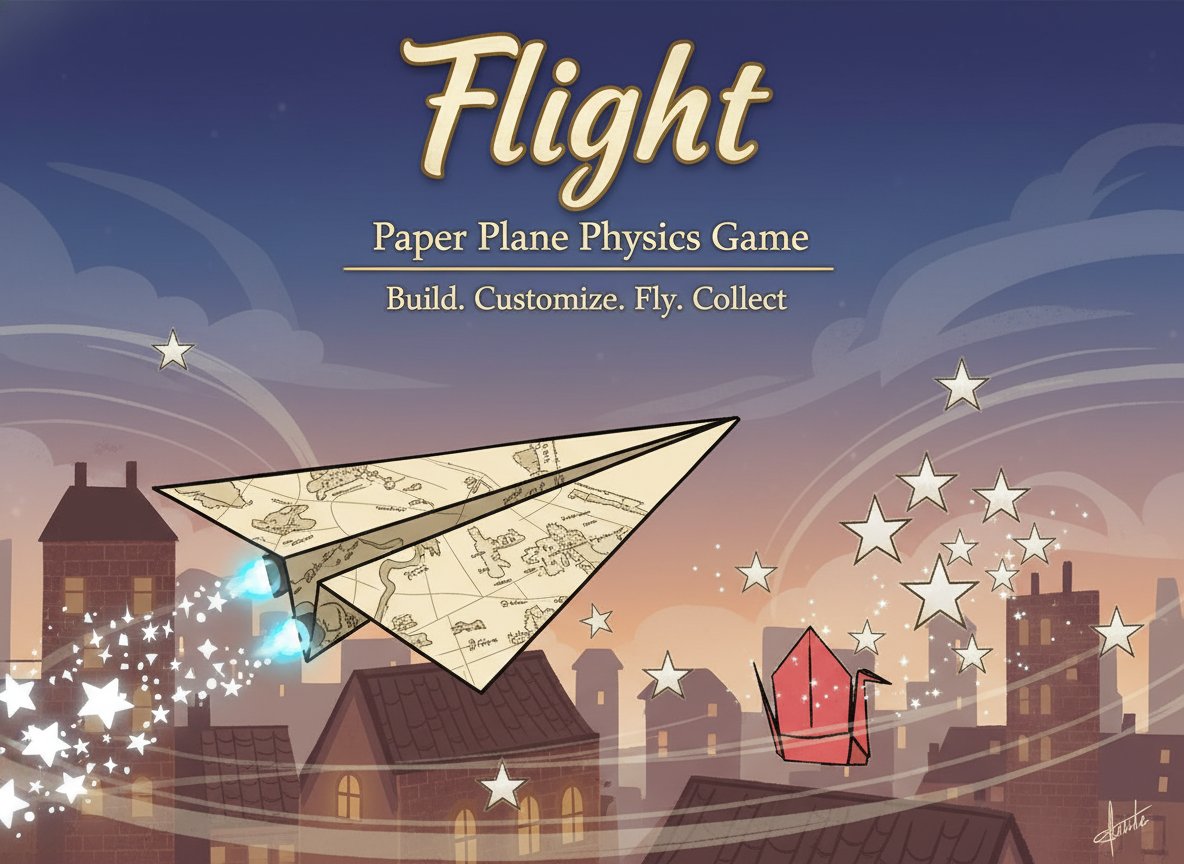
Flight is an innovative physics-based flying game that brings the nostalgic joy of paper airplanes into the digital world. With an impressive 4.46/5 rating , this free online game challenges players to build, customize, and fly their own paper planes while mastering realistic flight physics. The game combines strategic planning with skillful execution, creating an addictive experience that keeps players coming back for more.
The core concept revolves around creating the perfect paper plane and launching it to collect stars, power-ups, and resources scattered throughout each level. What starts as a simple throwing game evolves into a deep customization experience as you unlock new parts and upgrades for your aircraft.
Core Features
Realistic Physics Engine
Flight features a sophisticated physics system that accurately simulates paper plane aerodynamics. Every fold, weight distribution, and aerodynamic modification affects your plane's flight path, making each throw a strategic decision.
Extensive Customization System
Transform your basic paper plane into a high-performance aircraft by adding: - Wings : Different shapes and sizes for varying lift and stability - Spoilers : Fine-tune your plane's aerodynamics - Fins : Improve directional control and stability - Decals : Personalize your plane's appearance - Weight Distribution : Balance speed versus gliding ability
Progressive Upgrade System
Collect gold and resources during flights to purchase upgrades. Each component serves a specific purpose, allowing you to optimize your plane for different flight strategies - whether you prefer long-distance gliding or quick, precise maneuvers.
Strategic Gameplay Elements
Success in Flight requires more than just throwing your plane. You'll need to: - Analyze wind patterns and environmental factors - Plan your upgrade path carefully - Master the throwing mechanics for optimal launch angles - Develop strategies for collecting hard-to-reach stars and power-ups
Gameplay Mechanics
The game begins with a basic paper plane template. Using your mouse, you'll wind up and launch your plane, carefully controlling the angle and power of each throw. As your plane soars through the air, you'll collect stars and special items that provide gold and upgrade materials.
The physics engine responds realistically to every modification you make. Adding weight to the nose increases speed but reduces gliding time, while larger wings provide more lift but can create drag. This creates a deep strategic layer as you experiment with different configurations.
Operation Guide
Basic Controls: - Mouse Click : Select and interact with your paper plane - Mouse Drag : Wind up for throwing - longer drags create more power - Aim Carefully : The angle and direction of your throw significantly impact flight path - Release : Let go to launch your plane
Pro Tips: - Start with gentle throws to understand your plane's behavior - Observe how different upgrades affect flight characteristics - Target star clusters for maximum resource collection - Experiment with launch angles - sometimes lower angles travel farther - Balance is key - too much of any upgrade can hurt performance
Why Play Flight?
Perfect for All Skill Levels : Whether you're a casual gamer looking for relaxing entertainment or a competitive player chasing high scores, Flight offers engaging gameplay for everyone.
Educational Value : The realistic physics make this game subtly educational, teaching principles of aerodynamics and engineering through hands-on experimentation.
Endless Replayability : With countless customization combinations and the challenge of beating your high scores, Flight provides hours of entertainment.
No Download Required : Play instantly in your web browser on any device - computer, tablet, or smartphone.
Completely Free : Enjoy the full game experience without any payment requirements or premium content locks.
Family-Friendly : Rated for all ages, making it perfect for family gaming sessions or educational use in classrooms.