
Funny Shopping Supermarket - Casual Game
 FPS
FPSZombie Horror Survival
Build a tense zombie horror survival with map progression.
 Subscriber only
Unreal FPS/TPS Shooter
Create a complete UE 5.5 FPS or TPS shooter with combat, UI, and replay.
 New
NewCharacter Physics World
Build a third-person physics world with day-night and props to touch.
 New
NewRiver Raid Survival
Build a River Raid-style flight survival run with fuel pressure.
 Sports
Basketball Duel
Build a one-on-one basketball game with physics shooting.
 Sandbox
Voxel Sandbox Builder
Build a voxel sandbox for placing and breaking blocks freely.
 New
NewArcade Crossing Game
Build a lane-dodging arcade game with traffic and pickups.
 Action
Open World City Action
Build an open-world city romp with driving and police chases.
 Puzzle
Box Robot Puzzle
Build crate-pushing puzzles with vehicles and physics timing.
 Racing
Track Racing Challenge
Build a closed-circuit racer built around drift corners.
FPSZombie Horror Survival
Build a tense zombie horror survival with map progression.
Subscriber onlyUnreal FPS/TPS Shooter
Create a complete UE 5.5 FPS or TPS shooter with combat, UI, and replay.
NewCharacter Physics World
Build a third-person physics world with day-night and props to touch.
NewRiver Raid Survival
Build a River Raid-style flight survival run with fuel pressure.
SportsBasketball Duel
Build a one-on-one basketball game with physics shooting.
SandboxVoxel Sandbox Builder
Build a voxel sandbox for placing and breaking blocks freely.
NewArcade Crossing Game
Build a lane-dodging arcade game with traffic and pickups.
ActionOpen World City Action
Build an open-world city romp with driving and police chases.
PuzzleBox Robot Puzzle
Build crate-pushing puzzles with vehicles and physics timing.
RacingTrack Racing Challenge
Build a closed-circuit racer built around drift corners.
Prompt

Games are fun. Creating them is even better.
Game Introduction
About the Game
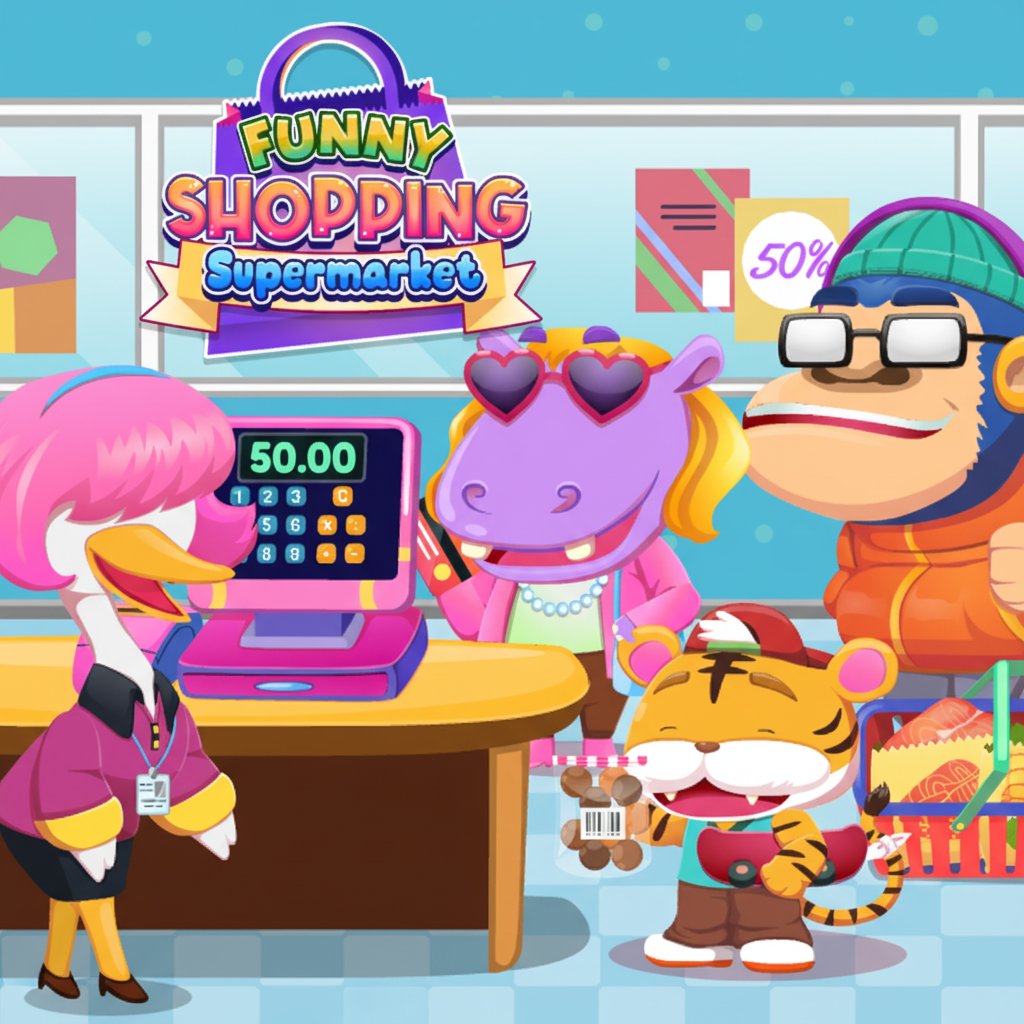
Funny Shopping Supermarket is a charming shopping simulation game that combines fun gameplay with educational elements. Join Hippo and their adorable animal friends as they prepare for a special party by shopping for everything they need. This colorful, kid-friendly game offers a safe and entertaining way to learn about shopping, organization, and responsibility.
The game features vibrant cartoon graphics with cute animal characters that immediately capture players' attention. Set in a bustling supermarket environment, players navigate through different sections to find items on their shopping lists, making each level a delightful treasure hunt.
Core Features
Educational Shopping Experience
This game teaches valuable life skills through play. Children learn to: - Follow instructions by completing shopping lists - Organize items by categories like vegetables, fruits, and clothes - Handle money by visiting the cashier before leaving - Develop attention to detail while searching for specific products
Diverse Product Categories
Each level presents different shopping challenges with items including: - Fresh produce : Vegetables and fruits for healthy eating awareness - Clothing items : Teaching about different types of apparel - Sweet treats : Candies and snacks for the party - Household goods : Various everyday items and tools - Specialty items : Unique products that keep gameplay interesting
Kid-Friendly Design
The game prioritizes child safety and enjoyment: - Intuitive controls : Simple click-and-tap mechanics suitable for young players - Colorful graphics : Bright, engaging visuals that maintain interest - Positive messaging : Focuses on helping friends and completing tasks - No inappropriate content : Safe environment for independent play
Game Playthrough
Shopping List Challenges
Each level begins with a specific shopping list that players must complete. The lists vary in complexity, starting with simple items and gradually introducing more challenging searches. This progressive difficulty keeps players engaged while building their skills.
Supermarket Navigation
Players explore different sections of the supermarket, each themed around specific product categories. The layout is intuitive and mirrors real supermarket experiences, helping children become familiar with grocery shopping concepts.
Collection and Payment Process
After gathering all required items, players must visit the cashier to complete their purchase. This teaches the important lesson that shopping involves payment and adds realism to the experience.
Operation Guide
Simple Controls
The game uses straightforward controls perfect for players of all ages: - Click or tap on any item to pick it up automatically - Drag items into your shopping bag or basket - Navigate through the store by clicking on different areas - Interact with the cashier when you're ready to pay
Playing Tips
- Check your shopping list frequently to ensure you don't miss any items
- Explore all sections of the supermarket thoroughly
- Look carefully as some items might be partially hidden
- Remember to visit the cashier before completing each level
Why Play This Game
Perfect for Young Learners
Funny Shopping Supermarket excels as an educational tool disguised as entertainment. Parents appreciate how it teaches practical life skills while children enjoy the colorful characters and engaging gameplay. It's an ideal introduction to responsibility and planning concepts.
Stress-Free Gaming
Unlike action-packed games, this title offers a relaxing, cozy gaming experience. There are no time pressures or competitive elements, allowing players to enjoy the process at their own pace. This makes it perfect for unwinding or quiet playtime.
Completely Free Experience
The game is entirely free to play with no hidden costs, in-app purchases, or premium content. Families can enjoy unlimited gameplay without any financial commitment, making it accessible to everyone.
Cross-Platform Accessibility
Play on any device with a web browser - computers, tablets, or smartphones. The game automatically adjusts to different screen sizes, ensuring a smooth experience regardless of your preferred device.