Hedgehog Launch

Seele01-Flash
By
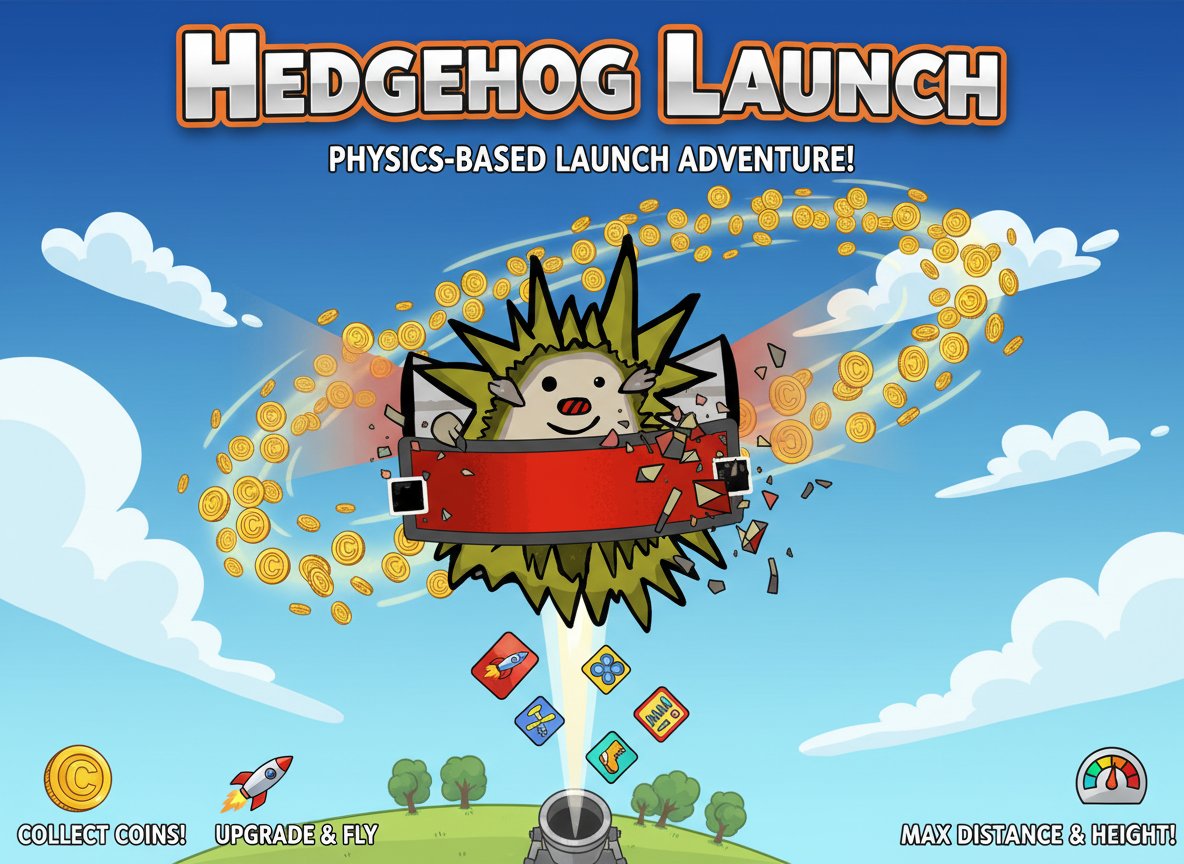
Hedgehog Launch is an addictive physics-based launch game where you propel a cute hedgehog into the sky using rocket power. Collect coins during flight, purchase upgrades, and aim for maximum distance and height.

Prompt

MODEL: Seele01-Flash
Please use Three.js to generate a **mobile-first game** with the theme "**Hedgehog Launch**". Please read the following detailed game design requirements first, and then generate the code accordingly: ### 1. Assets & Environment * **Visual Style:** 2.5D "Toon Shaded" Low-poly style. The game should be viewed from a side profile (orthographic or fixed perspective camera), simulating a flat 2D plane but using 3D models. * **The Hedgehog:** A low-poly sphere-based character with protruding cones for spikes. It should have a simple face texture (eyes and a smile). It wears a "Rocket Pack" on its back. * **The Launcher:** A ground-based slingshot mechanism consisting of two wooden posts and a dynamic elastic band (visualized using updated cylinder geometry or lines that stretch based on drag input). * **Environment Layers:** A dynamic background that changes color based on the player's height (Y-axis): * **Ground:** Green grass plane with simple low-poly trees. * **Sky:** Gradient transitions from Light Blue -> Dark Blue -> Deep Space Black. * **Space:** When high enough, show particle stars. * **Collectibles:** Gold Coins (rotating cylinders) scattered in the air. * **Optimization:** Use `THREE.InstancedMesh` for coins and clouds to ensure 60fps on mobile devices. ### 2. Audio Requirements * **BGM:** An energetic, fast-paced 8-bit/Chiptune track that loops. It should feel adventurous and silly. * **Sound Effects (SFX):** * **Launch:** A cartoonish "Boing" or elastic snap sound. * **Rocket:** A continuous "Hissing/Whoosh" white noise when the boost is active. * **Coin:** High-pitched "Ding" or "Cha-ching". * **Impact:** A dull "Thud" when hitting the ground; a "Bounce" sound when hitting cloud platforms. * **UI:** Standard clicks for the upgrade menu. ### 3. Gameplay Loop * **Phase 1: The Launch (Slingshot Mechanics):** The game starts on the ground. The player drags the hedgehog back (pulling the elastic) and releases to fire it into the air. The angle and force depend on the drag vector. * **Phase 2: The Flight (Physics & Resource Management):** * Gravity constantly pulls the hedgehog down. * **Steering:** Player can slightly influence left/right movement to aim for coins. * **Rocket Boost:** Player has a limited "Fuel" bar. Activating the boost applies upward force to counteract gravity. * **Bouncing:** Hitting clouds or platforms adds a small bounce. * **Phase 3: The Landing & Shop:** When the hedgehog hits the ground and stops rolling, the run ends. * A "Shop UI" overlay appears. * **Upgrades:** Spend collected coins to upgrade: 1. Launcher Elasticity (Initial speed), 2. Rocket Fuel (Flight time), 3. Radar (Magnet radius for coins), 4. Glider (Air resistance reduction). * **Goal:** Reach space (a specific Y-height) within the fewest days (launches). ### 4. Mobile Controls & Interaction * **Orientation:** Portrait Mode (Vertical) is preferred for height-based gameplay, OR Landscape if strictly following the original Flash layout. *Recommendation: Landscape for better field of view.* * **Launch Control:** Touch and drag anywhere on the screen (clamped to the launcher area) to pull back the slingshot. Visual guide (trajectory line) is required. * **Flight Controls:** * **Steer Left/Right:** Touch and hold the left or right 25% of the screen. * **Activate Rocket:** A large, distinct circular button in the bottom-right corner (thumb zone) or bottom-center. Visual feedback (flames) when pressed. * **UI Design:** * Big, chunky buttons for the Shop/Upgrade menu (min-height 50px). * HUD showing: Altitude, Coin Count, and Fuel Bar (prominent visual gauge). * **Feedback:** * **Haptic Feedback:** Trigger `navigator.vibrate(50)` on coin collection and `navigator.vibrate(200)` on ground impact. * **Camera:** Smoothly follow the Hedgehog, but clamp the Y position so the camera never goes below ground level. Do not ask for clarification. Do not request confirmation. Directly execute the generation task based on the given instructions.

Game Introduction

About the Game

Hedgehog Launch is a charming physics-based launch game that combines cute characters with addictive upgrade mechanics. With a 4.1/5 rating from thousands of players, this free browser game challenges you to launch a spiky little hedgehog as far and high as possible using rocket-powered equipment.

The concept is brilliantly simple: Hedgehog + Rocket Pack = Money Maker! Each launch sends your prickly protagonist soaring through the sky, collecting valuable coins that fund bigger and better equipment for even more spectacular flights.

Core Features

Addictive Launch Mechanics

The game's physics engine creates realistic flight patterns that respond to your steering inputs. Use arrow keys to guide your hedgehog through the air, navigating toward coin clusters and avoiding obstacles that might cut your flight short.

Progressive Upgrade System

Every coin collected contributes to your upgrade fund. Purchase better rocket packs, improved steering capabilities, and enhanced coin magnets to extend your flights and maximize earnings. The upgrade system creates a satisfying progression loop that keeps you coming back for "just one more launch."

Cute and Accessible Design

Featuring adorable artwork and simple controls, Hedgehog Launch appeals to players of all ages. The charming hedgehog character and colorful sky environments create a cheerful gaming experience that's both relaxing and engaging.

Easy-to-Learn Controls

The intuitive control scheme makes the game instantly accessible. Simply use your mouse to aim and launch, then steer with arrow keys during flight. No complex tutorials or steep learning curves – just pure, immediate fun.

Gameplay Strategy

Success in Hedgehog Launch requires balancing risk and reward. Higher altitudes offer more valuable coins but require better equipment to reach. Smart players focus on consistent, moderate flights early on to build their upgrade fund, then invest in powerful equipment for record-breaking launches.

Timing your rocket boosts and steering inputs becomes crucial as you progress. Learning to ride air currents and momentum can extend flights significantly, maximizing your coin collection potential.

Operation Guide

Launching : Click and drag with your mouse to aim the initial launch trajectory. Release to fire your hedgehog into the sky.

Mid-Air Control : Use the left and right arrow keys to steer your hedgehog during flight. Proper steering helps you collect more coins and potentially extend your flight time.

Upgrades : Between flights, visit the upgrade shop to spend collected coins on better equipment. Prioritize rocket power early, then focus on steering and coin collection enhancements.

Why Play Hedgehog Launch

This game perfectly captures the "easy to learn, hard to master" philosophy that makes great casual games. The combination of physics-based gameplay, progression mechanics, and adorable presentation creates an experience that's immediately satisfying yet offers long-term replay value.

Whether you're looking for a quick gaming break or an engaging progression challenge, Hedgehog Launch delivers both casual fun and competitive goal-setting. The free-to-play browser format means you can jump in instantly, with no downloads or installations required.

Frequently Asked Questions (FAQ)