
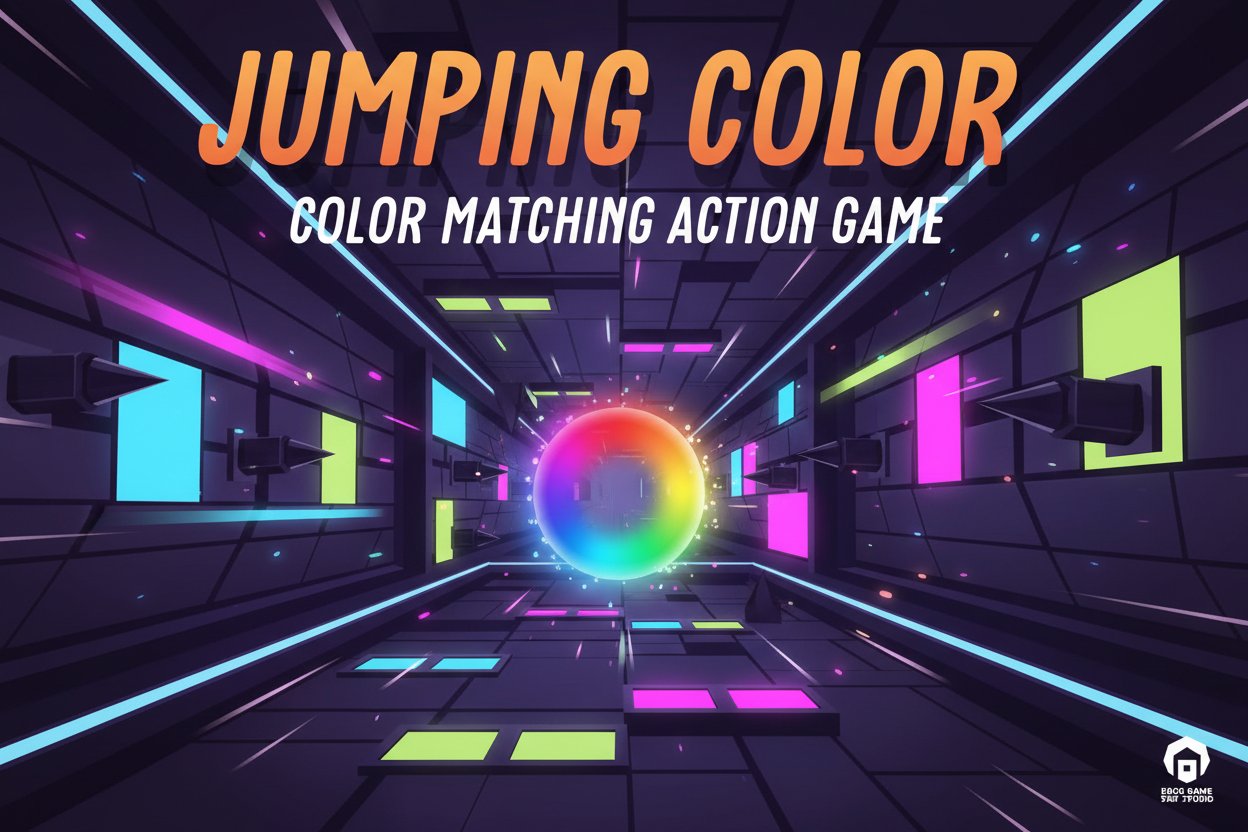
Jumping Color - Color Matching Action Game - Casual Game
 Adventure
Character Adventure Sim
Build a 3D character explorer with traversal and interactive zones.
 Survival
Survival Sandbox Arena
Build a survival arena with enemy waves and turret defense.
 Unity
UnityCity Eater
Build a Unity game where a growing blob devours the city.
 New
NewDrone Flight Combat
Build a cinematic drone combat run with missiles and a HUD.
 Unity
UnityDesert Quickshot
Build a Unity quickdraw duel with streaks and rising heat.
 Shooter
Dead City Shooter
Build a third-person zombie shooter in a ruined city.

Time-Attack Racer
Build a no-physics finish-gate racer with nitro, minimap guidance, and synthesized audio.
 3D
3DThird Person Explorer
Build a third-person explorer with swappable scenes and a live minimap.
 New
New3D Block Puzzle
Build a 3D falling-block puzzle with rotations and row clears.
 Voxel
VoxelVoxel Hero Adventure
Build a voxel hero who explores, mines, and builds.
AdventureCharacter Adventure Sim
Build a 3D character explorer with traversal and interactive zones.
SurvivalSurvival Sandbox Arena
Build a survival arena with enemy waves and turret defense.
UnityCity Eater
Build a Unity game where a growing blob devours the city.
NewDrone Flight Combat
Build a cinematic drone combat run with missiles and a HUD.
UnityDesert Quickshot
Build a Unity quickdraw duel with streaks and rising heat.
ShooterDead City Shooter
Build a third-person zombie shooter in a ruined city.
Time-Attack Racer
Build a no-physics finish-gate racer with nitro, minimap guidance, and synthesized audio.
3DThird Person Explorer
Build a third-person explorer with swappable scenes and a live minimap.
New3D Block Puzzle
Build a 3D falling-block puzzle with rotations and row clears.
VoxelVoxel Hero Adventure
Build a voxel hero who explores, mines, and builds.
Prompt

Games are fun. Creating them is even better.
Game Introduction
About the Game
Jumping Color is a brilliantly simple yet challenging action game that has earned a solid 4.3/5 rating from players worldwide. This instant-play browser game combines color recognition, physics-based gameplay, and precise timing to create an engaging experience that's easy to learn but hard to master.
The core concept is beautifully straightforward: you control a colored circle that can only safely touch walls of the same color. Blue circle touches blue walls, purple touches purple, and so on. But don't let the simplicity fool you – this game will test your reflexes and decision-making skills as the pace increases and colors change rapidly.
Core Features
Instant Play Experience
- Completely Free : No payment required, enjoy unlimited gameplay
- No Download Needed : Play instantly in your browser on any device
- Cross-Platform Compatible : Works seamlessly on phones, tablets, and computers
- HTML5 Technology : Smooth performance across all modern browsers
Engaging Gameplay Mechanics
- Physics-Based Movement : Use gravity and momentum to control your circle
- Dynamic Color Changes : Walls change colors after each successful match
- Progressive Difficulty : Challenge increases as you advance through levels
- Score System : Beat your personal best and climb the leaderboards
User-Friendly Design
- Night Mode Available : Easy-on-the-eyes dark theme for extended play
- Simple Controls : Just click or tap to make the circle bounce
- Instant Restart : Quick retry when you hit the wrong color
- No Tutorial Required : Intuitive gameplay that anyone can understand
Gameplay Mechanics
The beauty of Jumping Color lies in its elegant physics system. Your circle falls naturally due to gravity, and you control its upward movement through clicks or taps. This creates a satisfying rhythm as you bounce between colored walls, timing each jump perfectly to match the circle's color with the corresponding wall.
Each successful color match triggers a wall color change, keeping you on your toes and requiring quick adaptation. The challenge intensifies as you progress, with faster color transitions and more complex wall arrangements testing your reflexes to the limit.
Operation Guide
Basic Controls
- Mouse Click (Desktop): Click anywhere on the screen to make the circle bounce up
- Tap (Mobile): Tap the screen to control the circle's upward movement
- Gravity : Release to let the circle fall naturally downward
- Restart Button : Click to start a new game after losing
- Night Mode Toggle : Click the moon icon to switch to dark theme
Gameplay Strategy
- Study the wall colors before making your move
- Use gravity strategically – sometimes waiting is better than jumping
- Develop a rhythm between bouncing and falling
- Focus on the circle's current color, not its previous state
- Practice patience – rushed moves often lead to mistakes
Why Play Jumping Color
This game perfectly balances accessibility with challenge, making it ideal for both casual players seeking quick entertainment and competitive gamers aiming for high scores. The instant-play format means you can enjoy a quick session during breaks or dive into extended gameplay sessions.
The combination of color recognition, timing, and physics creates a uniquely satisfying gaming experience. Each attempt feels fresh thanks to the dynamic color-changing system, ensuring high replay value. Whether you're looking to beat your personal best or compete with friends, Jumping Color offers endless entertainment without any barriers to entry.
Perfect for stress relief, reflex training, or simply killing time, this game delivers pure, concentrated fun in an easily accessible package.