
Live Avatar Maker: Girls - Casual Game
 Unity
UnityStrawberry Grove Adventure
Build a cozy Unity pixel grove of exploration and collectibles.
 Shooter
Decay Zone Survival
Build a first-person zombie survival with ammo management.
 FPS
FPSNight Mission Survival
Build a first-person night survival with flashlight combat.
 Shooter
Rail Shooter Ride
Build a roller-coaster rail shooter that aims as you ride.
 Puzzle
Magic Cube Puzzle
Build an interactive Rubik's Cube with scramble and reset.
 Subscriber only
Unreal Landscape Tour
Tour photoreal Unreal landscapes with cinematic camera work.
 New
NewDrone Flight Combat
Build a cinematic drone combat run with missiles and a HUD.
 Unity
UnityChaos Train Arcade
Build a chaotic Unity train arcade of hazards and timing.
 Voxel
VoxelVoxel Village Explorer
Build a voxel village to roam with jump and camera controls.

Time-Attack Racer
Build a no-physics finish-gate racer with nitro, minimap guidance, and synthesized audio.
UnityStrawberry Grove Adventure
Build a cozy Unity pixel grove of exploration and collectibles.
ShooterDecay Zone Survival
Build a first-person zombie survival with ammo management.
FPSNight Mission Survival
Build a first-person night survival with flashlight combat.
ShooterRail Shooter Ride
Build a roller-coaster rail shooter that aims as you ride.
PuzzleMagic Cube Puzzle
Build an interactive Rubik's Cube with scramble and reset.
Subscriber onlyUnreal Landscape Tour
Tour photoreal Unreal landscapes with cinematic camera work.
NewDrone Flight Combat
Build a cinematic drone combat run with missiles and a HUD.
UnityChaos Train Arcade
Build a chaotic Unity train arcade of hazards and timing.
VoxelVoxel Village Explorer
Build a voxel village to roam with jump and camera controls.
Time-Attack Racer
Build a no-physics finish-gate racer with nitro, minimap guidance, and synthesized audio.
Prompt

Games are fun. Creating them is even better.
Game Introduction
About the Game
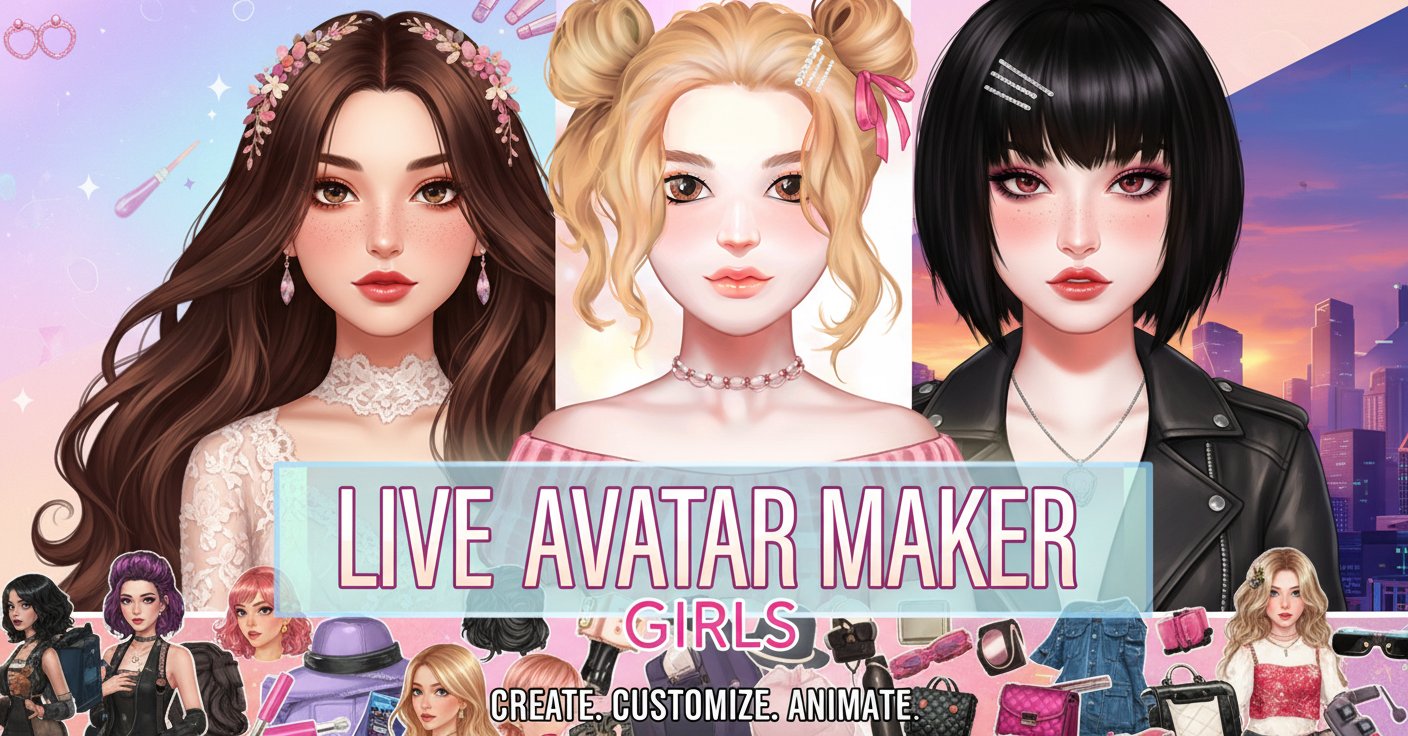
Live Avatar Maker: Girls is an engaging beauty and fashion game that empowers players to create their perfect animated avatar. This comprehensive character creation tool combines detailed customization options with stylish fashion elements, making it the ultimate destination for creative expression.
The game features highly detailed and animated facial features that bring your creations to life. Every element of your character can be personalized, from the smallest facial details to complete outfit ensembles, ensuring that no two avatars look exactly alike.
Core Features
Advanced Character Customization
The game offers unprecedented control over your avatar's appearance:
- Facial Feature Editor : Customize the size and shape of eyes, lips, ears, and nose with precision
- Animated Elements : All facial features are dynamically animated, creating lifelike expressions
- Hairstyle Designer : Choose from numerous hairstyles and customize colors and textures
- Makeup Studio : Apply various makeup styles including lipstick, eyeshadow, blush, and more
Fashion & Style Options
Express your fashion sense with extensive wardrobe choices:
- Trendy Clothing : Mix and match from a wide selection of stylish outfits
- Accessories Galore : Complete your look with fashionable accessories
- Color Coordination : Perfect color combinations to create stunning ensembles
- Style Variety : From casual to formal, find the perfect outfit for any occasion
Creative Freedom
The game encourages unlimited creativity through:
- Infinite Combinations : Millions of possible character combinations
- Save & Share : Preserve your favorite creations and show them off
- Inspiration Gallery : Get ideas from other players' creations
How to Play
Getting Started
- Launch the game in your web browser - no download required
- Choose your base character template
- Begin customizing facial features using the intuitive interface
Customization Process
- Face Editing : Use the left mouse button to adjust facial features
- Style Selection : Click through various hairstyles, makeup options, and clothing items
- Fine-Tuning : Adjust colors, sizes, and positions until perfect
- Final Touches : Add accessories and finishing touches to complete your avatar
Operation Guide
Mouse Controls : Use the left mouse button to navigate through all customization options. Simply click on different categories and items to apply changes to your avatar. The interface is designed for easy navigation, making the creation process smooth and enjoyable.
Menu Navigation : Access different customization categories through the main menu. Each section is clearly labeled and organized for quick access to specific features.
Why Play Live Avatar Maker: Girls
Perfect for Creative Expression
This game is ideal for anyone who loves character design, fashion, and creative expression. Whether you're designing your dream avatar or experimenting with different styles, the game provides endless entertainment.
Educational Value
- Color Theory : Learn about color combinations and fashion coordination
- Design Skills : Develop an eye for aesthetics and character design
- Digital Art : Introduction to digital character creation concepts
Stress-Free Entertainment
Enjoy a relaxing gaming experience with no time pressure or competitive elements. Focus purely on creativity and self-expression in a supportive environment.
Social Features
Create avatars that represent your personality or explore completely different styles. The game serves as both a creative outlet and a fun way to experiment with fashion and beauty trends.
Accessibility
- Free to Play : Completely free with no hidden costs
- Cross-Platform : Available on web browsers, iOS, and Android devices
- No Download Required : Play instantly in your browser
- Regular Updates : New content and features added regularly