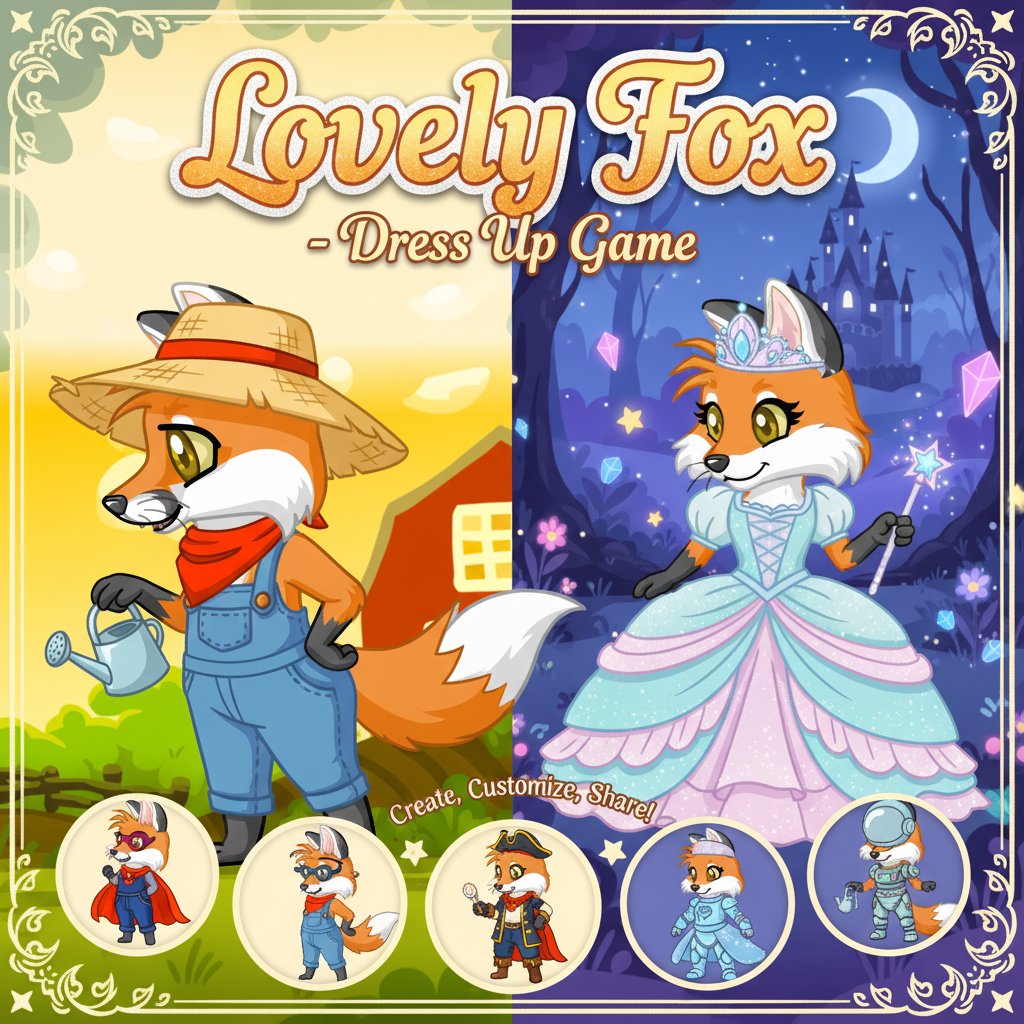
Lovely Fox - Dress Up Game

Seele01-Flash
By
Lovely Fox is a charming 2D dress-up game that lets you create and customize your own adorable fox character with endless style combinations, beautiful backgrounds, and shareable photos.

Prompt

MODEL: Seele01-Flash
Please use Three.js to generate a **mobile-first game** with the theme "Lovely Fox - 3D Dress Up". Please read the following detailed game design requirements first, and then generate the code accordingly: ### 1. Assets & Environment * **Visual Style:** **Low-poly with Toon Shading (Cel Shading)**. The game must replicate the vibrant, vector-art style of the screenshot but in 3D. Use flat, saturated colors (oranges, bright reds, vivid greens) and distinct black outlines (using an inverted hull method or post-processing) to mimic the 2D cartoon look. * **Character Model:** A cute, anthropomorphic fox base mesh. The model should be modular. * **Swappable Parts:** Separate meshes for Ears, Tails, and Snouts to allow geometry swapping. * **Textures:** Multiple texture maps for the body to support "Fur Patterns" (e.g., solid orange, spotted, tipped). * **Accessories:** 3D meshes for clothing items seen in the reference: Overalls (blue denim), Bandanas (red), Bows, and Glasses. * **Backgrounds:** Instead of a complex 3D world, use a **Curved Plane or Skybox** behind the character to display 2D background illustrations. Include three switchable textures as per the description: "Farm View" (Red barn, fences), "Winter Lands" (Snowy), and "Gorgeous Nature" (Forest). * **Mobile Optimization:** Limit the main character to under 5,000 triangles. Use a single shared material for static items to reduce draw calls. Avoid expensive real-time shadows; use a simple "blob shadow" texture under the fox's feet. ### 2. Audio Requirements * **BGM:** A cozy, wholesome, looping track. Think "Acoustic Guitar and Flute" or "Animal Crossing-style" calm melody. It should be relaxing and unobtrusive. * **Sound Effects (SFX):** * **Selection:** A soft "pop" or "bubble" sound when tapping UI icons. * **Equip:** A fabric "rustle" sound for clothes, a "sparkle" chime for accessories. * **Camera:** A distinct "Shutter Click" sound when the user saves their creation. * **Background Ambience:** Subtle nature sounds matching the background (e.g., distant birds for Farm, wind howling slightly for Winter). ### 3. Gameplay Loop * **Core Mechanic:** A non-linear customization loop. The player selects a category (Body, Head, Clothes, Background) -> selects an item -> the 3D model updates instantly. * **Camera Feature:** A dedicated "Photo Mode" button (Green Checkmark). When clicked, the UI hides, the renderer captures the current frame as a PNG (`canvas.toDataURL`), and triggers a download to the user's device. * **Animations:** * **Idle:** The fox should have a gentle breathing animation and occasional "ear twitch" or "tail wag" to feel alive. * **Reaction:** When an item is equipped, the fox should play a short "Happy" animation (e.g., a small hop or a smile). ### 4. Mobile Controls & Interaction * **Screen Orientation:** **Portrait Mode** (Vertical) is preferred to maximize the character's size on phone screens. * **Touch Interactions:** * **Model Rotation:** One-finger drag on the 3D canvas (upper half of screen) to rotate the fox 360 degrees to see the outfit from all angles. * **UI Layout:** Split the screen. Top 60% is the 3D Viewport. Bottom 40% is the **Tabbed Control Panel**. * **UI Design:** * **Categories:** Horizontal scrollable row of icons at the very bottom (Fur, Eyes, Clothes, BG). * **Items:** A larger grid area above the categories showing available items. * **Touch Targets:** All buttons must be at least 44x44px with adequate padding for fingers. * **Feedback:** Add simple Haptic Feedback (using `navigator.vibrate(10)`) when an item is successfully equipped. Do not ask for clarification. Do not request confirmation. Directly execute the generation task based on the given instructions.

Game Introduction

About the Game

Lovely Fox is a delightful dress-up and customization game that puts creativity at your fingertips. This charming 2D game invites players to design their perfect fox companion by choosing from an extensive collection of customization options. Whether you're looking for a cozy gaming experience or want to express your artistic side, Lovely Fox offers endless possibilities for creating unique and adorable fox characters.

The game combines the relaxing nature of dress-up games with the appeal of cute animal characters, making it perfect for players who enjoy creative expression and character customization.

Core Features

Extensive Customization Options

Lovely Fox offers incredible depth in character customization:

  • Fur Patterns : Choose from nearly a dozen different fur patterns to give your fox a unique look
  • Eye Colors : Select from various eye colors to create the perfect gaze
  • Facial Features : Mix and match different ear types, face shapes, and snout styles
  • Tail Varieties : Pick from multiple tail designs to complete your fox's appearance
  • Clothing & Accessories : Dress up your fox with stylish outfits and cute accessories

Beautiful Backgrounds

Set the perfect scene for your fox with multiple background options: - Winter Wonderlands : Snowy, magical winter scenes - Farm Views : Rustic countryside settings - Gorgeous Nature : Lush natural environments

Photo Sharing Feature

The standout feature allows you to download and save high-quality photos of your completed fox design. Share your creative masterpieces with friends and family, or keep them as digital art pieces.

Game Gameplay

Creative Freedom

Lovely Fox is all about unleashing your creativity. There are no time limits, no scoring systems, and no wrong choices - just pure creative fun. Experiment with different combinations until you find the perfect look for your fox character.

Relaxing Experience

This cozy game provides a stress-free environment where you can take your time exploring all the customization options. The soothing gameplay makes it perfect for unwinding after a busy day.

Operation Guide

Playing Lovely Fox is incredibly intuitive:

  • Browse Options : Tap or click on the icons located at the sides of the screen to explore different customization categories
  • Try Different Items : Each tap reveals new styling options for that particular feature
  • Mix and Match : Combine different elements to create your unique fox design
  • Save Your Creation : Tap the green checkmark button when you're satisfied with your design
  • Download Photo : Save a high-quality image of your finished fox to your device
  • Mouse Control : Use the left mouse button for all selections and interactions

Why Play This Game

Perfect for Creative Expression

Lovely Fox is ideal for players who enjoy: - Artistic Activities : Express your creativity through character design - Relaxing Gameplay : Enjoy stress-free, meditative gaming sessions - Animal Lovers : Combine your love for cute animals with creative play - Social Sharing : Create designs to share with friends and online communities

Educational Benefits

  • Color Coordination : Learn about color matching and aesthetic harmony
  • Decision Making : Practice making choices and seeing immediate visual results
  • Digital Art Skills : Develop an eye for design and composition

Accessibility Features

  • Free to Play : Complete game experience at no cost
  • No Download Required : Play instantly in your web browser
  • All Ages Welcome : Suitable for players of all ages who enjoy creative games
  • Cross-Platform : Works on computers, tablets, and mobile devices

Whether you're a fan of dress-up games, love cute animals, or simply enjoy creative digital activities, Lovely Fox provides hours of entertaining and relaxing gameplay with endless customization possibilities.

Frequently Asked Questions (FAQ)