
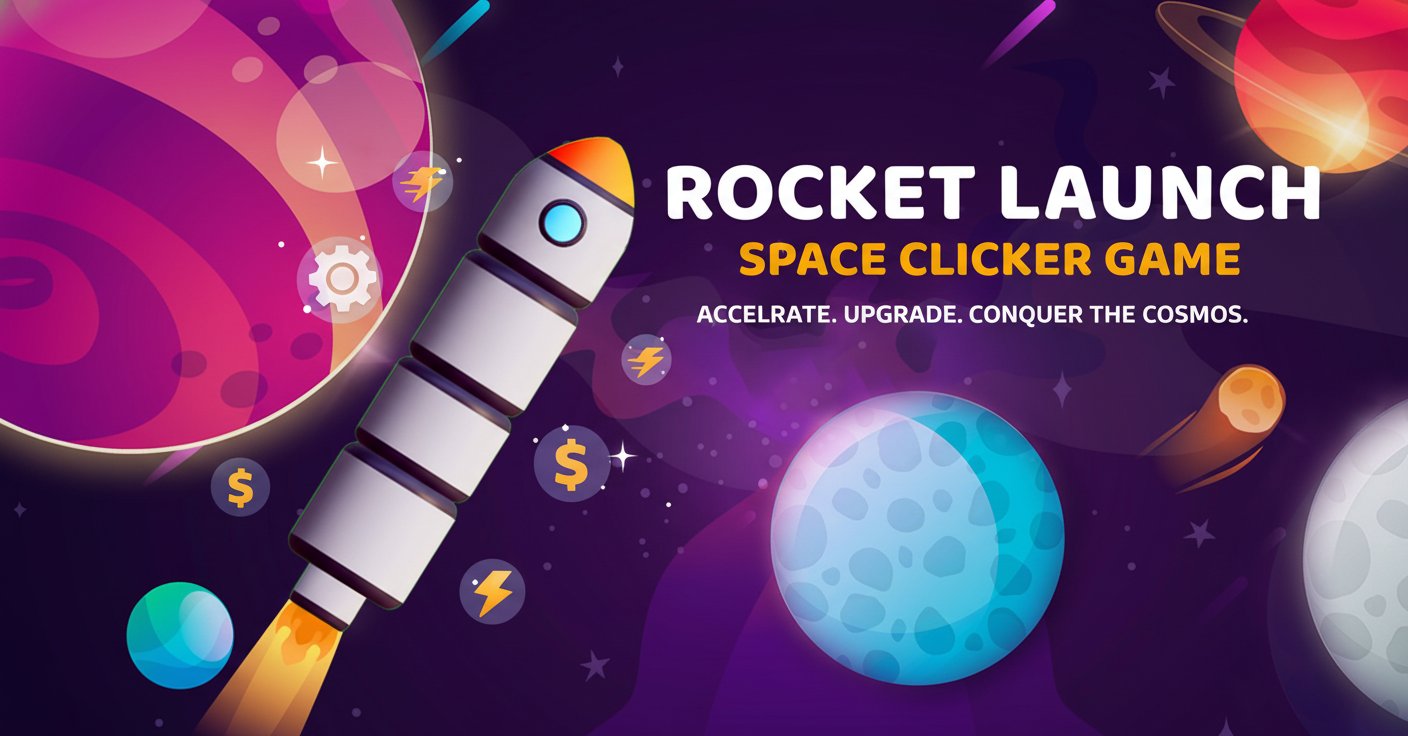
Rocket Launch - Space Clicker Game - Casual Game
 Driving
City Car Driving
Build an open-city free-driving game with car selection.
 Unity
UnityCupid's Arrow
Build a Unity archery game of timing and matchmaking.
 Unity
UnityEgg on the Car Roof
Build a Unity challenge: keep a fragile egg on a moving roof.
 Subscriber only
Unreal Mountain Tour
Tour a third-person Unreal world of mountains and water.
 Arcade
Pumpkin Night Adventure
Build a Halloween grid-arena survival romp.
 Adventure
Character Adventure Sim
Build a 3D character explorer with traversal and interactive zones.
 Unity
UnityStrawberry Grove Adventure
Build a cozy Unity pixel grove of exploration and collectibles.
 Voxel
VoxelVoxel Hero Adventure
Build a voxel hero who explores, mines, and builds.
 Shooter
Rail Shooter Ride
Build a roller-coaster rail shooter that aims as you ride.
 Puzzle
Magic Cube Puzzle
Build an interactive Rubik's Cube with scramble and reset.
DrivingCity Car Driving
Build an open-city free-driving game with car selection.
UnityCupid's Arrow
Build a Unity archery game of timing and matchmaking.
UnityEgg on the Car Roof
Build a Unity challenge: keep a fragile egg on a moving roof.
Subscriber onlyUnreal Mountain Tour
Tour a third-person Unreal world of mountains and water.
ArcadePumpkin Night Adventure
Build a Halloween grid-arena survival romp.
AdventureCharacter Adventure Sim
Build a 3D character explorer with traversal and interactive zones.
UnityStrawberry Grove Adventure
Build a cozy Unity pixel grove of exploration and collectibles.
VoxelVoxel Hero Adventure
Build a voxel hero who explores, mines, and builds.
ShooterRail Shooter Ride
Build a roller-coaster rail shooter that aims as you ride.
PuzzleMagic Cube Puzzle
Build an interactive Rubik's Cube with scramble and reset.
Prompt

Games are fun. Creating them is even better.
Game Introduction
About the Game
Rocket Launch is an engaging 3D clicker game that takes you on an exciting journey through the cosmos. This incremental arcade game combines simple clicking mechanics with strategic upgrade systems, creating an addictive gameplay loop that will keep you coming back for more. With its vibrant space-themed visuals and dynamic progression system, Rocket Launch offers hours of entertainment for casual and dedicated gamers alike.
Core Features
Addictive Clicker Mechanics
The core gameplay revolves around simple yet satisfying clicking mechanics. Hold your left mouse button to launch rockets and watch them soar through beautiful 3D space environments. Each click accelerates your rocket's speed, generating money that can be invested in powerful upgrades.
Strategic Upgrade System
Rocket Launch goes beyond basic clicking with its comprehensive upgrade system. Purchase new rockets with unique characteristics including: - Enhanced Speed : Faster rockets mean quicker money generation - Greater Fuel Capacity : Longer flights for maximum earnings - Advanced Propulsion : Specialized rocket types with unique abilities - Performance Boosters : Temporary and permanent enhancements
Competitive Race Sections
Take part in thrilling race competitions against other rockets for additional rewards and excitement. These special events add a competitive element to the traditional clicker gameplay, offering bonus prizes and bragging rights.
Stunning Visual Experience
Immerse yourself in breathtaking 3D space environments featuring colorful planets, swirling galaxies, and dynamic lighting effects. The game's visual design creates an engaging atmosphere that enhances the overall gaming experience.
Game Mechanics
Click Management Strategy
Success in Rocket Launch requires more than rapid clicking. Strategic click management is essential to maximize your rocket's performance and progress efficiently through the game's various stages.
Progressive Difficulty
As you advance, rockets become more expensive but offer greater rewards. This incremental progression system ensures constant challenges and goals to work towards.
Money Management
Earned currency can be strategically invested in various upgrades. Choose between immediate performance boosts or long-term investments that provide sustained benefits.
Operation Guide
Basic Controls: - Hold Left Mouse Button : Launch and accelerate your rocket - Click Interface Buttons : Navigate menus and purchase upgrades - Mouse Movement : Explore the 3D environment
Getting Started: 1. Hold the left mouse button to launch your first rocket 2. Watch your rocket accelerate and earn money 3. Use earned currency to purchase upgrades 4. Unlock new rockets with better capabilities 5. Participate in races for bonus rewards
Pro Tips: - Balance between speed upgrades and fuel capacity for optimal earnings - Save money for significant rocket upgrades rather than small improvements - Participate in every race opportunity for maximum rewards - Experiment with different rocket types to find your preferred playstyle
Platform Compatibility
Rocket Launch is fully optimized for web browsers, supporting both desktop and mobile platforms. The game runs smoothly on: - Desktop Browsers : Chrome, Firefox, Safari, Edge - Mobile Devices : iOS and Android browsers - Cross-Platform : Progress syncs across devices when logged in
Why Play Rocket Launch
This space clicker game offers the perfect combination of relaxing gameplay and engaging progression. Whether you're looking for a quick gaming session or hours of incremental progression, Rocket Launch delivers:
- Zero Cost : Completely free to play with no hidden fees
- Instant Access : No downloads required - play directly in your browser
- Universal Appeal : Simple mechanics that anyone can enjoy
- Depth : Strategic elements that reward thoughtful play
- Visual Delight : Beautiful 3D graphics that enhance the experience
- Mobile Friendly : Optimized for touch controls on smartphones and tablets
Join millions of players exploring the cosmos, one click at a time!