Slime Clicker - Ultimate Idle Clicker Game
Seele01-Flash
By
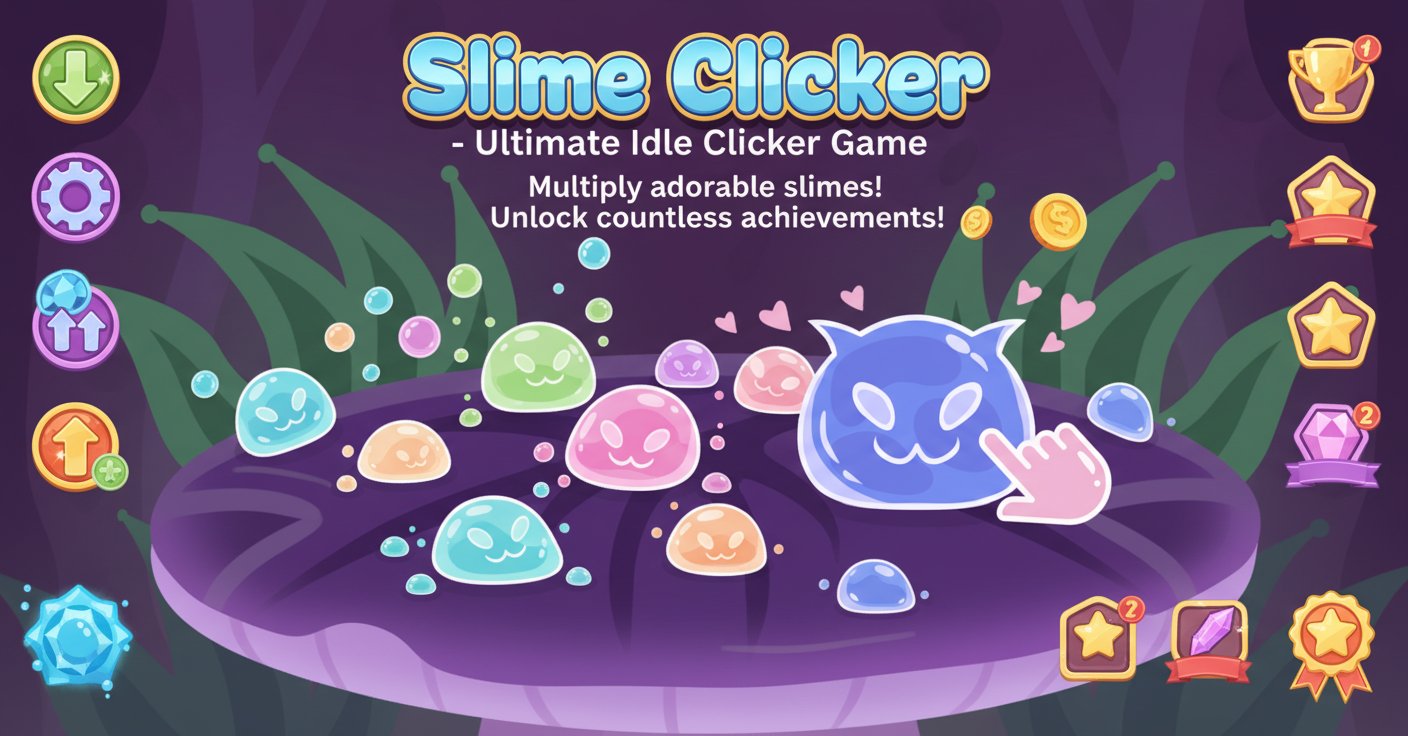
Slime Clicker is the ultimate idle clicker experience where you multiply adorable slimes through clicking, upgrade your production, and unlock countless achievements in this addictive incremental game.

Prompt

MODEL: Seele01-Flash
Please use Three.js to generate a **mobile-first game** with the theme "Slime Clicker 3D". Please read the following detailed game design requirements first, and then generate the code accordingly: ### 1. Assets & Environment * **Visual Style**: Stylized "Toon Shaded" or "Cell Shaded" 3D graphics that mimic the flat, vector art style of the reference image. The palette should be vibrant, using deep purples for the background, neon blues for the slime, and pastel pinks for UI/interaction elements. * **Central Asset (The Slime)**: Create a low-poly, semi-transparent blue slime geometry (e.g., a modified sphere or soft-body simulation using vertex shaders). It should feature simple facial geometry (glowing eyes, cat-like mouth) floating on the mesh surface. * **Environment**: A minimalist floating podium or ground plane with a dark purple texture. Add stylized, flat-shaded green grass blades in the background that sway slightly to simulate wind. * **Particles & Effects**: * **Click Impact**: When tapped, small droplets or bubbles should emit from the contact point. * **Hearts**: Floating pink heart sprites when the "Feed" mechanic is triggered. * **Floating Text**: "Damage/Score" numbers (+1, +100) that spawn on click, float upwards, and fade out. * **Mobile Optimization**: Use `InstancedMesh` if rendering multiple background elements. Limit real-time shadows; use baked lighting or a simple ambient light + directional light setup to save battery. Ensure the canvas handles high-DPI (Retina) displays correctly. ### 2. Audio Requirements * **BGM**: A loopable, cheerful, and relaxing "Kawaii" style track using soft synths and a slow tempo (approx. 90-100 BPM) to encourage idle play. * **Sound Effects (SFX)**: * **Tap**: A satisfying, wet "squish" or "pop" sound with slight pitch variation on each click to prevent monotony. * **UI**: Soft "bloop" sounds for menu interactions. * **Feeding**: A cute "munch" or happy chime sound. * **Upgrade**: A magical "level up" crescendo. ### 3. Gameplay Loop * **Core Mechanic**: The player taps the central slime to generate "Slime Currency". * **Economy & Upgrades**: * **Click Power**: Spend currency to increase slimes generated per tap. * **Auto-Production**: Spend currency to buy "Mini Slimes" that generate currency automatically over time (Idle mechanics). * **Feeding System**: A specific "Feed" button consumes a portion of currency to fill a "Happiness Bar". When full, the slime enters a "Happy Mode" (glowing effect) providing a temporary 2x production multiplier. * **Progression**: * **Unlockables**: Reaching currency milestones changes the slime's color or accessories (e.g., hats). * **Rebirth**: A "Prestige" button available after reaching 1 billion slimes. It resets progress but grants a permanent multiplier. ### 4. Mobile Controls & Interaction * **Screen Orientation**: Portrait Mode (Vertical) to allow for one-handed play. * **Touch Controls**: * **Main Interaction**: Use Raycaster to detect touches on the central slime mesh. The hit area should be slightly larger than the visual model to ensure forgiving input. * **UI Layout**: Place critical buttons (Upgrades, Feed) in the bottom 30% of the screen (Thumb Zone). Buttons should have a minimum touch target of 48x48px. * **Haptic Feedback**: Trigger `navigator.vibrate(5)` (short, sharp vibration) on every tap to simulate the physical sensation of poking a slime. * **Visual Feedback**: * **Squash & Stretch**: On tap, the slime mesh should briefly scale down on the Y-axis and expand on the X/Z axes (bouncing effect) to visualize the impact. * **Camera Shake**: A very subtle camera shake when critical hits or large milestones occur. Do not ask for clarification. Do not request confirmation. Directly execute the generation task based on the given instructions.

Game Introduction

About the Game

Slime Clicker is a captivating idle clicker game that combines simple clicking mechanics with deep progression systems. In this colorful 2D world, you'll start with a single cute slime and build an entire slime empire through strategic clicking and smart upgrades. The game features charming cartoon-style graphics with adorable slime characters that will keep you engaged for hours.

As an incremental game, Slime Clicker offers the perfect balance of active clicking and passive progression, making it ideal for both casual gaming sessions and long-term idle play.

Core Features

Endless Slime Production

The core gameplay revolves around clicking to multiply your slimes and watching your collection grow exponentially. Each click generates more slimes, and as you progress, you'll unlock automatic production systems that generate slimes even when you're not actively playing.

Comprehensive Upgrade System

Invest your slimes in powerful upgrades that enhance both your clicking efficiency and automatic production rates. The upgrade tree offers multiple paths for optimization, allowing you to customize your slime farming strategy.

Slime Care and Happiness

Feed your slimes to keep them happy and productive. Happy slimes produce significantly more offspring, adding a strategic layer to resource management. Different foods provide various bonuses and effects.

Diverse Slime Types and Environments

Unlock dozens of unique slime varieties, each with distinct appearances and production bonuses. Discover new environments that provide special multipliers and create the perfect slime combinations for maximum efficiency.

Achievement and Quest Systems

Complete challenging achievements and daily quests to earn special rewards and unlock new content. The achievement system provides long-term goals that keep the gameplay fresh and rewarding.

Rebirth Mechanism

When you've progressed far enough, use the rebirth feature to restart with permanent bonuses. This prestige system allows for exponential growth and provides motivation for multiple playthroughs.

Game Mechanics

Click-Based Production

The fundamental mechanic involves clicking on slimes to multiply them. Each click generates a certain number of new slimes based on your current multipliers and upgrades.

Idle Progression

Purchase auto-clickers and passive production buildings that continue generating slimes even when you're offline. Return to find your slime population has grown substantially.

Resource Management

Balance spending slimes on immediate upgrades versus saving for larger investments. Strategic resource allocation is key to optimizing your production efficiency.

Controls and Interface

Simple One-Click Controls

Mouse Controls: - Left Click : Click on slimes to multiply them - Menu Navigation : Use mouse to navigate upgrade menus and options - Drag and Drop : Some feeding and care mechanics use intuitive drag controls

The interface is designed for accessibility, with large, clear buttons and visual feedback for all interactions.

Why Play Slime Clicker

Perfect for All Gaming Styles

Whether you prefer active gaming with constant clicking or passive idle progression, Slime Clicker accommodates both playstyles seamlessly.

No Pressure Gaming

As a free browser game with no time limits or energy systems, you can play at your own pace without pressure or artificial constraints.

Satisfying Progression

The incremental nature provides constant sense of progress and achievement, with meaningful upgrades and visible growth in your slime empire.

Cross-Platform Accessibility

Play seamlessly across desktop and mobile devices without losing progress, making it perfect for gaming on the go.

Community and Competition

Compete with other players through achievement leaderboards and share your slime farming strategies with the community.

Frequently Asked Questions (FAQ)