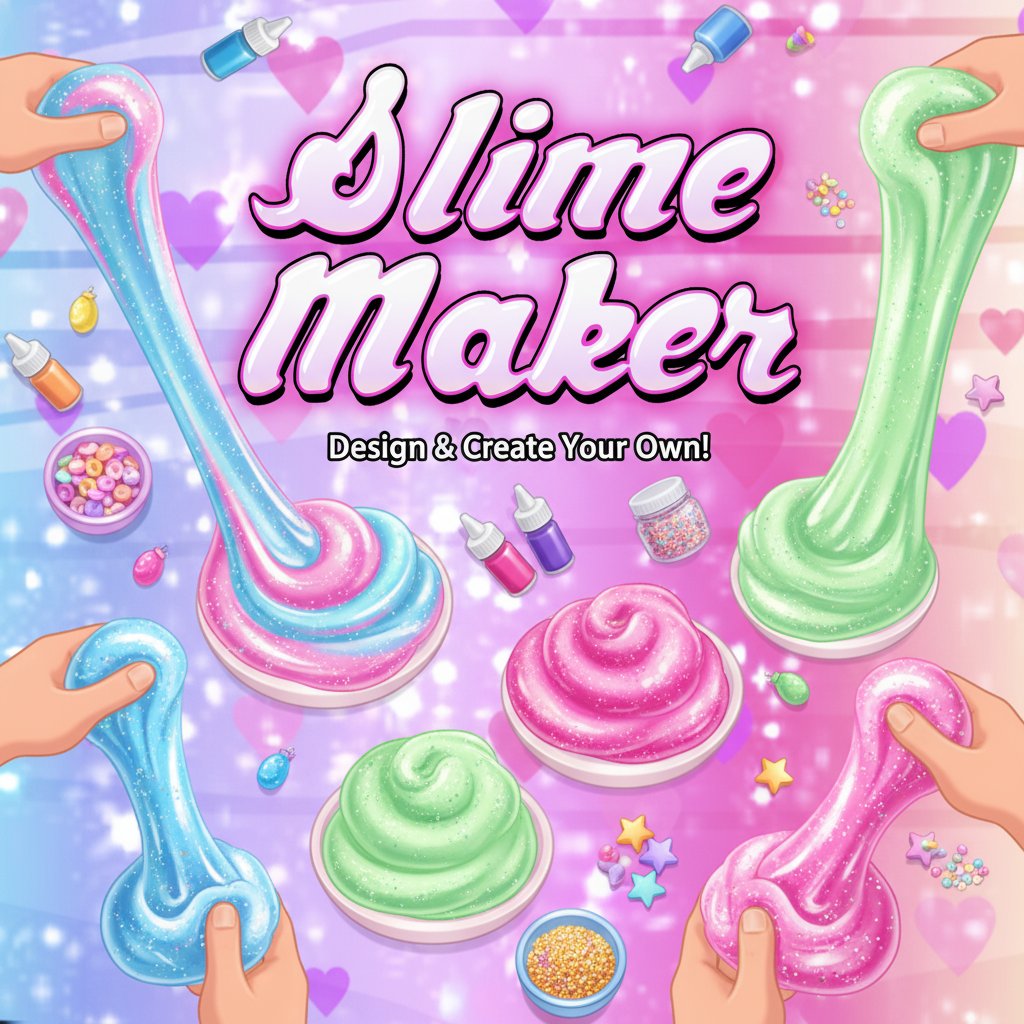
Slime Maker

Seele01-Flash
By
Slime Maker is a delightful creativity game where you can design and create your own virtual slimes. Mix colors, add textures, and experiment with different ingredients to make the perfect slime creations.

Prompt

MODEL: Seele01-Flash
Please use Three.js to generate a **mobile-first game** with the theme "Slime Maker DIY Simulator". Please read the following detailed game design requirements first, and then generate the code accordingly: ### 1. Assets & Environment * **Visual Style:** The aesthetic must be extremely "Kawaii" and pastel-colored. Use a palette dominated by bubblegum pink, lilac purple, and sky blue gradients. The background should be a dynamic shader featuring floating hearts and a subtle glitter/sparkle particle effect. * **Central Object (The Slime):** Create a high-quality, physically based "blob" mesh at the center of the screen. * **Material:** It needs to look gooey and glossy. Use `MeshPhysicalMaterial` with high transmission, clearcoat, and low roughness to simulate a jelly-like texture. * **Deformation:** Implement vertex shader displacement or simple vertex manipulation to make the slime wobble and deform when touched, simulating a soft body. * **Decorations (Mix-ins):** Include 3D models for "mix-ins" that can be added to the slime: glitter particles, foam beads (small spheres), and charm icons (hearts, stars, fruit slices). * **Lighting:** Soft, studio-style lighting. Use an `AmbientLight` for base brightness and two `PointLights` (one pink, one cool blue) to create nice specular highlights on the glossy slime surface. * **Performance:** Ensure the slime mesh resolution is optimized for mobile GPUs (use a reasonable segment count, not too high). ### 2. Audio Requirements * **BGM:** A looping, lo-fi hip hop or chill-pop track. It should be instrumental, slow-tempo, and very relaxing. * **SFX (Crucial for ASMR):** * **Poke/Squish:** Wet, sticky "squelch" sounds that vary slightly in pitch each time the user touches the slime. * **Add Ingredient:** A light "pop" or "sprinkle" sound when decorations are added. * **Stretch:** A distinct stretching sound (like pulling taffy) if the user drags quickly. * **UI:** Soft "bubble pop" sounds for button clicks. ### 3. Gameplay Loop * **Phase 1: Mixing (The Setup):** The player starts with a clear bowl. They must tap buttons to add "Glue", "Activator", and "Color" (change the material color of the slime mesh dynamically). * **Phase 2: Decoration:** The player selects from a scrollable bottom menu to add mix-ins (glitter, beads). These objects should stick to the surface of the slime mesh. * **Phase 3: Play (The Core Loop):** This is an endless sandbox mode. * The player interacts with the finished slime. * There is no "win/loss" state; the goal is pure relaxation and aesthetic satisfaction. * A "Reset/New Slime" button allows them to start over with a new color combination. ### 4. Mobile Controls & Interaction * **Screen Orientation:** **Portrait Mode** (vertical) is required for easy one-handed play. * **Touch Controls (Raycasting):** * **Poke:** A single tap on the slime triggers a vertex indentation at that point and a squish sound. * **Stretch/Swirl:** Dragging a finger across the slime should drag the vertices, creating a swirling or stretching visual effect. * **UI Layout:** * Place all interaction buttons (Ingredients, Reset, Photo Mode) in the bottom 25% of the screen (the "thumb zone"). * Buttons should be large, rounded pills or circles (min 48px height) to be touch-friendly. * **Haptic Feedback:** Trigger a light vibration (`navigator.vibrate(20)`) on every poke or interaction to simulate the tactile feeling of touching the slime. Do not ask for clarification. Do not request confirmation. Directly execute the generation task based on the given instructions.

Game Introduction

About Slime Maker

Slime Maker is an engaging creative simulation game that lets you experience the satisfying world of slime making without the mess! This colorful and interactive game allows players to experiment with different ingredients, colors, and textures to create their perfect slime recipes. With its vibrant pink and purple aesthetic featuring hearts and sparkles, the game creates a magical crafting environment that's both relaxing and entertaining.

Core Features

Slime Maker offers an extensive range of creative possibilities:

  • Unlimited Creativity : Mix and match countless color combinations to create unique slime designs
  • Realistic Textures : Experience authentic slime physics and satisfying stretchy animations
  • Multiple Ingredients : Choose from various add-ins like glitter, beads, foam balls, and colorful decorations
  • Easy-to-Use Interface : Simple drag-and-drop controls make slime creation accessible for all ages
  • No Mess Guarantee : Enjoy all the fun of slime making without any cleanup required
  • Free to Play : Complete slime making experience with no hidden costs or premium features

Creative Slime Recipes

Experiment with different combinations to discover new slime types. From fluffy cloud slimes to clear crystal slimes, glittery galaxy slimes to colorful rainbow creations - the possibilities are endless. Each ingredient affects the final texture and appearance of your slime.

Relaxing Gameplay Experience

The game provides a calming, stress-relieving experience perfect for unwinding. The gentle background music, soft color palette, and satisfying slime manipulation create a peaceful creative environment.

Game Mechanics

Creating slimes is intuitive and enjoyable:

  • Base Selection : Start by choosing your slime base color from a rainbow palette
  • Ingredient Mixing : Add various textures like foam beads, glitter, or sequins
  • Color Blending : Mix multiple colors to create gradient effects and unique patterns
  • Texture Adjustment : Control the consistency from stretchy to fluffy
  • Final Touches : Add decorative elements to make your slime truly special

Operation Guide

The game uses simple mouse or touch controls:

  • Click/Tap : Select ingredients and colors from the menu
  • Drag : Move ingredients into your slime mixture
  • Stir : Mix your slime by dragging in circular motions
  • Stretch : Click and drag to test your slime's texture
  • Save : Capture screenshots of your favorite creations

The intuitive interface makes it easy for players of all ages to start creating immediately. Visual cues and helpful tooltips guide you through the slime-making process.

Why Play Slime Maker

This game is perfect for anyone who loves creative activities and satisfying sensory experiences. Whether you're looking to relax after a long day, explore your artistic side, or simply enjoy the therapeutic nature of slime making, this game delivers. It's particularly appealing to those who enjoy crafting games, simulation experiences, and stress-relief activities. The game combines the popularity of real-world slime making with the convenience of digital play, making it accessible anytime, anywhere.

Frequently Asked Questions (FAQ)