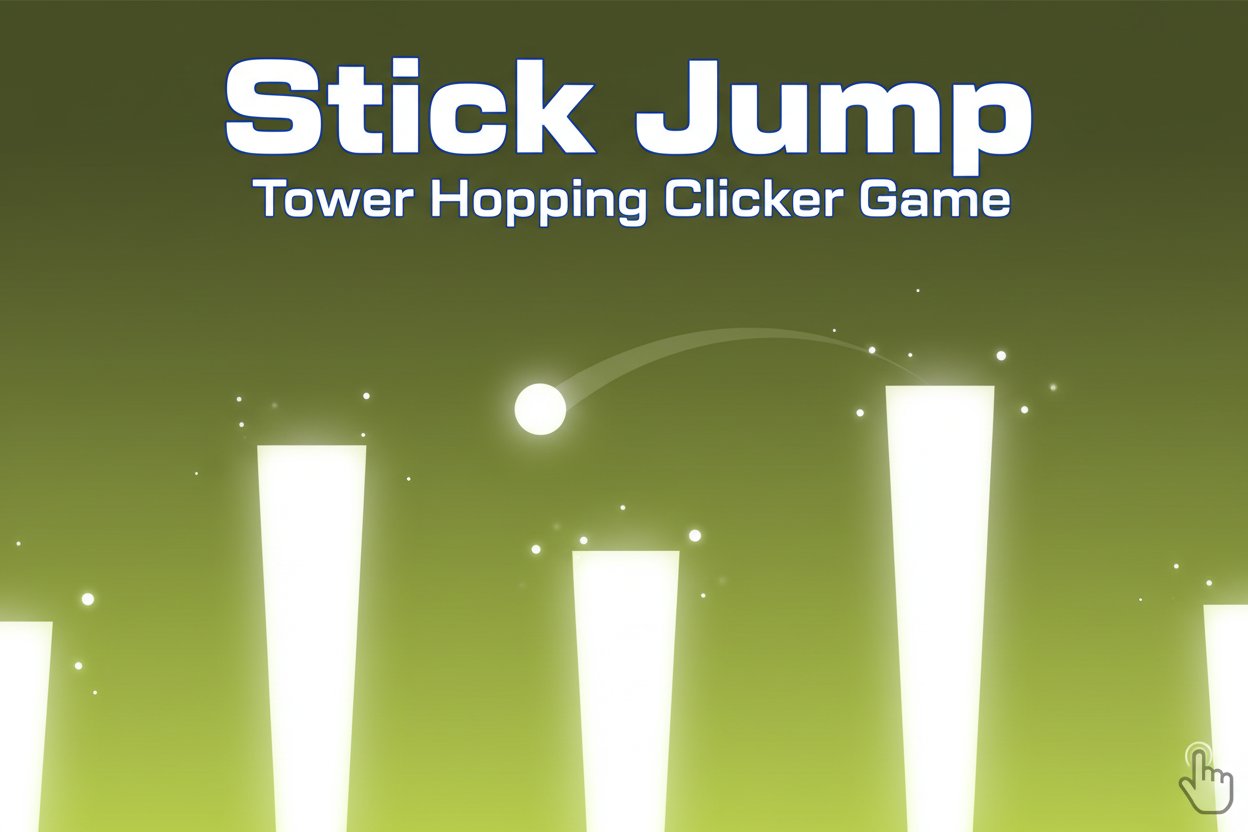
Stick Jump - Tower Hopping Clicker Game

Seele01-Flash
By
Stick Jump is an addictive clicker game where you guide a white ball across towers using precise timing and physics. Master the art of jumping to achieve the highest score possible.

Prompt

MODEL: Seele01-Flash
Please use Three.js to generate a **mobile-first game** with the theme "Stick Jump". Please read the following detailed game design requirements first, and then generate the code accordingly: ### 1. Assets & Environment * **Visual Style:** Ultra-minimalist "Flat Design" aesthetic rendered in 3D but utilizing an **Orthographic Camera** to mimic the 2D look of the screenshot. * **Color Palette:** Strict two-tone scheme. Background is a deep Olive Green (approx hex `#4B5320`). All game entities (Player, Towers) are Pure White (`#FFFFFF`). * **Models:** * **Player:** A simple sphere. Apply "Squash and Stretch" scaling logic: flatten the sphere vertically when charging a jump, stretch it when in the air. * **Towers:** Vertical rectangular prisms (boxes). They must have variable widths and varying gaps between them. The tops must be flat. * **Performance (Mobile):** Use `MeshBasicMaterial` (unlit) for maximum performance on mobile GPUs. No complex lighting or shadows are needed; the aesthetic relies on high contrast. Use object pooling for the towers to prevent garbage collection stutters. ### 2. Audio Requirements * **BGM:** A calm, ambient lo-fi track that is subtle and looping, promoting concentration. * **Sound Effects (SFX):** * **Charging:** A pitch-rising synthesizer sound that loops/escalates while the screen is pressed. * **Jump:** A quick "Pop" or "Whoosh" sound upon release. * **Land:** A solid "Thud" or "Click" when landing successfully on a tower. * **Fall:** A descending whistle or low-frequency "wobble" sound when the player misses a tower. ### 3. Gameplay Loop * **Core Mechanic (Charge-to-Jump):** * The player is stationary on a tower. * **Input:** User holds down the screen to build "Jump Power". * **Feedback:** While holding, the white ball physically squashes down (scales on Y-axis) and a visual power bar (or trajectory hint) expands. * **Release:** Upon release, launch the ball. The jump trajectory should be a fixed angle (e.g., 60 degrees) with velocity determined by the hold duration. * **Win/Loss:** * **Success:** Landing on the top surface of the next tower (or skipping a tower to land on a further one). Score +1 for every tower passed. * **Fail:** Falling below the height of the tower tops (falling into the "cracks"). * **Progression:** Infinite generation. As the score increases, towers become narrower and the gaps between them become wider/more random. * **Camera:** Smoothly pan the camera horizontally to center the player *after* a successful landing. Do not lock the camera strictly to the player during the arc to prevent motion sickness. ### 4. Mobile Controls & Interaction * **Touch Scheme:** Single-touch input anywhere on the screen. * `touchstart` / `mousedown`: Begin charging power. * `touchend` / `mouseup`: Release to jump. * **Orientation:** Support **Landscape Mode** primarily to allow the player to see the upcoming towers, but ensure the canvas resizes responsively. * **Feedback:** * **Haptic:** Trigger a light vibration (Taptic Engine/Navigator Vibrate) when the player lands successfully. * **Visual:** Display the score prominently in the top center (White text, clean sans-serif font). * **Menu:** A simple "Game Over" overlay with "Current Score," "Best Score," and a "Restart" button (minimum touch target 44x44px). Do not ask for clarification. Do not request confirmation. Directly execute the generation task based on the given instructions.

Game Introduction

About the Game

Stick Jump is a captivating physics-based clicker game that challenges your timing and precision skills. In this minimalist yet engaging experience, you control a white ball navigating across a series of towers of varying heights and distances. The game features clean green and white graphics that focus your attention on the core gameplay mechanics.

With a 3.3/5 rating from players, Stick Jump offers the perfect balance of simplicity and challenge that keeps you coming back for more attempts at beating your high score.

Core Features

Simple Yet Addictive Gameplay

The beauty of Stick Jump lies in its simplicity. One-touch controls make it instantly accessible, while the physics-based mechanics provide depth and challenge that grows with your skill level.

Completely Free to Play

Enjoy unlimited gameplay sessions without any cost. No downloads, subscriptions, or hidden fees - just pure gaming entertainment.

Cross-Platform Compatibility

Play seamlessly on both mobile devices and desktop computers. The game adapts perfectly to touch screens and mouse controls.

Physics-Based Challenge

Each jump follows realistic physics principles. The longer you hold down, the further your ball travels, requiring careful calculation for each leap.

Progressive Difficulty

Towers appear at varying distances and heights, creating an ever-changing challenge that tests your adaptability and timing skills.

Score Tracking & Leaderboards

Track both your best and most recent scores. Compete on the leaderboards by clicking the trophy icon to see how you rank against other players worldwide.

Game Mechanics

Tower Variations

The game presents diverse tower configurations: - Short gaps : Perfect for quick, precise jumps - Long distances : Require maximum power and perfect timing - Multiple towers : You can leap over several towers in a single jump - Height variations : Different tower heights add strategic depth

Scoring System

Earn one point for each tower you successfully land on. Your objective is to achieve the longest possible chain of successful jumps before falling.

Operation Guide

Basic Controls

  • Press and Hold : Click and hold (desktop) or press and hold (mobile) to charge your jump
  • Release : Let go to launch the ball
  • Jump Power : The longer you hold, the further the ball will travel
  • Precision Timing : Release at the optimal moment to land on the next tower

Winning Strategy

  1. Study the Pattern : Observe tower spacing before making your move
  2. Practice Timing : Learn how long to hold for different distances
  3. Stay Calm : Rushing leads to miscalculated jumps
  4. Aim for Consistency : Focus on steady progress rather than risky long jumps

Why Play Stick Jump

Perfect for Quick Sessions

Ideal for short gaming breaks or extended play sessions. Each round takes just minutes, making it perfect for busy schedules.

Develops Skills

Improves hand-eye coordination, timing precision, and spatial awareness through engaging gameplay.

Stress-Free Entertainment

The minimalist design and soothing gameplay provide a relaxing gaming experience without complex mechanics or overwhelming visuals.

Competitive Element

Leaderboards add a competitive aspect, motivating you to improve your skills and achieve higher scores.

Universal Appeal

Suitable for all ages and skill levels. Easy to learn but challenging to master, appealing to both casual and dedicated gamers.

Frequently Asked Questions (FAQ)