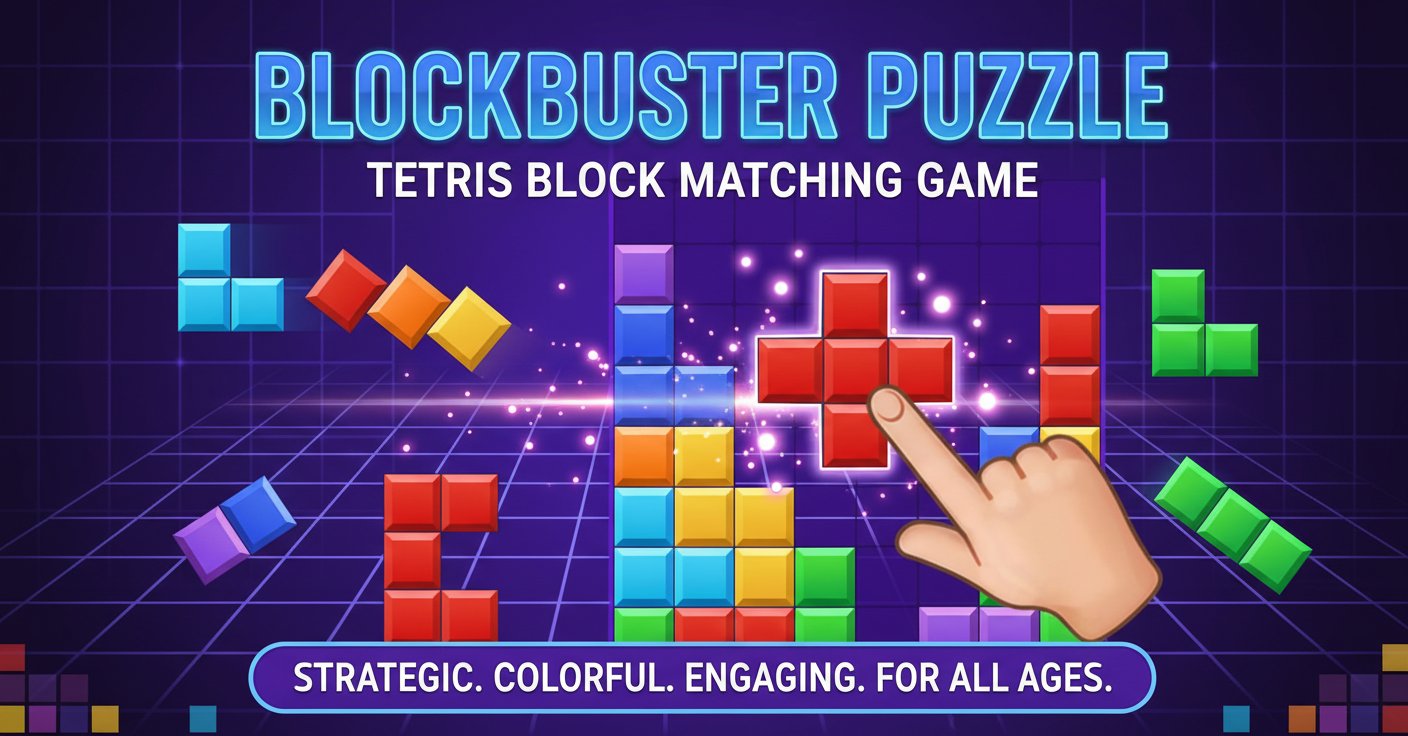
BlockBuster Puzzle - Tetris Block Matching Game

Seele01-Flash
By
BlockBuster Puzzle is an engaging Tetris-style puzzle game where you strategically place colorful geometric blocks to clear lines and unlock new challenges. Perfect for puzzle enthusiasts of all ages.

Prompt

MODEL: Seele01-Flash
Please use Three.js to generate a **mobile-first game** with the theme "**BlockBuster Puzzle**". Please read the following detailed game design requirements first, and then generate the code accordingly: ### 1. Assets & Environment * **Visual Style**: Create a vibrant, semi-glossy "Juicy" aesthetic. The blocks should look like polished, slightly beveled colorful plastic or candy squares. * **Grid System**: A dark purple or deep indigo background grid (e.g., 8x8 or 10x10) with subtle glowing lines separating the cells. * **Block Assets**: * Generate standard Tetris-like shapes (Polyominoes: Square, L-shape, T-shape, Line, etc.) composed of individual `BoxGeometry` cubes. * **Colors**: Use high-saturation, distinct colors for different shapes (Ruby Red, Emerald Green, Sapphire Blue, Golden Yellow, Amethyst Purple). * **Materials**: Use `MeshStandardMaterial` with moderate roughness and high metalness for a shiny plastic look. Add a rim light effect using a custom shader or careful lighting positioning. * **Particles & Effects**: * Implement a particle explosion effect (using `Points` or small instanced meshes) that triggers when a line is cleared. The particles should match the color of the cleared blocks and fade out quickly. * Add a subtle white "glow" outline or highlight behind the block currently being dragged by the player. * **Mobile Optimization**: Use `InstancedMesh` for the static blocks placed on the grid to reduce draw calls. Limit particle count to ~50 per explosion for mobile performance. ### 2. Audio Requirements * **BGM (Background Music)**: A relaxing, looping synth-pop track. Think "elevator bossa nova" mixed with modern mobile puzzle chill-hop. It should be non-intrusive to allow for long play sessions. * **SFX (Sound Effects)**: * **Pick Up**: A soft, high-pitched "pop" or suction sound when a player touches/grabs a block shape. * **Place/Drop**: A solid, tactile "thud" or "click" when a block snaps into the grid. * **Invalid Move**: A dull, low-frequency "thump" or buzzer if the player tries to place a block where it doesn't fit. * **Line Clear**: A satisfying, ascending chime or digital "shimmer" sound. * **Combo**: Pitch-shifted versions of the line clear sound that get higher with consecutive clears. ### 3. Gameplay Loop * **Core Mechanic**: This is a "Woodoku" or "Blockudoku" style game, NOT a falling block (Tetris) game. * Three random shapes appear in a "Dock" area at the bottom of the screen. * The player drags these shapes onto the main grid. * The shapes act as solid objects; they do not fall. * **Clearing**: When a row (horizontal) or column (vertical) is completely filled with blocks, that line dissolves immediately, awarding points. * **Turn Logic**: The player must place all three available shapes from the Dock to spawn a new set of three shapes. * **Game Over**: The game ends if there is no space on the grid to place any of the remaining shapes in the Dock. * **Scoring**: * 10 points per block placed. * 100 points per line cleared. * Multiplier x2 or x3 for clearing multiple lines at once (Combos). ### 4. Mobile Controls & Interaction * **Touch Input**: * **Drag & Drop**: Implement Raycaster logic for touch events (`touchstart`, `touchmove`, `touchend`). * **Offset Handling**: Crucial for mobile—when the player drags a shape, render the shape slightly *above* their finger (Y-axis offset in screen space) so the player's hand doesn't cover the puzzle piece they are trying to place. * **Grid Snapping**: * As the player drags a shape over the board, show a "Ghost" or semi-transparent preview of where the block will land if released. * The snap radius should be generous to accommodate imprecise touch inputs. * **Orientation**: Portrait mode fixed. * **Layout**: Top 60% is the Game Board, Bottom 30% is the Shape Dock, Top 10% is Score/UI. * **Feedback**: * Trigger `window.navigator.vibrate(50)` (Haptic Feedback) when a block is successfully dropped into the grid or a line is cleared. Do not ask for clarification. Do not request confirmation. Directly execute the generation task based on the given instructions.

Game Introduction

About the Game

BlockBuster Puzzle is a captivating block-matching puzzle game that combines the classic appeal of Tetris with modern colorful graphics and strategic gameplay. This free online game challenges players to think strategically while placing geometric blocks to create complete lines that disappear from the board.

Unlike traditional Tetris where blocks fall automatically, BlockBuster Puzzle gives you full control over block placement, allowing for more thoughtful and strategic gameplay. The vibrant graphics and smooth mechanics make it an enjoyable experience for both casual players and puzzle masters.

Core Features

Strategic Block Placement

The game provides various geometric shapes on the side of your screen, each requiring careful consideration for optimal placement. Your goal is to arrange these blocks on the main game board to form complete horizontal lines without gaps.

Colorful Visual Experience

Featuring bright, vibrant colors and polished graphics, BlockBuster Puzzle offers an visually appealing gaming experience that keeps players engaged for hours.

Progressive Difficulty

As you advance through levels, new challenges and realms unlock, providing fresh gameplay experiences and increasing complexity to test your puzzle-solving skills.

Combo System and Scoring

Create spectacular combos by clearing multiple lines with a single move. Special jeweled blocks offer bonus points, and the scoring system rewards strategic thinking and efficient play.

No Time Pressure

Unlike many puzzle games, BlockBuster Puzzle has no time limit, allowing you to think through each move carefully and play at your own comfortable pace.

Gameplay Mechanics

How to Play

Gameplay is intuitive and accessible: - Select geometric blocks from the side panel - Drag and drop them onto the main game board - Position blocks to create complete horizontal lines - Watch as completed lines disappear and earn points - Continue placing blocks to achieve high scores and combos

Strategic Elements

Success requires spatial reasoning and forward planning. Consider how each block placement affects future moves, and look for opportunities to clear multiple lines simultaneously for maximum points.

Controls and Interface

The game features simple, responsive controls perfect for both desktop and mobile play: - Mouse Controls : Click to select blocks, drag to position them on the board - Touch Controls : Tap and drag on mobile devices for seamless gameplay - User Interface : Clean, intuitive design with helpful tutorials for new players

Platform Compatibility

BlockBuster Puzzle is fully optimized for cross-platform play: - Web Browsers : Play directly in any modern browser on desktop or mobile - Mobile Devices : Responsive design works perfectly on smartphones and tablets - No Download Required : Instant access through your browser without installation

Why Play BlockBuster Puzzle

Perfect for All Ages

The game strikes an ideal balance between accessibility and challenge, making it suitable for children learning spatial reasoning and adults seeking mental stimulation.

Brain Training Benefits

Regular play helps develop: - Spatial awareness and visual perception - Strategic planning and problem-solving skills - Pattern recognition abilities - Concentration and focus

Stress-Free Gaming

With no time pressure or competitive elements, BlockBuster Puzzle offers a relaxing yet engaging gaming experience perfect for unwinding or taking a mental break.

Free Entertainment

Enjoy hours of puzzle-solving entertainment completely free, with no hidden costs or premium features locked behind paywalls.

Frequently Asked Questions (FAQ)