
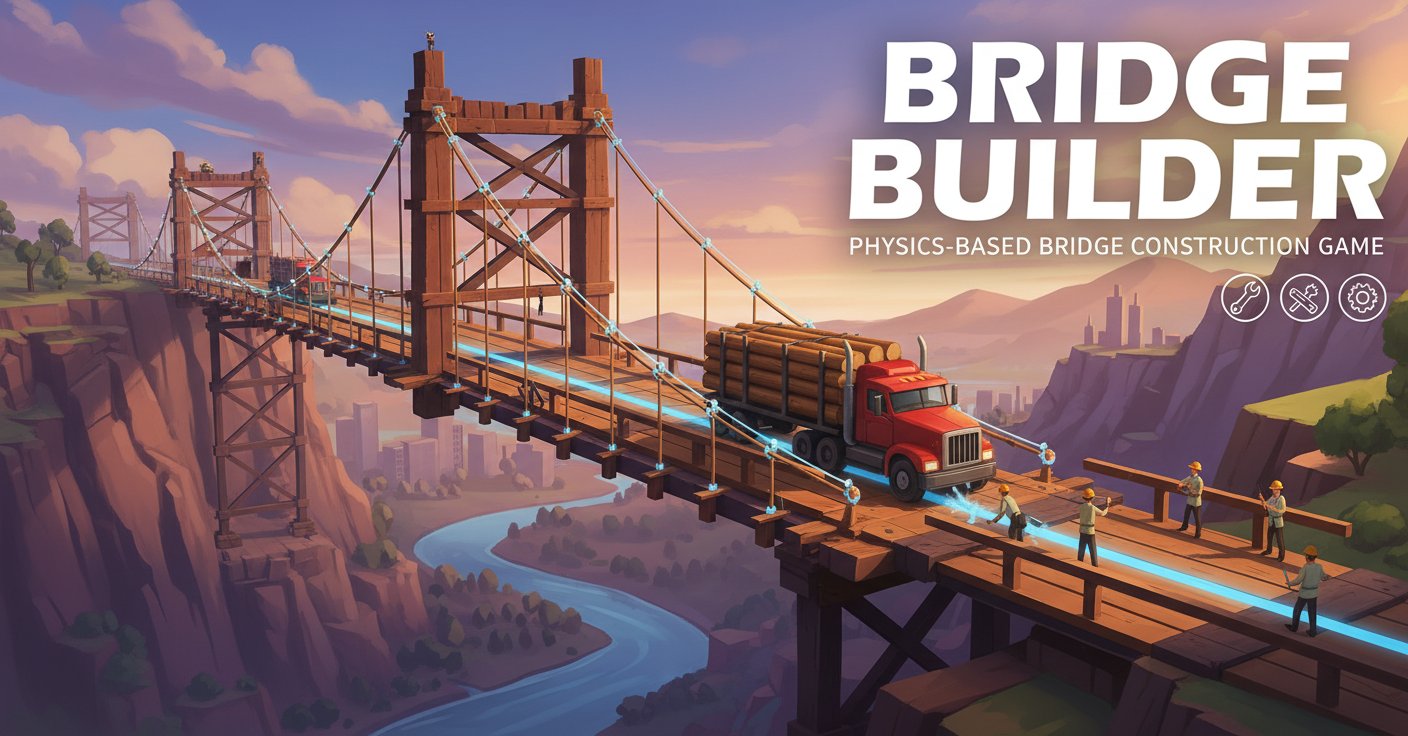
Bridge Builder - Physics-Based Bridge Construction Game - Puzzle Game
 Unity
UnityCity Eater
Build a Unity game where a growing blob devours the city.
 Subscriber only
Unreal Dungeon Crawler
Build a playable Unreal dungeon crawler, combat-ready.
 Unity
UnityBattle of Balls
Build a Unity arena where rolling balls collide and grow.
 FPS
FPSZombie Horror Survival
Build a tense zombie horror survival with map progression.
 Subscriber only
Unreal FPS/TPS Shooter
Create a complete UE 5.5 FPS or TPS shooter with combat, UI, and replay.
 Roguelike
Dungeon Survivors
Build a Vampire-Survivors-style dungeon arena with hero picks.
 New
NewUnderwater Puzzle
Build an underwater puzzle: restore coral, dodge crabs.
 Subscriber only
Unreal Top-Down Roguelite
Create a complete UE 5.5 top-down arena roguelite with upgrades and a boss finale.
 New
New3D Block Puzzle
Build a 3D falling-block puzzle with rotations and row clears.
 Action
Open World City Action
Build an open-world city romp with driving and police chases.
UnityCity Eater
Build a Unity game where a growing blob devours the city.
Subscriber onlyUnreal Dungeon Crawler
Build a playable Unreal dungeon crawler, combat-ready.
UnityBattle of Balls
Build a Unity arena where rolling balls collide and grow.
FPSZombie Horror Survival
Build a tense zombie horror survival with map progression.
Subscriber onlyUnreal FPS/TPS Shooter
Create a complete UE 5.5 FPS or TPS shooter with combat, UI, and replay.
RoguelikeDungeon Survivors
Build a Vampire-Survivors-style dungeon arena with hero picks.
NewUnderwater Puzzle
Build an underwater puzzle: restore coral, dodge crabs.
Subscriber onlyUnreal Top-Down Roguelite
Create a complete UE 5.5 top-down arena roguelite with upgrades and a boss finale.
New3D Block Puzzle
Build a 3D falling-block puzzle with rotations and row clears.
ActionOpen World City Action
Build an open-world city romp with driving and police chases.
Prompt

Games are fun. Creating them is even better.
Game Introduction
About Bridge Builder
Bridge Builder is a captivating physics-based puzzle simulation game that puts your engineering and architectural skills to the ultimate test. In this challenging simulator, you become the chief architect responsible for designing and constructing bridges that can safely transport vehicles across various terrains including rivers, canyons, and mountain ranges.
The game combines realistic physics mechanics with strategic resource management, creating an immersive experience that's both educational and entertaining. With limited materials at your disposal, every decision matters as you work to create structurally sound bridges that can withstand the weight and movement of crossing vehicles.
Core Features
Realistic Physics Engine
Experience authentic structural engineering challenges with a sophisticated physics system that accurately simulates weight distribution, stress points, and structural integrity. Watch your creations come to life as vehicles test the limits of your engineering prowess.
Resource Management Challenge
Work with limited materials including metal planks and support beams. Strategic planning is essential as you must maximize the effectiveness of each piece while staying within budget constraints.
Progressive Difficulty System
Start with simple city bridges and unlock increasingly complex environments including: - Waterfall crossings with rushing water below - Deep canyons requiring long-span solutions - Mountain ranges with challenging elevation changes - Urban environments with space limitations
Multiple Construction Strategies
Explore various engineering approaches: - Y-shaped support structures for maximum stability - Triangle-based designs for distributed weight support - Suspension bridge concepts using cables and vertical supports - Creative hybrid solutions combining multiple techniques
Built-in Tutorial and Hint System
Never get stuck with the comprehensive tutorial system and on-demand hints that can either show you the solution or guide you through the construction process step-by-step.
Gameplay Mechanics
Construction Phase
Drag and drop metal components from available circles, extending and positioning them to create your bridge structure. Each piece can be customized in length and angle to fit your design vision.
Testing Phase
Once your bridge is complete, press the play button to release a vehicle that will attempt to cross your construction. Success means safe passage; failure sends you back to redesign and rebuild.
Error Correction
Made a mistake? Simply double-tap any piece to remove it and try a different approach. The game encourages experimentation and learning from failures.
Operation Guide
Mouse Controls: - Left Click + Drag : Place and position bridge components - Double-click : Remove unwanted pieces - Space Bar : Start the vehicle simulation test - Z Key : Undo the last action
Construction Tips: - Always ensure strong foundation support on both sides - Consider weight distribution when planning your design - Test different structural approaches if your first attempt fails - Use triangular supports for maximum stability - Plan your material usage carefully to avoid running out
Why Play Bridge Builder
Educational Value : Learn fundamental engineering and physics principles through hands-on construction challenges that mirror real-world bridge building concepts.
Creative Problem-Solving : Each level presents unique challenges that require innovative thinking and multiple solution approaches, encouraging creativity within practical constraints.
Immediate Feedback : The physics simulation provides instant results, allowing you to quickly understand what works and what doesn't in bridge construction.
Progressive Challenge : Starting with simple constructions and advancing to complex multi-terrain bridges ensures continuous learning and engagement.
Free and Accessible : Play directly in your browser without downloads, making it perfect for quick engineering challenges or extended building sessions.
Stress-Free Learning Environment : Failure is part of the learning process, with unlimited attempts to perfect your designs without real-world consequences.