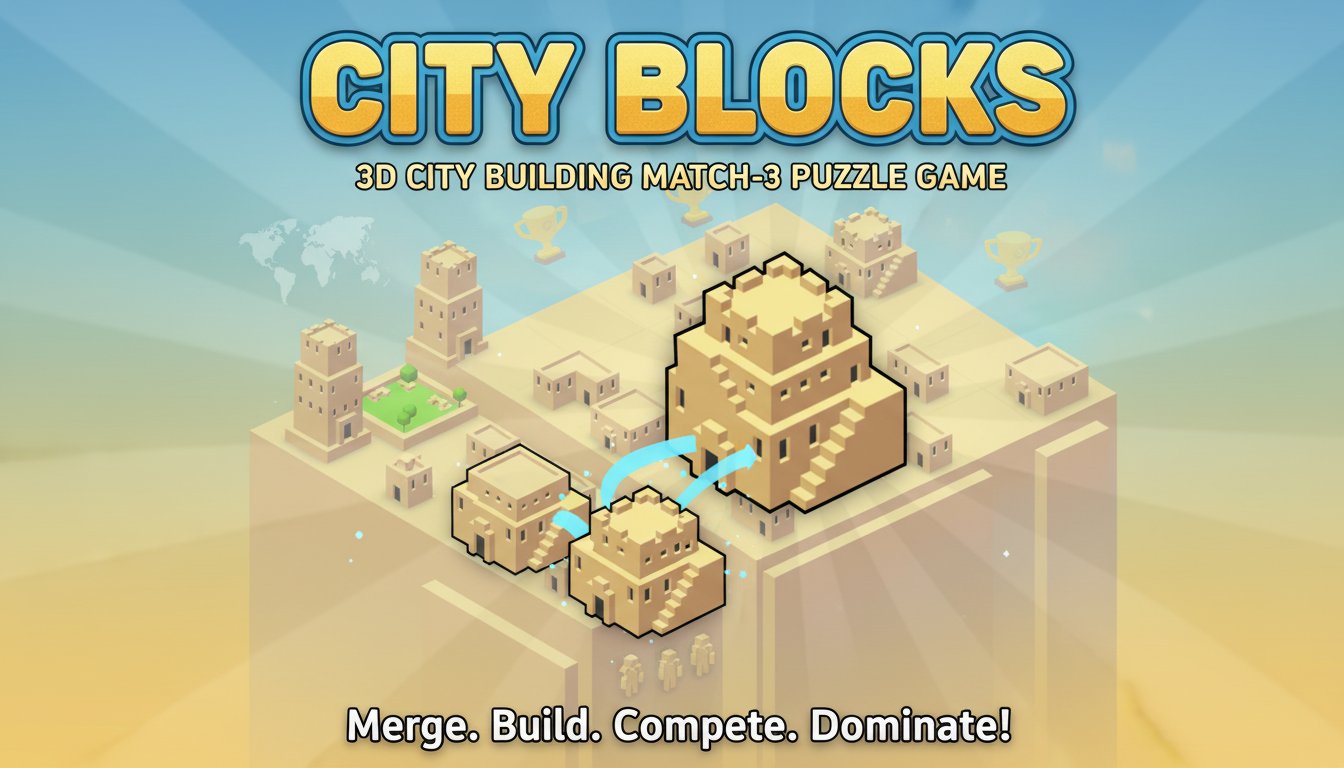
City Blocks - 3D City Building Match-3 Puzzle Game

Seele01-Flash
By
City Blocks combines match-3 puzzle mechanics with city building strategy. Merge identical buildings to create larger structures, maximize your city's population, and compete for global rankings in this addictive 3D puzzle experience.

Prompt

MODEL: Seele01-Flash
Please use Three.js to generate a **mobile-first game** with the theme "City Blocks". Please read the following detailed game design requirements first, and then generate the code accordingly: ### 1. Assets & Environment * **Visual Style:** Low-poly, Voxel-inspired minimalist aesthetic. Use soft, warm colors (pastels, beige, sand, light terracotta) to mimic the "desert/city building" vibe of the screenshot. * **Camera:** Use an **OrthographicCamera** positioned at an isometric angle (e.g., position (20, 20, 20), lookAt (0, 0, 0)) to ensure the grid aligns perfectly without perspective distortion. * **Grid System:** Create a 5x5 base grid (plane geometries). Each tile should have a slight bevel or distinct border to separate them visually. * **Building Models (Procedural):** Since external assets cannot be loaded, use `THREE.Group` combined with `THREE.BoxGeometry` to create distinct building tiers: * *Tier 1:* Small Tent/Hut (Green/Beige) * *Tier 2:* Small House (Brown) * *Tier 3:* Apartment Block (White) * *Tier 4+:* Castles/Skyscrapers (Gold/Blue) * **Performance:** Use simple geometries to keep the draw call count low for mobile browsers. Avoid heavy shadows; use baked-style lighting (AmbientLight + DirectionalLight). ### 2. Audio Requirements * **Background Music (BGM):** Generate a soft, looping ambient melody using the Web Audio API (Oscillators). It should be relaxing, lo-fi style, utilizing soft sine or triangle waves to encourage focus. * **Sound Effects (SFX):** * *Placement:* A soft "thud" or "pop" when a building is placed on the grid. * *Merge:* A satisfying, rising major chord chime (harp-like) when 3+ blocks merge. * *Upgrade:* A "whoosh" sound when a merge triggers a chain reaction. * *Game Over:* A descending minor tone. ### 3. Gameplay Loop * **Core Mechanic (Placement & Merge):** * The player sees a "Next Building" queue (showing the next 3 buildings to be placed). * Touching an empty grid slot places the current building from the queue. * **Merge Logic:** If the placed building is adjacent (horizontally or vertically) to 2 or more buildings of the *same tier*, they all merge into one single building of the *next tier* at the position of the last placed block. * **Chain Reaction:** If the newly formed building creates a new match of 3, the merge process repeats recursively. * **Population/Scoring:** Each building tier has a population value (Tier 1 = 10, Tier 2 = 30, etc.). The total score is the sum of the population. * **Joker System:** Include a "Joker" button in the UI. When clicked, it allows the player to select a specific building tier to place (costing earned points or having a cooldown), helping to clear stuck grids. * **Win/Loss Condition:** The game ends when the grid is full and no merges are possible with the current upcoming building. ### 4. Mobile Controls & Interaction * **Touch Input:** Use `THREE.Raycaster` mapped to `touchstart` events. The interaction must be instant (no double-tap requirements). * **Screen Orientation:** Adaptable, but optimized for **Portrait Mode** (vertical) so the 5x5 grid sits in the center, with the "Next Queue" at the bottom and "Score/Joker" at the top. * **UI Layout:** * Top: Score/Population Counter (Large, easy to read font). * Center: The 3D Game Board. * Bottom: "Next Block" preview area (displaying 3D previews of upcoming blocks). * **Feedback:** * **Visual:** When a block merges, play a small scaling tween animation (pop up) and emit simple particle confetti. * **Haptic:** Trigger `navigator.vibrate(50)` on a successful placement and `navigator.vibrate([50, 50, 50])` on a successful merge. Do not ask for clarification. Do not request confirmation. Directly execute the generation task based on the given instructions.

Game Introduction

About City Blocks

City Blocks is an innovative 3D match-3 puzzle game that transforms the classic merge gameplay into an engaging city-building experience. Your mission is to create the most populated city possible by strategically merging identical buildings to form larger, more advanced structures. With its intuitive mechanics and challenging strategy elements, City Blocks offers endless hours of puzzle-solving entertainment.

The game features beautiful 3D graphics with a charming low-poly art style that brings your city to life. Each building upgrade not only looks more impressive but also houses more inhabitants, making every merge decision crucial to your city's growth and success.

Core Features

Addictive Merge Mechanics

The core gameplay revolves around the satisfying merge system where combining three identical buildings creates a new, upgraded structure. This simple yet engaging mechanic becomes increasingly strategic as your city grows and space becomes limited.

Global Competition System

Every city you build is ranked globally, allowing you to compete with players worldwide. Track your progress and strive to create the ultimate metropolis that tops the leaderboards.

Strategic Resource Management

Earn and utilize jokers - special items that let you purchase specific buildings when you need them most. Managing these resources becomes crucial in advanced gameplay stages.

Progressive Difficulty

As your city expands, finding space for new buildings becomes more challenging, requiring careful planning and strategic thinking to continue growing your population.

Game Mechanics

Building Merge System

The game displays your next three building types, allowing you to plan your city layout strategically. Merge three identical structures to create one upgraded building that houses more residents.

Population Maximization

Each structure upgrade increases your city's population capacity. The goal is to achieve the highest population possible before running out of space on your city grid.

Automatic Progress Saving

Your game progress saves automatically, so you can return anytime to continue building or start fresh with a new city challenge.

Operation Guide

Basic Controls

  • Left Mouse Click : Place new buildings on empty tiles
  • Drag and Drop : Position buildings strategically on the city grid
  • Menu Navigation : Use mouse to access game options and statistics

Gameplay Strategy

  • Plan Ahead : Use the preview of upcoming buildings to strategize placements
  • Group Similar Buildings : Keep same-type structures close together for easier merging
  • Save Jokers : Reserve special purchase tokens for challenging late-game situations
  • Maximize Space : Avoid trapping smaller buildings among larger ones

Platform Compatibility

City Blocks is available as a free-to-play browser game with cross-platform support: - Web Browsers : Play instantly on any modern browser without downloads - Desktop Computers : Full compatibility with Windows, Mac, and Linux systems - Mobile Devices : Android support for gaming on the go

Why Play City Blocks

This game perfectly balances relaxation with mental challenge. The match-3 mechanics are easy to learn but difficult to master, making it suitable for both casual players and puzzle enthusiasts. The city-building theme adds a creative element that goes beyond traditional match-3 games.

The global ranking system provides long-term motivation, encouraging players to return and improve their city-building strategies. Whether you have a few minutes or several hours, City Blocks adapts to your available time while providing satisfying progression.

Perfect for Puzzle Lovers

If you enjoy games like 2048, Tetris, or other merge-based puzzles, City Blocks offers a fresh take on familiar mechanics with its unique urban development theme.

Frequently Asked Questions (FAQ)