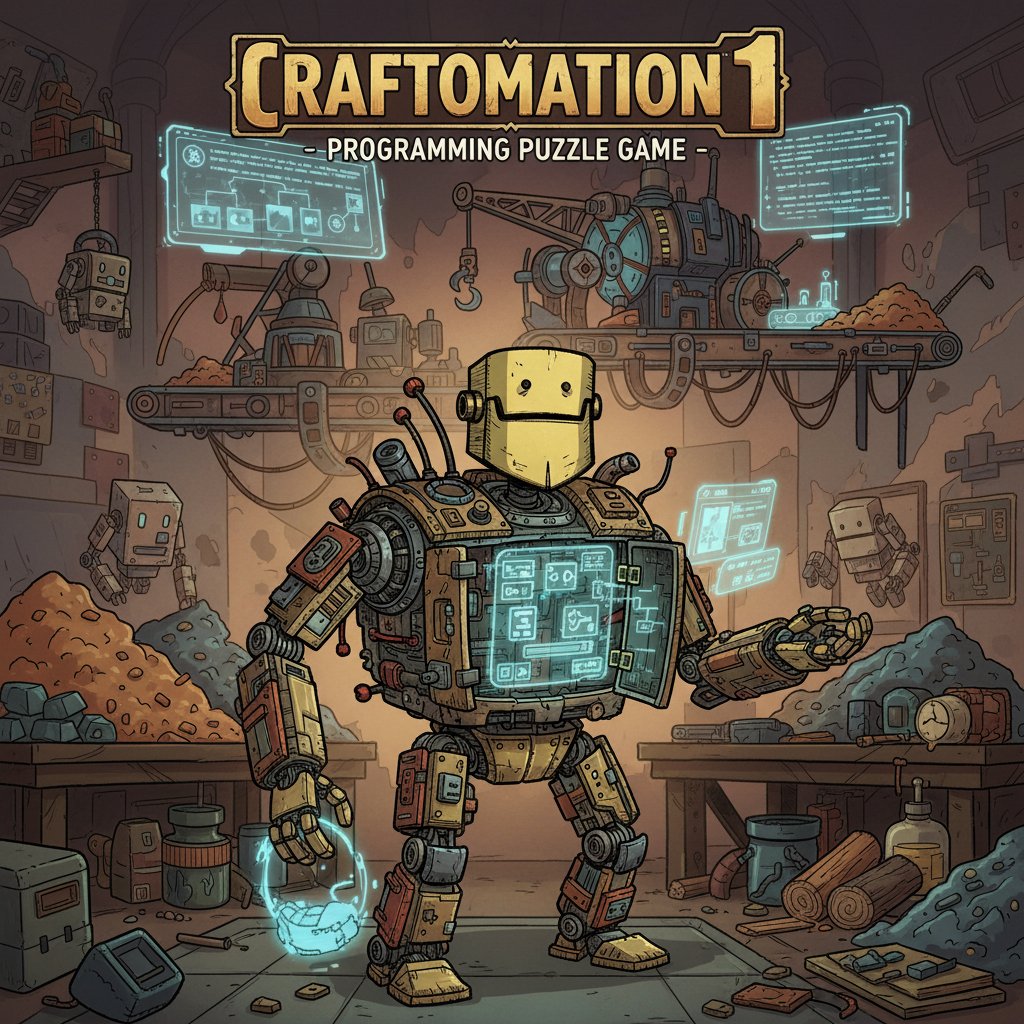
Craftomation 1 - Programming Puzzle Game

Seele01-Flash
By
Craftomation 1 is an innovative puzzle game that combines crafting mechanics with programming education. Craft robots from basic elements, then program them to solve increasingly complex challenges using visual programming blocks.

Prompt

MODEL: Seele01-Flash
Please use Three.js to generate a **mobile-first game** with the theme "**Craftomation: Robot Logic & Alchemy**". Please read the following detailed game design requirements first, and then generate the code accordingly: ### 1. Assets & Environment * **Visual Style:** Create a "Hand-drawn Industrial" aesthetic, similar to a schematic blueprint coming to life. Use a warm, sepia-toned color palette (browns, creams, brassy yellows) with bold, sketchy black outlines for objects to mimic the provided screenshot's icon style. * **Models:** * **Elements:** Simple 3D shapes representing raw materials (e.g., Coal, Iron, Water) but textured to look like hand-drawn sketches on cardboard or parchment. * **The Robot:** A cute, boxy robot character (low-poly) that looks like a prototype—slightly clunky, with visible rivets and a friendly face. * **Programming Blocks:** 3D UI elements representing logic commands (Move, Pick Up, Drop, Combine) that look like physical puzzle pieces or flowchart boxes. * **Environment:** A flat, grid-based workspace (like a crafting table or a factory floor). The background should be a subtle, dark workshop environment to make the foreground elements pop. * **Performance:** Prioritize low polygon counts and simple shaders (Toon Shader or Outline Shader) to ensure smooth 60fps performance on mobile devices. Avoid heavy post-processing. ### 2. Audio Requirements * **BGM:** A chill, "thinking time" soundtrack. Acoustic guitar or light piano mixed with subtle rhythmic mechanical sounds (ticking clocks, steam hisses) to encourage concentration without causing stress. * **Sound Effects (SFX):** * **Merge/Craft:** A satisfying "clunk-fizz" sound when two elements combine successfully. * **Robot Action:** Cute electronic chirps or beeps when the robot executes a command. * **UI/Programming:** A soft "click" or "snap" sound when dragging and connecting programming blocks. * **Success:** A cheerful, triumphant chime when a level objective is met. ### 3. Gameplay Loop * **Phase 1: Manual Crafting (The Alchemy):** The player starts on a grid. They must drag and drop basic elements onto each other to discover recipes (e.g., Fire + Water = Steam). The goal here is to craft the parts needed to build the Robot. * **Phase 2: Visual Programming (The Logic):** Once the robot is built, the gameplay shifts. The player cannot move the robot directly. Instead, they must drag "Command Modules" (Move Up, Grab, Combine, If-Then) into a sequence queue. * **Execution:** The player hits "Run," and the robot attempts to execute the code to automate a task (e.g., "Make 3 Glass items"). * **Win Condition:** The level is complete when the robot successfully automates the production of the target item. * **Fail Condition:** The robot gets stuck, runs out of battery (moves), or produces the wrong item. The player can hit "Stop/Reset" to tweak the code. ### 4. Mobile Controls & Interaction * **Orientation:** **Landscape Mode** is preferred to allow space for the crafting grid on one side and the coding timeline on the other (or bottom). * **Touch Interactions:** * **Drag & Drop:** This is the core mechanic. Elements must feel "sticky" and snap to the grid. Programming blocks must magnetically snap together. * **Tap:** Tap an object to see its properties or recipe hint. * **UI Layout:** * **Hotbar:** A scrollable inventory of discovered elements at the bottom or side. * **Play/Stop Buttons:** Large, distinct buttons (Green Triangle for Play, Red Square for Stop) located in the corner, easy to hit with a thumb. * **Touch Targets:** Ensure all interactive elements (especially the coding blocks) are at least 44x44 pixels to prevent miss-clicks. * **Feedback:** Visual highlight (glow) when an object is being dragged over a valid combination target. Haptic feedback (vibration) when a coding block snaps into place. Do not ask for clarification. Do not request confirmation. Directly execute the generation task based on the given instructions.

Game Introduction

About Craftomation 1

Craftomation 1 is a unique educational puzzle game that brilliantly merges crafting mechanics with programming fundamentals. This engaging brain game challenges players to combine elements and create robots, then program these mechanical helpers to solve puzzles automatically. With its intuitive visual programming system and progressively challenging levels, Craftomation 1 offers an accessible introduction to coding concepts wrapped in entertaining gameplay.

Core Features

Innovative Dual Gameplay Mechanics

Craftomation 1 stands out with its two-phase gameplay approach. First, you'll engage in element combination puzzles , where strategic thinking and experimentation lead to crafting your robot companion. Then, the game transforms into a visual programming challenge , where you'll use function blocks to instruct your robot to complete tasks.

Educational Programming System

The game uses an intuitive drag-and-drop programming interface that represents functions as visual boxes. This approach makes programming concepts accessible to players of all ages, introducing logical thinking, sequence planning, and problem-solving skills without overwhelming complexity.

Progressive Difficulty Curve

Each level builds upon previous knowledge, gradually introducing new elements and programming concepts. From simple movement commands to complex multi-step sequences, the game ensures steady learning progression while maintaining engaging challenges.

Cross-Platform Accessibility

Completely free and no download required - play instantly through any modern web browser on desktop, tablet, or mobile devices. The responsive design ensures optimal gameplay experience across all platforms.

Game Mechanics

Element Crafting Phase

Begin each level by combining basic elements to create more complex items. Through experimentation and logical deduction, you'll discover recipes that eventually lead to crafting your robot. This phase develops:

  • Critical thinking skills
  • Pattern recognition
  • Systematic experimentation
  • Resource management

Robot Programming Phase

Once your robot is crafted, switch to programming mode where you'll:

  • Design movement sequences using directional commands
  • Create conditional logic for decision-making
  • Optimize solutions for efficiency and elegance
  • Debug programs when robots don't behave as expected

Operation Guide

Basic Controls

  • Mouse Click and Drag : Combine elements in crafting mode
  • Drop Elements : Release items onto combination areas
  • Programming Interface : Drag function blocks to create robot instructions
  • Test Mode : Execute your program to see robot behavior

Crafting Strategy

Start with basic elements visible on screen. Experiment with different combinations - some may fail, but each attempt provides valuable information about element relationships. Look for logical patterns and connections between items.

Programming Tips

When programming your robot, think step-by-step about the required actions. Break complex tasks into smaller, manageable functions. Test frequently to identify and correct errors early in your program development.

Why Play Craftomation 1

Educational Value

Craftomation 1 provides genuine STEM education disguised as entertainment. Players naturally develop programming logic, systematic thinking, and problem-solving skills that transfer to real-world applications.

Accessibility and Convenience

With zero barriers to entry - no downloads, registrations, or payments required - anyone can start learning programming concepts immediately. The game runs smoothly on any device with a modern browser.

Engaging Challenge Progression

Unlike traditional educational software, Craftomation 1 maintains genuine gaming appeal. Each solved puzzle provides satisfaction, while increasing complexity ensures long-term engagement and skill development.

Perfect for Multiple Audiences

  • Students : Learn programming fundamentals in a fun, pressure-free environment
  • Educators : Use as a teaching tool for introducing coding concepts
  • Casual Gamers : Enjoy unique puzzle mechanics with meaningful progression
  • Parents : Share educational gaming time with children

Frequently Asked Questions (FAQ)