
Doodle Road - Draw Your Path Car Game - Puzzle Game
 Driving
City Car Driving
Build an open-city free-driving game with car selection.
 Subscriber only
Unreal Landscape Tour
Tour photoreal Unreal landscapes with cinematic camera work.
 New
NewHook a Fish Arcade
Build a fishing arcade where catches buy you more time.
 Roguelike
Dungeon Survivors
Build a Vampire-Survivors-style dungeon arena with hero picks.
 Unity
UnityChaos Train Arcade
Build a chaotic Unity train arcade of hazards and timing.
 Voxel
VoxelVoxel Hero Adventure
Build a voxel hero who explores, mines, and builds.
 Unity
UnityEgg on the Car Roof
Build a Unity challenge: keep a fragile egg on a moving roof.
 New
New3D Block Puzzle
Build a 3D falling-block puzzle with rotations and row clears.
 Subscriber only
Unreal Top-Down Roguelite
Create a complete UE 5.5 top-down arena roguelite with upgrades and a boss finale.
 Arcade
Pumpkin Night Adventure
Build a Halloween grid-arena survival romp.
DrivingCity Car Driving
Build an open-city free-driving game with car selection.
Subscriber onlyUnreal Landscape Tour
Tour photoreal Unreal landscapes with cinematic camera work.
NewHook a Fish Arcade
Build a fishing arcade where catches buy you more time.
RoguelikeDungeon Survivors
Build a Vampire-Survivors-style dungeon arena with hero picks.
UnityChaos Train Arcade
Build a chaotic Unity train arcade of hazards and timing.
VoxelVoxel Hero Adventure
Build a voxel hero who explores, mines, and builds.
UnityEgg on the Car Roof
Build a Unity challenge: keep a fragile egg on a moving roof.
New3D Block Puzzle
Build a 3D falling-block puzzle with rotations and row clears.
Subscriber onlyUnreal Top-Down Roguelite
Create a complete UE 5.5 top-down arena roguelite with upgrades and a boss finale.
ArcadePumpkin Night Adventure
Build a Halloween grid-arena survival romp.
Prompt

Games are fun. Creating them is even better.
Game Introduction
About the Game
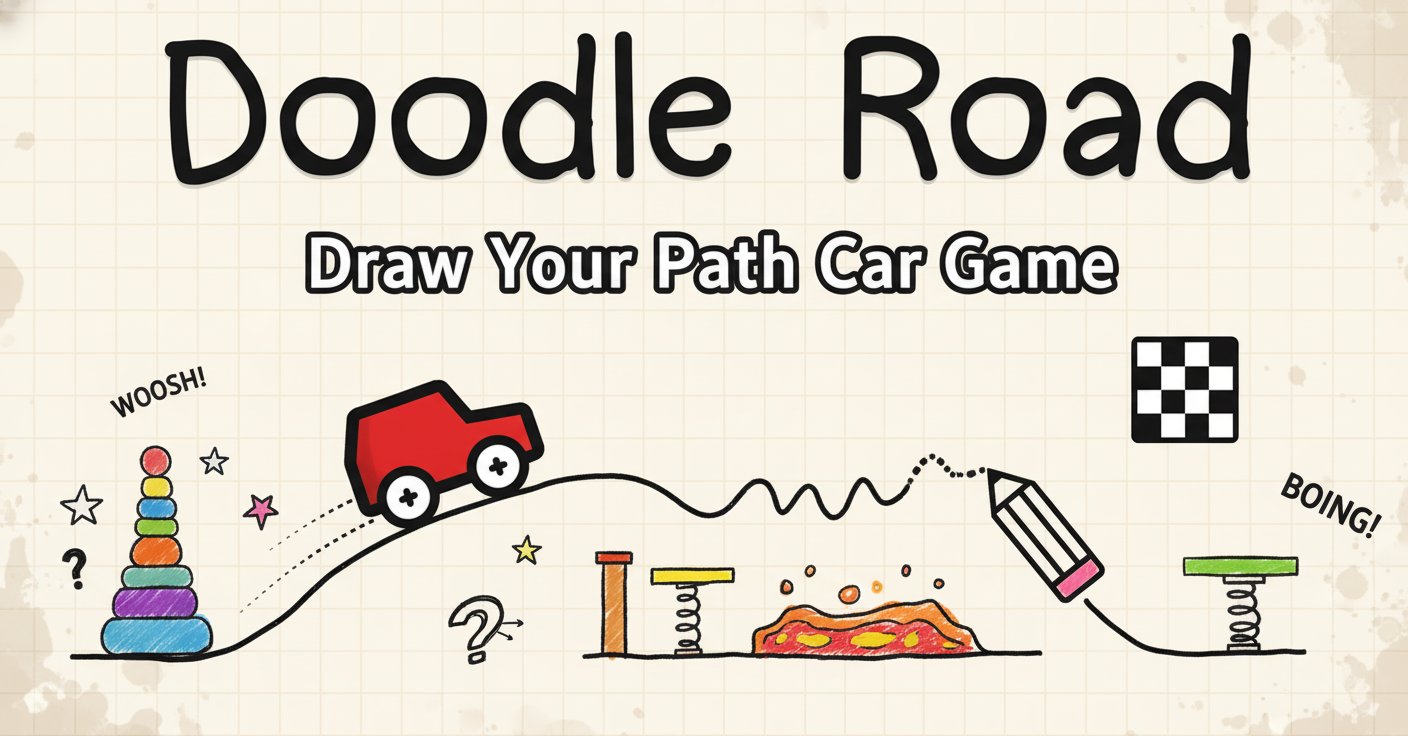
Doodle Road is a captivating casual drawing game that challenges your creativity and problem-solving skills. This imaginative 2D browser game combines artistic expression with physics-based puzzles, creating an engaging experience where every line you draw matters. Your mission is simple yet challenging: draw the perfect path to guide a small red car from its starting position to the checkered finish flag.
Core Features
Creative Drawing Mechanics
The game's unique drawing system allows you to create custom paths using just your mouse. What seems like a simple task quickly becomes a creative challenge as you discover that drawing straight lines is harder than it appears, and your car's physics-based movement depends entirely on the quality of your drawn path.
Physics-Based Gameplay
Doodle Road incorporates realistic physics mechanics that make every drawing decision crucial. Your car responds to gravity, momentum, and the angles of your drawn paths. In advanced levels, the engine even shuts off, requiring you to use hills and slopes to maintain momentum through clever path design.
Progressive Difficulty System
Starting with basic straight-line challenges, the game gradually introduces complex obstacles including walls, gaps, L-shaped barriers, and trampoline springs. Each level presents unique puzzles that test different aspects of your creative thinking and spatial reasoning.
Minimalist Visual Style
The clean, doodle-style graphics create an inviting atmosphere that focuses attention on the core gameplay mechanics. The simple red car and black-and-white checkered flag provide clear visual targets in an uncluttered environment.
Game Mechanics
Drawing System
Success in Doodle Road depends on mastering the drawing mechanics. You must start your line from behind the car's position, or it will "dangle off into oblivion." The physics engine evaluates every curve, angle, and slope you create, making precision and planning essential.
Obstacle Navigation
Each level introduces new challenges: - Walls : Navigate around or under barriers using creative routing - Gaps : Bridge dangerous chasms with carefully angled paths - Springs : Utilize bounce mechanics to reach distant targets - Engine-off Levels : Use gravity and momentum without power
How to Play
Basic Controls
- Left Mouse Button : Draw your path line
- R Key or Restart Button : Reset the current level
- Space Bar or Start Button : Begin the car's journey
Gameplay Strategy
- Plan Before Drawing : Study the level layout and identify obstacles
- Start Behind the Car : Always begin your line from the car's rear
- Consider Physics : Account for gravity, momentum, and car weight
- Use Terrain Wisely : In engine-off levels, create velocity curves and use slopes
- Experiment Freely : There's no penalty for restarting and trying new approaches
Why Play Doodle Road
Perfect for All Ages
The intuitive drawing mechanics make Doodle Road accessible to players of all skill levels, while the physics-based challenges provide depth for experienced puzzle enthusiasts.
No Download Required
Play instantly in any modern web browser on desktop or mobile devices. The game loads quickly and runs smoothly without installation requirements.
Endless Creativity
Every level can be solved in multiple ways, encouraging creative experimentation and replay value. Your artistic approach directly impacts gameplay success.
Brain Training Benefits
The game enhances spatial reasoning, problem-solving skills, and hand-eye coordination while providing entertaining gameplay.
Free Gaming Experience
Enjoy the complete Doodle Road experience without any cost, advertisements, or premium content restrictions.