
Fantastic Contraption - Creative Physics Puzzle Game - Puzzle Game
 Subscriber only
Unreal City Tour
Explore a photoreal Unreal city with terrain and live weather.
 Unity
UnityCrimson Illusion Battle
Build a Unity fantasy battle through a crimson illusion realm.
 New
New3D Block Puzzle
Build a 3D falling-block puzzle with rotations and row clears.
 New
NewFirst-Person Horror Survival
Build a first-person horror survival with exploration and enemies.
 Subscriber only
Unreal Mountain Tour
Tour a third-person Unreal world of mountains and water.
 Unity
UnityStrawberry Grove Adventure
Build a cozy Unity pixel grove of exploration and collectibles.
 New
NewUnderwater Puzzle
Build an underwater puzzle: restore coral, dodge crabs.
 Shooter
Dead City Shooter
Build a third-person zombie shooter in a ruined city.
 Voxel
VoxelVoxel Village Explorer
Build a voxel village to roam with jump and camera controls.
 Voxel
VoxelVoxel Hero Adventure
Build a voxel hero who explores, mines, and builds.
Subscriber onlyUnreal City Tour
Explore a photoreal Unreal city with terrain and live weather.
UnityCrimson Illusion Battle
Build a Unity fantasy battle through a crimson illusion realm.
New3D Block Puzzle
Build a 3D falling-block puzzle with rotations and row clears.
NewFirst-Person Horror Survival
Build a first-person horror survival with exploration and enemies.
Subscriber onlyUnreal Mountain Tour
Tour a third-person Unreal world of mountains and water.
UnityStrawberry Grove Adventure
Build a cozy Unity pixel grove of exploration and collectibles.
NewUnderwater Puzzle
Build an underwater puzzle: restore coral, dodge crabs.
ShooterDead City Shooter
Build a third-person zombie shooter in a ruined city.
VoxelVoxel Village Explorer
Build a voxel village to roam with jump and camera controls.
VoxelVoxel Hero Adventure
Build a voxel hero who explores, mines, and builds.
Prompt

Games are fun. Creating them is even better.
Game Introduction
About the Game
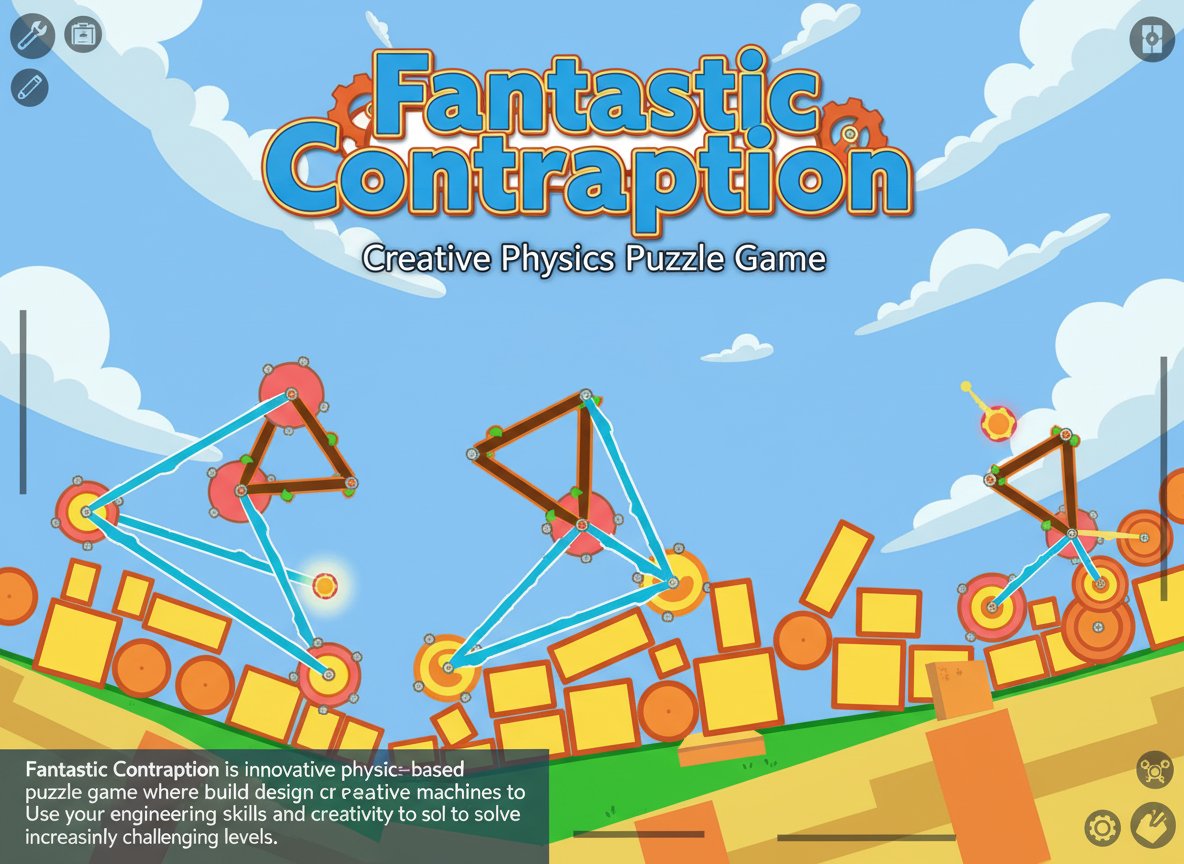
Fantastic Contraption is a beloved physics-based puzzle game that has captivated players worldwide with its simple concept and complex execution. With a solid 4.0/5 rating from over 2,480 players, this game challenges you to think like an engineer while having fun with creative problem-solving.
The core objective is deceptively simple: get the pink object to reach another pink target area. However, achieving this goal requires building ingenious contraptions using various mechanical components, making each level a unique engineering challenge.
Core Features
Unlimited Creative Freedom
Unlike traditional puzzle games with predetermined solutions, Fantastic Contraption offers unlimited approaches to each challenge. Your contraptions can be simple or complex, elegant or chaotic - as long as they work!
Realistic Physics Engine
The game features a sophisticated physics simulation that makes every wheel, rod, and joint behave realistically. Understanding momentum, leverage, and mechanical advantage becomes crucial for success.
Progressive Difficulty
Start with simple challenges and gradually face more complex scenarios that will test your creativity and problem-solving abilities. Each level introduces new obstacles and spatial challenges.
All-Ages Entertainment
Designed to be accessible for players of all skill levels, the game provides both casual fun and deep strategic thinking opportunities.
Gameplay Mechanics
Building Your Contraption
You have access to various building components: - Wheels : Provide movement and rotation - Rods : Create structural frameworks - Joints : Connect components and allow rotation - Motors : Add powered movement to your designs
Physics Principles
Success requires understanding basic physics concepts: - Balance and weight distribution - Momentum and energy transfer - Leverage and mechanical advantage - Friction and collision dynamics
Operation Guide
Mouse Controls : - Click and Drag : Place and position building components - Right Click : Access component options and settings - Mouse Wheel : Zoom in and out for precise building - Left Click : Select and manipulate objects
Building Process : 1. Analyze the level layout and identify obstacles 2. Plan your contraption's basic structure 3. Add wheels, rods, and joints strategically 4. Test your design by starting the simulation 5. Modify and improve based on results 6. Achieve the goal with your working contraption
Pro Tips : - Start simple and add complexity as needed - Consider the path your object needs to travel - Use wheels effectively for smooth movement - Balance stability with mobility in your designs
Why Play Fantastic Contraption
Educational Value
This game naturally teaches engineering principles, physics concepts, and problem-solving strategies while maintaining an entertaining gameplay experience.
Creative Expression
No two solutions need to be alike. Express your creativity through unique contraption designs that reflect your personal problem-solving style.
Stress-Free Environment
With no time limits or penalties for failure, you can experiment freely and learn from each attempt without pressure.
Mental Stimulation
Each level provides a satisfying mental workout that exercises spatial reasoning, logical thinking, and creative problem-solving skills.
Instant Accessibility
As a free browser-based game, you can start playing immediately without downloads, installations, or account creation.