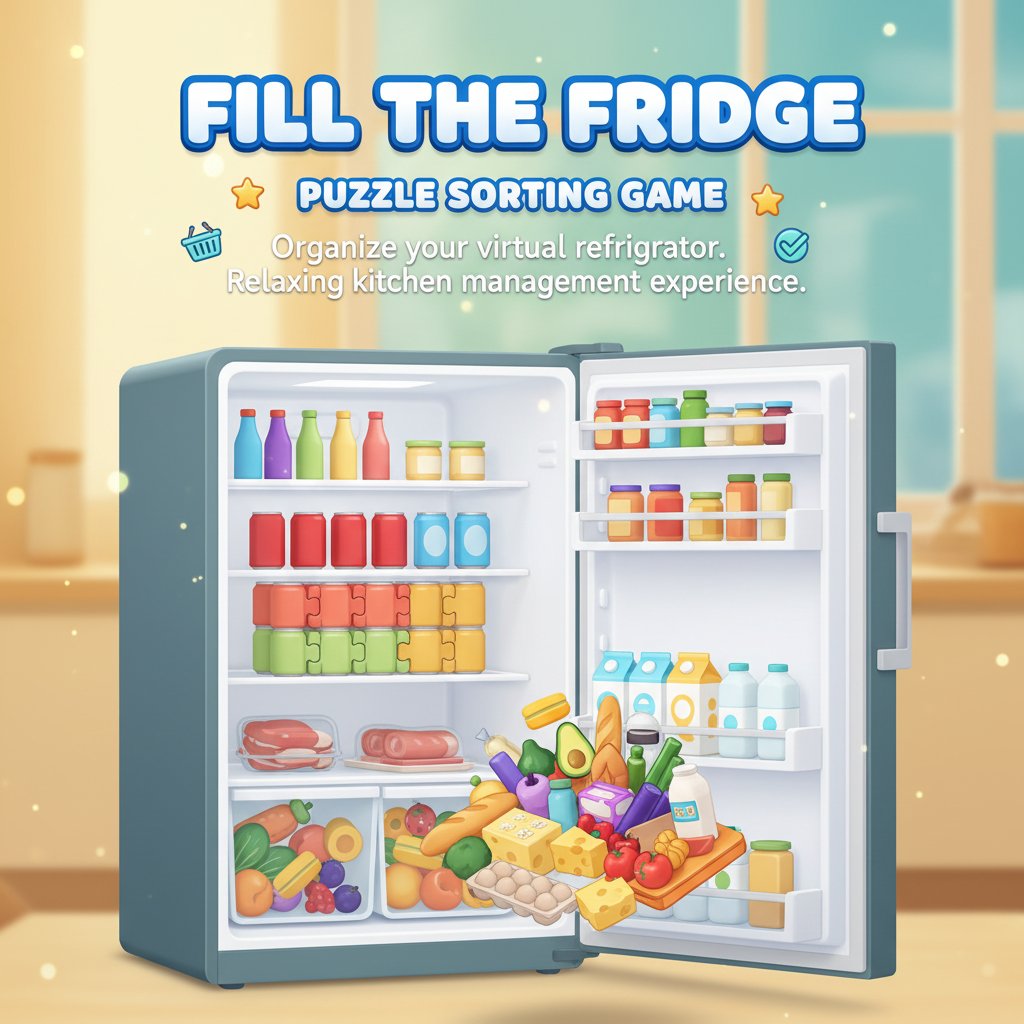
Fill The Fridge - Puzzle Sorting Game

Seele01-Flash
By
Fill The Fridge is a relaxing puzzle sorting game where you organize your virtual refrigerator after shopping. Arrange groceries perfectly on shelves in this satisfying kitchen management experience.

Prompt

MODEL: Seele01-Flash
Please use Three.js to generate a **mobile-first game** with the theme "Fill The Fridge". Please read the following detailed game design requirements first, and then generate the code accordingly: ### 1. Assets & Environment * **Visual Style**: Create a vibrant, "Casual 3D" aesthetic with a cartoonish, slightly low-poly art style. Use bright, saturated colors to distinguish different food types. * **The Fridge (Container)**: * Model a main fridge unit with an open door. * The interior should be divided into distinct zones: top shelves (wire racks), middle shelves (glass), and bottom drawers (semi-transparent plastic material). * **Camera Angle**: Use an isometric or slightly angled frontal view (PerspectiveCamera). The camera should smoothly zoom in/focus on the specific shelf currently being stocked. * **Items (The "Loot")**: * Generate various food items using simple geometries to maintain high FPS on mobile: * **Cans**: Cylinders with metallic/reflective materials (Soda, Beer). * **Cartons**: BoxGeometry with matte textures (Milk, Juice). * **Jars**: Cylinders with distinct lids (Peanut butter, Jam). * **Produce**: Simple spheres or slightly deformed spheres (Oranges, Avocados). * **Performance Optimization**: Use **InstancedMesh** for the food items, as there will be many duplicates of the same object. Limit real-time shadows to the active shelf only. ### 2. Audio Requirements * **BGM**: A relaxing, looping "Lo-fi" or light acoustic bossa nova track to induce a "Zen" state. * **Sound Effects (SFX)**: * **Placement**: A satisfying, crisp "pop" or "clack" sound (ASMR style) when an item snaps into the grid. Pitch should slightly increase with each successful placement in a combo. * **Drawer/Door**: A plastic sliding sound for opening drawers and a suction "thud" for closing the fridge door. * **Victory**: A short, uplifting chime when a shelf is perfectly filled. * **Error**: A soft "wobble" sound if the player tries to place an item where it doesn't fit. ### 3. Gameplay Loop * **Preparation Phase**: The player is presented with a shopping basket at the bottom of the screen containing a specific set of items (e.g., 12 soda cans). * **Sorting Phase**: * The player selects a specific shelf or drawer to fill. * **Grid Logic**: Implement a "Snap-to-Grid" system. Each item type has a specific footprint (e.g., a Can is 1x1, a Milk Carton is 2x2). * The player drags items from the basket into the fridge. Items must rotate (tap to rotate) or align automatically to fit the available space. * **Win Condition**: The level is complete when all items from the basket are successfully stored in the fridge without overlapping. * **Physics/Collision**: While items snap to a grid, use a bounding box check to prevent objects from clipping into each other. If an item doesn't fit, it should visually bounce back to the basket. ### 4. Mobile Controls & Interaction * **Screen Orientation**: **Portrait Mode** (Vertical) is mandatory to fit the tall fridge layout and the shopping basket UI at the bottom. * **Touch Controls**: * **Drag & Drop**: Primary mechanic. Use Raycasting to track touch movement. The item should float slightly above the finger so the user can see where they are placing it. * **Tap to Rotate**: While holding an item (or a quick tap on a placed item), it should rotate 90 degrees. * **UI/UX**: * **Hit Areas**: Ensure the "Back to Basket" and "Undo" buttons are at least 44x44px. * **Basket UI**: A horizontal scroll view at the bottom of the screen to browse available items. * **Haptic Feedback**: * Trigger `navigator.vibrate(10)` (light tap) when an item successfully snaps into a slot. * Trigger `navigator.vibrate([30, 50, 30])` (double pulse) when a level is completed. Do not ask for clarification. Do not request confirmation. Directly execute the generation task based on the given instructions.

Game Introduction

About the Game

Fill The Fridge is an engaging puzzle sorting game that transforms the everyday task of organizing groceries into an entertaining and relaxing gaming experience. This charming casual game challenges players to efficiently arrange various food items and groceries in their virtual refrigerator, creating the perfect organized kitchen space.

The game combines logical thinking with spatial awareness, making it both mentally stimulating and surprisingly satisfying. As you progress through different levels, you'll encounter increasingly complex arrangements and diverse grocery items that need to find their perfect spots in your fridge.

Core Features

Fill The Fridge offers a unique and engaging gameplay experience:

  • Completely Free : Enjoy the full game experience without any cost or hidden fees
  • Cross-Platform Compatibility : Play seamlessly on desktop browsers, mobile phones, and tablets
  • Relaxing Gameplay : Stress-free environment perfect for unwinding and mental relaxation
  • Progressive Difficulty : Gradually increasing challenges that keep the game engaging
  • Intuitive Controls : Simple click-and-drag mechanics suitable for all ages
  • Satisfying Organization : Experience the joy of perfectly arranged refrigerator spaces

Brain Training Benefits

This puzzle game serves as excellent brain training, improving spatial reasoning, logical thinking, and organizational skills. The sorting mechanics help develop pattern recognition and strategic planning abilities while providing a calming, meditative gaming experience.

Perfect for All Ages

Whether you're a puzzle enthusiast or someone who enjoys organizing, Fill The Fridge appeals to players of all skill levels. The game's intuitive design makes it accessible to children while offering enough complexity to engage adult players.

Gameplay Mechanics

The core gameplay revolves around strategic placement and efficient organization:

Shopping Cart Challenge

Start each level with a shopping cart full of various grocery items. Your goal is to empty the cart by finding the optimal placement for each item in your refrigerator shelves.

Spatial Puzzle Elements

Each item has specific dimensions and requirements. Some items stack better together, while others need dedicated spaces. The challenge lies in maximizing space utilization while maintaining logical organization.

Progressive Complexity

As you advance through levels, you'll encounter larger shopping hauls, more complex refrigerator layouts, and specialized storage requirements that test your organizational skills.

Controls and Interface

Fill The Fridge features user-friendly controls designed for smooth gameplay:

  • Mouse Controls : Use left-click to select and place items in your desired locations
  • Undo Function : Right-click to undo your last move when you need to reconsider placement
  • Confirm Actions : Press Space to confirm your arrangement and proceed to the next challenge
  • Touch Support : Full touch screen compatibility for mobile and tablet devices

The intuitive interface ensures that players can focus on the puzzle-solving aspect rather than struggling with complicated controls.

Why Play Fill The Fridge

This game offers a unique blend of entertainment and practical thinking that sets it apart from typical puzzle games. It's perfect for players who enjoy:

  • Stress Relief : The calming nature of organizing provides excellent stress relief
  • Mental Exercise : Engage your brain with logical thinking and spatial reasoning challenges
  • Quick Gaming Sessions : Perfect for short breaks or longer relaxation periods
  • Achievement Satisfaction : Experience the rewarding feeling of perfectly organized spaces
  • Skill Development : Improve real-world organizational and planning abilities

The game successfully transforms a mundane household task into an engaging and addictive puzzle experience that players find surprisingly satisfying and mentally rewarding.

Frequently Asked Questions (FAQ)