
Grow Cube - Puzzle Game
 New
NewRiver Raid Survival
Build a River Raid-style flight survival run with fuel pressure.
 Unity
UnityCrimson Illusion Battle
Build a Unity fantasy battle through a crimson illusion realm.
 FPS
FPSNight Mission Survival
Build a first-person night survival with flashlight combat.
 New
NewUnderwater Puzzle
Build an underwater puzzle: restore coral, dodge crabs.
 Unity
UnityEndless Runner
Build a polished Unity endless runner with lanes and pickups.
 Unity
UnityCastle Devour Quest
Build a Unity castle quest with risky rooms and a win goal.
 Unity
UnityStrawberry Grove Adventure
Build a cozy Unity pixel grove of exploration and collectibles.
 Subscriber only
Unreal Top-Down Roguelite
Create a complete UE 5.5 top-down arena roguelite with upgrades and a boss finale.
 Driving
City Car Driving
Build an open-city free-driving game with car selection.
 New
New3D Block Puzzle
Build a 3D falling-block puzzle with rotations and row clears.
NewRiver Raid Survival
Build a River Raid-style flight survival run with fuel pressure.
UnityCrimson Illusion Battle
Build a Unity fantasy battle through a crimson illusion realm.
FPSNight Mission Survival
Build a first-person night survival with flashlight combat.
NewUnderwater Puzzle
Build an underwater puzzle: restore coral, dodge crabs.
UnityEndless Runner
Build a polished Unity endless runner with lanes and pickups.
UnityCastle Devour Quest
Build a Unity castle quest with risky rooms and a win goal.
UnityStrawberry Grove Adventure
Build a cozy Unity pixel grove of exploration and collectibles.
Subscriber onlyUnreal Top-Down Roguelite
Create a complete UE 5.5 top-down arena roguelite with upgrades and a boss finale.
DrivingCity Car Driving
Build an open-city free-driving game with car selection.
New3D Block Puzzle
Build a 3D falling-block puzzle with rotations and row clears.
Prompt

Games are fun. Creating them is even better.
Game Introduction
About Grow Cube
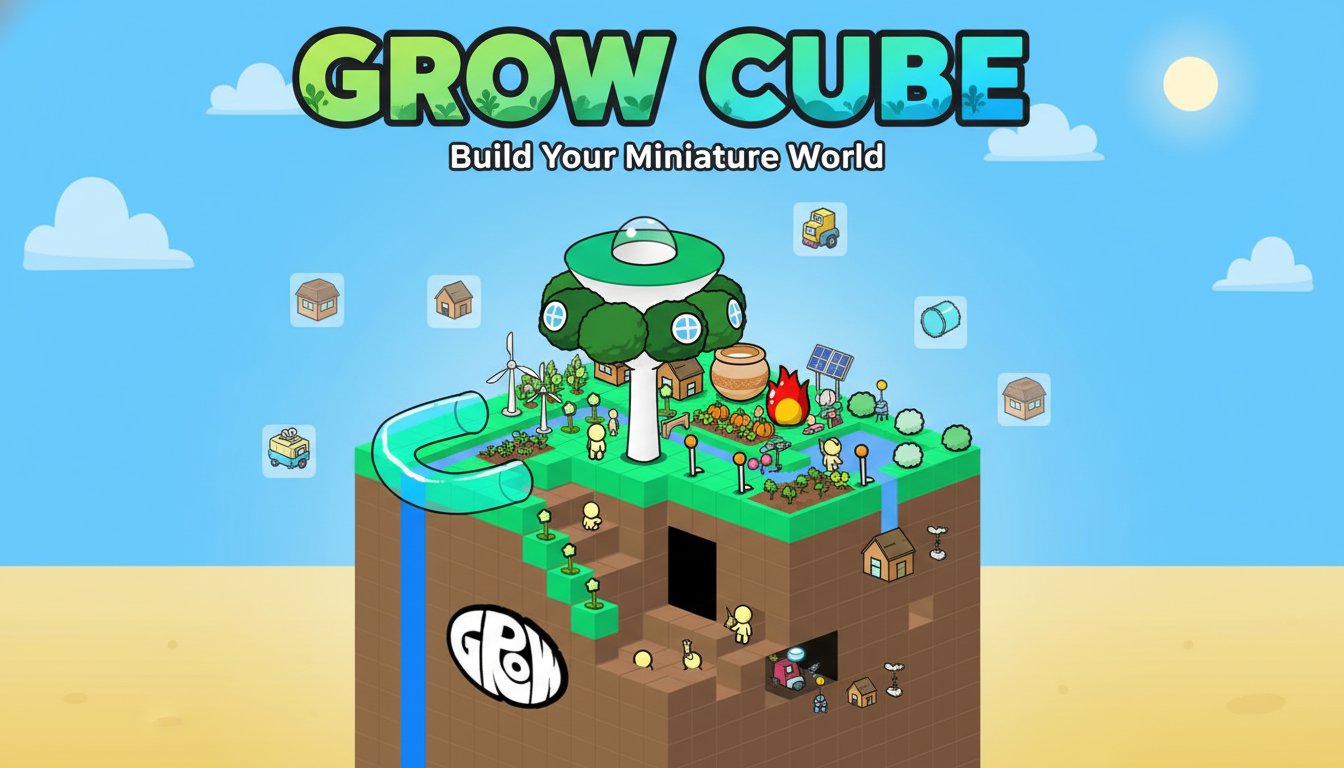
Grow Cube is an innovative turn-based puzzle game that combines strategy, creativity, and logical thinking in a unique cube-based world. This engaging building game challenges players to create a flourishing civilization by carefully selecting and placing various objects in the optimal order. Each placement decision triggers a chain reaction of growth and development, making every playthrough a fascinating puzzle to solve.
The game's charm lies in its simple yet profound mechanics - what starts as a basic cube evolves into a complex ecosystem filled with plants, structures, and animated characters, all depending on your strategic choices.
Core Features
Strategic Object Placement System
Grow Cube features ten unique objects that can be placed on your cube, each with distinct properties and interactions. The order of placement is crucial, as it determines how objects evolve and interact with each other. This creates countless possible combinations and outcomes.
Dynamic Growth Mechanics
Watch your cube transform as objects level up and grow in size and complexity. Water nurtures plants, fire provides energy, and people interact with the environment you create. Each object has multiple evolution stages, creating visual satisfaction as your world develops.
Interactive Ecosystem
Objects don't exist in isolation - they influence each other in meaningful ways. Seeds grow into plants with proper water, workers need sustenance to thrive, and structures develop based on available resources. This interconnected system makes each playthrough unique.
Charming Visual Design
The game features delightful animations and colorful graphics that bring your cube world to life. Every growth stage is accompanied by smooth animations that make the development process engaging to watch.
Game Mechanics
The core gameplay revolves around turn-based decision making. On each turn, you select one of the available objects to place on your cube. These objects include:
- Water : Essential for plant growth and sustaining life
- Fire : Provides energy and enables certain developments
- Bucket : Useful for water management and construction
- Seeds : Grow into various plants and vegetation
- Person : Adds human element and workforce to your civilization
- Coil : Technical component for advanced structures
- Ball : Interactive element that affects other objects
The key to success lies in understanding how these objects interact and planning your placement sequence accordingly.
Operation Guide
Basic Controls
The game uses simple point-and-click mechanics: - Left Click : Select and place objects from the available options - Mouse Navigation : View your cube from different angles - Interface Interaction : Click on level indicators and menus
Strategic Tips
- Plan Ahead : Consider how each object will interact with previously placed items
- Experiment : Try different placement orders to discover new combinations
- Observe Patterns : Watch how objects evolve to understand optimal sequences
- Balance Resources : Ensure you have the right mix of elements for sustainable growth
Why Play Grow Cube
Grow Cube stands out as a perfect blend of puzzle-solving and creative building. It offers:
- Intellectual Challenge : Each puzzle requires logical thinking and planning
- Creative Expression : Multiple solutions allow for personal creativity
- Replayability : Different object sequences create entirely new outcomes
- Relaxing Gameplay : Turn-based mechanics allow for thoughtful, stress-free play
- Universal Appeal : Simple mechanics make it accessible to all ages
- Browser Convenience : No downloads required - play instantly online
Whether you're a puzzle enthusiast, strategy game fan, or someone who enjoys creative building experiences, Grow Cube provides a unique and satisfying gaming experience that combines the best elements of all these genres.