Monkey Go Happy 3 - Fun Puzzle Adventure Game

Seele01-Flash
By
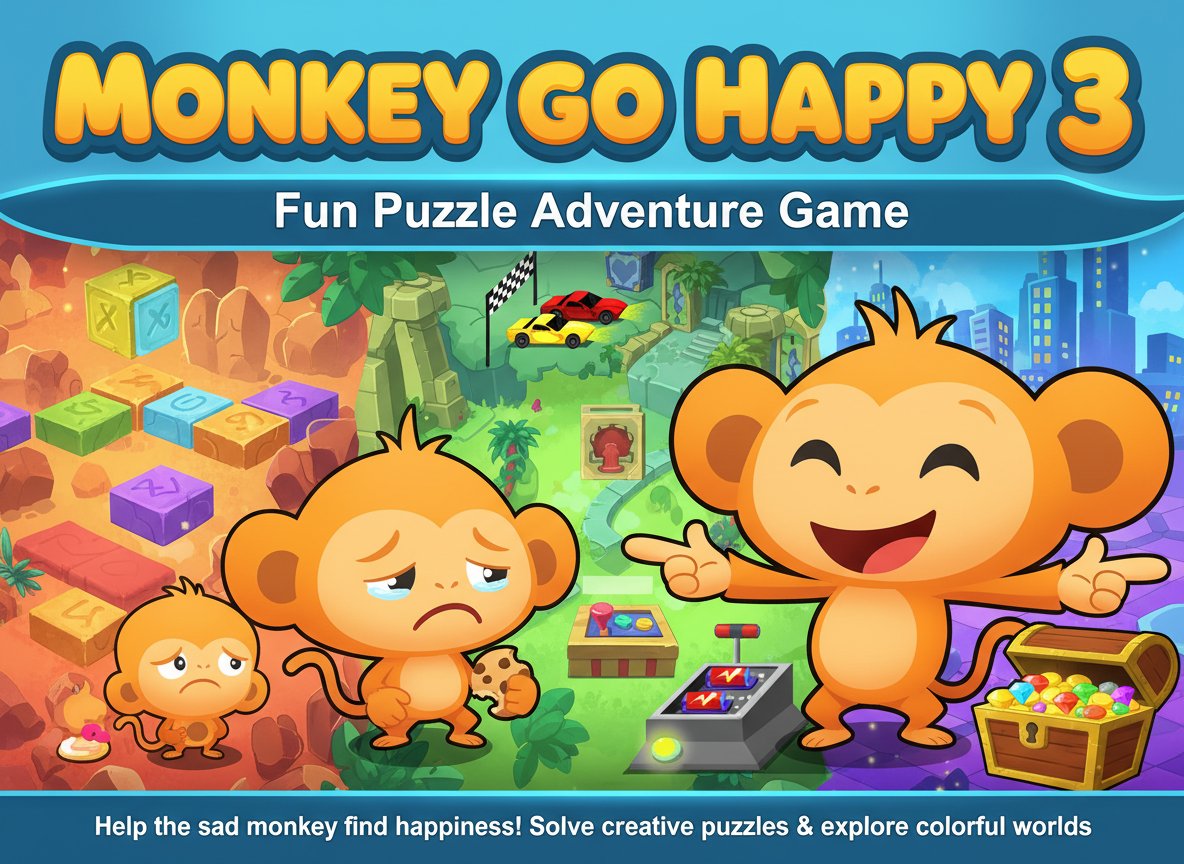
Monkey Go Happy 3 is a delightful puzzle adventure game featuring a sad monkey who needs your help to find happiness. Solve creative puzzles and explore colorful environments in this family-friendly game.

Prompt

MODEL: Seele01-Flash
Please use Three.js to generate a **mobile-first game** with the theme "**Monkey Go Happy 3D: Race Track Puzzle**". Please read the following detailed game design requirements first, and then generate the code accordingly: ### 1. Assets & Environment * **Visual Style:** High-saturation, **Low-Poly Cartoon style** with **Cel-Shading (Toon Shader)** to mimic the original 2D vector art aesthetics. * **Main Character:** A 3D monkey character placed prominently in the foreground. * **State A (Default):** Slumped shoulders, head down, crying animation (tears particle effect). * **State B (Win):** Jumping up and down, wide smile, arms waving (triggered upon solving the puzzle). * **Environment:** A miniature "Drag Race" diorama. * Background: A simple stadium wall or blue skybox. * Track: Two lanes of asphalt with a start line and a checkered finish line arch. * Objects: A red sports car and a yellow sports car at the starting line. * **Interactable Object:** A control panel/console in the foreground (near the monkey) with a large, empty battery slot and a red "Start" button. * **Hidden Item:** A battery hidden behind a bush or crate in the scene. * **Mobile Optimization:** Use simple geometries (BoxGeometry, CylinderGeometry) merged where possible. Limit real-time shadows; use baked lighting colors or an AmbientLight + DirectionalLight setup to save battery. ### 2. Audio Requirements * **BGM:** A quirky, looping marimba or xylophone track that sounds slightly mysterious but playful. * **Sound Effects (SFX):** * **Monkey Sad:** A rhythmic "Sobbing/Whimpering" sound looping in the background. * **Monkey Happy:** A loud "Screech/Cheer" sound played once upon winning. * **Interaction:** A "Click/Clack" sound when picking up items or pressing buttons. * **Racing:** A short "Vroom" engine noise when the cars move. * **Win:** A short fanfare trumpet sound. ### 3. Gameplay Loop * **Objective:** Make the crying monkey happy by starting the race. * **Step 1 (Observation):** The player sees the sad monkey, the stationary cars, and the control panel. Pressing the "Start" button does nothing (plays a 'fail' buzzer sound) because it has no power. * **Step 2 (Search):** The player must rotate the camera or look around to find the **Battery** hidden in the scene (e.g., behind a rock). * **Step 3 (Inventory):** The player taps the Battery to pick it up (it moves to the control panel slot). * **Step 4 (Action):** With the battery inserted, the player taps the "Start" button. The light turns Green. * **Step 5 (Resolution):** The cars animate down the track. The Yellow car crosses the line. The Monkey switches to the "Happy" animation state. Confetti particles explode. ### 4. Mobile Controls & Interaction * **Camera:** Use `OrbitControls` but with **restricted angles** (Azimuth and Polar angle limits) to prevent the user from looking under the map, keeping the view focused on the diorama. Enable `enableDamping` for smooth swipes. * **Input System:** * Use `Raycaster` mapped to `touchstart` events for immediate response (avoiding the 300ms click delay). * **Tap:** To collect the battery and press the button. * **UI/Feedback:** * When an interactable object is tapped, provide visual feedback (a slight scale bounce or color flash). * Trigger `navigator.vibrate(50)` (Haptic Feedback) on successful interactions. * **Restart Button:** A prominent "Replay" button (min 44x44px) appears after the win animation to reset the scene. * **Orientation:** Support **Portrait Mode** (stacking the Monkey below the track) or **Landscape Mode** (Monkey beside the track), adjusting the camera FOV dynamically based on `window.innerWidth / window.innerHeight`. Do not ask for clarification. Do not request confirmation. Directly execute the generation task based on the given instructions.

Game Introduction

About the Game

Monkey Go Happy 3 is an engaging puzzle adventure game that combines charming visuals with clever problem-solving challenges. This beloved installment in the Monkey Go Happy series features our adorable but melancholy primate protagonist who desperately needs your help to turn that frown upside down. With a solid 3.8/5 rating from players, this game has proven to be a hit among puzzle enthusiasts of all ages.

The game presents a series of increasingly creative scenarios where players must use logic, observation skills, and a bit of trial-and-error to solve each puzzle. Every successful solution brings a smile to the monkey's face, creating a rewarding gameplay loop that keeps players engaged and motivated to continue.

Core Features

Intuitive Point-and-Click Gameplay

The game uses simple point-and-click mechanics that make it accessible to players of all skill levels. No complex controls or steep learning curves - just pure puzzle-solving fun that anyone can enjoy.

Creative Puzzle Design

Each level presents unique challenges that require different approaches. From finding hidden objects to solving logical sequences, the puzzles are designed to be engaging without being frustratingly difficult.

Family-Friendly Content

With an "All Ages" content rating, Monkey Go Happy 3 is perfect for family gaming sessions. Parents can feel confident letting children play while still enjoying the clever puzzle mechanics themselves.

Colorful and Charming Art Style

The game features bright, cheerful graphics that create a welcoming atmosphere. The monkey's expressive animations and the vibrant environments add personality and charm to every scene.

Progressive Difficulty

Puzzles start simple and gradually increase in complexity, ensuring that new players can learn the ropes while experienced puzzle solvers still find meaningful challenges.

Gameplay Mechanics

The core gameplay revolves around helping the sad monkey find happiness through puzzle-solving. Players click on various objects, characters, and elements within each scene to interact with them. The key is to figure out the correct sequence of actions or find the right combination of items that will solve the puzzle and bring joy to the monkey.

Each level presents a different scenario - you might need to help the monkey retrieve a lost item, solve a environmental puzzle, or figure out how to make something work properly. The beauty lies in the game's ability to present familiar concepts in creative and unexpected ways.

Operation Guide

Basic Controls

  • Mouse Click : Interact with objects, characters, and environment elements
  • Cursor Changes : Watch for cursor changes that indicate interactive elements
  • Exploration : Click on different areas of the screen to discover hidden interactions
  • Inventory : Some puzzles may involve collecting and using items found in the scene

Tips for Success

  • Take your time to observe each scene carefully
  • Try clicking on everything that looks interactive
  • Pay attention to visual clues and environmental details
  • Don't be afraid to experiment with different combinations
  • If you get stuck, try approaching the puzzle from a different angle

Why Play This Game

Monkey Go Happy 3 strikes the perfect balance between challenge and accessibility. It's sophisticated enough to engage adult players while remaining simple enough for children to enjoy independently. The game's positive, uplifting theme makes it a great choice for stress relief and casual gaming sessions.

The puzzle design encourages creative thinking and problem-solving skills, making it both entertaining and educational. With its browser-based format, you can jump in and start playing immediately without any downloads or installations required.

Whether you're looking for a quick mental break during your day or a fun activity to share with family members, Monkey Go Happy 3 delivers a consistently enjoyable experience that will keep you coming back to help our simian friend find happiness.

Frequently Asked Questions (FAQ)