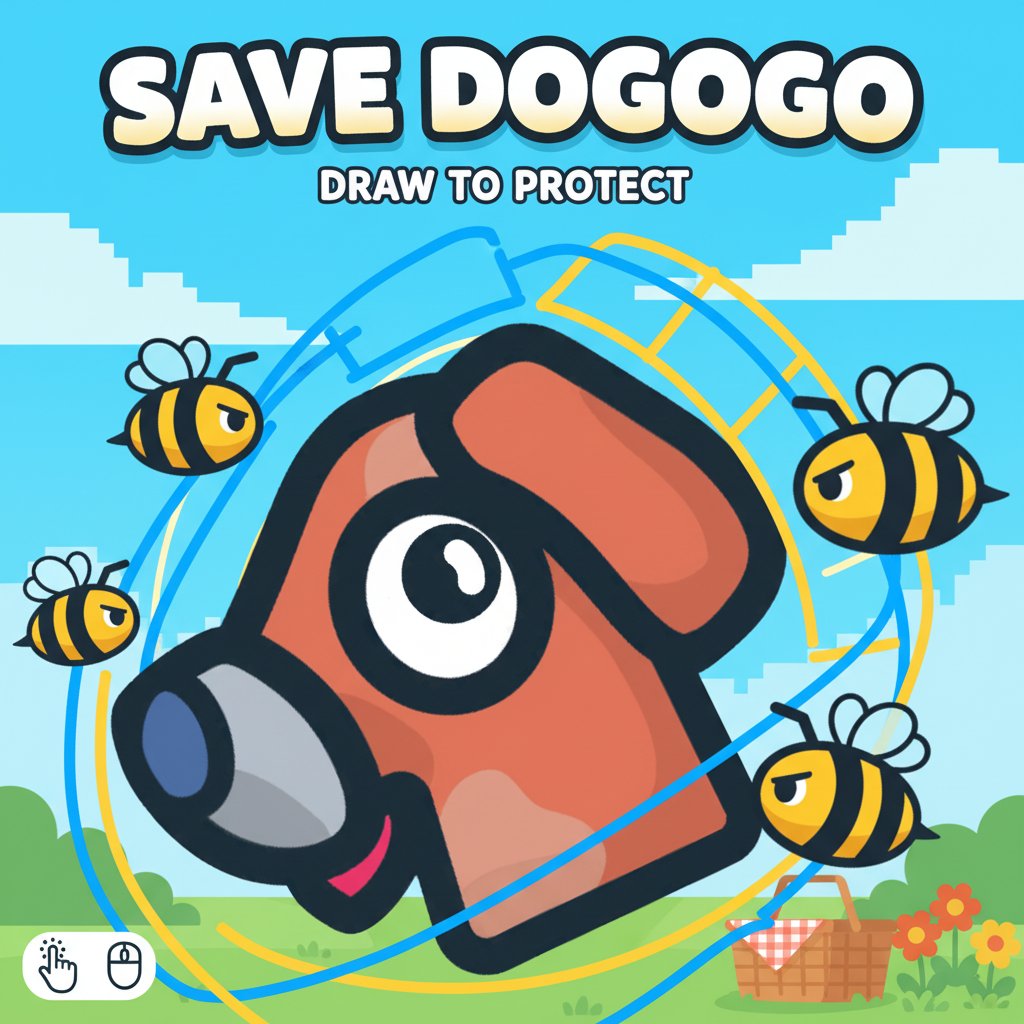
Save Dogogo - Draw to Protect

Seele01-Flash
By
Save Dogogo is an innovative drawing puzzle game where creativity meets strategy. Draw protective barriers to shield the adorable Dogogo from attacking bees using just your mouse or finger.

Prompt

MODEL: Seele01-Flash
Please use Three.js to generate a **mobile-first game** with the theme "**Save Dogogo**". Please read the following detailed game design requirements first, and then generate the code accordingly: ### 1. Assets & Environment * **Visual Style**: Adopt a "2.5D" **Paper Cutout / Cartoon aesthetic**. Use an **Orthographic Camera** to simulate a flat 2D plane while utilizing Three.js's 3D capabilities. Objects should have bold black outlines (Cell Shading or OutlineEffect) and flat, vibrant colors to match the provided screenshot. * **The Dog (Target)**: A simple geometric mesh (or sprite) representing the brown dog head with large, expressive eyes. It must be a physics object (RigidBody) subject to gravity. * **The Bees (Enemies)**: Small, yellow and black spheres or low-poly meshes. They act as a "swarm" particle system or individual agents that aggressively home in on the Dog's position. * **The Ink (Player Creation)**: The lines drawn by the player should be generated as extruded meshes (Tubes or thick ribbons) that instantly become static or dynamic physics bodies upon release. They should look like thick black marker ink. * **Background**: A static, pastel-colored sky (light blue) with a subtle, low-contrast city silhouette at the bottom to mimic the screenshot's depth. * **Optimization**: Use simple geometries (BoxGeometry, CylinderGeometry) for physics proxies. Limit the bee count to ~50 active agents for mobile performance. ### 2. Audio Requirements * **BGM**: A playful, pizzicato-string based track. It should be "sneaky" yet "goofy," looping seamlessly. * **SFX - Drawing**: A scratchy "scribble" sound that loops while the user's finger is moving on screen. * **SFX - Bees**: An annoying, high-pitched "buzzing" drone that gets louder as bees get closer to the dog. * **SFX - Impact**: A soft "thud" or "bonk" when bees hit the drawn lines. * **SFX - Win/Loss**: A happy bark for winning, and a sad whimper or comedic "womp-womp" sound for losing. ### 3. Gameplay Loop * **Phase 1: Drawing (The Setup)**: The physics are paused (or the bees are caged). The player draws lines on the screen. The amount of "Ink" is limited (display an ink bar). * **Phase 2: Action (The Attack)**: As soon as the player lifts their finger, physics activates. The drawn lines become solid. The bees spawn/attack from a hive source. Gravity applies to the Dog (and potentially the lines, depending on if they are anchored to the ground or floating). * **Win Condition**: The Dog must not be touched by a bee or fall into the "void" (bottom of screen) for **10 seconds**. * **Loss Condition**: A single bee collision with the Dog or the Dog falling off the platform triggers a "Game Over." * **Scoring**: Based on "Ink Efficiency." Using less ink awards up to 3 stars. ### 4. Mobile Controls & Interaction * **Touch Input**: This is the core mechanic. Map `touchstart`, `touchmove`, and `touchend` events to a Raycaster on the Z=0 plane. * **Touch & Drag**: Create a path of points. * **Release**: Finalize the mesh and enable physics for that shape. * **Orientation**: **Portrait Mode** (Vertical) is preferred to allow the Dog to fall and bees to attack from above. * **UI Layout**: * **Top Center**: A large, bold 10-second countdown timer. * **Top Right**: Ink Meter (ProgressBar) that depletes as you draw. * **Restart Button**: A large (at least 60x60px) refresh icon in the top corner for quick retries (crucial for puzzle games). * **Haptic Feedback**: Trigger a short vibration (if supported) when the Dog takes damage or when the timer hits zero (Success). Visual shake effect on the camera when bees swarm the shield heavily. Do not ask for clarification. Do not request confirmation. Directly execute the generation task based on the given instructions.

Game Introduction

About the Game

Save Dogogo is a charming drawing puzzle game that combines creativity with strategic thinking. Your mission is simple yet engaging: protect the loveable character Dogogo from a swarm of menacing bees by drawing protective barriers. This unique gameplay mechanic makes every level a creative challenge where your artistic skills directly impact your success.

The game features intuitive drawing controls and progressively challenging levels that test both your problem-solving abilities and creative thinking. With its colorful cartoon-style graphics and engaging gameplay, Save Dogogo appeals to players of all ages who enjoy puzzle games with a creative twist.

Core Features

Creative Drawing Mechanics

Unlike traditional puzzle games, Save Dogogo empowers you to create your own solutions. Draw lines, circles, or complex shapes to build protective shields around Dogogo. The physics-based system responds realistically to your drawings, making each solution unique.

Strategic Puzzle Elements

Each level presents a new challenge requiring careful planning. You'll need to consider bee attack patterns, utilize existing platforms, and create efficient protective barriers. The goal is to keep Dogogo safe for exactly 10 seconds to complete each level.

Star Rating System

Challenge yourself to achieve 3-star ratings by solving puzzles with minimal drawing. This scoring system encourages creative efficiency and adds replay value as you strive to find the most elegant solutions.

Cross-Platform Compatibility

Enjoy seamless gameplay across all devices. Whether you're using a desktop computer, smartphone, or tablet, Save Dogogo adapts perfectly to your screen and input method.

Game Mechanics

The core gameplay revolves around drawing protective elements in real-time. Bees approach Dogogo from various angles, and your drawn barriers must effectively block their path. The physics engine ensures that your drawings behave realistically, adding an element of strategy to your creative process.

Successful protection requires understanding bee movement patterns, utilizing level geometry, and creating stable defensive structures. Some levels feature moving platforms, wind effects, or multiple bee swarms that require increasingly sophisticated solutions.

How to Play

Basic Controls

  • Click and Hold : Draw protective lines and shapes
  • Mouse/Touch : Create barriers by dragging across the screen
  • Strategic Planning : Observe bee patterns before drawing
  • Time Management : Keep Dogogo safe for 10 seconds to win

Winning Strategy

  1. Analyze the Threat : Study bee approach angles and timing
  2. Plan Your Defense : Identify optimal drawing positions
  3. Draw Efficiently : Create effective barriers with minimal strokes
  4. Use Platforms : Leverage existing level geometry
  5. Test and Adapt : Modify your approach if the first attempt fails

Why Play Save Dogogo

Completely Free : No hidden costs or premium content - enjoy full access to all levels and features without spending money.

Instant Play : No downloads required. Simply open your web browser and start protecting Dogogo immediately.

Educational Value : Develops spatial reasoning, creative problem-solving, and strategic thinking skills while providing entertainment.

Stress Relief : The charming graphics and gentle gameplay provide a relaxing gaming experience perfect for unwinding.

Universal Appeal : Suitable for children learning basic drawing concepts and adults who enjoy creative puzzle challenges.

Unlimited Creativity : Each level can be solved in multiple ways, encouraging experimentation and creative expression.

Save Dogogo offers a perfect blend of creativity, strategy, and fun that keeps players engaged while exercising their problem-solving skills. Whether you're looking for a quick gaming session or an extended puzzle-solving experience, this delightful game delivers satisfaction through its unique drawing-based gameplay mechanics.

Frequently Asked Questions (FAQ)