
Wording - Word Puzzle Game - Puzzle Game
 Roguelike
Dungeon Survivors
Build a Vampire-Survivors-style dungeon arena with hero picks.
 New
NewRiver Raid Survival
Build a River Raid-style flight survival run with fuel pressure.
 Unity
UnityBattle of Balls
Build a Unity arena where rolling balls collide and grow.
 Action
Open World City Action
Build an open-world city romp with driving and police chases.
 Unity
UnityEndless Runner
Build a polished Unity endless runner with lanes and pickups.
 New
NewSolo Racing Game
Build a browser racer with tracks, timing, and a minimap.
 Racing
Track Racing Challenge
Build a closed-circuit racer built around drift corners.
 Sports
Basketball Duel
Build a one-on-one basketball game with physics shooting.
 SEELE02 CORE
Game Generator
Turn a one-line idea into a playable game demo.
 Survival
Survival Sandbox Arena
Build a survival arena with enemy waves and turret defense.
RoguelikeDungeon Survivors
Build a Vampire-Survivors-style dungeon arena with hero picks.
NewRiver Raid Survival
Build a River Raid-style flight survival run with fuel pressure.
UnityBattle of Balls
Build a Unity arena where rolling balls collide and grow.
ActionOpen World City Action
Build an open-world city romp with driving and police chases.
UnityEndless Runner
Build a polished Unity endless runner with lanes and pickups.
NewSolo Racing Game
Build a browser racer with tracks, timing, and a minimap.
RacingTrack Racing Challenge
Build a closed-circuit racer built around drift corners.
SportsBasketball Duel
Build a one-on-one basketball game with physics shooting.
SEELE02 COREGame Generator
Turn a one-line idea into a playable game demo.
SurvivalSurvival Sandbox Arena
Build a survival arena with enemy waves and turret defense.
Prompt

Games are fun. Creating them is even better.
Game Introduction
About the Game
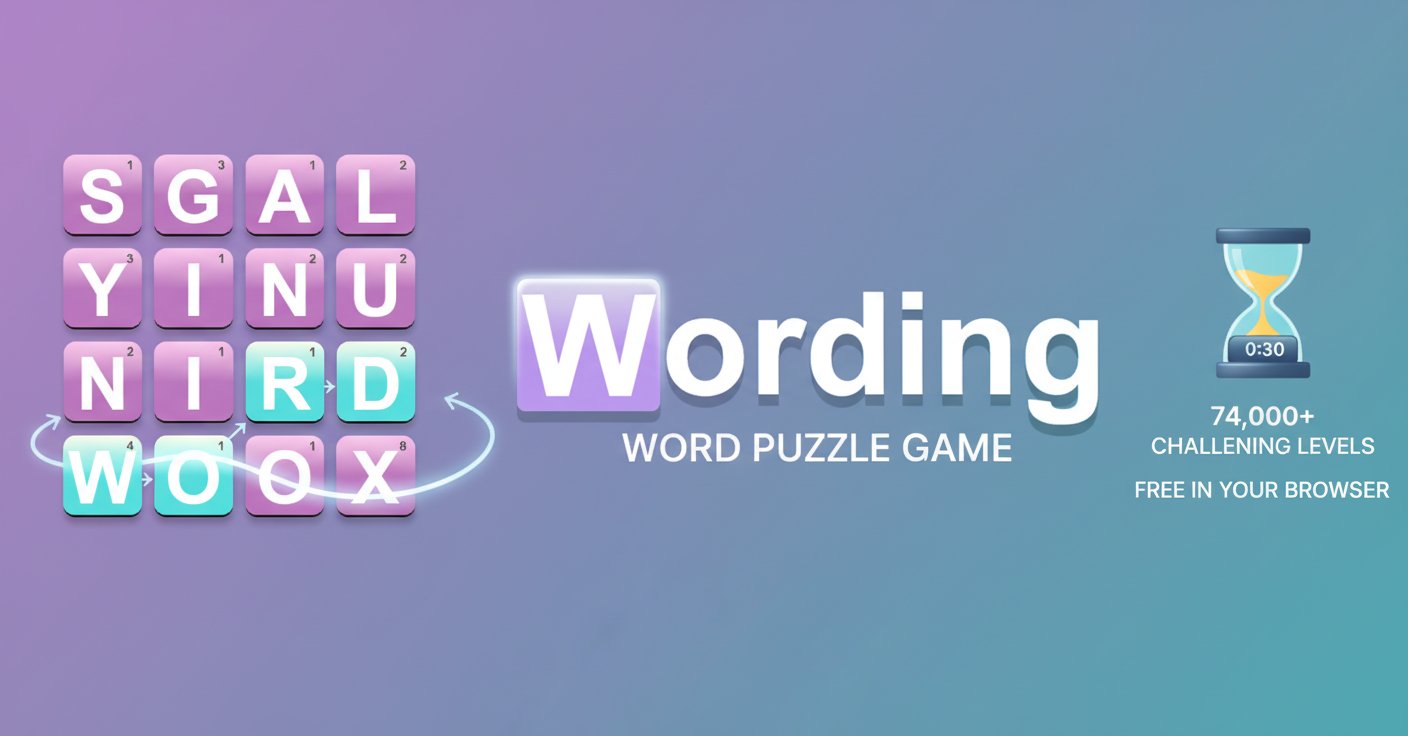
Wording is the ultimate word puzzle challenge that will put your vocabulary skills to the test! This engaging brain-training game offers an incredible 74,000 levels of word-finding excitement, making it one of the most comprehensive word puzzle experiences available online. Whether you're a casual word game enthusiast or a serious vocabulary champion, Wording provides endless entertainment and mental stimulation.
The game challenges players to find as many words as possible within a grid of letters before the clock runs out. With its intuitive drag-and-connect gameplay mechanics, players can form words in any direction - horizontally, vertically, diagonally, or even backwards. This flexibility creates countless possibilities for word discovery and keeps every level fresh and exciting.
Core Features
Massive Content Library
With 74,000 unique levels , Wording offers virtually unlimited gameplay. Each level presents a new letter grid configuration, ensuring that players never run out of fresh challenges. This extensive content library makes it perfect for both quick gaming sessions and extended play periods.
Flexible Word Formation
Unlike traditional word games that restrict movement patterns, Wording allows complete freedom in connecting letters. You can: - Connect letters in any direction - horizontal, vertical, or diagonal - Form words backwards for additional scoring opportunities - Create overlapping word paths to maximize your score - Discover hidden bonus words that aren't part of the main objectives
Brain Training Benefits
Wording isn't just entertainment - it's a powerful brain training tool that helps: - Expand vocabulary through exposure to new words - Improve pattern recognition skills - Enhance cognitive flexibility and quick thinking - Boost concentration and focus under time pressure - Develop strategic thinking for optimal word-finding approaches
Cross-Platform Accessibility
- Completely free to play with no hidden costs or premium features
- No download required - play instantly in your web browser
- Perfect mobile optimization for smartphones and tablets
- Seamless desktop experience for larger screens
- Auto-save progress so you never lose your achievements
Gameplay Mechanics
The core gameplay revolves around efficient word discovery within time constraints. Each level presents a 4x4 grid of letters, and your goal is to find as many valid words as possible before time expires. The scoring system rewards both word length and discovery speed, encouraging players to develop optimal strategies.
Scoring System: - Longer words earn more points - Bonus points for finding rare or difficult words - Time bonuses for quick discoveries - Achievement rewards for consistent performance
Operation Guide
Basic Controls
- Mouse Control : Drag the left mouse button to connect letters and form words
- Touch Control : On mobile devices, use your finger to draw connecting lines between letters
- Direction Freedom : Connect letters in any direction - straight lines, diagonals, or complex paths
- Word Validation : Release the mouse/finger to submit your word for validation
Pro Tips for Success
- Start with longer words - they provide more points and often reveal shorter word opportunities
- Look for common prefixes and suffixes like "UN-", "-ING", "-ED"
- Use the entire grid - don't focus on just one area
- Think backwards - many words can be spelled in reverse for additional points
- Practice pattern recognition to quickly spot potential word formations
Why Play Wording?
Educational Value
Wording combines entertainment with genuine educational benefits. Regular play naturally expands vocabulary, improves spelling, and enhances pattern recognition skills. It's an excellent tool for students, language learners, and anyone looking to keep their mind sharp.
Stress-Free Gaming
Unlike competitive online games, Wording offers a relaxing, single-player experience. There's no pressure from other players, no in-app purchases, and no aggressive advertising. It's pure, focused word puzzle enjoyment.
Perfect for All Ages
The game's intuitive mechanics make it accessible to players of all ages and skill levels. Children can improve their spelling and vocabulary, while adults can enjoy a challenging mental workout. The difficulty naturally scales based on your vocabulary knowledge.
Convenience and Accessibility
As a browser-based game, Wording fits seamlessly into your daily routine. Play during coffee breaks, commute time, or whenever you have a few minutes to spare. The auto-save feature ensures your progress is always preserved.
Suitable for Everyone
Wording appeals to a broad audience: - Students looking to improve vocabulary and spelling - Professionals wanting quick mental breaks during work - Seniors seeking engaging brain exercise - Language learners practicing English vocabulary - Puzzle enthusiasts who enjoy word-based challenges - Casual gamers preferring relaxed, single-player experiences