
Zoo Animals - Animal Puzzle Stacking Game - Puzzle Game
 New
NewRiver Raid Survival
Build a River Raid-style flight survival run with fuel pressure.
 Voxel
VoxelVoxel Village Explorer
Build a voxel village to roam with jump and camera controls.
 Unity
UnityEndless Runner
Build a polished Unity endless runner with lanes and pickups.
 Sports
Basketball Duel
Build a one-on-one basketball game with physics shooting.
 Unity
UnityBattle of Balls
Build a Unity arena where rolling balls collide and grow.
 Unity
UnityStrawberry Grove Adventure
Build a cozy Unity pixel grove of exploration and collectibles.
 Shooter
Platform Shooter Quest
Build a side-scrolling platform shooter with weapon switching.
 New
NewCharacter Physics World
Build a third-person physics world with day-night and props to touch.
 Godot
GodotBaby Bat Climber
Build a compact Godot cave-climbing platformer.
 Subscriber only
Unreal Top-Down Roguelite
Create a complete UE 5.5 top-down arena roguelite with upgrades and a boss finale.
NewRiver Raid Survival
Build a River Raid-style flight survival run with fuel pressure.
VoxelVoxel Village Explorer
Build a voxel village to roam with jump and camera controls.
UnityEndless Runner
Build a polished Unity endless runner with lanes and pickups.
SportsBasketball Duel
Build a one-on-one basketball game with physics shooting.
UnityBattle of Balls
Build a Unity arena where rolling balls collide and grow.
UnityStrawberry Grove Adventure
Build a cozy Unity pixel grove of exploration and collectibles.
ShooterPlatform Shooter Quest
Build a side-scrolling platform shooter with weapon switching.
NewCharacter Physics World
Build a third-person physics world with day-night and props to touch.
GodotBaby Bat Climber
Build a compact Godot cave-climbing platformer.
Subscriber onlyUnreal Top-Down Roguelite
Create a complete UE 5.5 top-down arena roguelite with upgrades and a boss finale.
Prompt

Games are fun. Creating them is even better.
Game Introduction
About the Game
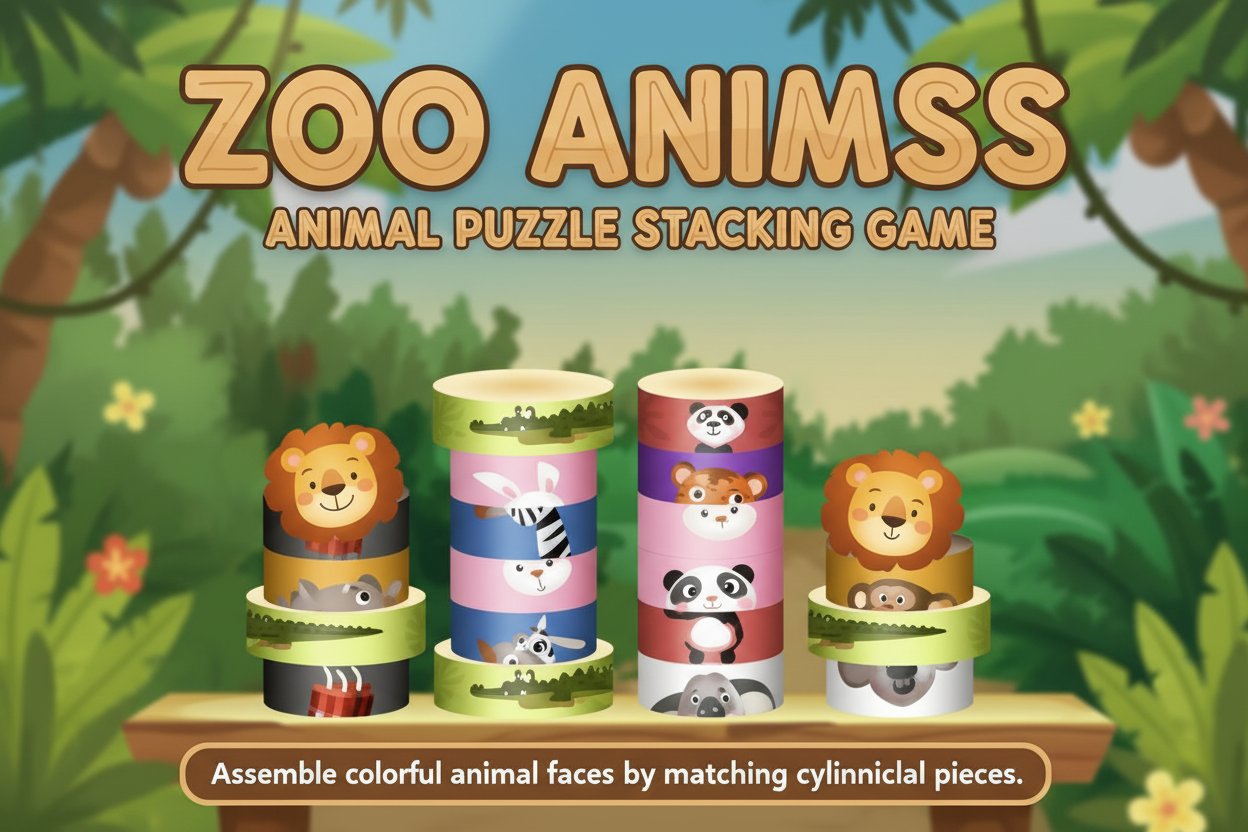
Zoo Animals is a delightful puzzle stacking game that combines your love for animals with engaging brain-teasing gameplay. With a colorful jungle-themed background and cute animal designs, this free online game challenges you to reconstruct adorable animal faces by strategically stacking and matching cylindrical pieces. The game has earned a solid 3.9/5 rating from puzzle enthusiasts who enjoy its unique blend of matching and stacking mechanics.
Core Features
Unique Cylinder Stacking Mechanics
Unlike traditional puzzle games, Zoo Animals uses innovative cylindrical pieces that you drag and stack to form complete animal faces and bodies. Each piece represents part of an animal's features - from ears and eyes to noses and whiskers.
Multiple Challenge Levels
Progress through increasingly difficult levels, each with its own time limit and score requirements. As you advance, the puzzles become more complex, requiring faster thinking and better strategy.
Smart Alert System
The game features a helpful red exclamation mark warning system that alerts you when new pieces are about to drop and shows you which column they'll land in, helping you plan your moves strategically.
Power-Up Boosts
Utilize special dynamite boosts to clear entire columns when you're running out of space or need to make room for better piece placement.
Jungle-Themed Experience
Immerse yourself in a vibrant jungle atmosphere with colorful graphics and cute animal characters that make every puzzle-solving moment enjoyable.
Gameplay Mechanics
Drag-and-Drop Controls
Simply drag cylindrical pieces around the game board to position them correctly. Pieces can be moved freely and placed over other pieces for strategic stacking.
Matching System
Align pieces with the corresponding parts of animal faces or bodies shown at the top or sides of the game area. Complete matches to score points and progress.
Time Management
Each level is timed, adding excitement and challenge. You must reach the target score before time runs out to unlock the next level.
Operation Guide
Basic Controls: - Mouse/Touch : Click and drag to move cylindrical pieces - Drop : Release to place pieces in desired positions - Stack : Place pieces on top of each other for strategic positioning
Game Objectives: 1. Match cylindrical pieces to complete animal faces 2. Reach the required score within the time limit 3. Use boosts strategically to clear columns when needed 4. Watch for falling piece warnings (red exclamation marks) 5. Progress through all available levels
Scoring System: Your score, current level, and remaining time are displayed in the top-right corner. Monitor these closely to ensure you meet level requirements.
Why Play This Game
Zoo Animals offers a perfect combination of relaxation and mental stimulation. It's ideal for:
- Animal lovers who enjoy cute, colorful designs
- Puzzle enthusiasts seeking fresh mechanics beyond traditional matching
- Casual gamers looking for short, engaging sessions
- Mobile players wanting quality entertainment on any device
- Brain training through spatial reasoning and quick decision-making
The game's free-to-play nature means you can enjoy all features without any cost. Its mobile-friendly design ensures smooth gameplay whether you're on a computer, tablet, or smartphone. With multiple levels and increasing difficulty, Zoo Animals provides lasting entertainment value that keeps you coming back for more puzzle-solving fun.