
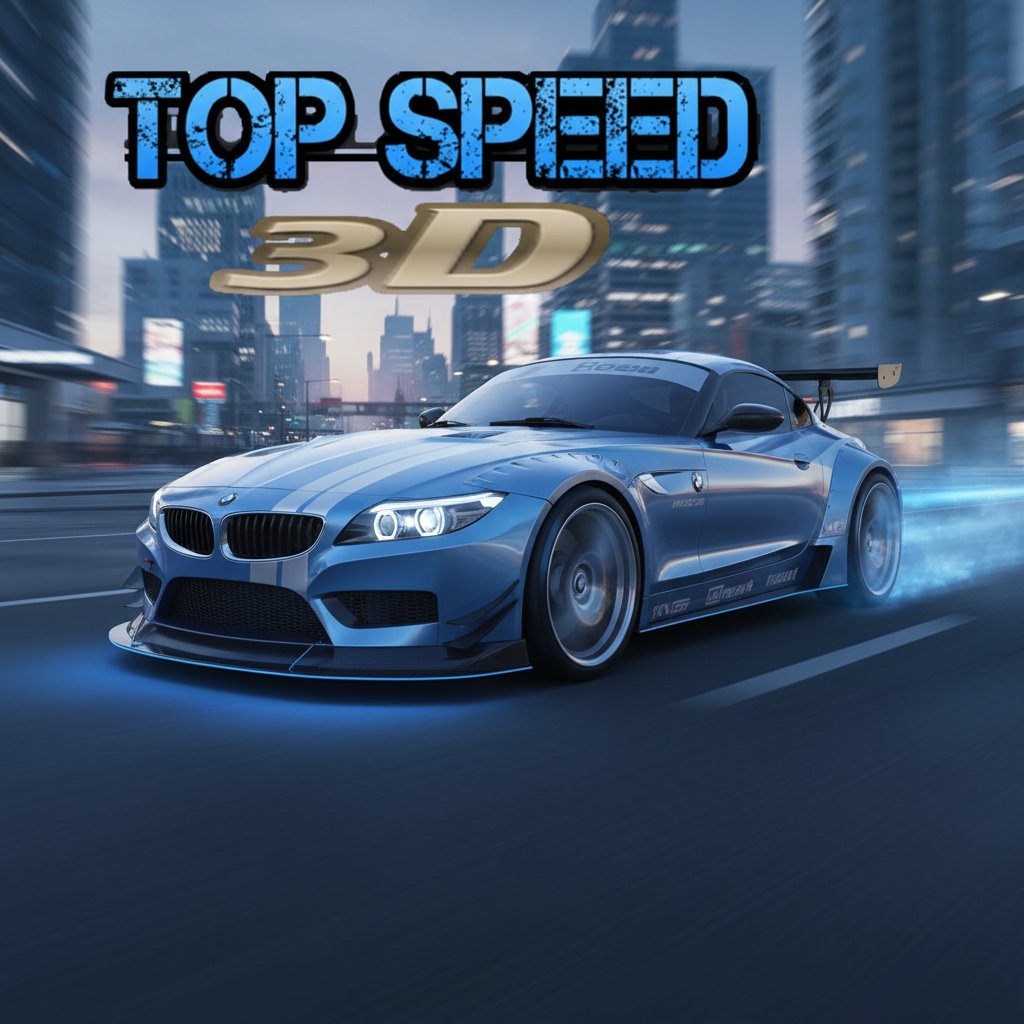
Top Speed 3D - Racing Game
 New
NewArcade Crossing Game
Build a lane-dodging arcade game with traffic and pickups.
 Unity
UnityCastle Devour Quest
Build a Unity castle quest with risky rooms and a win goal.
 Subscriber only
Unreal Dungeon Crawler
Build a playable Unreal dungeon crawler, combat-ready.
 FPS
FPSZombie Horror Survival
Build a tense zombie horror survival with map progression.
 Subscriber only
Unreal FPS/TPS Shooter
Create a complete UE 5.5 FPS or TPS shooter with combat, UI, and replay.
 Unity
UnityEgg on the Car Roof
Build a Unity challenge: keep a fragile egg on a moving roof.
 Unity
UnityCupid's Arrow
Build a Unity archery game of timing and matchmaking.
 New
NewRiver Raid Survival
Build a River Raid-style flight survival run with fuel pressure.
 Driving
City Car Driving
Build an open-city free-driving game with car selection.
 3D
3DThird Person Explorer
Build a third-person explorer with swappable scenes and a live minimap.
NewArcade Crossing Game
Build a lane-dodging arcade game with traffic and pickups.
UnityCastle Devour Quest
Build a Unity castle quest with risky rooms and a win goal.
Subscriber onlyUnreal Dungeon Crawler
Build a playable Unreal dungeon crawler, combat-ready.
FPSZombie Horror Survival
Build a tense zombie horror survival with map progression.
Subscriber onlyUnreal FPS/TPS Shooter
Create a complete UE 5.5 FPS or TPS shooter with combat, UI, and replay.
UnityEgg on the Car Roof
Build a Unity challenge: keep a fragile egg on a moving roof.
UnityCupid's Arrow
Build a Unity archery game of timing and matchmaking.
NewRiver Raid Survival
Build a River Raid-style flight survival run with fuel pressure.
DrivingCity Car Driving
Build an open-city free-driving game with car selection.
3DThird Person Explorer
Build a third-person explorer with swappable scenes and a live minimap.
Prompt

Games are fun. Creating them is even better.
Game Introduction
About the Game
Top Speed 3D delivers an exhilarating racing experience that puts you in complete control of high-performance sports cars. This free online racing game combines realistic 3D graphics with extensive customization options, allowing you to create and drive your dream car through expansive city environments. Whether you're a racing enthusiast or casual gamer, Top Speed 3D offers the perfect blend of speed, customization, and freedom.
Core Features
Complete Car Customization System
Top Speed 3D stands out with its comprehensive vehicle customization options:
- Visual Customization : Choose from countless color combinations, wheel designs, and aesthetic modifications to create your unique racing machine
- Performance Tuning : Adjust suspension settings, handling characteristics, and horsepower to match your driving style
- Upgrade System : Enhance your car's capabilities through the in-game auto shop with performance upgrades and repairs
- Multiple Sports Cars : Test drive various high-end sports cars, each with distinct handling and performance characteristics
Open-World City Environment
Explore a detailed 3D city designed specifically for high-speed racing:
- Empty Streets : Race through realistic city environments without traffic concerns
- Multiple Routes : Discover various racing paths and shortcuts throughout the urban landscape
- Realistic Physics : Experience authentic driving mechanics with responsive controls and realistic car behavior
- No Limits Racing : Push your vehicles to maximum speed without pedestrian or traffic obstacles
Beginner-Friendly Features
The game welcomes players of all skill levels:
- Driving Assistant : Optional guidance system helps newcomers learn racing fundamentals
- Progressive Learning : Start with basic controls and gradually master advanced techniques
- Crash Recovery : Auto shop repairs ensure you can quickly get back on track after accidents
- Save Progress : Your achievements and customizations are automatically saved for future sessions
Gameplay Mechanics
Top Speed 3D combines arcade-style racing with simulation elements. Players can focus on pure speed runs, practice drifting techniques, or experiment with different car setups. The game's physics engine provides realistic feedback while maintaining accessibility for casual players.
Performance and Upgrades
The upgrade system allows deep customization of vehicle performance. Modify engine power, suspension stiffness, and handling balance to create cars suited for different racing styles - from drift-focused builds to top-speed monsters.
Controls and Operation
The game features intuitive controls optimized for both keyboard and gamepad use:
- WASD Keys or Arrow Keys : Accelerate, brake, and steer your vehicle
- Spacebar : Emergency handbrake for tight turns and drifting
- Mouse : Navigate menus and adjust camera angles
- Tab : Access quick settings and customization options during gameplay
The responsive control scheme ensures precise vehicle handling whether you're navigating tight city corners or hitting straightaway top speeds.
Why Play Top Speed 3D
Top Speed 3D offers a unique combination of freedom and performance that sets it apart from other racing games. The extensive customization system means every player can create a truly personal racing experience. With no download required and instant browser access, you can jump into high-speed action immediately. The game's balance of realistic physics and arcade accessibility makes it perfect for both serious racing fans and casual players looking for automotive excitement.
The empty city environment provides the perfect playground for testing your customized vehicles without the frustration of traffic or complex rules - just pure racing enjoyment focused on speed, style, and personal expression through car customization.